
★★★★★
I got the motherboard issue fixed on my 16” MacBook Pro. No data was lost, and everything is the same as before. As promised, I also received a 60-day service warranty. Thank you, iDevice! 😊
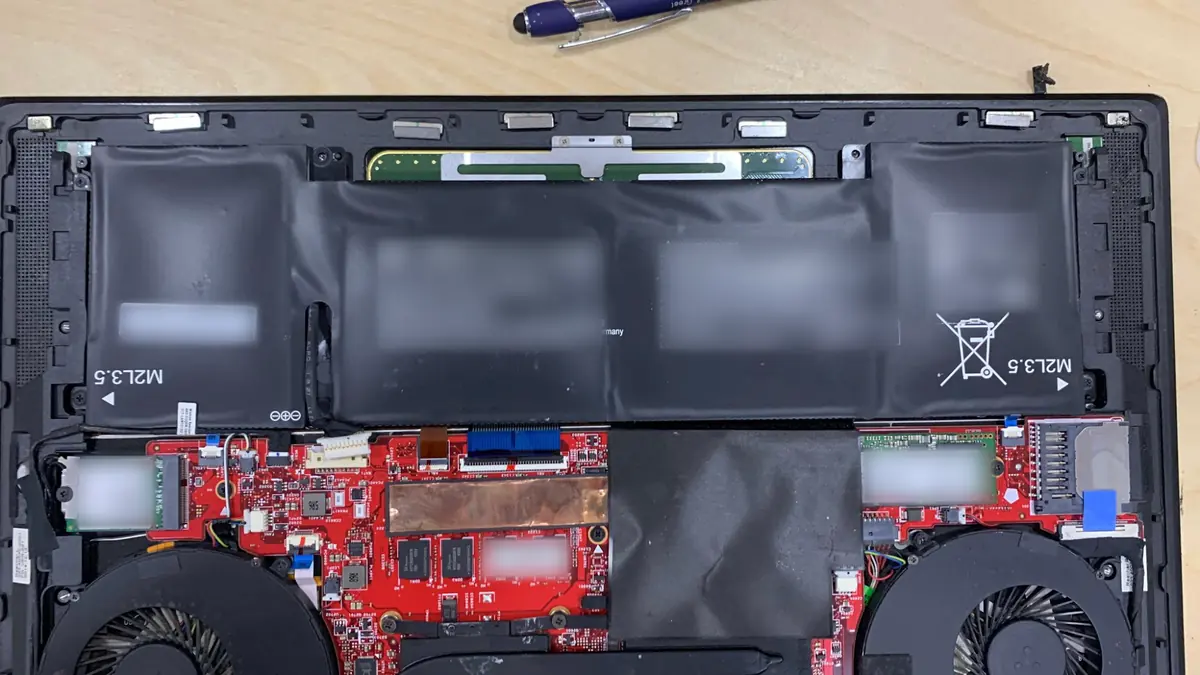
Service · All brands · Singapore
Dell, HP, Lenovo, ASUS, Acer, MSI, Razer, Huawei, Surface — and the boards inside them. We diagnose with a bench supply and a thermal camera, quote in writing, and repair the fault instead of replacing the assembly around it.
A slice of this week's bench log
On this page
A repair is only as good as the diagnosis behind it, and diagnosis is where most of Singapore's repair market quietly gives up. The industry default is board swapping: identify the assembly that appears faulty, order a replacement, charge for it. It works, it is fast, and it is enormously profitable. It is also why customers are told a S$1,000 board is dead when a S$4 capacitor is the culprit.
Our process starts with the electrical evidence rather than the symptom. The laptop goes on a bench power supply set to the board's rated input voltage with the current limit clamped low. What the board draws in the first second tells us most of the story:
Alongside the electrical work we run a physical inspection under a stereo microscope at 20–40×. Corrosion, flux residue from a previous repair, lifted pads, cracked BGA solder joints and cold-cracked capacitors are all visible at that magnification and invisible at arm's length. We photograph what we find and we show it to you. If a shop cannot show you the fault, ask yourself whether they found it.
Free on arrival: visual inspection, power-path check, external symptom reproduction. This resolves most walk-ins. Chargeable, and credited against the repair: bench diagnostics that require opening the machine, tracing the board, or imaging a failing drive. You are told the figure before we start, every time.
Below is the bench reference we use during intake. The reference codes are ours, not an industry standard — quoting one to us over WhatsApp simply lets us have the right parts and the right bench free before you arrive.
Diagnostic reference
Turnaround assumes the part is in stock and the fault behaves the way the symptom suggests. Boards are the exception: we never quote a fixed schedule on a fault we have not yet traced.
Send a photo of the machine and a two-line description of what it does. A technician replies with a probable diagnosis and an honest price band before you leave the house.
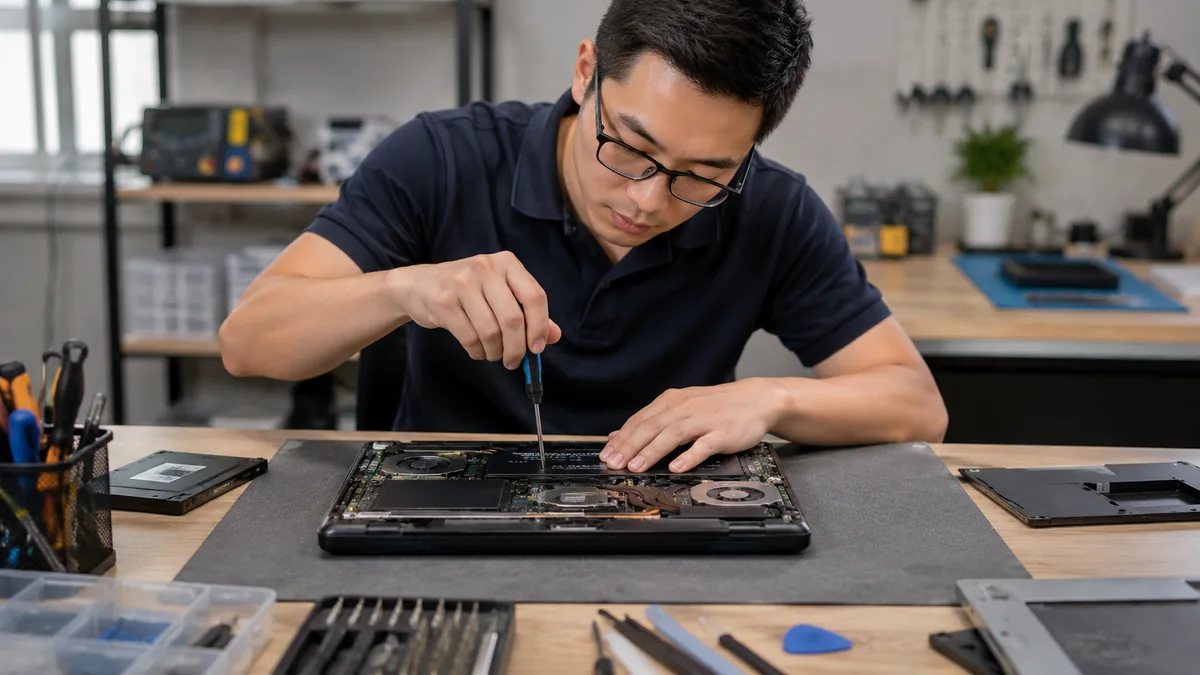
A modern laptop mainboard is an eight to twelve layer PCB carrying dozens of switching regulators, a charging IC, an embedded controller, the CPU package, memory, and — on discrete-graphics machines — a GPU with its own power delivery. Almost every "dead motherboard" is one of these subsystems misbehaving, and almost all of them are repairable by someone with a schematic, a boardview, and the equipment to remove and replace components without cooking the board.
Our board bench runs a preheater at 150–180°C, a hot-air station with controlled airflow, a microscope, and low-temperature bismuth solder for delicate rework. The single most common repairs, in order of frequency across our last twelve months:
Two honest limits. First, a board with catastrophic physical damage — a snapped PCB, a crater where a connector used to be, a CPU package delaminated — is often beyond economical repair, and we will say so on day one. Second, some Apple silicon and Surface designs pair storage or the Secure Enclave to the board cryptographically; replacing the board on those machines means the storage cannot be read afterwards. That is a data-recovery decision, not just a repair decision, and we raise it before touching anything.
Liquid does not kill a laptop by shorting it. It kills a laptop by corroding it slowly. Water, coffee, tea, beer, and soft drinks all conduct, but the real damage is electrochemical: dissolved ions plus a powered circuit equals metal migrating off traces. That is why the classic pattern is a laptop that works fine for a week and then dies, and why "it dried out and it's fine" is the most expensive sentence in this trade.
The correct first response, in order:
On the bench we disassemble fully, disconnect the battery, and inspect every board and flex under the microscope. Boards go through an ultrasonic bath in an appropriate cleaning solution, then isopropanol, then a controlled dry. Corroded pads are cleaned back to copper and re-tinned. Broken traces are jumpered. Shorted components are removed and replaced. Then the board is powered on a bench supply before it goes back into the chassis, and the machine is soak-tested for a minimum of 24 hours. Full detail and the emergency first steps are on our dedicated laptop water damage repair page.
Brought in the same day, a spill-damaged laptop has a strong chance of full recovery. Brought in after a week of intermittent use, the odds drop sharply and the cost rises, because we are now repairing corrosion damage as well as the original short. Brought in after a month, we are often talking about data recovery. This is not a sales technique. It is chemistry.
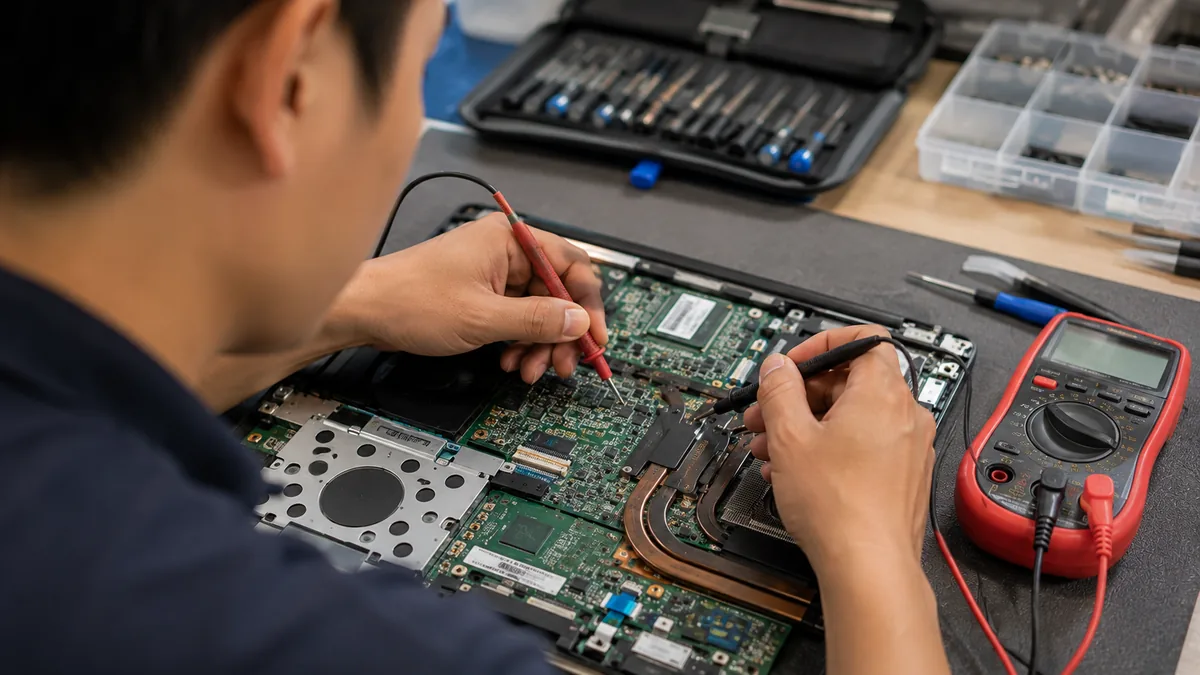
If your three-year-old laptop feels slower than it did, the most likely cause is not Windows and not the SSD. It is heat. Thermal compound between the CPU die and the heatsink dries and cracks; dust builds a felt mat across the radiator fins; fan bearings wear and the fan spins slower than the sensor believes. The chip protects itself by dropping clocks, and the machine gets slow without ever reporting a fault.
A full thermal service means disassembly, fin-stack cleaning, fan replacement or bearing service, replacement of every thermal pad on VRM and VRAM to the correct thickness, and fresh compound. On CPUs that support it — and only those — we apply liquid metal, which typically buys another 6–10°C over the best paste. On gaming laptops from ASUS ROG, Lenovo Legion, MSI, Acer Predator and Razer, we routinely record 15–20°C drops in sustained load temperature and a corresponding return of lost clock speed. It is the best value repair in this entire price list — see our dedicated gaming laptop repair page for thermal service, GPU reball and board-level work on those machines.
Two upgrades still change a laptop's character. Moving from a SATA drive — or worse, a spinning hard disk — to an NVMe SSD collapses boot and application load times. Going from 8GB to 16GB of RAM ends the constant swapping that makes a browser with thirty tabs feel broken. Both are same-day, and we clone your existing installation across so nothing is reinstalled and nothing is lost.
Check three things before you buy parts yourself. Whether the machine has a spare M.2 slot or you must replace the existing drive. Whether the slot is NVMe or SATA-only — they look identical and behave nothing alike. And whether the RAM is socketed at all; on most ultrabooks and every Apple silicon Mac, it is soldered and cannot be upgraded at any price. Send us the model and we will check for you before you spend anything.
Dell — XPS hinges and display cables wear; Latitude boards are well documented and repairable. HP — Spectre and Envy top cases are bonded, which raises keyboard labour. Lenovo — ThinkPads remain the most serviceable machines sold; Legion thermals reward a repaste. ASUS — ROG cooling is excellent when clean and awful when not; Zenbook batteries swell more than average. Acer — cost-engineered hinge mounts crack the palm rest early. MSI — strong boards, weak fan bearings. Razer — beautiful unibodies, hostile to disassembly, and prone to battery swelling. Microsoft Surface — bonded displays and soldered storage; realistic quotes only. Huawei — pleasant to work on, parts availability is the constraint. See also our dedicated MacBook repair page.
The two questions we are asked before any other are "how much" and "how long", so here are both. Every figure below is an indicative band in Singapore dollars, fitted and tested, drawn from jobs we have actually completed rather than from a wish list. They are not quotes. Two laptops with the same symptom can sit at opposite ends of a band because the parts inside them are not the same part, and a fault that looks identical from the outside can be a S$90 cable or a S$400 board. Your firm price follows the free diagnosis, in writing, and no work starts until you have agreed to that figure.
| What is being repaired | Typical machines and notes | Indicative fitted price | Turnaround |
|---|---|---|---|
| First-line diagnosis | Walk-in: visual, power-path, symptom reproduction | Free | While you wait |
| Battery, mainstream 14–15.6" | Serviceable, screwed pack | S$90 – 160 | Same day, 30–60 min |
| Battery, business ultrabook | ThinkPad, Latitude, EliteBook | S$120 – 190 | Same day |
| Battery, thin ultrabook / convertible | Adhered pack — XPS, Spectre, Yoga, Zenbook | S$140 – 230 | Same day, 2–4 hrs |
| Battery, gaming (80–99Wh) | Large multi-cell — ROG, Legion, Predator | S$170 – 270 | Same day |
| Screen, 1366×768 / 1080p TN or IPS | Mainstream 14–15.6" laptops | S$180 – 280 | Same day |
| Screen, 1080p 144–165Hz IPS | ROG, Legion, Predator, MSI, Nitro | S$300 – 430 | Same day – 2 days |
| Screen, 2K / 3K high-gamut IPS | XPS, Spectre, ThinkPad X1, Zenbook | S$380 – 560 | 1 – 3 days |
| Screen, OLED | Zenbook OLED, Galaxy Book, Slim Pro | S$450 – 650 | 2 – 5 days |
| Bonded touch display assembly | Surface Pro / Laptop, convertibles | S$420 – 780 | 2 – 4 days |
| eDP display cable only | Flicker or blackout on lid movement | S$90 – 180 | Same day |
| Backlight circuit repair | Board-level, faint image under a torch | S$120 – 260 | 1 – 3 days |
| Keyboard, serviceable | ThinkPad, Latitude, ProBook, budget consumer | S$130 – 220 | Same day |
| Keyboard, bonded top-case type | Spectre, Envy, Zenbook, Swift, Surface Laptop | S$260 – 480 | 1 – 3 days |
| Full thermal service | Strip, fin-stack clean, new pads and compound | S$90 – 250 | Same day |
| Fan pair replacement | Gaming machines with twin blowers | S$120 – 220 | Same day |
| DC-in jack / USB-C charge port | Board-level, worn or torn socket | S$110 – 260 | 1 – 2 days |
| Charging IC repair | Board-level, original pack retained | S$140 – 280 | 1 – 3 days |
| Liquid damage: clean and inspection | Ultrasonic clean where nothing has yet failed | S$150 – 280 | 2 – 3 days |
| Component-level board repair | No power, shorted rail, corrosion, GPU or PCH | S$180 – 550 | 3 – 7 working days |
Bands are based on recent jobs, not offers. Rare panels, obsolete models and machines with soldered or cryptographically paired components fall outside these bands and are quoted individually after inspection.
Four things, almost always. Panel and part specification — a 250-nit 45% NTSC panel and a 500-nit 100% DCI-P3 panel share a diagonal and nothing else, which is the whole reason the screen bands above are as wide as they are. How the machine is built — a keyboard that unscrews is a S$150 job and the same keyboard bonded into a top case with the trackpad and palm rest is three hours of labour and a far larger part. Board-level repair versus assembly swap — repairing the charging IC on your original board costs a fraction of replacing the board around it, but it is priced on bench hours and the specific failure, not on a parts list, which is why the simplest board fixes start from around S$120 while a full trace-and-repair sits in the S$180 to S$550 band. And part availability — a stocked SKU is same-day; an obsolete one is a lead time.
For orientation: the common jobs that make up most of our week — a thermal service, a battery, a keyboard on a business machine — run S$90 to S$300 and are usually finished the same day. Detailed, fault-by-fault breakdowns live on our laptop screen replacement, laptop battery replacement, laptop keyboard replacement and laptop motherboard repair pages, and the wider picture is on our laptop repair cost guide.
Diagnosis on a walk-in is free, and it is a real diagnosis, not a glance. Anything that needs the machine opened and traced carries a diagnostic fee you are told about first and which is credited against the repair if you proceed. The quote is written before the work starts and does not move afterwards. And if we cannot fix it, you do not pay a repair fee — you collect the machine, and if the data matters we will talk about that separately.
Because we show you the fault. Because the quote is written before the work starts, and does not change after. Because every completed repair carries a written warranty on parts and workmanship, printed on your job sheet. Because if we cannot fix it, you do not pay a repair fee. And because after fourteen years and more than nine hundred reviews averaging 4.8 stars, our incentive to tell you the truth about your laptop is worth more to us than the margin on one unnecessary board.
Guides for the faults people ask about most, and the areas we cover.
Verified Google reviews
Real reviews from our Google profile, shown with the customer’s name as they left it. The score and the count are Google’s own, updated every week.
I got the motherboard issue fixed on my 16” MacBook Pro. No data was lost, and everything is the same as before. As promised, I also received a 60-day service warranty. Thank you, iDevice! 😊
Excellent Lap top repair service! Fast turn around, professional support & my computer was fixed quickly.
They repair fast and good, my DELL laptop had damaged screen and battery and they fixed it in one day. Diagnosis is free and they quote after checking on the problem. Pre-test testing and post testing done well.. Highly recommend.
My surface laptop was replaced with an SSD card and the services was very good.
Managed to fixed my 16inch MacBook pro within 5 working days thank you!
Great service - MacBook froze on upgrade. Could not solve problem myself. iDevice expedited the repairs and my Mac is like new! Very reasonable rates for repair too. Highly recommend.
Super fast and efficient. My motherboard spoiled, spent $350 to replace it, better than getting a new laptop at 2-3k. Hopefully can last for another year 😆
Managed to successfully fix my damaged iPhones and my data is also saved! Thank you for assisting
Our bench is at 6 Harper Road, Leong Huat Building, #05-02, Singapore 369674. The nearest station is Tai Seng (CC11) on the Circle Line, about a three-minute walk from the exit. MacPherson (CC10/DT26) is one stop away and Paya Lebar (CC9/EW8) two, which makes us the nearest bench for Ubi, Bartley and Geylang and a direct ride for anyone coming from Bishan, Serangoon, Toa Payoh or Potong Pasir. If you are driving, there is parking in the building, so you can carry a machine up rather than walk it across a carpark.
We are open Monday to Friday, 9.30am – 7pm. Walk in during those hours and the first-line diagnosis is free — visual inspection, power-path check and symptom reproduction, done with you standing there. Most walk-ins are resolved at the counter: we tell you what the fault most likely is, what it costs in a band, and how long it will take. Nothing is opened further, nothing is ordered and nothing is charged until you have a written quote and you have said yes to it. Every completed repair carries a written warranty printed on your job sheet, and if we cannot fix it you do not pay a repair fee.
Two practical notes. If your fault is on the price list above and you want it done the same day, message us the exact model and the symptom before you travel and we will confirm the part is on the shelf rather than have you make the trip twice. And if the laptop should not be moved — a swollen battery pressing on the trackpad, a machine that has just met liquid, a workstation that cannot leave the office — ask about islandwide courier collection, which reaches the rest of the island and brings the machine to the same bench.
Questions we get every week
Usually not. In our intake logs, a genuinely dead board accounts for roughly one in five no-power cases. The rest are charging ICs, blown fuses, failed DC-in jacks, faulty power buttons, dead batteries preventing boot, or a shorted component pulling a rail down. The distinction matters because a board replacement can cost four times what a component-level repair costs. We put the machine on a bench power supply and read the current draw — that single number tells us whether we are looking at a short, an open circuit, or a board that never leaves standby.
Yes, and they are a large share of what we see. ROG, Legion, Predator, Alienware, Razer Blade, MSI and the mobile workstation lines from Dell and HP all share the same failure profile: intense thermal cycling, dust-clogged fin stacks, dried compound, and GPU solder fatigue. We do liquid-metal application on CPUs that are designed for it, full thermal pad replacement on VRM and VRAM, and reballing where a GPU has genuinely lost solder-ball contact.
Dell, HP, Lenovo, ASUS, Acer, MSI, Razer, Huawei, Microsoft Surface, Samsung, LG, Gigabyte, Xiaomi and Apple. The brand matters far less than the board. Two laptops from different makers often use the same Intel PCH, the same charging IC and the same panel — which is why component-level skill transfers across brands in a way that parts-swapping never does.
They are glued, not sealed forever. Surface displays are removed with controlled heat and thin steel picks, and the panel is re-bonded with fresh adhesive on reassembly. The realistic caveat: the screen and digitiser are one assembly, storage is soldered on some models, and the labour is genuinely higher than on a serviceable laptop. We quote Surface work honestly rather than pretending it is a ten-minute job.
Our position is simple: you never pay a repair fee for a repair we did not complete. If a diagnostic fee was agreed in writing before we opened the machine, that fee covers the bench time regardless of outcome — that is the honest version of the policy. Shops that advertise a blanket 'no fix no fee' with no diagnostic fee are either recovering that cost inside inflated repair prices or declining anything difficult. Ask which one before you hand over a laptop.
Three to seven working days is realistic. Tracing an intermittent fault on a multilayer board is not a fixed-duration task, and the honest answer is that we do not know on day one whether it is a shorted capacitor found in an hour or a PCH fault found on day four. We update you at the point we know, not at the end.
Almost always, and this is the part people forget to ask. Even when a board is beyond economical repair, storage is usually intact. We pull the drive, image it in a write-blocked rig, and hand you the data — see data recovery. If the storage is soldered to a dead board, we can often bring the board up just long enough to read it out.
For batteries, RAM, SSD, fans, thermal service, most keyboards and stocked screen panels — yes, usually within a few hours. Message us the model and the fault before you travel and we will confirm stock. What we will not do is promise a same-day board repair. Rushing a board is how boards die.
Walk-ins welcome from the CBD, Orchard, Novena, Toa Payoh, Bishan, Ang Mo Kio, Jurong East, Clementi, Tampines, Bedok, Woodlands, Yishun, Hougang and Punggol. Courier collection islandwide for machines that should not be moved.