
Laptop guides · Singapore
How to repair a broken laptop screen (2026): cracked LCD, dead backlight, or loose cable
A cracked or dead laptop screen looks like the end of the machine — it almost never is. The panel is a modular part, and in most cases it is the only thing wrong. The trick is working out what actually failed before you spend a cent, because a cracked LCD, a dead backlight and a loose cable look alike from the outside but cost very different amounts to fix.
On this page
- First test: is it really the screen?
- Cracked LCD, dead backlight, or loose cable
- Panel only or the whole assembly?
- The DIY route and what it really risks
- How a proper screen repair goes on the bench
- Touch, OLED and high-refresh panels
- What a laptop screen repair costs in Singapore
- Repair, replace, and avoiding the next crack
First test: is it really the screen?
Before assuming the panel is dead, spend two minutes ruling out the motherboard. Plug the laptop into an external monitor or a TV using HDMI or USB-C, then boot it up — this single test decides which repair you are facing.
If the external picture is clean, the graphics chip and motherboard are fine — the fault lives in the built-in display, its cable, or its backlight, a modular and sensible repair. If the external monitor shows the same mess — scrambled lines, coloured artefacts, or no image at all — the trouble is deeper on the board, and you are looking at a laptop motherboard repair rather than a panel swap. A laptop that boots to nothing on both screens may instead be a power fault; our guide on a laptop with no display covers that branch.
A perfect external picture confirms the good news: the expensive parts are fine and you almost certainly need nothing more than a laptop screen replacement. Now to work out which part of the display gave way.

Cracked LCD, dead backlight, or loose cable
Three very different faults hide behind the same "my screen is broken." Telling them apart at home is easy once you know what to look for.
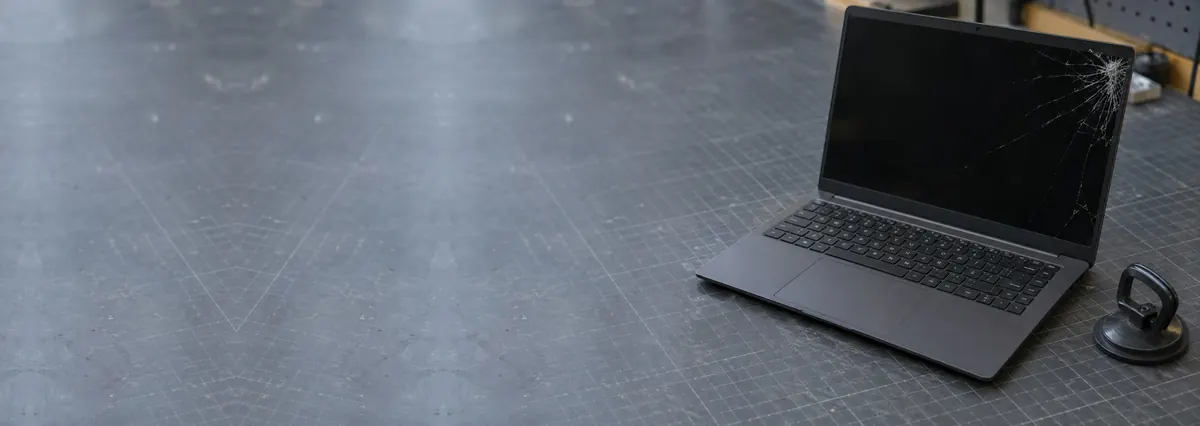
Cracked LCD or OLED panel. Visible physical damage — spider-web cracks, a spreading ink-blot, bright vertical lines, or shattered glass — means the panel is done. Liquid crystal and OLED layers cannot be un-cracked, so the panel is replaced as a whole unit. This is the most common cause we see, usually from a drop.
Dead or failing backlight. If the image is intact but very dim — you can just make out the desktop with a torch held at an angle across it — the LCD is fine but the backlight has failed. This often traces to a blown fuse or backlight driver on the board, or a damaged cable, rather than the panel. On certain MacBook Pro models it is a specific cable fault, covered in our page on FlexGate backlight repair. A backlight fault is often cheaper than a full panel — exactly why diagnosis matters.
Loose or damaged display cable. If the picture flickers, cuts out when you move the lid, or shows faint lines that come and go, the culprit is frequently the thin display (eDP) cable running through the hinge, worn where it flexes. A cable is a low-cost part, so this is the happiest outcome of the three — provided it is not mistaken for a dead panel.
Not sure which one you have? That is what a free walk-in diagnosis is for — we tell you whether it is the panel, the backlight or the cable, and give a written quote, before any work starts.
Panel only or the whole assembly?
Whether the repair needs just the bare panel or the entire lid assembly is the single biggest reason two "screen replacements" can be quoted at very different prices.
On most traditional, non-touch laptops the display is a separate LCD or OLED panel that unclips from the lid. We replace only that panel, reusing your existing bezel, hinges, webcam and antennas — which keeps the part cost down. This is the standard case for most laptops in Singapore.
Some slim modern laptops — and nearly all touchscreens and 2-in-1 convertibles — instead use a bonded assembly, where the glass, touch digitiser and panel are glued together as one sealed unit. When any layer breaks, the whole assembly is replaced, which costs more — not the shop marking it up, but how the manufacturer built the part. If your laptop is a touchscreen and the glass is cracked, expect a full-assembly quote, and read our overview of laptop screen replacement options to see what is included.

The DIY route and what it really risks
Replacement panels are sold online, and for a confident owner of an older non-touch laptop a DIY swap is possible. But it is worth being honest about where it goes wrong:
- Buying the wrong panel. The same 15.6-inch laptop can ship with several panels — different resolution, refresh rate, connector position and finish. Order by screen size alone and the part may not fit. The exact model is on a sticker you cannot read until the screen is apart.
- Cracking the new panel on the way in. Bare panels are astonishingly fragile at the edges. A thumb pressed a little too hard, or one over-tight bezel clip, and the brand-new panel cracks.
- Snapping the display cable or connector. The eDP connector and its tiny locking tab are easy to tear. Damage the cable or its socket and a simple job becomes a much larger repair.
If the panel is non-touch and you are comfortable with fiddly electronics, a careful DIY attempt can succeed. If the machine matters, the panel is bonded or touch, or you cannot confirm the exact part, a professional laptop repair is the safer path.
Not sure what you are looking at? Ask a technician.
Send us the model and a two-line description of the symptom. You will get a probable diagnosis and an honest price band before you leave the house.
How a proper screen repair goes on the bench
Here is what a careful laptop screen replacement involves once you have approved a written quote.
- Confirm the exact part. We read the panel model from the original and match a like-for-like replacement rather than the cheapest look-alike — a gaming laptop fitted with a plain 60Hz panel is a downgrade you would notice immediately.
- Discharge and dismantle safely. The laptop is powered down, disconnected from mains, and the battery isolated before the lid is opened and the bezel released without cracking clips.
- Swap the panel and inspect the cable. The old panel comes out, the display cable and hinge are checked for wear, and the new panel is seated. If the cable is the real cause, we fix that instead of blindly fitting a panel.
- Test before it is closed. The display is checked for dead pixels, uniform backlight, correct colour and touch response before the bezel goes back on.
Every completed repair leaves with a written warranty — and if we cannot fix your screen, you do not pay a repair fee.

Touch, OLED and high-refresh panels
Screens have grown more varied, and in 2026 a few things change the repair maths.
Touchscreens and 2-in-1s use the bonded assemblies described above, so a cracked touch laptop is a costlier fix than a same-size non-touch one. On some models a non-touch panel can be fitted instead at lower cost, though it is not possible on every design.
OLED panels, now common on premium ultrabooks, are gorgeous and thin — and delicate. They crack more easily than an old LCD and the part costs more, but they are still very much repairable.
High-refresh gaming displays (120Hz, 144Hz and up) must be matched exactly. Fit a lower-refresh panel and games feel worse even if the picture looks fine — one more reason the exact-part step is not optional. For where screen work sits against other jobs, our laptop repair cost guide for Singapore puts the numbers in context.
What a laptop screen repair costs in Singapore
We never name a firm figure without seeing the laptop, because "broken screen" covers everything from a cheap cable to a bonded-OLED assembly. As a guide to the bands you might see:
- Display cable or backlight fix — often the cheapest outcome, from around S$120.
- Standard non-touch LCD panel swap — the common case, typically the low-to-mid hundreds, panel included.
- OLED, high-refresh or premium panels — more, because the part costs more; quoted after diagnosis.
- Bonded touch or 2-in-1 assembly — the most involved, as the whole glued unit is replaced; quoted case by case.
Across every band, walk-in diagnosis is free and you get a written quote before any work begins. If the same drop also affected the keyboard, a laptop keyboard replacement is a separate job we can quote at the same time.
Repair, replace, and avoiding the next crack
For the overwhelming majority of laptops, repairing a broken screen is the sensible choice — a panel is a fraction of the price of a new machine, and everything else stays as it was. Replacing the whole laptop over a cracked screen is usually the more expensive mistake.
Replacement makes sense only in narrow cases: a machine several years past its useful life, a rare bonded panel that costs nearly as much as a new laptop, or a drop that damaged the board as well as the screen. Even then, if your files matter, get them off first — our data recovery service can pull data from a laptop you have decided to retire.
To make the next screen last, never close the lid with a pen or cable on the keyboard, lift the laptop by its base rather than the screen, and use a padded sleeve. When one does give out, a quick laptop screen replacement gets you back to work the same day.
Questions we get every week
Frequently asked questions
Is it worth repairing a broken laptop screen?
Usually, yes. A screen is a modular part, and on most laptops a replacement costs a fraction of a new machine — often the low hundreds rather than the four-figure price of a comparable laptop. It is rarely worth it only when the laptop is very old, the panel is a rare or bonded touch unit that costs almost as much as the whole device, or there is separate motherboard or liquid damage. A free walk-in diagnosis will tell you which side of that line you are on before you spend anything.
How do I know if it is the screen or the graphics card?
Plug the laptop into an external monitor or TV with an HDMI or USB-C cable. If the external picture is clean, the graphics chip and motherboard are fine and the fault is in the screen, the cable, or the backlight — a straightforward repair. If the external screen shows the same corruption, artefacts or nothing at all, the problem is deeper on the board, and that is a different job. This one test saves a great deal of guesswork.
Can a cracked laptop screen be repaired, or must it be replaced?
A cracked LCD or OLED panel cannot be mended — the layers and pixels are damaged, and there is no glue or polish that restores them. The panel is replaced as a unit. The good news is that on most non-touch laptops only the panel itself is swapped, not the whole lid, which keeps the cost sensible. Touch and 2-in-1 models are the exception, because the glass is bonded to the display and often the frame too.
Will replacing my laptop screen erase my files?
No. The screen and your data live in completely separate places. A display swap does not touch the storage drive, so your files, photos and installed programs are exactly where you left them. If the laptop will not power on at all and the data is precious, tell us before any work — we can prioritise a safe backup, and our data recovery service exists for the rare cases where the storage itself is involved.
How long does a laptop screen replacement take in Singapore?
For a common model where we stock the panel, a screen replacement is often done the same day, sometimes within a couple of hours. Rarer panels, high-refresh gaming displays, OLED units or bonded touch assemblies may need to be ordered in, which typically adds a day or two. We confirm the timeline and a written price at diagnosis, so you are never left guessing, and there is no repair fee if we cannot fix it.
Keep reading
Related guides
Laptop screen replacement in Singapore
LCD, OLED, touch and backlight — how we match the exact panel and fix it right.
Laptop turns on but no display
Black screen with the power light on? Work through what it means and where to start.
How much does laptop repair cost in Singapore?
Honest price bands for screens, batteries, boards and more, with no surprises.
Get a written quote before a screw turns
Component-level diagnostics, a fixed price in writing, and no repair fee if we cannot fix it. Walk in Mon–Fri, or WhatsApp the workshop.