
★★★★★
Amazing service provided. Repaired my Ipad screen here. Staffs are friendly and responsive.
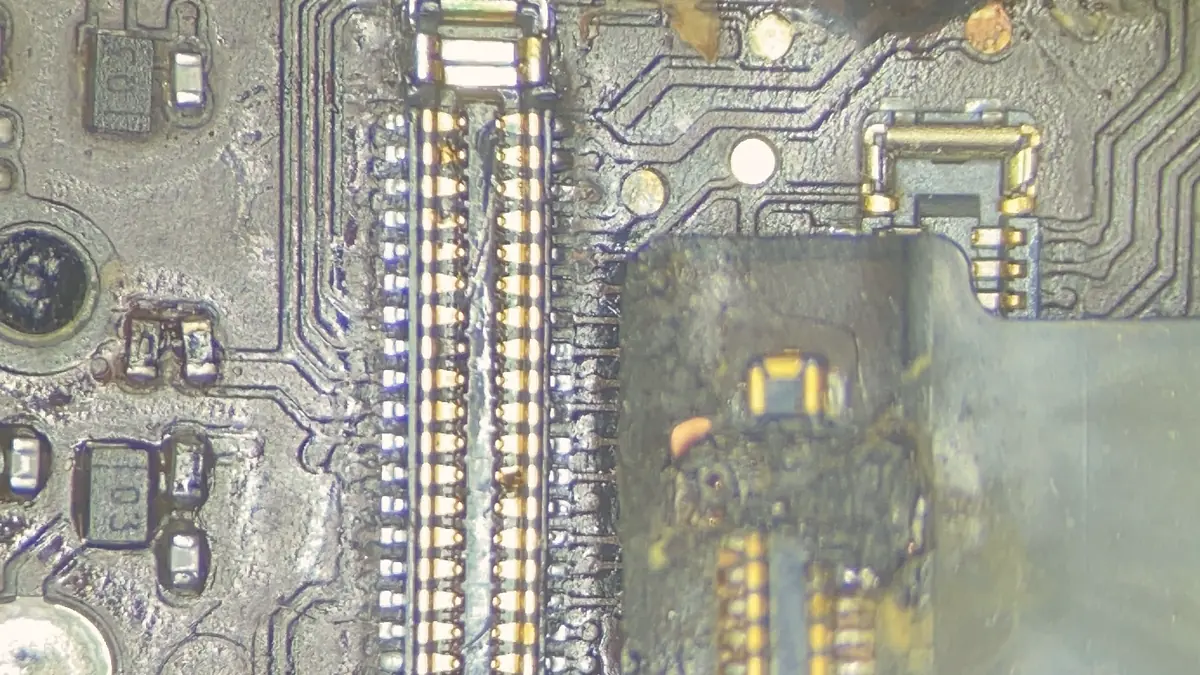
An iPad that will not power on has a board fault, and a board fault is a component, not a verdict.
Looking for the price? The price guide for this page is further down — jump straight to it ↓. Diagnosis is free on a walk-in, you get the price in writing before any work starts, and if we cannot fix it you do not pay a repair fee.
On an iPad the logic board carries the processor, the storage and the power management in one soldered assembly. There is no drive to pull, no module to swap. When the board fails, the authorised outcome is a replacement device and the loss of everything on it that was not in iCloud.
That is the case for repairing the board rather than replacing it, and on an iPad the case is stronger than on a phone, because iPads are more often the device that holds work nobody backed up — drawings, annotated documents, notes taken in meetings, a Procreate file with two hundred layers.
Diagnostic reference
Current draw at rest separates a short from an open circuit before the microscope comes out.
Charging circuits. The most common board fault by a wide margin. iPads are charged with high-current adapters, often through cheap third-party cables, and the charging IC and its surrounding components take the abuse. The symptom is a device that shows a charging icon and never gains a percent, or one that will not acknowledge a charger at all.
Impact damage. An iPad is a large, thin, rigid board in a large, thin, flexible shell. A corner drop flexes the chassis, and the flex propagates to solder joints under the larger ICs. The device works, then does not, then works when cold. That intermittency is a cracked joint until proven otherwise, and it is repairable by reflowing or reballing the component properly — not by baking the board in an oven, which is a myth that destroys boards.
Liquid. Same story as every other device: corrosion begins on contact and progresses until the board is cleaned properly. An iPad that got wet and still works is a device on a timer.
The board comes out. It goes on the bench supply, and the current draw at rest tells us within a minute whether we are chasing a short or an open circuit. Under the microscope, corrosion, cracked joints and blown components are visible; a thermal camera finds the ones that are not.
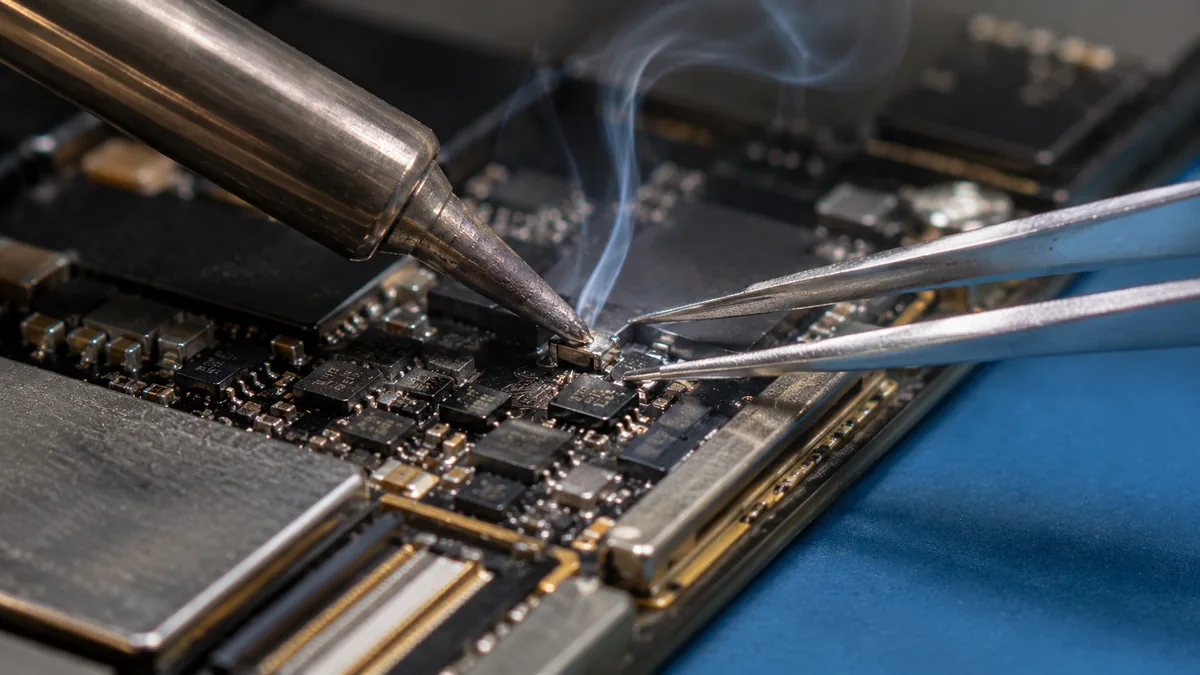
From there it is schematic work: measure the rails, find the one that is missing or shorted, trace it back to the component that is responsible. Then rework under hot air with the correct profile, a soak test long enough to be meaningful, and a function test against the original symptom. If it cannot be done, you are told what we found.
An iPad is not a cheap device to write off. A current iPad Pro with a decent amount of storage costs more than many laptops, and the authorised answer to almost any board fault is a whole-unit swap at a price that assumes you would rather buy new. That maths is the entire reason component-level repair exists. The board that will not power on is rarely dead across its whole surface — it has one failed part on it, and the rest is healthy. Finding and replacing that single component costs a fraction of a replacement device and, crucially, keeps the storage, and everything on it, exactly where it is.
The case is strongest on the Pro. A 12.9-inch iPad Pro carries a large, expensive board and is very often the device an architect, an illustrator or a student has been working on all term. Replacing it means paying near-new money and losing the work. Repairing the charging circuit, the backlight boost or the cracked joint under a chip usually lands in a price band far below a new unit. We will always tell you when the sums do not work — a badly corroded board on an older, low-value iPad can cost more to recover than the device is worth, and we say so on day one — but for a Pro or a recent Air, repair is almost always the sensible route. If you also run a Mac, the same logic drives our MacBook logic board repair work: fix the component, not the whole assembly.
iPads have a long, well-documented history of touch problems that are not the glass at all. On several generations a grey flickering bar appears across the top of the screen, or touch becomes erratic and then dies completely across the whole panel while the display keeps showing a perfect image. Owners understandably assume the digitiser is broken and pay for a new screen, only for the fault to return — because it was never the screen. The touch controllers, and the flex and board connections that feed them, sit on the logic-board side of the assembly. Chassis flex, or a drop that twists the frame, fractures those connections.
The honest fix is board-level. We inspect the touch controller and its supporting components under the microscope, check the flex and its connector, and rework or replace what has actually failed rather than selling a screen that will not solve it. Where a genuine controller has cracked its joints, reballing or replacing the part restores full touch. It is fiddly work and not every case is economical, but it is a real repair — and it is worth diagnosing properly before anyone swaps an expensive bonded panel on a hunch. Our iPad screen and battery replacement service handles the glass side when the panel genuinely is the problem, so the two services back each other up.
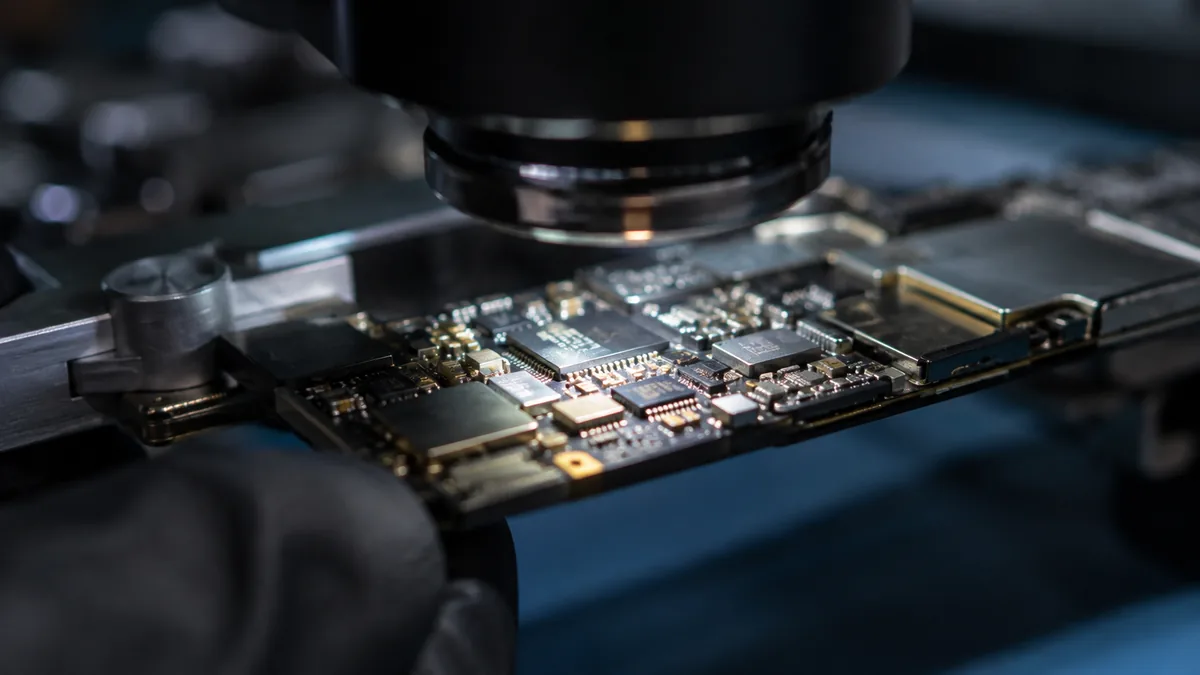
Water is the fault we most want to see early. An iPad that went into a pool, caught rain in a bag on the way to the MRT, or met a spilt drink does not fail cleanly. Liquid carries minerals and salts that keep corroding copper traces and component legs long after the device has dried, and Singapore's humidity does the damage no favours — a board that survived the initial dunking can quietly rot for a week before it dies. An iPad that still switches on after a spill is on a timer, not in the clear.
Proper liquid work means full disassembly, isolating the battery, and cleaning the board in an ultrasonic bath to lift corrosion out of the places a brush cannot reach. From there it is the same microscope work as any other board fault: clear corrosion back to bright copper, re-tin lifted pads, jumper any trace that has been eaten through, and replace components that have shorted. Then the board is powered on the bench supply and soak-tested before it goes anywhere near reassembly. Brought in the same day, the odds are good; left a fortnight while it is used intermittently, they fall hard.
On an iPad the storage is NAND flash soldered directly to the board — there is no drive to remove. That has one blunt consequence: your photos, notes and files live on the same board as the fault, and the only way back to them is usually to repair the board. When we bring a dead iPad up, the repair is the recovery; there is nothing separate to plug in elsewhere.
Sometimes the NAND itself is the failure — a device stuck on the Apple logo, boot-looping, or reporting far less storage than it should. That is genuinely hard, and we are honest about it: chip-level NAND work exists but it is intricate, not always possible, and not always worth it against the value of the device. This is exactly why a backup habit matters more on an iPad than on almost anything else you own; iCloud or a periodic sync to a computer turns a worst-case board failure from a disaster into an inconvenience. Where the data is irreplaceable and the board is beyond a normal repair, we talk you through the realistic options with our data recovery team before anyone commits to anything. The same soldered-storage reality drives our iPhone logic board repair work — the technique is identical on a smaller board.
Model by model

Every iPad line fails in its own way. Knowing the model narrows the search before the board is even out of the shell.
The most repaired and often the most economical to save. Charging-circuit and port faults dominate, and the boards are comparatively forgiving. On older, low-value units we are frank when a big liquid recovery costs more than the iPad is worth.
The Air packs a laptop-class chip into a thin shell, so it runs warm and its solder joints work hard. We see cracked-joint intermittents and charging faults. Its value makes board repair clearly worthwhile over replacement in most cases.
The mini's small board means tight, dense component placement and delicate flex routing. Charging IC and port faults are common, and the confined space simply demands more patience under the microscope. Repair is still the sensible route on a recent unit.
The Pro carries the largest, most expensive board and the most valuable data. Backlight-boost, charging and touch-controller faults all appear here. Because a replacement device costs near-new money, careful board repair is almost always the economical answer.
No one repairing boards can promise a hundred per cent, and anyone who does is selling something. What we can do is be straight about the odds before you spend anything. A single failed charging IC, a shorted capacitor or a backlight-boost fault, caught on a board that is otherwise clean, has strong odds — these are our bread-and-butter repairs and most come back to life. Cracked-joint intermittents are usually fixable but take longer to trace and confirm. Liquid damage is a spectrum: same-day boards recover far more often than boards that have been quietly corroding for weeks. NAND and deep chip-level faults are the hardest, and we tell you plainly when a repair is a long shot rather than let you hope.
The commitment underneath all of it is simple: free first-line diagnosis, a written quote before any work, and if we cannot fix it you do not pay a repair fee. You are never charged for an attempt that failed to bring your iPad back.
Beware the oven trick. If a guide or a shop suggests baking an iPad board in an oven, or blasting it with a heat gun, to “reflow” it, walk away. Uncontrolled heat warps the board, re-melts joints that were fine and damages nearby parts. It occasionally revives a device for a fortnight and makes the proper repair much harder afterwards.
We work from 6 Harper Road, in the Leong Huat Building at #05-02, a short walk from Tai Seng MRT on the Circle Line and easy to reach from MacPherson, Paya Lebar and the wider east. Most customers simply drop the iPad off in person; you can watch us put it on the bench supply and, where the fault is on the board, see the corrosion or cracked joint under the microscope on our screen before you decide anything. There is no charge for that first look.
If you are coming from further out — Tampines, Jurong East, Woodlands, Bedok or Punggol — send a couple of photos and a two-line description over WhatsApp first, and a technician will give you a probable cause and an honest price band before you make the trip. Singapore's heat and humidity are quietly hard on electronics, so if liquid is involved, do not wait for the device to “dry out” at home; power it off and bring it in the same day, because every day of corrosion lowers the odds. Whatever the outcome, you leave with a written quote, a written warranty on any repair we complete, and a straight answer about whether the iPad is worth saving. For the full range of Apple work we handle on the same bench, see our Apple repair on one bench overview, and our Resource Centre collects the guides behind these repairs.
How the repair runs
We record what happened and when. A device that was dropped, a device that met liquid and a device that simply stopped are three different investigations.
Visual inspection, power draw on the bench supply, and board inspection under the microscope where the symptom points at the board.
You get the fault, the proposed fix and the price. Nothing is opened further, and nothing is ordered, until you say yes.
ESD-controlled bench, grounded mat, battery isolated before any connector is touched. Board-level work is done under the scope with hot air and a soldering iron, not by swapping.
We reproduce the conditions that caused the fault and confirm it is gone, then run the device under load before it goes back in its box.
Terms printed on the job sheet. Old parts returned on request where they are not exchange units.
Related services
Board-level work is quoted after diagnosis rather than banded tightly, because the price follows which component failed and how many bench hours the repair takes:
| Repair | Our band (SGD) | What drives the price |
|---|---|---|
| iPad board-level repair | From around $120 to $800 | Charging circuits, cracked joints, which component failed |
| iPad screen replacement | From around $90 to $400 | Non-laminated vs laminated full assembly |
| iPad battery replacement | From around $79 to $149 | Battery size; bonded display must be opened |
Apple does not publish a screen repair price for iPad at all. There is no “iPad screen replacement” line on Apple’s Singapore estimator the way there is for iPhone — a cracked iPad screen is handled under “other damage”, which is Apple’s whole-unit price. That is why a cracked screen on an iPad Air (5th generation) shows as S$735 at Apple, and why an independent screen replacement is usually a fraction of it. It is the single biggest reason people assume a cracked iPad is a write-off when it is not.
| Your iPad | Apple battery service | Apple “other damage” (whole unit) |
|---|---|---|
| iPad (9th gen) | S$139 | S$425 |
| iPad (10th gen) | S$179 | S$499 |
| iPad mini (5th gen) | S$179 | S$429 |
| iPad mini (6th gen) | S$179 | S$585 |
| iPad Air (4th gen) | S$179 | S$625 |
| iPad Air (5th gen) | S$179 | S$735 |
| iPad Air 11-inch (M4) | S$199 | S$825 |
| iPad Pro 11-inch (M5) | S$265 | S$1,465 |
| iPad Pro 13-inch (M5) | S$295 | S$1,695 |
Our figures are bands, not quotes — the exact price depends on the model and what the diagnosis finds, and you get a written quote before any work starts. Apple prices where shown were read from Apple’s official Singapore service estimator on 16 August 2026 and are for comparison only; Apple states it will inspect the device to determine the final fee, that a delivery fee may apply, and that Apple Authorised Service Providers set their own fees.
See also iPad repair Singapore and the full cost guide.
Questions we get every week
Verified Google reviews
Every review below is a real, unedited review from our Google profile, shown with the customer’s name as they left it. Read all 940+ on Google.
Amazing service provided. Repaired my Ipad screen here. Staffs are friendly and responsive.
My IPad had a bloated battery which cracked the screen. They did a wonderful job with the repair! Would definitely recommend!
Fantastic! Got my iPad that had a “blue screen” shut down issue fixed within a few days :) highly recommend!
my ipad screen was broken and he replaced it for me pretty quickly and the repair price here is quite good, the staff is very friendly
Diagnostics first, quote second, repair third — and you decide between each one. Bring it in, or send a photo and we will tell you what we think it is.