Battery draining by lunchtime, sudden shutdowns with charge still showing, a "Service" message in
Battery Health, a phone that feels slower than it used to, or a screen lifting because the battery has swollen —
we replace iPhone batteries on every model with a quality cell, restore full capacity and full speed, renew the
waterproof seal, and quote in writing before any work. Most models are done while you wait, and your data is
never touched.
★★★★★ 4.8 Google rating940+ Google reviewsFull speed restoredSwollen batteries handled safelyWarranty on parts and labour
RefiPhone symptomLikely causeAction
BAT-1Screen lifting or case bulgingSwollen battery (safety)Stop, bring in
We fit batteries across every generation still in daily use — from the iPhone 6, 7, SE and 8 through the X, XS, XR and 11 to the 12,
13, 14, 15 and 16 families, Pro and Pro Max included. An iPhone battery replacement is one of the most worthwhile
repairs there is: for a fraction of the price of a new phone, a machine that could barely last the morning goes
back to lasting all day, and a phone that had started to feel slow feels quick again. It sits on the same bench as
the rest of our iPhone repair and Apple repair
work, and unlike a laptop the iPhone tells you clearly, in Settings, when its battery is due.
Battery Health, Maximum Capacity and the throttling nobody explains
Open Settings, then Battery, then Battery Health & Charging. Two numbers matter. Maximum
Capacity is how much charge the battery still holds compared to when it was new — 100% when fresh, falling
over time. Peak Performance Capability is the important one people miss: as a battery ages, iOS
can quietly slow the phone down to stop it shutting off under load. That is why an older iPhone often
feels sluggish — it is not the processor wearing out, it is the battery, and iOS throttling to protect it. When
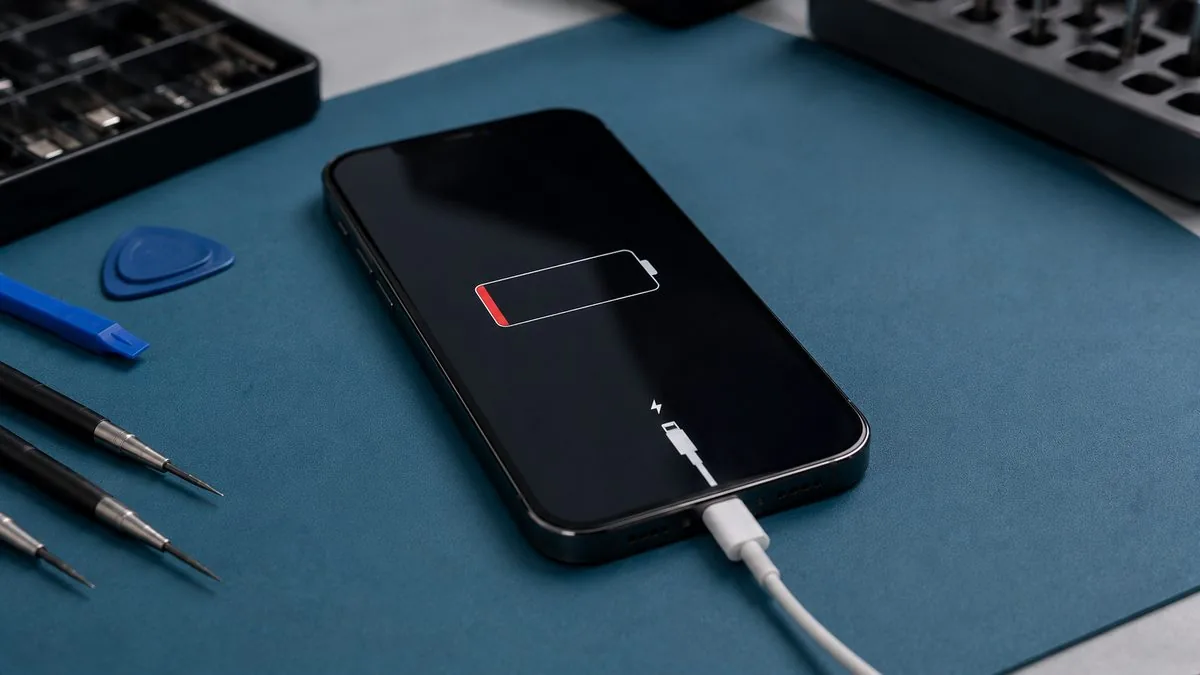
capacity drops below about 80% you will see the word "Service". Fitting a fresh battery restores
full capacity and removes the throttling, so the phone runs at full speed again. It is one of the most satisfying
repairs precisely because people expect a new battery and get a faster phone as well.
iPhone battery replacement prices in Singapore
Battery pricing is far tighter than screens, because the cell is a smaller part of the job. What moves the number is the model, and whether the waterproof seal needs renewing afterwards. These are the bands we work to, with a written quote after a free diagnosis.
Your iPhone
Our battery replacement
Typical turnaround
iPhone SE, 8
from around S$50 to S$90
Often while you wait
iPhone 11, XR
from around S$60 to S$110
Often while you wait
iPhone X, 12, 13
from around S$80 to S$150
Often while you wait
iPhone 14, 15, 16, 17 and Pro models
from around S$100 to S$180
Same day, usually
What Apple charges for the same repair
Apple’s own published out-of-warranty battery service prices for Singapore:
Model
Apple Singapore, out of warranty
Our band
iPhone 17 Pro Max, 17 Pro, Air, 16 Pro Max, 16 Pro
Apple prices read from Apple’s official Singapore service estimator on 16 August 2026 and shown for comparison only. Apple states: “We’ll inspect your device to determine the final service fee”, that a delivery fee may apply, and that Apple Authorised Service Providers set their own fees. Apple does not publish a turnaround time for Singapore iPhone repair. Our figures are bands, not quotes — you get a written quote after a free diagnosis.
If you have AppleCare+, go to Apple first
Under an AppleCare+ plan Apple replaces the battery free of charge — in Apple’s words, “if the capacity drops below 80%”. Nothing we quote can beat free. Check your Battery Health figure and your AppleCare+ status before you pay anyone, including us. If you are out of warranty or below Apple’s 80% threshold with a battery that is clearly failing, that is where we are worth talking to.
Changing or replacing an iPhone battery in Singapore: Apple, us, or a stall
People search for this job in many ways: change an iPhone battery, replace an iPhone battery, Apple iPhone battery replacement, how much to
change an iPhone battery. They all mean the same work: the worn cell comes out, a new one goes in, and the phone is checked to make sure it reads the new
battery properly. There are three places to get it done in Singapore, and the right one depends mostly on warranty and on how much you care about an
original part.
Apple and its authorised service providers are the first call if the phone is under AppleCare+ (free below 80 per cent, as above)
or you want an original battery fitted through Apple’s own process. Outside cover, the prices above are what Apple lists, and Apple does not publish a
turnaround time for Singapore. We are independent and not authorised by Apple, so we say plainly where Apple is the better answer.
An independent workshop like ours is the better call once the phone is out of warranty, when you want the job done on the premises and
usually while you wait, and when you want the person who checked the battery to be the person who changes it. You get a written quote after a free
diagnosis, a quality battery, the waterproof seal renewed on models that have one, and a written warranty on the battery and the work.
The cheapest stall in the mall can be fine and can be exactly what it costs. The price is not the question. Ask what battery is going in,
whether the quote and the warranty are in writing, whether the seal is renewed, and whether the phone is opened in front of you or sent away. Those four
answers separate a good low price from a bad one. Our guide to choosing a repair shop lists the same
questions for any device.
A few practical points whichever route you take:
How long it takes. For most models, with the battery in stock, it is often done while you wait. We confirm the time when we quote.
Your data. A battery change does not touch your photos, messages or apps, but back up first as you would before any repair.
Doing it yourself. Kits are sold online. The risks are tearing the display or battery cable, puncturing the cell while releasing the
adhesive, and leaving the seal compromised. If the screen is lifting because the cell has swollen, do not open it at all; bring it in.
Whether to repair or replace the phone. A battery is the cheapest way to get a sound iPhone through another year or two, and the
bands above are a fraction of a new handset. If the phone has other problems, the iPhone repair cost guide
sets the whole picture side by side.
The signs your iPhone battery is due
"Service" or Maximum Capacity below 80% in Battery Health.
Runtime that has collapsed — a charge that used to last all day gone by early afternoon.
Sudden shutdowns, especially in air-conditioning or when the phone is cold, with charge
still showing.
The phone feels slower than it used to — a classic sign of battery-related throttling.
It only stays on while plugged in, or charges and drains unusually fast.
Any swelling — a lifting screen, a bulging back, a phone that will not sit flat. This is the
urgent one, covered next.
iPhone Battery Replacement Singapore
Swollen batteries — read this first
A lifting iPhone screen is a safety issue
A swelling battery pushes the screen up from inside. If your iPhone screen is lifting at an edge, a gap has
opened around the display, or the phone will not sit flat on a table: stop using and charging it, do not
press the screen back down, keep it away from heat, and bring it in. A swollen lithium battery is a
genuine fire risk if punctured, and it needs careful, controlled removal — never force.
Swollen iPhone batteries are common on phones a few years old, especially ones that live on a charger or spend
time in the heat. We remove them safely, check the swelling has not cracked the screen or damaged the surrounding
flex cables, fit a quality battery, and reseal the phone. If the swelling has already lifted or cracked the
screen, we will tell you what else needs attention — sometimes a battery and an
iPhone screen replacement together — before you commit.
The "Important Battery Message", explained
On newer iPhones, iOS shows an "Important Battery Message" or says it cannot verify the battery as a genuine
Apple part after any battery replacement not carried out through Apple's own system — and on some models it will
show the Maximum Capacity and cycle-count figures as unavailable. We tell you about this
before we start, because it catches people out. In plain terms: it is Apple's parts-pairing
behaviour, not a fault. The phone charges, runs at full speed and holds its charge normally on a quality battery;
the notice simply sits in Settings and the health percentage may not display. If a genuine battery with the full
health readout and no notice matters to you, we will say honestly that Apple is the route for that, and where your
phone is under AppleCare+ we will point you there.
iPhone Battery Replacement Singapore
Our iPhone battery replacement process
Diagnosis. We read the battery health and cycle count, and confirm the fault is the battery
and not the charging port or the board. Free on walk-ins.
Written quote. The model, the price and the turnaround, in writing, before anything is
opened. You approve it first.
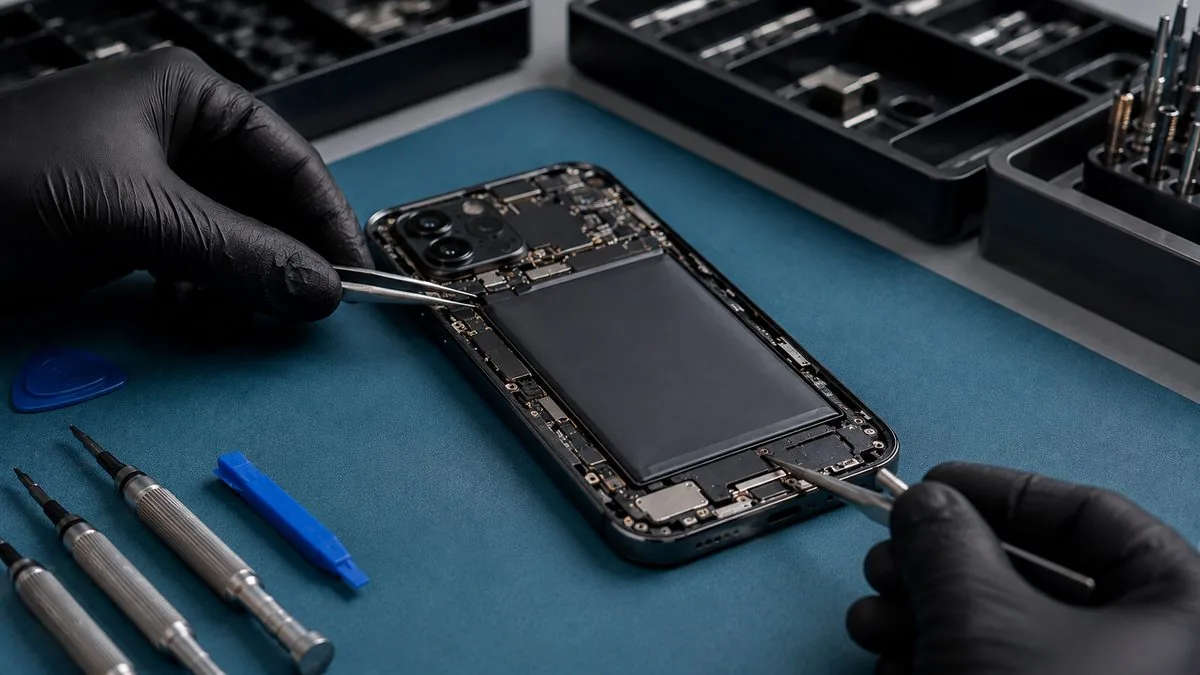
Careful opening. The phone is opened from the screen side, the display disconnected, and the
old battery released from its adhesive — swollen cells handled with particular care.
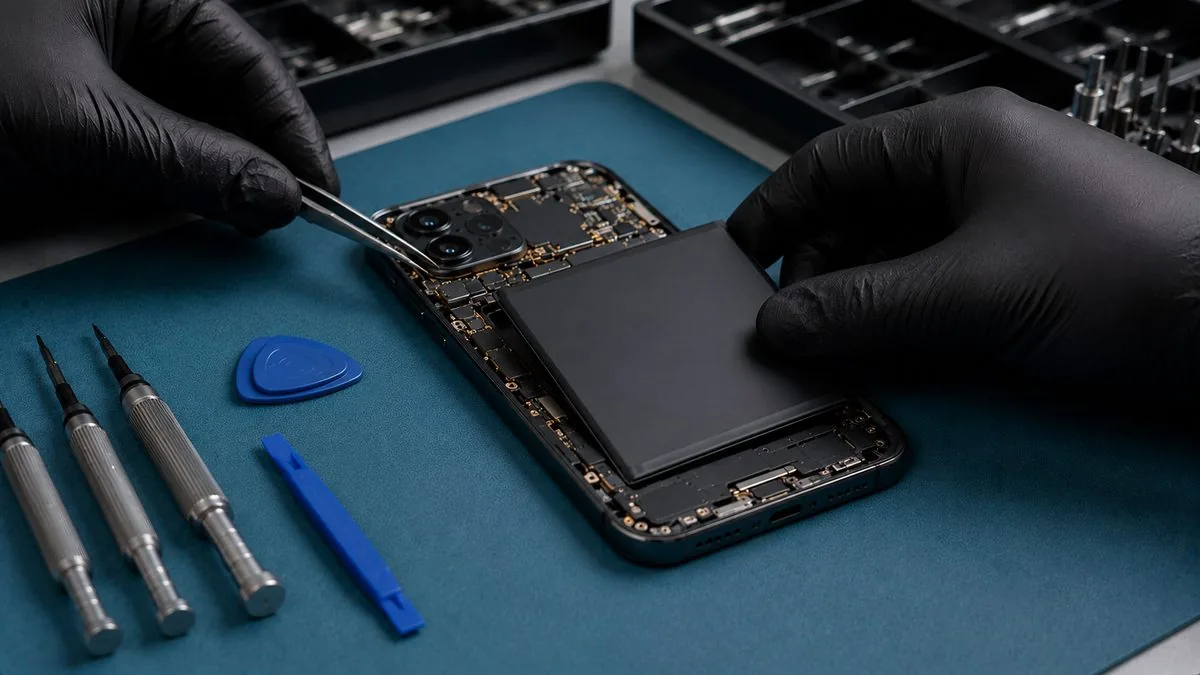
Fit a quality battery. A properly matched cell is fitted; we never use the cheapest no-brand
batteries, which are the ones that swell early and underperform.
Reseal and test. The waterproof seal is renewed where the model has one, and we confirm the
phone charges, reports correctly and runs at full speed before it goes back to you.
Written warranty. On the battery and the workmanship, printed on your job sheet.
Making the new battery last
A quality replacement should give years of normal use. To get the most from it: keep it cool —
heat is the number-one ager, so avoid hot cars and direct sun, take a thick case off if the phone gets hot while
charging or gaming, and do not charge it on a bed or under a pillow where heat builds up; leave Optimised
Battery Charging on so iOS eases off holding 100%; and there is no need to run it flat to 0% to
"recalibrate" a modern battery. The same habits protect any lithium battery — our
how to protect your laptop battery guide goes deeper, and the
principles apply just as well to a phone.
iPhone Battery Replacement Singapore
Our warranty on iPhone battery replacement
Every completed iPhone battery replacement carries a written warranty on the battery we fitted and the
workmanship, printed on your job sheet and specific about what is covered and for how long. Ordinary capacity loss
over time is the nature of any battery and sits outside a defect warranty, as does accidental or liquid damage
after collection — we explain exactly where that line falls before you pay. If a replacement battery shows a
genuine fault within the warranty period, bring it back and we make it right. This warranty is our own and is
independent of any remaining Apple cover; we are not affiliated with or authorised by Apple, and where your phone
is still under AppleCare+ we will tell you honestly if that is the better route.
Why customers choose us for iPhone batteries
Because a new battery from us gives you a faster phone as well as a lasting one — we restore the capacity and
remove the throttling, not just swap a cell. Because we handle swollen batteries as the safety job they are,
confirm it is the battery and not the port or the board before you spend anything, and fit a quality cell rather
than the cheapest. Because we warn you about the battery-health notice up front, write the quote before the work so
it does not change after, and back every job with a written warranty. And because your data is never touched, most
models are done while you wait, and if we cannot fix it you do not pay a repair fee. If your phone needs more, the
same bench covers iPhone screen replacement and
iPhone motherboard repair.
Battery questions are very model-specific, because a cell’s age is the whole story. The
iPhone 13 repair guide deals with swollen batteries in detail, since a 2021 phone is squarely at the age where
cells expand. The iPhone 14 repair guide covers battery health falling faster than it should, and the
iPhone 15 repair guide covers a generation just reaching its first replacement.
Real reviews from our Google profile, shown with the customer’s name as they left it. The score and the count are Google’s own, updated every week.
★★★★★
Thank you iDevice for helping me recover the data from my bootloop iPhone. I had asked many other places for help, but none of them could do it without restoring the phonne only you guys managed to recover it successfully. I really appreciate it! 🙏
★★★★★
Managed to successfully fix my damaged iPhones and my data is also saved! Thank you for assisting
★★★★★
Excellent service.
Been sending different model of iphones to this store for repairs these few years.
All well and good after that.
Thank you
★★★★★
A simple, quick, & fuss-free battery replacement done for my iPhone 8. Excellent customer service from start to finish. Thanks Dean & co.!
★★★★★
Manage to fix my iPad mini screen as well as the home button with minimal cost incurred compared to Apple Store. It was a very disappointing with Apple Store that they only cares about selling new products to consumers. At least in here, the staffs help you to save either your iPad, iPhone or even Mac book. Thumb up for them!!
★★★★★
great! managed to recover the data in my iPhone 11 Pro Max by fixing my motherboard.
★★★★★
Very professional and high quality service! They are competent in recovering data and repairing devices as well as very responsive. They managed to retrieve all of my files in macbook and iphone which were apple logo frozen/stuck and they also repaired the device successfully.
★★★★★
10/10 service, and Michelle was very patient in answering all our questions. I would definitely go back to them to solve any iPhone issues!!
Questions we get every week
iPhone battery replacement questions, answered
How much does iPhone battery replacement cost in Singapore?
It depends on the model, but an iPhone battery replacement is one of the best-value repairs there is — a fraction of the price of a new phone, and it gives a sound iPhone years more life. Older models sit lower in the range; the newer Pro and Pro Max models cost a little more because the battery and the waterproof seal are more involved. We check the battery health and cycle count on the bench, confirm the fault is the battery and not the charging port or the board, and give you a written quote before any work.
My iPhone shows 'Service' or the battery health is below 80%. Should I replace it?
Yes, that is exactly when it is worth doing. In Settings, Battery, Battery Health & Charging, Apple shows a Maximum Capacity figure and a Peak Performance message. When capacity drops below about 80% you will see 'Service', which means the battery has degraded enough that iOS may start limiting performance to prevent sudden shutdowns. A fresh battery restores full capacity and full speed. If you are seeing 'Service', fast drain, or shutdowns, it is a straightforward, high-value fix and the diagnosis is free.
My iPhone screen is lifting or the case is bulging. Is that the battery?
Almost certainly, and it is a safety issue you should act on now. A swelling battery pushes the screen up from inside, so a screen lifting at one edge, a gap opening around the display, or a phone that will not sit flat all point to a swollen battery. Stop using and charging the iPhone, do not press the screen back down, keep it away from heat, and bring it in. A swollen lithium battery is a genuine fire risk if punctured and needs careful, controlled removal — never force. We handle swollen batteries safely and reseal the phone properly.
Will replacing the iPhone battery erase my data?
No. The battery is completely separate from the storage, which is soldered to the logic board, so a battery replacement does not touch your photos, messages, apps or settings, and the storage is never removed during the job. We always recommend an iCloud or computer backup before any repair as good practice, but a battery replacement on its own carries no data risk. If the phone will not power on at all, tell us and we will diagnose whether it is the battery or the board first.
Will iOS show a battery warning or hide battery health after replacement?
On newer iPhones, iOS can show an 'Important Battery Message' or say it cannot verify the battery as a genuine Apple part after any battery replacement not done through Apple's own system — and on some models the Maximum Capacity and cycle-count figures may show as unavailable. This is Apple's parts-pairing behaviour, not a fault: the phone charges and runs normally on a quality battery. We are upfront about this before we start, and if genuine-only with full battery health readout matters to you, we will tell you honestly that Apple is the route for that.
How long does an iPhone battery replacement take?
For most models with the battery in stock it is often done while you wait or within the hour. The phone opens from the screen side, the old battery is released from its adhesive, a quality battery is fitted, and the waterproof seal is renewed where the model has one. We then check it charges and reports correctly before it goes back to you. Message us your model and we will confirm stock and a realistic turnaround before you travel in.
How do I make a new iPhone battery last, in Singapore's heat?
Heat is the biggest ager of any lithium battery, and it matters more than anything else in Singapore's climate. Keep the phone out of hot cars and direct sun, take it out of a thick case if it gets hot while charging or gaming, and try not to leave it charging on a bed or under a pillow where heat builds up. Leave Optimised Battery Charging on, and there is no need to run it flat to 0%. Looked after this way, a quality replacement should give you years of normal use before it is due again.
How do I change my iPhone battery in Singapore?
Check Battery Health in Settings, then bring the phone to a workshop or Apple for a free diagnosis and a written quote. At our Harper Road workshop the diagnosis is free on walk-ins, you approve the price in writing before anything is opened, and most models are done while you wait. Back up first, and if the screen is lifting because the battery has swollen, stop using the phone and bring it in as it is.
Is Apple iPhone battery replacement cheaper than an independent shop in Singapore?
It depends on warranty. Under AppleCare+ Apple replaces a battery free when capacity falls below 80 per cent, and nothing an independent shop charges beats free. Outside cover, Apple's own out-of-warranty prices read in August 2026 were S$129 to S$175 depending on the model, and our bands for the same job start lower, from around S$50 on older phones. Apple does not publish a Singapore turnaround; ours is often while you wait.
Can I replace an iPhone battery myself?
You can buy kits, but it is easy to tear the display or battery cable, puncture the cell while releasing its adhesive, or leave the waterproof seal compromised. A swollen battery should never be opened at home. If you still want to try, back up the phone first, and expect iOS to show a battery message afterwards on newer models, as it does after any battery fitted outside Apple's own process.
Is it worth replacing the iPhone battery or should I buy a new phone?
If the phone is otherwise sound, a battery is the cheapest way to get another year or two from it, at a fraction of the price of a new handset. It also removes the slowdown iOS applies to an aged battery. It is not worth doing if the phone has a cracked board, will not get the apps you rely on, or needs several other repairs; we tell you that honestly at the free diagnosis.
Fast-draining or swollen iPhone battery? Get a free diagnosis.
Send us the iPhone model and what you are seeing, or bring it to our Harper Road workshop. We will check the battery health, restore full speed, and quote in writing before any work. Most models done while you wait — and if the screen is lifting, bring it in sooner rather than later.