
★★★★★
Excellent service. Fixed my iPhone X screen within a reasonable budget. Will recommend!!!
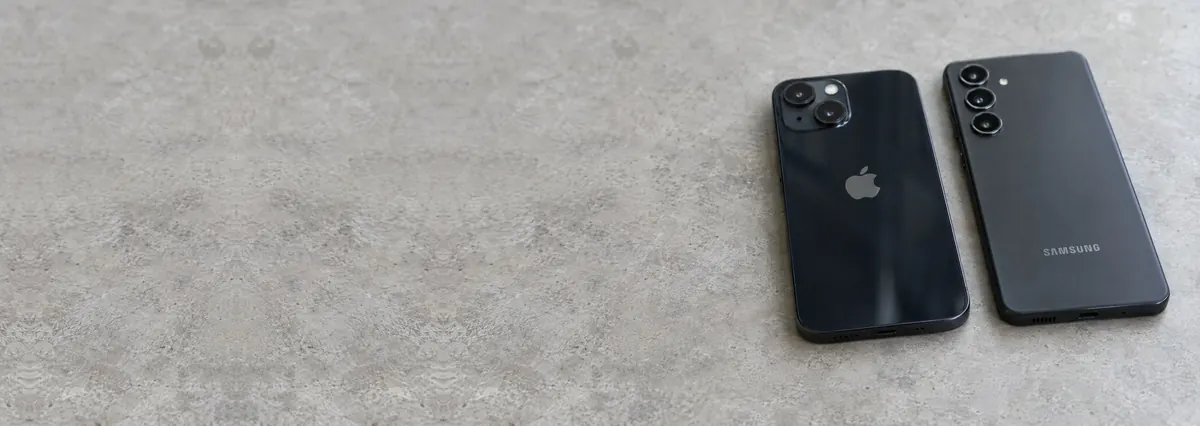
Screens and batteries are the easy half. The other half is board work, and that is where most shops send your phone somewhere else.
Looking for the price? The price guide for this page is further down — jump straight to it ↓. Diagnosis is free on a walk-in, you get the price in writing before any work starts, and if we cannot fix it you do not pay a repair fee.
Broken glass. A dropped phone, an intact display underneath, or a display that is now bleeding colour into the crack. On some models the glass separates from the panel and only the glass is replaced; on most modern flagships it does not, and the assembly goes as one.
Battery. Lithium cells lose capacity with every cycle and with heat. By two to three years, runtime is noticeably shorter and the phone shuts down under camera or GPS load even though it reports charge remaining. A cell that swells and lifts the display is a hazard, not an inconvenience — stop charging it.
Charging. Almost always a worn or dirty port, and occasionally the charging circuit behind it. Worth diagnosing correctly, because a port replacement will not fix a board fault and a board repair is wasted on a lint-filled port.
Liquid. The one where time is the whole variable. Corrosion begins on contact and continues until the board is properly cleaned. Do not charge it, do not power it on, and do not use rice.
Diagnostic reference
Quote a reference when you message us and we can check parts availability for your exact model before you travel.
Samsung, Google, Xiaomi, Oppo, Huawei and the rest do not share a repair story. Samsung's flagship displays are bonded to a curved frame and are among the most difficult and expensive panels in the industry to replace, which is why we set out the model-by-model detail on Samsung repair in Singapore separately. Google's Pixels are comparatively serviceable. Chinese-market devices vary enormously in parts availability, and a phone that was never sold here may have no supply chain at all in Singapore.
The practical consequence is that a quote for an Android screen means nothing without the exact model. We ask for it, we check the part, and we then tell you the price. Anyone who quotes “Android screen” as a category has not looked.
Most phone shops in Singapore are parts fitters, which is a perfectly honest trade. They will change a screen or a battery competently and quickly. What they will not do is put a board under a microscope and find the shorted capacitor that is stopping it from powering on, because that requires a different set of tools and a different set of skills.
When a shop tells you a phone is dead and unrepairable, what they usually mean is that the fault is not in a part they can swap. That phone is often repairable. Bring it here and we will look at the board before anyone writes it off. See iPhone motherboard repair for what that work involves.
Almost every phone that lands on the bench with a cracked front has one question behind it: what exactly are we replacing, and with what. The honest answer starts with the panel technology. Most current flagships — recent iPhones, Samsung's Galaxy S and Note lines, Google's higher Pixels — use OLED, where each pixel makes its own light. That is why the blacks look truly black and why a scratched-off OLED bleeds those deep magenta and green blooms across the image. Older and budget handsets use LCD, which is lit from behind by a single backlight; a cracked LCD tends to show white spots, spider lines or a creeping black pool rather than colour bleed.
The technology matters because it drives the price and the choice you are actually being offered. There are usually three grades of replacement for a modern phone, and a shop that pretends there is only one is not being straight with you. A genuine original panel, pulled from the same production standard as the part that shipped in your phone, matches colour, brightness, touch feel and true-tone behaviour exactly — and costs the most, when it can be sourced at all. A soft or hard OLED aftermarket panel is a third-party OLED that looks close to the eye and costs meaningfully less; the trade-offs are subtler colour accuracy, occasionally dimmer peak brightness, and on some models the loss of features that key off the original display serial. An aftermarket LCD fitted to a phone that shipped with OLED is the cheapest option of all, and it will look it: washed blacks, weaker viewing angles and heavier battery draw. None of these is wrong for every owner. A three-year-old phone you plan to trade in next year does not need a top-tier original panel. A one-year-old flagship you intend to keep usually does. Our job is to lay the options and their honest costs in front of you as price bands, then let you choose — never to fit the cheapest glass and quietly charge for the best.
One more thing owners rarely hear: on most modern phones the glass, the digitiser that senses your touch, and the display are laminated into a single bonded assembly. That is why a phone can have a perfect picture, respond to touch flawlessly, and still need the whole assembly replaced because the outer glass is shattered — the layers cannot be safely separated outside a specialist lamination line, and pretending otherwise risks killing a working panel. Where a model genuinely does allow a glass-only repair, we will tell you, because it is cheaper for you.
A phone battery is a consumable, not a permanent part, and it ages on two clocks at once: charge cycles and heat. Every full cycle chips a little capacity away, and Singapore's climate does the rest — a phone left on a car dashboard or charged inside a hot bag lives at temperatures that accelerate the chemistry's decline. By the second or third year most phones hold noticeably less charge, and the tell-tale sign is not a slow drain but a sudden one: the phone reports thirty per cent, you open the camera or start navigation, and it dies on the spot. That is voltage sag under load on a worn cell, and no software update fixes it.
On an iPhone you can read battery health in Settings and watch the maximum capacity figure fall; once it drops into the low eighties, or the phone starts throttling performance to avoid shutdowns, a fresh cell restores it completely. Android reporting is patchier, so we measure the cell directly on the bench rather than trusting a menu. The repair itself is quick and same-day for stocked models, but two points are worth stating plainly. First, a swollen battery — one that has puffed up and is lifting the display or the back glass away from the frame — is a safety issue, not a cosmetic one. Stop charging it, stop using it, and bring it in; do not press it flat and do not puncture it. Second, we fit cells that meet the correct capacity and protection specification for your model, because an underspecified pack that saves a few dollars gives you shorter runtime and a shorter safe life.
Liquid is the one fault where what you do in the first hour matters more than anything we do afterwards. The damage from a spill or a drop into water is rarely the water itself — it is corrosion, an electrochemical reaction that begins the moment powered circuitry meets moisture and continues, quietly, for days and weeks under the metal shields where you cannot see it. This is why phones so often work fine after a splash and then die a fortnight later: the corrosion was eating the board the whole time.
If your phone has met liquid, do these four things. Power it off and leave it off — every second powered is more corrosion. Do not plug it in to charge; introducing power to a wet board is the single most common way a recoverable phone becomes a dead one. Do not bury it in rice — rice does nothing useful, cannot reach sealed cavities, and only delays the cleaning that actually helps. Bring it in as soon as you can, ideally the same day, so the board can be opened, the battery isolated and the residue removed before it hardens.
On the bench, proper liquid triage means opening the phone, disconnecting the battery immediately, and inspecting the board under the microscope for the tide-marks and green fuzz that show where corrosion has taken hold. The board is then cleaned — often in an ultrasonic bath after sensitive components are protected — dried, and re-inspected. Only then can we see the true damage and quote honestly: sometimes it is a clean-and-reassemble, sometimes a corroded component or connector needs replacing at board level, and occasionally the damage has gone too far. Either way, the phone that arrives within hours has a far better prognosis than the one that sat in a drawer of rice for a week. If getting your photos and messages back matters more than the phone itself, our data recovery service works from the same bench.
When a phone has no power, boots in a loop, has no backlight, or refuses to charge with a known-good cable and a clean port, the fault has usually moved off the parts a fitter can swap and onto the logic board itself. These are the repairs most Singapore shops decline, and they are exactly the ones we are set up for. A few come up often enough to name. The charging IC is the chip that manages power in and out of the battery; when it fails the phone will not charge or will not power on, and swapping ports and cables forever gets you nowhere. On many iPhones a chip nicknamed Tristar (the USB/charging controller) is a classic culprit behind dead charging, phantom touches and boot problems, and replacing it is delicate microsoldering, not a plug-in part. Backlight faults — a phone whose screen shows a very faint image under a torch but is otherwise black — usually trace to a blown backlight filter, coil or driver, all repairable at component level. Boot loops can come from a failing power-management chip, a memory fault, or corrosion from that spill months ago.
The common thread is that "unrepairable" almost always means "not repairable by swapping parts", which is a very different statement from "beyond economic repair". We diagnose the board under a stereo microscope with a bench supply reading current draw, trace the fault to the actual failed component, and repair that — with hot air, a fine-tip iron and the correct replacement part — rather than condemning the whole phone. The same skill set underpins our iPhone motherboard repair work, and it is the reason a second opinion here is worth the trip before you write a phone off.
How the repair runs
We record what happened and when. A device that was dropped, a device that met liquid and a device that simply stopped are three different investigations.
Visual inspection, power draw on the bench supply, and board inspection under the microscope where the symptom points at the board.
You get the fault, the proposed fix and the price. Nothing is opened further, and nothing is ordered, until you say yes.
ESD-controlled bench, grounded mat, battery isolated before any connector is touched. Board-level work is done under the scope with hot air and a soldering iron, not by swapping.
We reproduce the conditions that caused the fault and confirm it is gone, then run the device under load before it goes back in its box.
Terms printed on the job sheet. Old parts returned on request where they are not exchange units.
Most phone repairs never touch your data. A screen, a battery, a charging port or a speaker is a mechanical job that leaves the storage untouched, and your photos, chats and apps are exactly where you left them when you collect the phone. We still ask every customer to back up first, for the simple reason that a phone arriving for repair is, by definition, a phone that is already not behaving normally — and the honest position is that any device with a fault could have a second fault you have not seen yet.
Backing up an iPhone takes minutes: sign in to iCloud and let it back up over Wi-Fi, or plug into a computer and back up locally, which is faster and free of storage limits. On Android, Google's built-in backup covers most settings and app data, and Google Photos secures your images; some brands add their own cloud on top. If the phone will not power on or the screen is dead, a backup obviously is not possible — and that is precisely the situation where our data recovery service earns its keep, pulling photos and messages off a phone that will not start before any repair is attempted. Where a repair does carry a real risk to data — a board-level job on a phone that has already been through liquid, for instance — we tell you that risk in writing, in the quote, before you approve anything. Your data is a conversation we have at the start, never a surprise at the end.
We are a workshop, not a mall kiosk, and that is a deliberate choice: the microscopes, the hot-air stations, the bench supplies and the ultrasonic cleaner that board-level work needs do not fit behind a phone-accessory counter. You will find us at 6 Harper Road, Leong Huat Building, #05-02 — a short ride from Paya Lebar, Serangoon, Bishan and the east, and a few minutes on foot from Tai Seng MRT on the Circle Line. Most customers drop off in person, which is the fastest route to a diagnosis; if a same-day fault is in stock, many phones are ready before you have finished your errands nearby.
Walk-ins get a free first-line diagnosis. We look at the phone, tell you what we think is wrong, and give you a written quote in price bands before anything is opened further or any part is ordered — and nothing proceeds until you say yes. If the fault turns out to be beyond economical repair, we tell you plainly, and if we cannot fix it, you do not pay a repair fee. Because we are independent, we are not steering you toward a brand's own out-of-warranty pricing, and we are not affiliated with or authorised by Apple, Samsung or any manufacturer — our only incentive is to fix the phone in front of us, honestly, and put our name in writing on the job sheet. Whichever handset you carry, the same bench also handles iPhone parts replacement, Apple repair across every device, and iPad screen and battery work; the full library of guides sits in the iDevice Resource Centre.
Keep it healthy
Keep the phone out of direct sun and off hot dashboards, and take heavy cases off while fast-charging. Heat is what ages a battery fastest here, more than the number of charges.
Pocket lint packs into the port and mimics a charging fault. A gentle clean with a wooden toothpick, never metal, prevents both the false alarm and the worn-connector that follows forcing a cable in.
Water resistance is a factory seal that ageing adhesive and a past screen repair both weaken. Treat an older phone as splash-resistant at best, and never charge a damp one.
A back or screen that starts lifting means the battery is swelling. Stop charging and bring it in the same week — a same-day swap now beats a bent frame later.
A cheap tempered-glass protector absorbs the drop that would otherwise crack a bonded display assembly costing many times more. It is the best value protection a phone can have.
Frayed or no-name cables stress the charging IC and the port. A properly specified cable and charger protects the small board-level parts that are expensive to repair.
Related services
Questions we get every week
Verified Google reviews
Every review below is a real, unedited review from our Google profile, shown with the customer’s name as they left it. Read all 940+ on Google.
Excellent service. Fixed my iPhone X screen within a reasonable budget. Will recommend!!!
Great experience at this outlet! Managed to resolve my unresponsive screen for my iphoneXS within the day itself! Very happy with the service rendered :)
Contacted them on WhatsApp, they given a quote and provided a free diagnosis before processing with any repair. Fixed my iPhone 8’s screen within 1-2working day.
The laptop repair price is reasonable and service is good. I have just send my two iPhone to replace the battery.
These are the bands we work to. iPhone is where we publish the tightest figures because it is the most predictable; Android varies far more by model and panel:
| Repair | Our band (SGD) | What drives the price |
|---|---|---|
| iPhone screen replacement | From around $70 to $500 | LCD (11, SE) vs OLED (X and every Pro/newer); panel grade |
| iPhone battery replacement | From around $50 to $180 | Model; waterproof-seal renewal on newer units |
| Charging port | Often a free clean, or quoted | Lint clean vs charging flex vs board-level charging IC |
| Face ID | Quoted after diagnosis | Repairable flex fault vs a dot projector paired to the board |
| Water damage | Quoted after teardown | How far corrosion has travelled and what it has reached |
| Board-level repair | From around $120 to $800 | Which component failed; microsoldering bench hours |
Our figures are bands, not quotes — the exact price depends on the model and what the diagnosis finds, and you get a written quote before any work starts. Apple prices where shown were read from Apple’s official Singapore service estimator on 16 August 2026 and are for comparison only; Apple states it will inspect the device to determine the final fee, that a delivery fee may apply, and that Apple Authorised Service Providers set their own fees.
Model-specific guides: iPhone 15, iPhone 14 and iPhone 13.
Full ladders across every device: device repair cost guide, laptop repair cost, MacBook repair cost and iPhone repair cost.
Diagnostics first, quote second, repair third — and you decide between each one. Bring it in, or send a photo and we will tell you what we think it is.