
★★★★★
I got the motherboard issue fixed on my 16” MacBook Pro. No data was lost, and everything is the same as before. As promised, I also received a 60-day service warranty. Thank you, iDevice! 😊
Service · Data recovery · Singapore
Failed SSDs, clicking hard disks, formatted partitions, dead laptops with living drives. We never work on your original media. We image it first, behind a hardware write blocker, and every attempt after that happens on the copy. When a drive is too mechanically damaged to read on the bench, we work with a specialist clean-room partner.
Recovery intakes from this week's bench log
Looking for the price? The price guide for this page is further down — jump straight to it ↓. Diagnosis is free on a walk-in, you get the price in writing before any work starts, and if we cannot fix it you do not pay a repair fee.
On this page
Power the machine off and leave it off. Do not reinstall the operating system. Do not run recovery software on the failing drive — it writes to the very media you are trying to read. Do not put a hard disk in a freezer, do not shake it, and if it is clicking, do not power it on again to "check". Every additional minute of operation on a failing drive costs recoverable data, and no amount of money buys it back afterwards.
Almost every data-recovery disaster we are asked to rescue is a second disaster layered on the first: a failing drive that someone tried to fix. Chkdsk on a drive with unstable sectors. A Windows reinstall onto a disk with a corrupted partition table. A "recovery tool" that writes its own index onto the free space where your deleted files still lived. Each of these is an attempt to help, and each of them destroys data permanently.
Our first action, before we have any opinion about the fault, is to connect the drive through a hardware write blocker — a device that physically permits read commands and refuses write commands — and take a full sector-by-sector image. Unstable drives are imaged with a controlled imager that reads the good areas first, retries the marginal areas later, and skips the bad zones rather than hammering them. All subsequent work — file-system rebuilding, carving, RAID reconstruction — happens on a copy of that image. Your original media is read exactly once and then set aside.
If a drive is too unstable to image in one pass, we image in multiple passes across sessions, building the copy incrementally. This is slow and it is why recovery costs what it does. It is also why we recover data from drives other shops have already declared dead.
48-hour assessment, a written list of what is recoverable, and a firm price before any recovery work begins. If we recover nothing, you pay no recovery fee.
The single most useful distinction in this field. Logical loss means the storage hardware is healthy but the data structures pointing at your files are damaged or gone: deleted files, a formatted volume, a corrupted partition table, a broken file system after an unclean shutdown, a failed OS upgrade, or ransomware encryption. The bits are usually still on the media. Recovery is a software and file-system problem and it is comparatively fast and comparatively cheap. If you have only deleted the files, read our guide to recovering deleted files from a computer first: it covers what to try, and what not to do.
Physical failure means the device cannot reliably return its own contents: a hard disk with a crashed head stack or a seized spindle, an SSD with a dead controller or a burnt power rail, a NAND chip with worn cells, a USB drive snapped at the connector. Recovery here is an electronics and mechanics problem. It requires donor parts, chip-level work, or a controlled-particulate environment, and it takes days rather than hours. Liquid-damaged machines are their own case — see water damage data recovery.
A third case, and the one people underestimate: the drive is fine and the laptop is dead. A no-power laptop with a healthy SSD is a trivial data job — we image the drive in a day and you have your files while we get on with the board repair. If your machine will not turn on, the first sentence out of a good technician's mouth should be about your data, not about the motherboard.

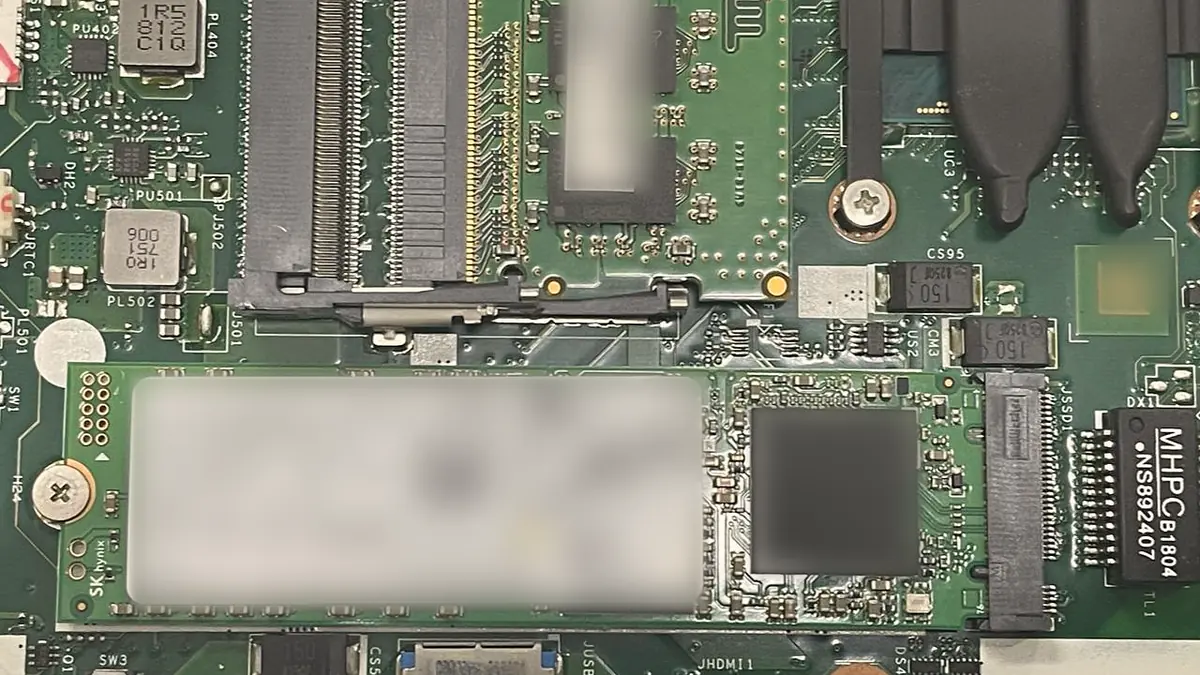
An SSD is not a fast hard disk. It is a small computer: a controller running firmware, a DRAM cache, and an array of NAND flash packages. Because NAND must be erased in large blocks but written in small pages, the controller maintains a flash translation layer — a constantly-updated map from the addresses your operating system uses to the physical cells the data really occupies. It also shuffles data around for wear levelling, so a file is scattered across the array in an order only that map explains.
When the controller dies, the map dies with it, and the NAND chips become an unordered heap of pages. Real SSD recovery means either repairing the controller board and its power rails so the original firmware can rebuild its own map, or removing the NAND packages, reading them on a programmer, and reconstructing the translation layer, the XOR parity and the interleaving in software. The second route is genuinely difficult and it is where most of the cost sits.
Two more realities. Modern SSDs perform TRIM, which physically erases the cells behind a deleted file rather than merely unlinking it — so "undeleting" from an SSD frequently returns nothing, and speed matters enormously. And many SSDs self-encrypt by default, with the key inside the controller; a dead controller then means the NAND is unreadable even chip-off. When we tell you an SSD recovery may be impossible, this is the reason, and it is architectural rather than pessimistic.
A mechanical drive spins its platters at 5,400 or 7,200rpm with read/write heads flying microns above the surface on a cushion of air. When a head touches the platter — from a drop, a shock, or bearing wear — it scrapes the magnetic coating. Debris circulates. Other heads then crash on the debris. This is why a clicking drive that keeps being powered on is a drive actively destroying itself, and why the correct response is to switch it off within seconds.
Recovery involves matched donor heads and, sometimes, a donor platter transplant — performed in a controlled clean environment because a single dust particle is larger than the flying height of the head. Firmware modules on the service area of the platter often need repair before the drive will respond at all. Where a job genuinely requires a certified clean-room class we do not have, we say so and refer it, because practising on a customer's only copy of their photographs would be indefensible.

Encryption is not the enemy of recovery; a missing key is. BitLocker with a saved recovery key, FileVault with a known password, an encrypted external with a passphrase — all recoverable, because we can image the ciphertext and decrypt the image. BitLocker with no recovery key and a wiped TPM is not recoverable by us, by Microsoft, or by anyone else, and that is the intended behaviour of the product.
Apple's designs raise the stakes. Macs with a T2 chip and every Apple silicon Mac (M1 through M4) solder the NAND to the logic board and hold the encryption key in the Secure Enclave. The storage and the board are cryptographically married. If a board is replaced, the data is gone; if a board is repaired, the data survives. This is precisely why we treat every Mac with important data as a recovery decision before it is a repair decision, and why our standing advice is data first, repair second. The same soldered- storage caution applies to most Microsoft Surface models.

| Case | What is involved | Indicative price | Turnaround |
|---|---|---|---|
| Assessment | Write-blocked imaging attempt, recoverable-file list | S$80 – 150, credited against recovery | 24 – 48 hours |
| Logical recovery | Deleted files, format, corrupt file system | S$180 – 350 | 1 – 3 days |
| Healthy drive, dead laptop | Image and transfer while board is repaired | S$120 – 200 | 24 – 48 hours |
| SSD / NVMe controller repair | Board-level power and controller work | S$450 – 900 | 3 – 10 days |
| SSD chip-off & FTL rebuild | NAND read, translation layer reconstructed | From S$900, quoted after assessment | 7 – 21 days |
| HDD head stack replacement | Donor matching, controlled environment | From S$800, quoted after assessment | 5 – 15 days |
| Mac T2 / Apple silicon board repair | Repair, not replace, to preserve storage | S$350 – 900 | 3 – 10 days |
| Failed recovery | Assessment fee only | No recovery fee | — |
Indicative bands. Physical recoveries are never quoted firmly before assessment, because the required work is not knowable until the drive has been imaged.
What happened, when, and what has been tried since. That last question matters more than the first two.
Hardware write blocker, controlled imager, good areas first, marginal areas on later passes. Your original media is never written to.
What is recoverable, what is not, what it will cost, and how long. You decide with the facts in front of you.
File-system rebuild, carving, RAID reconstruction, firmware repair or chip-off — all performed on copies, never on your drive.
You check the recovered file list before you pay. Opening a sample of your own files is the only verification that means anything.
Data released on encrypted media against identification, then wiped from our systems once you confirm you have your copy.
Three copies of anything you would grieve for. On two different media types. With one copy off-site. In 2026 that is not an enterprise strategy, it is a Saturday afternoon: enable a cloud sync for documents, keep an external SSD at home for a full image, and let the machine itself be the third copy. Turn on Windows File History or macOS Time Machine and let it run unattended.
Then do the part almost nobody does: restore something, once a year. Pull a file back from the backup and open it. A backup you have never restored from is an untested hypothesis. And watch for the early warnings — a drive that has started making a new noise, a machine that hangs for thirty seconds opening a folder, SMART warnings at boot, files that mysteriously will not open. Those are not annoyances. Those are a drive telling you it has weeks left. Image it now, while imaging is still easy.
Because we image before we investigate, and we say so in writing. Because our assessment tells you what is not recoverable as clearly as what is. Because failed recoveries cost you the assessment and nothing more. Because confidentiality is enforced with air-gapped workstations and signed undertakings, not assurances. And because when a Mac's board is the only thing standing between you and your files, our answer is to repair the board — not to sell you a new one and lose the data with it. Recoveries come to us from the CBD, Orchard, Novena, Bishan, Toa Payoh, Ang Mo Kio, Jurong East, Clementi, Tampines, Bedok, Woodlands, Yishun, Hougang and Punggol; 4.8 stars across 940+ reviews.
Verified Google reviews
Real reviews from our Google profile, shown with the customer’s name as they left it. The score and the count are Google’s own, updated every week.
I got the motherboard issue fixed on my 16” MacBook Pro. No data was lost, and everything is the same as before. As promised, I also received a 60-day service warranty. Thank you, iDevice! 😊
Thank you iDevice for helping me recover the data from my bootloop iPhone. I had asked many other places for help, but none of them could do it without restoring the phonne only you guys managed to recover it successfully. I really appreciate it! 🙏
My surface laptop was replaced with an SSD card and the services was very good.
Managed to successfully fix my damaged iPhones and my data is also saved! Thank you for assisting
Managed to recover data from MacBook Pro 16” successfully. Professionally done. Thanks.
Replaced my laptop HDD here, service was fast and collected within 2h, would come back here again if any other issues arise
I sent in 2 Dell laptops for repairs due to SSD replacement and battery and fan replacement. The technicians service were fast and prompt with ready parts. They are conveniently located and service is overall recommended! Thank you!
They are very professional and good. They fixed my laptop quickly, fixed the mother board and they managed to keep all of my data. Well done!
Diagnostic reference
If your symptom appears here, power the machine down and bring it in. Continued use is the single largest cause of unrecoverable data in every case we log.
Questions we get every week
Logical recovery — deleted files, a formatted partition, a corrupted file system, a failed Windows update — typically runs S$180–350, and often completes in a day or two. Physical recovery from a failing SSD or a hard disk with mechanical damage starts around S$450 and rises with the work involved: NAND chip-off and controller emulation, or a head-stack replacement in a clean environment, are days of skilled labour. Anyone who quotes a firm price for a physical recovery before opening the drive is guessing. We charge an assessment fee, tell you within 48 hours what is recoverable and what it will cost, and credit the assessment against the job if you proceed.
Power it off. Immediately, at the wall if necessary. That click is the head stack repeatedly failing to find its servo track and retracting — and every retry drags a head across the platter surface, scraping the magnetic layer that holds your data into dust. A drive that clicked for ten seconds is usually recoverable. A drive that clicked for two hours because someone kept trying may not be, at any price. Do not run recovery software on it. Do not put it in a freezer. Do not shake it. Bring it in.
Sometimes, and it depends entirely on how it failed. SSDs fail differently from hard disks: there are no heads to crash, but there is a controller, a DRAM cache, a power circuit and a set of NAND flash chips holding data in a translation layer that only the controller understands. If the controller or the power circuit has failed but the NAND is intact, we can often repair the board or read the chips directly and rebuild the translation layer. If the NAND cells themselves have worn out, or if the drive has silently self-encrypted with a key stored in a dead controller, recovery may be impossible. This is the honest reason we say SSDs fail less often but more absolutely.
On Intel MacBooks with a T2 chip and on all Apple silicon models, the storage is soldered to the logic board and encrypted with a key held in the Secure Enclave. If the board is repairable, the data comes back with it — which is why on any Mac with data that matters we repair the board rather than replace it. If the Secure Enclave itself is dead, the data is cryptographically unreachable. This is not a limitation of our workshop; it is a design decision by Apple, and it is why we always raise the data question before we discuss the repair. See Apple silicon repair.
Yes. Recovered data is handled on air-gapped workstations, stored on encrypted media, released only to you against identification, and securely erased from our systems after you confirm you have your copy — typically 14 days after collection. Technicians who handle recoveries work under a signed confidentiality undertaking. If your work requires a specific chain-of-custody or non-disclosure arrangement, tell us at intake and we will sign it before we start.
Four honest limits. It cannot restore data from platter surfaces that have been physically scraped away. It cannot decrypt BitLocker, FileVault or a self-encrypting drive without the key or recovery password. It cannot reliably recover data that has been overwritten — which is why reinstalling Windows onto a failing drive to ‘fix’ it is the most destructive thing you can do. And it cannot guarantee results in advance; anyone promising a 100% success rate before opening your drive is selling something other than engineering.
You pay the agreed assessment fee, which covers the bench time, and you pay no recovery fee. That is the entire policy and it is written on your job sheet before we start. We will also tell you, in plain language, exactly where the recovery stopped and why — and if a specialist clean-room partner has a better chance on a mechanically damaged platter drive, we will say so rather than practise on your data.
Three copies of anything you care about, on two different kinds of media, with one copy somewhere else. That is the 3-2-1 rule and it has never been cheaper to follow: a cloud sync, an external SSD kept at home, and the machine itself. Turn on File History or Time Machine and let it run. Test a restore once a year — a backup you have never restored from is a hypothesis, not a backup. And when a drive starts behaving oddly, image it before you troubleshoot it.
Bring it in today. Assessment within 48 hours, a written list of what we can recover, and no recovery fee if we recover nothing.