
★★★★★
They repair fast and good, my DELL laptop had damaged screen and battery and they fixed it in one day. Diagnosis is free and they quote after checking on the problem. Pre-test testing and post testing done well.. Highly recommend.

Service · Batteries & charging · Singapore
Short runtime, sudden shutdowns, a bowing base or a trackpad that will not click. We measure cycle count and true capacity, check whether the charging circuit is the real culprit, and fit a pack whose rated capacity we will state in writing.
Battery faults from this week's bench log
Looking for the price? The price guide for this page is further down — jump straight to it ↓. Diagnosis is free on a walk-in, you get the price in writing before any work starts, and if we cannot fix it you do not pay a repair fee.
On this page
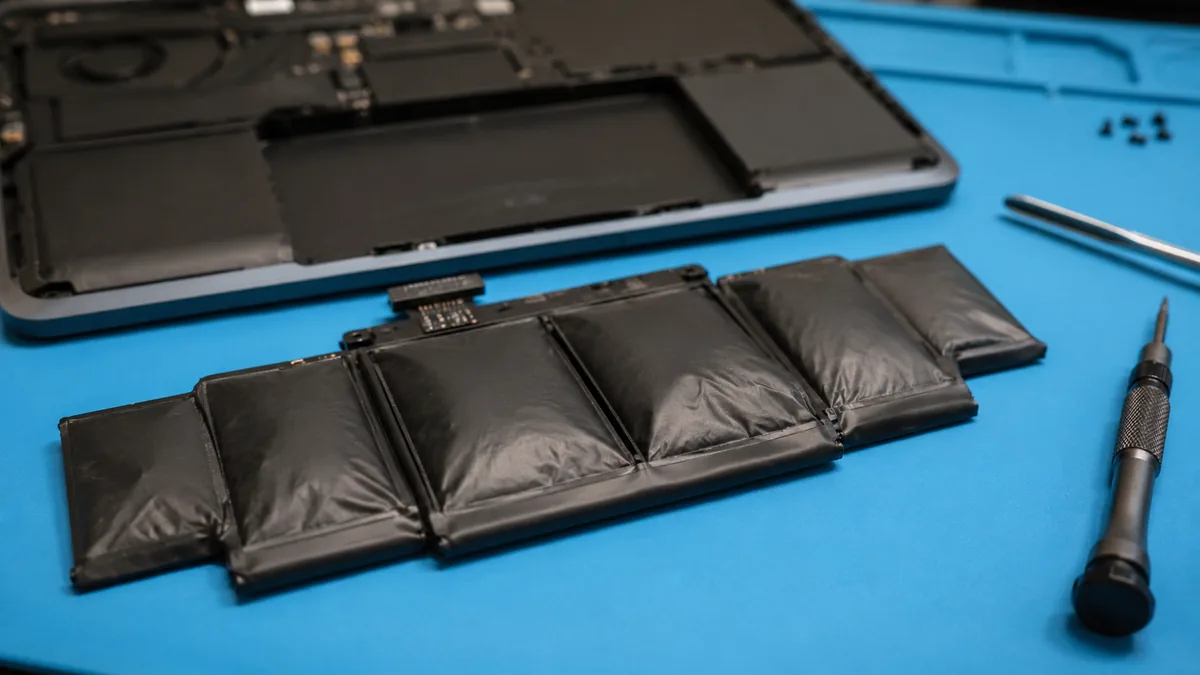
Power the laptop off. Unplug the charger. Do not press the bulge, do not close it in a bag, do not leave it on a bed, sofa or carpet. Put it on a hard, non-flammable surface, away from paper and fabric, and bring it in today. A swollen lithium-polymer cell is a pressurised cell with a compromised separator. Puncture it and you have a fire that water will not extinguish. This is the one repair we ask people not to postpone.
A lithium-ion cell stores energy by shuttling lithium ions between a graphite anode and a metal-oxide cathode. Every cycle deposits a thin, irreversible film on the anode — the solid electrolyte interphase — which permanently consumes a little lithium and a little capacity. That is normal ageing, and it is why a pack rated for 500 to 1,000 cycles falls to about 80% of its design capacity by the end of that count.
Two things accelerate it dramatically. Heat: the film grows faster at temperature, which is why a gaming laptop that lives at 45°C on a desk ages its battery roughly twice as fast as the same machine kept cool. And high state of charge: a cell held at 100% sits at maximum electrode stress. Held at 100% and hot, degradation compounds. Swelling arrives when electrolyte decomposition produces gas faster than the pouch can contain it — a late-stage symptom, and the reason we treat it as urgent rather than cosmetic. The reference we point customers at is Battery University's ageing tables, which quantify all of the above without selling anything.
You do not need a technician to know whether you need a battery. You need two numbers.
powercfg /batteryreport. Open the HTML
file it names. Compare Design Capacity with Full Charge Capacity, and note the cycle count.
Below 70% of design, or above the rated cycle count, means replacement.Ask any shop what rated capacity, in watt-hours or mAh, the pack they are fitting carries. A pack sold as a replacement for a 57Wh original that quietly contains 41Wh of cells is not a bargain; it is a 28% shorter working day. We print the figure on your job sheet.
Same-day replacement on most models, licensed disposal of the old cell, and a written statement of the capacity of the pack we fit.
Perhaps a quarter of the machines that arrive here for a battery leave with their original pack. "Plugged in, not charging" is a message from the operating system, not a diagnosis. The charge path runs from the DC jack or USB-C port, through input protection, into a charging IC, into the pack's own protection board, and back to a battery management controller that reports state. A fault anywhere on that chain produces identical symptoms to a dead battery.
Our intake test takes ten minutes: read the pack's own telemetry over its SMBus, measure the charge rail under load, and swap in a known-good bench charger. Only after those three do we quote a battery.
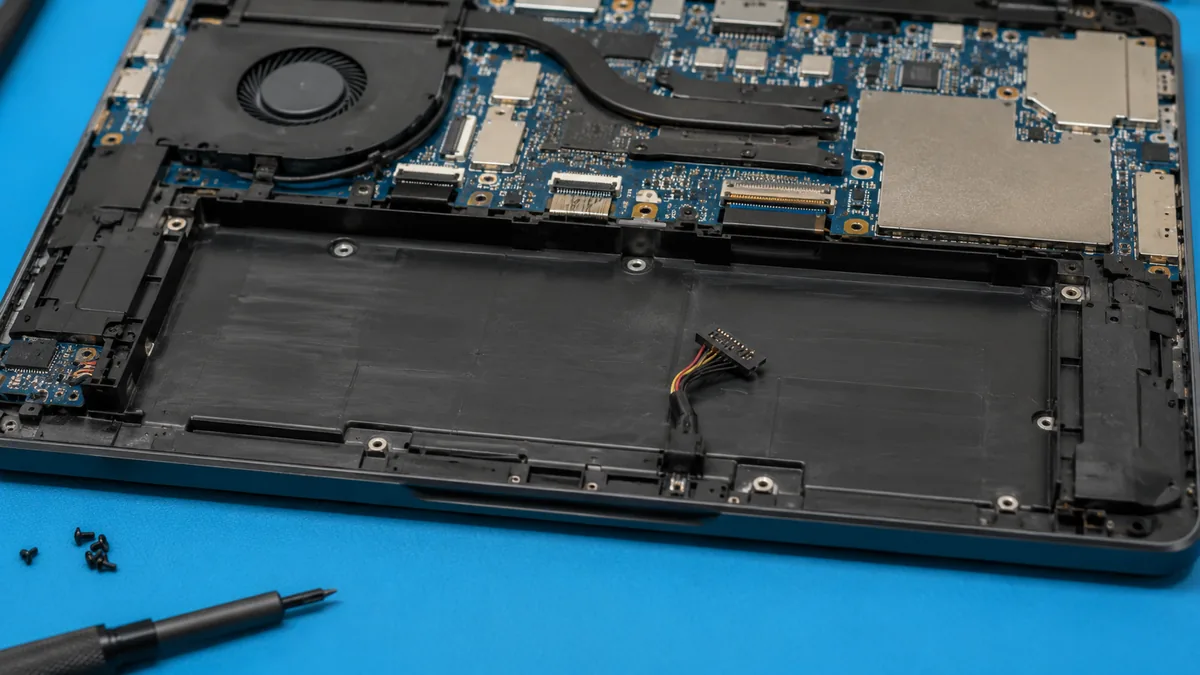
Where an original manufacturer pack is available at a defensible price, we fit it. Where it is discontinued — which happens fast on machines over four years old — we fit an equivalent built on genuine cells from a named manufacturer with a proper protection board, and we tell you the cell brand and the rated capacity before you agree. What we will not fit, at any margin, is an unbranded pack with an unmarked protection board and a capacity claim nobody can verify. Those packs are the ones that swell in fourteen months, and they are why so many customers assume all replacement batteries are bad.
| Machine type | Pack | Indicative fitted price | Turnaround |
|---|---|---|---|
| Mainstream 14–15.6" laptop | Serviceable, screwed | S$90 – 160 | Same day, 30–60 min |
| Business ultrabook | Internal, screwed | S$120 – 190 | Same day |
| Thin ultrabook / convertible | Adhered pack | S$140 – 230 | Same day, 2–4 hrs |
| Gaming laptop (80–99Wh) | Large multi-cell | S$170 – 270 | Same day |
| MacBook Air / Pro | Adhered to top case | S$150 – 320 | Same day – 2 days |
| Charging IC repair | Board-level, pack retained | S$140 – 280 | 1 – 3 days |
| DC-in jack / USB-C port | Board-level | S$110 – 260 | 1 – 2 days |
| Battery health assessment | Report, no parts | Free with any repair | 10 minutes |
Indicative bands, not offers. Every quote is confirmed in writing after diagnostics and does not change afterwards.
We read cycle count, design capacity and full charge capacity from the pack itself, then verify the charging rail before blaming the battery.
Bow, pouch pressure, connector corrosion and heat marks. Swollen packs are isolated immediately and handled with insulated tools.
Pack type, cell brand, rated watt-hours, fitted price, warranty term. All before we open the machine.
Grounded bench, wrist strap, battery isolated first. Adhered packs released with controlled heat and approved solvent, never levered.
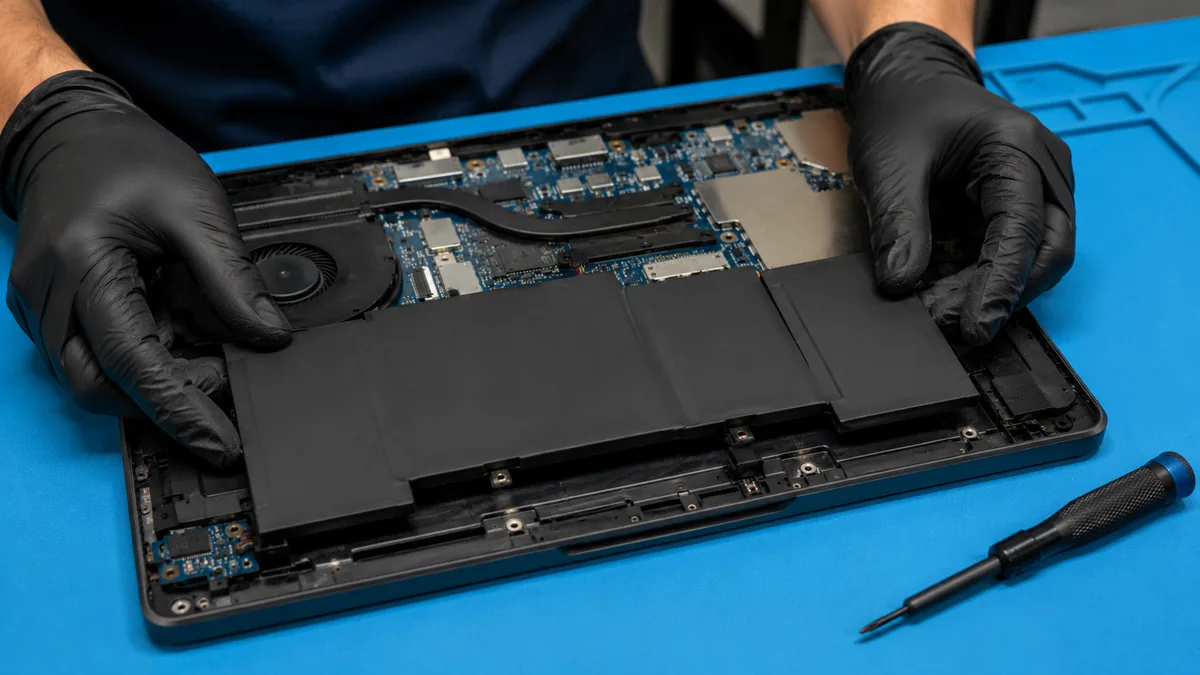
New pack installed, connector torqued correctly, then a full charge and controlled discharge to confirm reported capacity matches the label.
We enable your manufacturer's charge cap and show you where it lives. The old pack leaves in a fire-rated container for licensed e-waste recycling.
Cap the charge at 60–80% whenever the machine lives on a desk, using Lenovo Vantage, Dell Power Manager, MyASUS, HP Battery Health Manager, or macOS Optimised Charging. Keep the laptop off duvets and cushions, which block the intake and hold the pack at 45°C for hours. Avoid habitual discharge to zero; shallow cycles between roughly 30% and 80% are gentler than deep ones. If you are storing a laptop for months, leave it near 50% charge, not full and not empty. And service the cooling — a clean fin stack keeps the pack cool as a side effect, which is one more reason a thermal service is the best value repair on our price list.
Because we check whether the battery is the fault before we sell you one. Because we state the rated capacity of the pack in writing, and name the cells. Because swollen packs are treated as the safety issue they are, handled with the right equipment and disposed of through a licensed channel. And because our bench is ten minutes from the CBD and reachable from Orchard, Novena, Toa Payoh, Bishan, Ang Mo Kio, Jurong East, Clementi, Queenstown, Tampines, Bedok, Woodlands, Yishun, Hougang and Punggol — where 940+ customers have averaged us 4.8 stars.
Verified Google reviews
Real reviews from our Google profile, shown with the customer’s name as they left it. The score and the count are Google’s own, updated every week.
They repair fast and good, my DELL laptop had damaged screen and battery and they fixed it in one day. Diagnosis is free and they quote after checking on the problem. Pre-test testing and post testing done well.. Highly recommend.
Great service and advice given. Down to earth advice instead of overcharging.
My daughter's ASUS laptop battery was deteriorating and also overheating. They repaired the set within the same day and also provided interior cleaning for General maintenance. Responsive and affordable! Highly recommend!
Recommended…Fast response in replying with my enquiries on battery replacement. Completed the replacement fast and able to use my laptop back as usual. Great Service.
I sent in 2 Dell laptops for repairs due to SSD replacement and battery and fan replacement. The technicians service were fast and prompt with ready parts. They are conveniently located and service is overall recommended! Thank you!
Brought in my MacBook Pro 2016 and issues with battery. The team serviced it quickly in a day time! Good service! 😊
Thank you for the good service. Free of charge If no service. You have kept your promise. Once again, thank you.
My ipXS max no power after not using for few years and they managed to repair successfully with battery change and no need repair motherboard 👍
Questions we get every week
Most mainstream laptops land between S$90 and S$160 fitted, including removal, testing and safe disposal of the old cell. Ultrabooks with bonded batteries, gaming laptops with large multi-cell packs, and MacBooks where the pack is adhered to the top case run S$140–320. The price is driven by the pack, not the brand: a 99Wh six-cell pack costs more than a 42Wh three-cell one, and always will. Send the model and we will confirm.
Yes, and this is the one question on this site where we will not be relaxed. A swollen lithium-polymer cell is a cell whose electrolyte has decomposed into gas. It is under pressure, its separator may be compromised, and puncturing or crushing it can cause a thermal runaway fire that cannot be put out with water. Stop using the laptop. Do not charge it. Do not press the bulge flat, do not put it in a bag, and do not leave it on a bed or sofa. Power it off, put it on a hard non-flammable surface away from anything that burns, and bring it to us the same day. We handle swollen packs daily and dispose of them through a licensed e-waste channel.
Two numbers, both available for free. Cycle count — one cycle is one full discharge worth of energy, not one plug-in. Most modern packs are rated to 500–1,000 cycles before they fall to 80% of design capacity. Full charge capacity versus design capacity — if the pack was designed for 57,000mWh and now reports 31,000, you have 54% of the battery you paid for. On Windows, run powercfg /batteryreport from Command Prompt and open the HTML file it writes. On macOS, hold Option and click the Apple menu, then System Information → Power. If capacity is below roughly 70%, or the machine shuts down unexpectedly above 20%, replace it.
Plugged in is fine; plugged in at 100% and warm is not. Lithium cells age fastest at high state of charge and high temperature, which is exactly the condition of a docked gaming laptop sitting at full charge. The fix is a charge limiter, and most manufacturers ship one: Lenovo Vantage Conservation Mode, Dell Power Manager, ASUS MyASUS Battery Health Charging, HP Battery Health Manager, and Optimised Battery Charging on macOS. Cap the charge at 60–80% for desk use and the pack will outlive the laptop.
Both statements in that question are half-truths. The safety of a pack lies in its cells and its protection circuit — the small board that manages charge balancing, over-current cutoff and temperature. A reputable third-party pack with genuine cells and a proper protection board is safe. A no-name pack sold at half the going rate has neither, and we have opened enough of them to say so. We fit original packs where they remain available and high-grade equivalents where they do not, and we tell you which one you are getting and what its real rated capacity is.
Calibration fixes a reporting problem, not a chemistry problem. If your battery reports 60% and then dies, a full discharge-and-recharge cycle can resynchronise the fuel gauge and the machine behaves again. That is worth doing, and it costs you nothing but time. What calibration cannot do is restore lost capacity, reverse cell swelling, or repair a failed protection board. Anyone selling "battery reconditioning" for a swollen pack is selling you a fire risk.
Most laptops: 30 to 60 minutes, same day, while you wait or over lunch. Machines with adhered packs — MacBooks, Surface, thin ultrabooks — take two to four hours because the adhesive strips must be released slowly with controlled heat and solvent rather than levered out. Where the charging circuit is also faulty, add one to three days for board-level work.
It goes into a fire-rated container and then into Singapore's licensed e-waste stream under the Extended Producer Responsibility scheme. Lithium packs must never enter household refuse or a recycling bin — compaction in a refuse truck is one of the more common causes of waste-facility fires. We take the old pack off your hands at no charge, and if you would rather dispose of it yourself, use a designated e-waste bin, not the chute.
Send us your model and the two numbers from your battery report. We will tell you whether you need a pack, a charging IC, or simply a charge limiter.