
★★★★★
Great service - MacBook froze on upgrade. Could not solve problem myself. iDevice expedited the repairs and my Mac is like new! Very reasonable rates for repair too. Highly recommend.
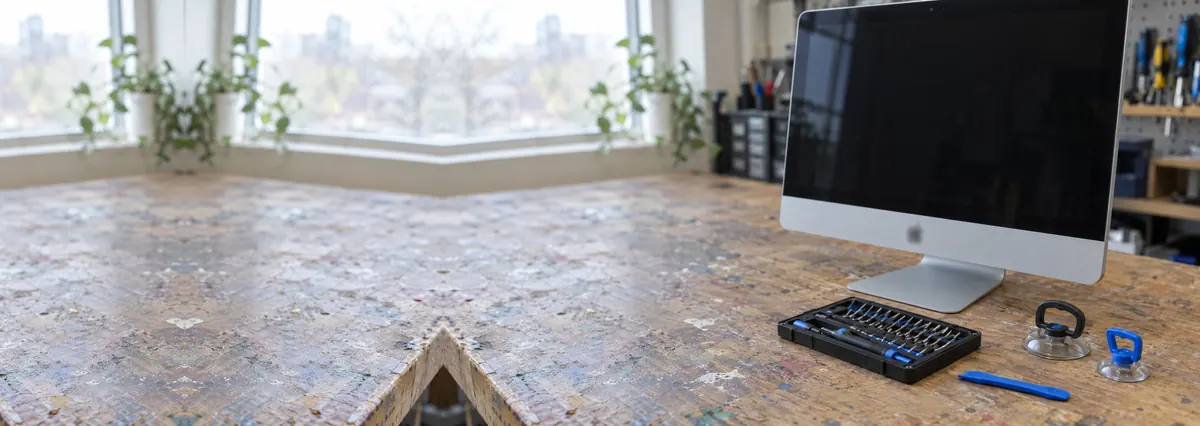
An iMac is a desktop hiding inside a display. Getting into it without ruining the display is most of the job.
Most iMac repairs land from around S$90 to S$650, typically 1–3 days on most jobs, longer for board-level work. Diagnosis is free on walk-ins, you get a written quote before any work starts, and if we cannot fix it you do not pay a repair fee. See how we arrive at that.
On this page
Every iMac since 2012 is sealed with adhesive tape around the perimeter of the glass. Opening it means running a cutting wheel around that seam at a controlled depth, lifting a panel that is bonded to its own driver board by short flex cables, and doing it without flexing the aluminium chassis. On 5K models the panel costs more than most laptops. There is no forgiving version of this step.
Once it is open, an iMac is a pleasant machine to work on. The drive, the fan, the power supply and the RAM on most models are accessible and replaceable. The logic board comes out in one piece. The failure modes are ordinary desktop failure modes, which is why an old iMac is so often worth keeping.
Diagnostic reference
A dead iMac with no fan and no chime is a power supply far more often than it is a logic board.
The drive. The single highest-value repair on an older iMac. A 2012–2019 machine still running its original 5400rpm hard disk or a Fusion Drive whose spinning half has failed is not a slow computer — it is a fast computer waiting behind a slow disk. An SSD transforms it. We clone in place so nothing is reinstalled and nothing is lost.
The display panel. Replaced when cracked, when the backlight has failed, or when the anti-reflective coating has degraded into the mottled patches Apple's own service programme once covered. Bonded, re-taped and clamped on the bench.
The power supply. A machine that is dead with no fan, no chime and no light is a PSU until proven otherwise. Capacitors on the supply board age and fail, and on many models they are individually replaceable.
The fan and thermal system. A single fan cools the whole machine. When it fills with dust or its bearing dries out, the machine throttles and eventually shuts down under load. Repasting the CPU and GPU at the same time is cheap and worthwhile.
On Apple silicon iMacs the storage is soldered to the logic board and cannot be upgraded or replaced independently, and a failed board therefore takes the data with it. On T2 Intel iMacs the drive is soldered too, and encrypted to the T2 chip. Both facts should change how you back up, and both are why we ask about backups at intake rather than at handover.
The all-in-one has gone through three broad generations, and where your machine sits decides almost everything about what can and cannot be done to it. We service all of them, but we are honest at intake about which repairs are physically possible on yours.
The 21.5-inch and 27-inch Intel iMacs (2012 to 2020). These are the machines that make an independent repair shop worthwhile. The display lifts off with a cutting tool and adhesive strips, the drive is a standard 2.5-inch or 3.5-inch unit (or a blade SSD alongside it on Fusion models), and the power supply, fan and, on the 27-inch, the RAM are all serviceable. An eight or ten-year-old 27-inch iMac with a 5K Retina panel is still a genuinely lovely machine, and it usually only needs one or two parts to feel new again.
The T2 iMacs (2020 27-inch). The last Intel 27-inch shipped with a T2 security chip and soldered, encrypted storage. The display, fan and power supply are still serviceable, but the SSD is not, and that single fact changes how you should treat backups.
The Apple silicon 24-inch iMac (2021 onward). A thin, colourful redesign with the whole computer soldered to one board and the storage tied to it. There is no drive to upgrade and no RAM to add; repair here means the display assembly, the power delivery and, occasionally, board-level work. We are candid that these machines are built to be replaced rather than opened, and we will tell you when that is the reality.
If you are not sure which one you own, read the model identifier from the Apple menu under About This Mac, or send us a photo of the back with the ports visible and we will identify it for you before you travel across the island.
The panel is the defining part of an iMac and the reason opening one is a skilled job rather than a screwdriver job. Three faults bring displays to our bench. The first is physical damage — a cracked panel or glass, usually after a knock during a house move. The second is backlight failure, where the machine is clearly running (you can just make out the desktop with a torch held at an angle) but the panel is dark; that points either at the backlight circuit on the panel's own driver board or, less often, at the power to the LED string. The third is the coating fault owners describe as smudges that will not wipe off: the anti-reflective layer on the 27-inch panels degrades into greyish patches, spreading from the edges and around the camera. It is purely cosmetic, it never reaches the electronics, and abrasive cleaning only accelerates it. The fix is a panel replacement, and on a machine you otherwise like it is well worth doing.
A related complaint is image retention, where a faint ghost of the previous screen lingers for a few seconds after the content changes. Mild retention on an IPS panel that clears on its own is normal ageing rather than a fault; persistent, sharp retention that does not clear is a panel nearing the end of its life. We will tell you honestly which of the two you are looking at rather than selling a panel you do not need.
Whatever the display fault, the removal is the same careful sequence: soften and cut the perimeter adhesive at a controlled depth, support the panel so it never hangs on its flex cables, work on an ESD-safe bench, and re-tape with fresh adhesive strips under even clamping pressure so the seal is clean and the panel sits flat. A display re-fitted in a hurry shows itself as dust trapped behind the glass or a lifting edge, and neither leaves our bench.
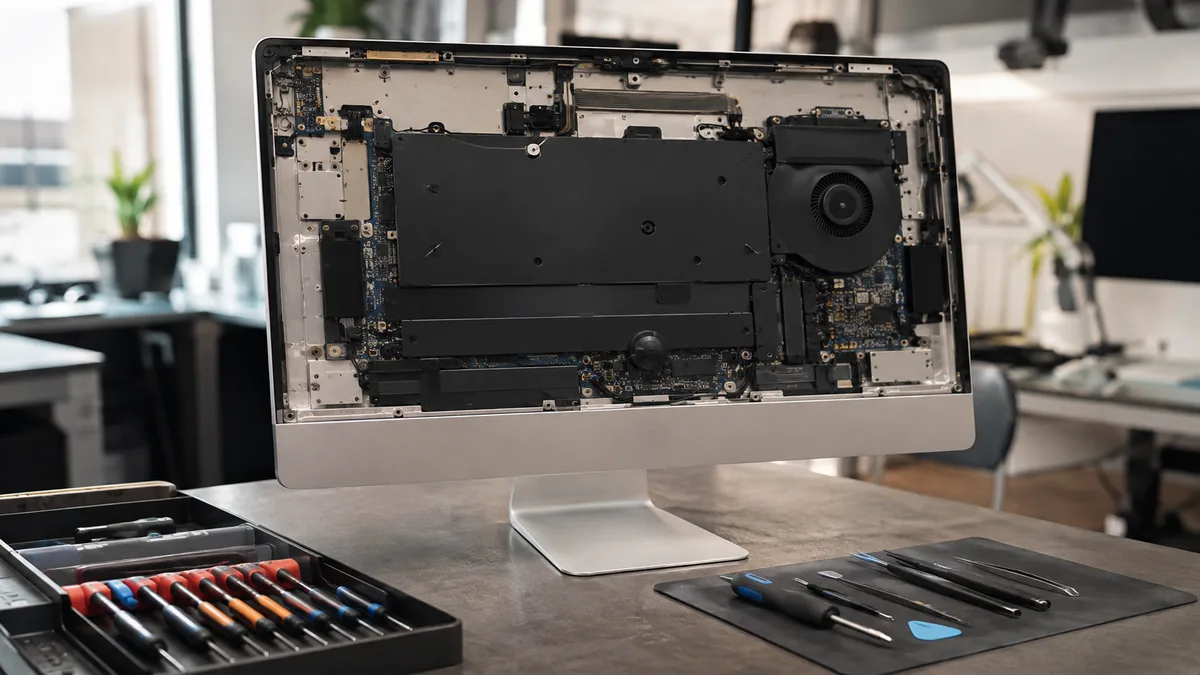
If there is one repair that defines the ageing iMac, it is storage. Apple sold a great many iMacs with either a plain 5400rpm hard disk or a Fusion Drive — a small SSD paired with a large spinning disk, presented to the system as a single volume. It was a clever way to offer capacity cheaply, but it has aged badly. The spinning half is mechanical, it wears, and in Singapore's warm, humid climate it wears a little faster. When it starts to fail you get the classic picture: a machine that takes minutes to reach the desktop, beachballs on the simplest task, and freezes when Spotlight tries to index. Owners assume the whole computer is finished. It is not. It is a fast computer trapped behind a dying disk.
Replacing that drive with a solid-state disk is the single highest-value repair on the whole list. Boot times fall from minutes to seconds, applications open instantly, and a machine that felt ready for the bin feels new. On a Fusion Drive that has partially failed we recover what is on it first, then move you to a single, reliable SSD rather than re-creating the fragile two-part arrangement. Wherever the original drive is healthy enough to read, we clone in place, so your macOS installation, your applications, your settings and your files all come across exactly as they were — nothing is reinstalled and nothing is set up again. Where the drive is too far gone to clone, we do a clean install and restore your data from the recovered image or your backup.
The honest caveat, repeated because it matters: this upgrade is only possible on Intel iMacs with a serviceable drive. On the 2020 T2 27-inch and every Apple silicon iMac the storage is soldered and encrypted, and no amount of skill changes that. On those machines the answer is a disciplined backup routine, not an upgrade.
Memory is the other upgrade that still transforms an iMac, and here the model line matters more than anywhere else. The 27-inch Intel iMacs have a small hatch on the rear, just above the power socket, with four user-accessible SO-DIMM slots behind it. On those machines adding memory is genuinely a five-minute job, and going from 8GB to 24GB or 32GB ends the constant swapping that makes a browser full of tabs and a couple of design apps feel broken. It is one of the few repairs an owner can safely do themselves, though we are happy to fit and test the correct modules for you.
The 21.5-inch Intel iMacs are the opposite story. On most of them the RAM is soldered to the board, or reachable only by fully opening the display, so it is either impossible to upgrade or a workshop job rather than a hatch job. The Apple silicon 24-inch has its memory built into the chip package and cannot be changed at any price. We will read your exact model and tell you which camp you are in before you buy a single module — ordering the wrong memory for the wrong iMac is one of the more common wasted purchases we see.
A dead iMac — no chime, no fan, no light, nothing when you press the button — is a power supply far more often than it is a logic board. The all-in-one has its power supply built in as a separate board, so there is no external brick to blame or swap. Those internal supplies age, and the electrolytic capacitors on them are the usual failure: they dry out, lose capacity, and eventually cannot deliver the surge the machine needs to start. On many iMac supply boards those capacitors are individually replaceable, which turns what a parts-swapper would call a dead computer into an afternoon's component-level repair.
We diagnose no-power faults on a bench supply, reading exactly what the machine draws in the first second after the button is pressed. That single current reading tells us whether we are looking at a supply that has failed outright, a short pulling the rails down, or a board that is alive but not sequencing its power correctly. It is the difference between a confident, cheap repair and an expensive guess, and it is why we never quote a no-power iMac sight unseen.
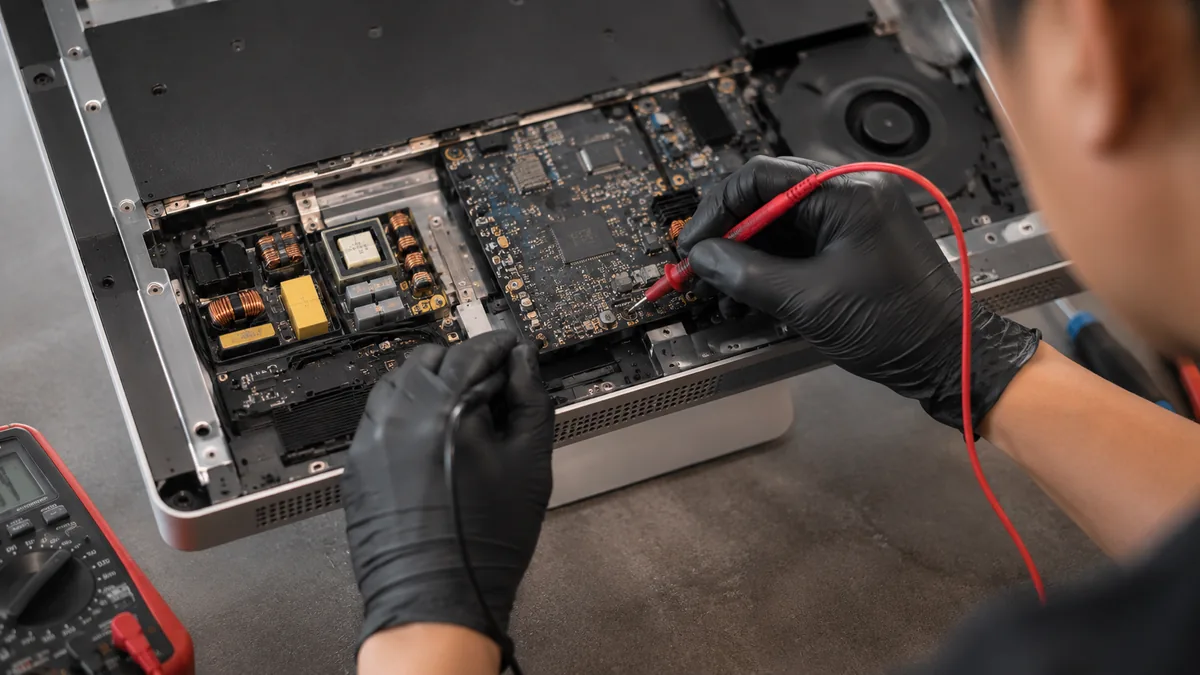
An iMac is cooled by a single fan drawing air up through the chassis, and in Singapore that fan lives a hard life. Fine dust and the sticky film that humid, air-conditioned rooms leave behind build into a felt mat across the intake and the heatsink fins, the fan bearing dries out, and airflow drops. The machine responds by throttling — quietly dropping its processor and graphics speed to stay cool — so it gets slower without ever reporting a fault, and eventually it may shut down under a sustained load like a video export or a long call. The other common pattern is the reverse: a fan that runs at full speed from cold, which is usually a failed thermal sensor telling the machine it is hot when it is not.
A proper thermal service means opening the machine, stripping and cleaning the fin stack, replacing the fan or servicing its bearing, and renewing the thermal compound on the processor and graphics chip. Done together while the machine is already open, it is inexpensive and it is one of the best-value things you can do for an older iMac's lifespan.
Some 27-inch iMacs shipped with discrete graphics chips that run hot and, over years of that heat, can suffer solder fatigue where the chip meets the board. The symptoms are distinctive: coloured vertical lines or bands across the display, checkerboard artefacts, a picture that scrambles under graphics load, or a machine that boots to a black screen while the fan runs and the disk spins. These faults are not a dead panel and not a dead drive; they live on the logic board. Where a chip has genuinely lost contact we address it properly at component level rather than baking the board to soften the solder for a few weeks — a reflow is a delaying tactic that makes a lasting repair harder later. This is board-level territory, and it is covered in full on our iMac motherboard repair page.
Not every iMac that will not start is a hardware failure, and telling the two apart cheaply is most of the value of a proper diagnosis. A machine that powers on, chimes, and then sits on a grey or white screen — sometimes with an Apple logo and a stalled progress bar, sometimes with a flashing folder bearing a question mark — is usually telling you it cannot find a healthy system to boot from. The flashing question mark specifically means no bootable drive was found, which points straight back at the storage: a failed Fusion Drive, a dead disk, or a corrupted system. A spinning globe means it is trying to start over the network because the local drive is unreadable.
We work through these in order, from the cheapest cause to the most involved: confirm power and the display are healthy, boot from an external system to see whether the machine itself is sound, read the internal drive's health without writing to it, and only then look at the board. Very often a machine the owner had written off as dead turns out to need a drive and nothing more. When the fault genuinely is on the board, the bench supply and the microscope tell us which subsystem, and we quote that honestly rather than bundling it into a vague price.
The all-in-one hides a risk that a tower desktop does not: everything lives on one internal drive, and getting to that drive means opening the display. That is fine while the drive is healthy, but it means the moment to think about your data is before anything fails, not after. We raise backups at intake, on every job, because the worst time to discover you have no copy of your photos is the day the disk stops responding.
Where the drive is already failing, our rule is simple and it does not bend: we image it first on write-blocked hardware and recover from that image, rather than running recovery software against a dying disk. Recovery tools run directly on a failing drive are the single most common way data is lost for good, because every read the tool forces is another chance for the disk to give up entirely. On T2 and Apple silicon iMacs the picture is harder still, because the storage is soldered and encrypted to the machine, so a failed board can take the data with it and there is no drive to move to another computer. That is exactly why we treat a good backup as part of owning one of these machines rather than an optional extra. When recovery is needed, our data recovery service handles failing drives, Fusion volumes and encrypted storage.
Sometimes the drive is fine, the power supply is fine, and the fault genuinely lives on the logic board — a failed power rail, a backlight circuit that has stopped driving the panel, a graphics chip that has lost contact, or damage from a long-ago spill or a power surge. Board-level repair is what separates a component-level workshop from a parts-swapper, because the parts-swapper's only answer to a board fault is a whole replacement board, which on an iMac is expensive and often not even available. We trace the fault to the specific component under a stereo microscope, using a preheater, controlled hot air and low-temperature solder, and replace what has actually failed. We are also honest about the two limits: a board with catastrophic physical damage may be beyond economical repair, and we will say so on day one rather than after you have paid. The full board-level story lives on the iMac motherboard repair page, and the same bench handles MacBook repair and every other Apple repair in Singapore.
We are at 6 Harper Road, Leong Huat Building #05-02, a short walk from Tai Seng MRT on the Circle Line and easy to reach from Paya Lebar, MacPherson, Bartley, Bishan and the east. An iMac is bulky and its panel is fragile, so most owners bring it in by car or taxi rather than posting it; if that is not workable, ask us about islandwide courier collection with the machine properly packed for the panel. Walk in and the diagnosis is free: we listen to what the machine does, capture the history, and put it on the bench. You get a written quote — the fault, the fix and the price in bands, never an exact figure invented on the spot — and nothing is opened further or ordered until you say yes. We repair at component level in preference to swapping whole assemblies, every completed job carries a written warranty on parts and labour printed on the job sheet, and if we cannot fix it you do not pay a repair fee. We are an independent workshop and are not affiliated with or authorised by Apple; that independence is exactly why we can tell you when the honest answer is to keep the machine, and when it is to let it go.
How the repair runs
We record what happened and when. A device that was dropped, a device that met liquid and a device that simply stopped are three different investigations.
Visual inspection, power draw on the bench supply, and board inspection under the microscope where the symptom points at the board.
You get the fault, the proposed fix and the price. Nothing is opened further, and nothing is ordered, until you say yes.
ESD-controlled bench, grounded mat, battery isolated before any connector is touched. Board-level work is done under the scope with hot air and a soldering iron, not by swapping.
We reproduce the conditions that caused the fault and confirm it is gone, then run the device under load before it goes back in its box.
Terms printed on the job sheet. Old parts returned on request where they are not exchange units.
Related services
Dead boards, power rails and display circuits at component level.
See the service →MacBook, iMac, iPad and iPhone under one roof.
See the service →Failing drives, T2 encryption and soldered storage.
See the service →Verified Google reviews
Real reviews from our Google profile, shown with the customer’s name as they left it. The score and the count are Google’s own, updated every week.
Great service - MacBook froze on upgrade. Could not solve problem myself. iDevice expedited the repairs and my Mac is like new! Very reasonable rates for repair too. Highly recommend.
In just a few hours solved problems with my Mac that the Apple Store on London UK said could not be done. They advised me to buy a new computer. Dean has got it back to nearly new again for a fraction of the cost. Thanks
Manage to fix my iPad mini screen as well as the home button with minimal cost incurred compared to Apple Store. It was a very disappointing with Apple Store that they only cares about selling new products to consumers. At least in here, the staffs help you to save either your iPad, iPhone or even Mac book. Thumb up for them!!
Great time changing mac battery. Staff were very friendly and very helpful!
Great service as always, we are repeated customers. Came here to fix my imac and also to change my dell laptop battery.
Superb! I went to Apple store but they told me to get whole unit replacement, but I got mine fixed asap here for i only a third of the price LOL!
Repaired my mac book pro 2015 due to some battery bloating issue. Replies are fast and service is professional. Definitely would recommend.
Sent my mac for battery and speakers replacement. Prices and services are great!
Questions we get every week
Diagnostics first, quote second, repair third — and you decide between each one. Bring it in, or send a photo and we will tell you what we think it is.