
★★★★★
Great service and advice given. Down to earth advice instead of overcharging.
Service · Liquid damage · Singapore
A spill does not kill a laptop with one clean short — it starts a slow corrosion that keeps eating the board for days. The sooner we clean it, the more we save. We strip the machine down, clean every board under the microscope, clear the corrosion and soak-test it before it goes home.
A slice of this week's liquid bench log
Looking for the price? The price guide for this page is further down — jump straight to it ↓. Diagnosis is free on a walk-in, you get the price in writing before any work starts, and if we cannot fix it you do not pay a repair fee.
On this page
Almost everyone assumes a spill either kills a laptop instantly or leaves it fine. The truth is more dangerous than either. Liquid rarely destroys a board with a single clean short. Instead it starts a slow chemical process called electrochemical corrosion: wherever moisture bridges two points at different voltages, the current drives a reaction that literally dissolves copper traces and eats the tiny legs off components. That reaction keeps going for days, quietly, while the machine still switches on — which is exactly why so many laptops seem perfectly healthy after a spill and then die suddenly three or four days later. The device you are still using is not safe. It is corroding on the inside.
This is the single most important thing to understand about liquid damage, because it dictates everything about the repair. The damage is not a moment; it is a process, and the process runs on time. Every hour the board sits wet, or sits with power in it, or sits "drying out" in a bag of rice, is another hour the corrosion advances. That is why our entire method is built around getting the board opened, cleaned and neutralised as fast as possible, and why the best thing you can do the moment a drink goes over your keyboard is not to test whether it still works — it is to shut it down and get it to a bench. Water damage repair is really corrosion-arrest and corrosion-reversal: we stop the chemical reaction, then undo as much of what it has already done as the board will allow.
The other half of the problem is what the liquid was. Not all spills are equal. Plain water is the least awful, though "least awful" still means real damage. Coffee, tea, soft drinks, juice, beer and — worst of all — sweet, milky drinks leave behind a sticky, sugary, conductive residue that keeps bridging pins and rotting traces long after the wet itself has evaporated. A board that has had teh tarik spilled on it is a far harder rescue than one that met a splash of mineral water, because the sugar and acids carry on corroding invisibly. Whatever the liquid, though, the correct first move is identical, and it is the opposite of what instinct tells most people to do.
What you do in the first hour matters more than anything we do afterwards, because it decides how much board is left for us to save. These steps are safe to do yourself and buy us the best possible starting point:
If you cannot get to us on the day, keep it off, keep it tented, and get it to us as early as you can the next morning. Do not be reassured if it still switches on — a working machine after a spill is a machine on a clock. If it will not power on at all, see our guidance on a laptop that won't turn on, but the liquid response above still comes first.
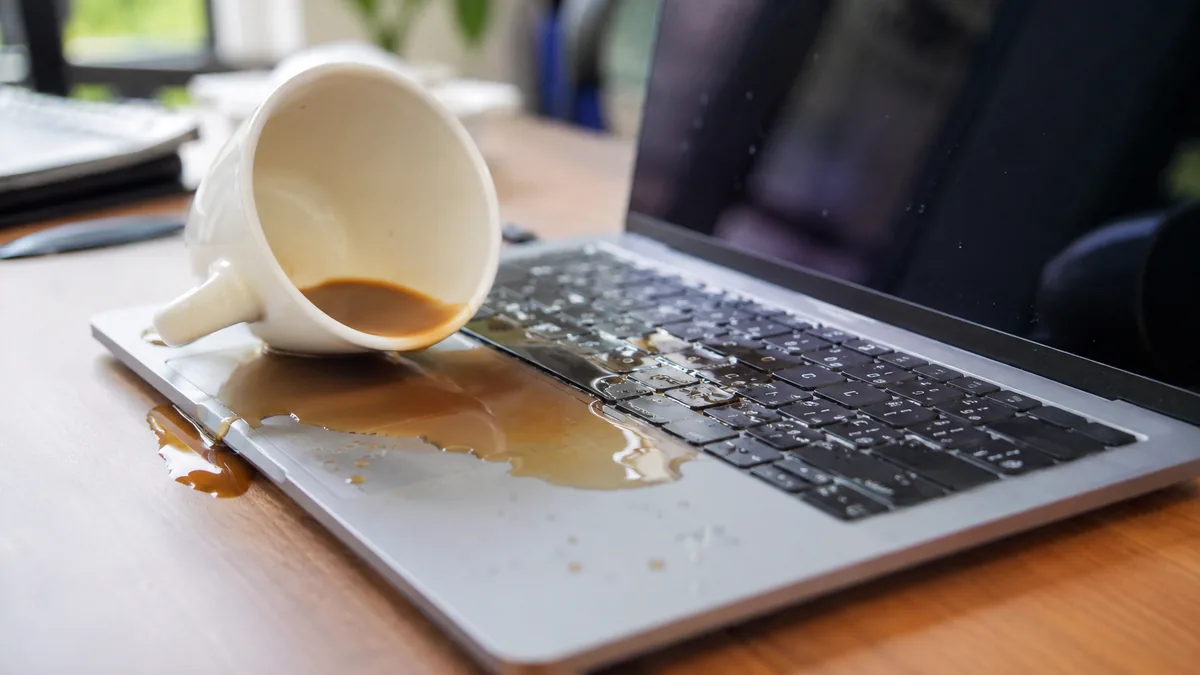
Liquid faults show up in a handful of recognisable ways. Because the corrosion spreads, the same machine can move from one symptom to a worse one over days — which is the strongest argument for acting early:
Send us a two-line description and a photo before you travel; from the symptom and what was spilled we can usually give you an honest read on the likely damage and a price band.
Below is the bench reference our technicians use during a liquid intake. The reference codes are ours, not an industry standard — quoting one over WhatsApp simply lets us prepare the right bench and cleaning setup before you arrive. Turnaround assumes the corrosion behaves the way the symptom suggests; a liquid board always needs its soak-test time before we call it done.
Diagnostic reference
The faults that account for most spill repairs on our bench, in roughly the order we see them.
Power it off, keep it off, and message us a photo of the machine and the spill. A technician replies with what to do next and an honest read on the odds before you even set off.
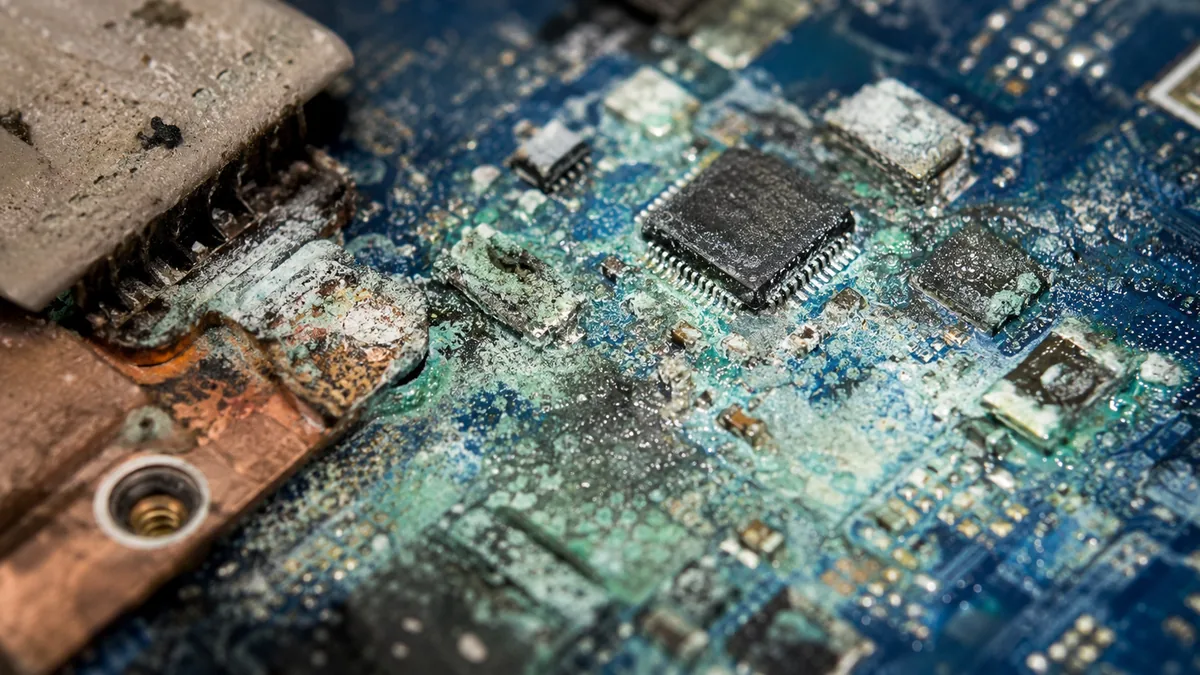
Every liquid board follows the same disciplined path. A spill rewards speed and thoroughness and punishes any shortcut — a board that is "cleaned" superficially and rushed back together is a board that dies again a week later. This is the full sequence:
Two honest limits sit at the front of every liquid quote. First, some boards arrive with corrosion so widespread — usually the ones that ran for a week or more after the spill — that a full recovery is no longer economical against the value of the machine, and we will tell you that on day one rather than after you have paid. Second, when a board is genuinely beyond saving, the job becomes a data question: the storage usually survives, and our water damage data recovery service can recover your files even from a machine that will never boot again. Deciding between reviving the board and simply repairing or replacing the laptop is a conversation we have with you before any money is spent.
We would rather be straight with you than sell false hope, so here is how the outcomes actually break down by how long the board sat before it reached us. Bring a spilled laptop in the same day, powered off and untested, and the odds of a strong recovery are genuinely good — the corrosion has had little time to spread and a thorough clean often reverses most of the damage. Leave it a week of intermittent use, switching it on to check whether it still works, and the odds fall sharply: every power-on drives more corrosion and every day lets the residue eat deeper. Leave it a month, and the job very often stops being a repair at all and becomes a data recovery exercise, because the board has been eaten past the point of economical rescue.
The two things that ruin recoverable laptops. The first is turning it back on to test it — every power-on with liquid inside invites a fresh short and drives more corrosion. The second is rice. Rice does not draw liquid out of a sealed laptop, does nothing about the corrosion already forming on the board, and simply burns the days that matter most while dust and starch work into the ports. There is no home drying trick that reverses corrosion. The only thing that helps is a proper strip-down and clean, and the sooner it happens the more of your laptop survives.
None of this means a machine that sat a while is automatically a write-off — we have brought back boards that looked hopeless. It means the honest starting odds are lower, the bench time is longer, and the cost climbs, and you deserve to know that before you decide. Whatever the state it arrives in, the diagnosis is free and you get a written quote before any work begins; if we cannot recover it, you do not pay a repair fee.
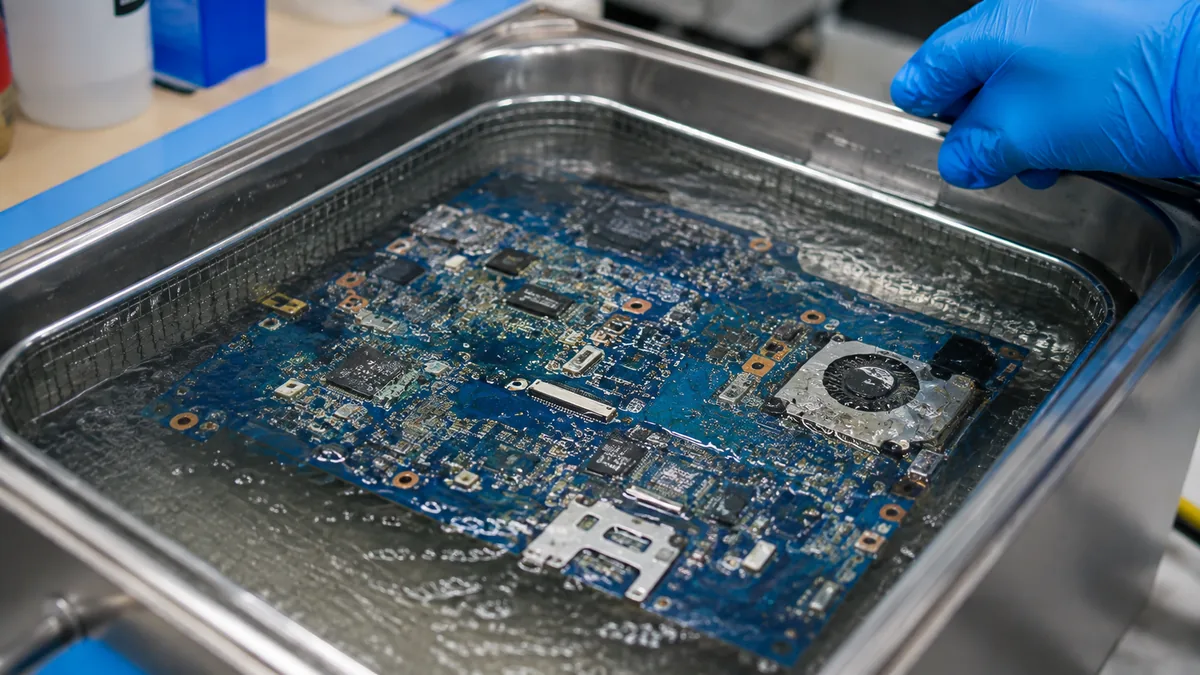
Most liquid damage we see was, in hindsight, one small habit away from never happening. A few simple rules keep a laptop clear of the most common — and most expensive — accident there is:
Because we show you the corrosion under the microscope and photograph it, so you see the real state of the board rather than take a verdict on faith. Because the quote is written before any work starts and does not move afterwards. Because we are honest about the odds from the first minute — including when the honest answer is that the board is not worth saving and the sensible route is board-level repair only if it makes economic sense, or data recovery if it does not. Every completed repair carries a written warranty on parts and workmanship, and if we cannot recover the machine you do not pay a repair fee. On a liquid job, where a quick clean can hide a board that is about to fail again, that honesty and the discipline of a full soak-test are worth more than any shortcut.
Verified Google reviews
Real reviews from our Google profile, shown with the customer’s name as they left it. The score and the count are Google’s own, updated every week.
Great service and advice given. Down to earth advice instead of overcharging.
Very helpful and friendly team over at iDevice Repair Centre. Really appreciate that they provide options on what can be done to resolve technical issues and guided me through each of the options. Definitely a recommended place to get your computers fixed.
Brought in my MacBook Pro 2016 and issues with battery. The team serviced it quickly in a day time! Good service! 😊
Was able to fix water damage/ motherboard issue in around 1 week, service was good as well.
My go-to repair shop for my laptop! Managed to repair my laptop twice with them, reasonable rates. Special thanks to Melissa who's efficient, responsive and helpful, and the team for the fast turnaround. 👍
Big thanks to Mel and her team for helping me resolve my “flexgate” issue. They did their best despite their manpower shortage and was always responsive to my queries! 😊
Staff was resourceful and prompt in replying. Contacted them the day before and my laptop is repaired the next. Dean was helpful and resourceful in suggesting things to help me. He also helped me to clean my laptop! Thank you to the team 😄
Quick and responsive team working here. They were able to respond to my questions in a timely manner and help solve the issue. Would definitely recommend 👍
Related services
No-power, no-POST and shorted-rail faults traced to the failed component, not swapped as a whole board.
See the service →Imaged first on write-blocked hardware, even from a board a spill has left beyond repair.
See the service →Spill-prone logic boards cleaned, corrosion-cleared and soak-tested by microsoldering technicians.
See the service →Spills are quoted after teardown, because the price follows how far the liquid travelled and what it corroded rather than how much went in. These are the bands the work falls into:
| Repair | Our band (SGD) | What drives the price |
|---|---|---|
| Liquid damage service | From around $120 to $800 | How far corrosion has spread; how many components need cleaning or replacing |
| Motherboard / board-level repair | From around $120 to $800 | Which component failed; microsoldering bench hours |
| Keyboard replacement | From around $25 to $480 | Keycap fix vs full module vs a keyboard bonded into the top case |
| Battery replacement | From around $110 to $380 | Cell type; bolt-in pack vs adhered internal cell |
Our figures are bands, not quotes — the exact price depends on the model and what the diagnosis finds, and you get a written quote before any work starts. Apple prices where shown were read from Apple’s official Singapore service estimator on 16 August 2026 and are for comparison only; Apple states it will inspect the device to determine the final fee, that a delivery fee may apply, and that Apple Authorised Service Providers set their own fees.
Corrosion keeps working long after the laptop looks dry, so the difference between bringing it in today and next week is often the difference between a clean and a board repair. Do not try to dry it with heat, and do not keep powering it on to test.
Full ladders across every device: device repair cost guide, laptop repair cost, MacBook repair cost and iPhone repair cost.
Questions we get every week
Yes, and quickly. A laptop that seems fine after a spill is the most dangerous case of all, because liquid does not kill a board with one clean short — it starts a slow electrochemical corrosion that keeps eating copper traces and component legs for days while power is still flowing. Machines that worked for a week and then died suddenly are the ones we struggle most to save. Power it off, keep it off, and bring it in the same day so we can clean the board before the corrosion spreads.
No. Rice is a myth that costs people their laptops. It cannot pull liquid out of a sealed chassis, it does nothing about the corrosion that is already forming on the board, and the days you spend waiting for it to "dry" are exactly the days the damage gets worse. Rice dust and starch can also work into ports and connectors. The only thing that helps is a proper strip-down and clean under a microscope, and the sooner that happens the better the outcome.
Much worse. Plain water is bad enough, but sugary and acidic liquids — coffee, tea, soft drinks, juice, beer — leave behind a sticky, conductive residue that keeps corroding the board long after the wet has gone, and that residue is what bridges pins and rots traces. Milk and sweet drinks are the hardest of all to clean. Whatever the liquid, the response is the same: power off, do not test it, and get it to us for an ultrasonic clean while the residue is still soft.
Liquid repair is priced by how far the corrosion has spread and how much bench time it takes to reverse, not by the part, because the part is usually a few dollars. A board caught early that only needs a full clean and a keyboard or trackpad sits in the lower bands; a board with shorted components, corroded traces to jumper and a soak-test runs higher. We open the machine, assess the corrosion under the microscope, and give you a written quote you approve before any work starts. Diagnosis is free, and if we cannot recover it you do not pay a repair fee.
Plan for three to seven working days. A liquid board is not a fixed-duration job — it needs a full disassembly, an ultrasonic clean, drying, corrosion clearing and then a minimum 24-hour soak-test to prove the fault has not simply gone quiet and will return. We never rush a liquid board back into its chassis the same afternoon, because a board that looks alive after a quick clean can die again days later if hidden corrosion was missed. We update you the moment we know what the real damage is.
Usually, yes. Even when a board is too far gone to bring back to life economically, the storage is often untouched, because the drive sits away from where most spills land. We can remove or read the SSD or hard disk and image it on write-blocked hardware so nothing more is written to a failing device. Where the storage is soldered to the board, our water damage data recovery process works at chip level. Losing the laptop does not have to mean losing the data.
Yes. We handle liquid damage on every major brand — Dell, HP, Lenovo, ASUS, Acer, MSI and the rest — and on MacBook Air and Pro, which are especially spill-prone because the keyboard sits directly over the logic board. The method is the same on all of them: disconnect the battery, strip the machine down, clean and inspect every board and flex under the microscope, clear corrosion, replace shorted parts and soak-test. We are an independent workshop and are not affiliated with or authorised by Apple or any other brand.
Walk-ins welcome from the CBD, Orchard, Novena, Toa Payoh, Bishan, Ang Mo Kio, Jurong East, Clementi, Tampines, Bedok, Woodlands, Yishun, Hougang and Punggol. Islandwide courier collection for machines that should not be moved. Free diagnosis, written quote, no fix no fee.