
Service · MacBook Air & Pro · Singapore
MacBook keyboard replacement in Singapore, butterfly or Magic
Sticky keys, dead keys, characters that repeat themselves, a whole keyboard that has stopped responding, or a spill that changed everything — we repair and replace MacBook Air and MacBook Pro keyboards, keyboard-only where the model allows or a full top-case where it is the sounder fix, with Touch ID preserved and a written quote before any work.
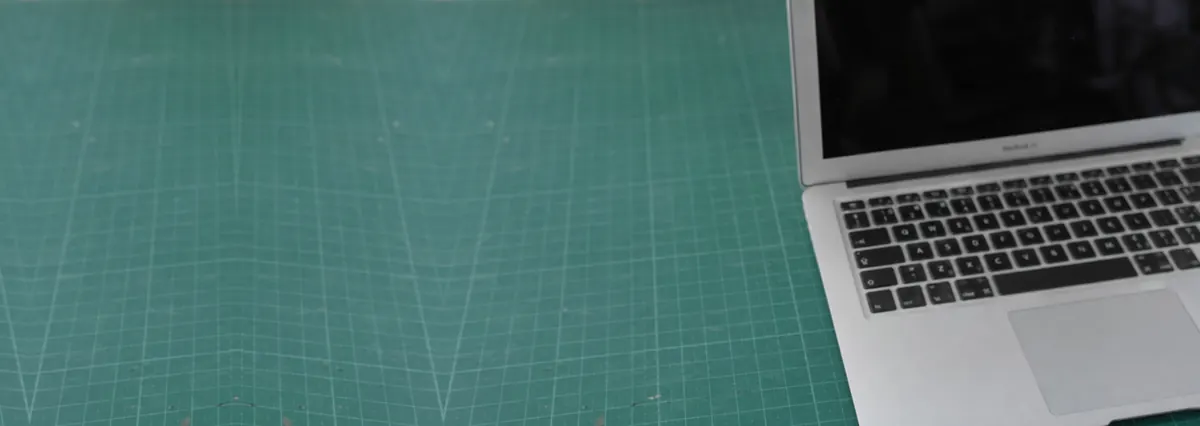
A slice of this week's MacBook keyboard bench log
Looking for the price? The price guide for this page is further down — jump straight to it ↓. Diagnosis is free on a walk-in, you get the price in writing before any work starts, and if we cannot fix it you do not pay a repair fee.
On this page
The MacBooks we replace keyboards for
We repair and replace keyboards across the range: MacBook Air, including the M1, M2 and M3 models and the older wedge Airs; the 13-inch MacBook Pro; the 14-inch and 16-inch MacBook Pro; the older Intel Retina Pros including Touch Bar models; and the 12-inch MacBook. The keyboard type matters as much as the model — the butterfly mechanism of the 2015–2019 machines and the Magic (scissor) keyboard from 2020 onward are very different beasts to work on — and so does whether your MacBook has Touch ID and a Touch Bar. Whatever you have, the diagnosis is free, the quote is written before any work, and the job sits on the same bench as the rest of our MacBook repair and Apple repair work.
Symptoms, and what each one tells us
"The keyboard is broken" spans several faults, and telling them apart decides whether you need a keyboard, a cable, a board repair, or just a software fix:
- Sticky, dead or repeating keys. One or a few keys that stop registering, feel mushy, or type double characters — the signature butterfly-keyboard fault, usually from dust under the mechanism.
- The whole keyboard unresponsive. If no key works but an external USB or Bluetooth keyboard does, the fault is the built-in keyboard, its flex cable, or occasionally the board — not your typing.
- Keys failed after a spill. Liquid is a different problem entirely; see below.
- Backlight out but keys still type. The backlight circuit or connector has failed — often a board-level fix rather than a new keyboard.
- Loose, missing or popped keycaps. Sometimes a single keycap can be refitted; a damaged mechanism means the key, or the keyboard, needs replacing.
- Keys typing the wrong characters. Frequently a software or input-source setting rather than hardware — worth ruling out first, which our guide below helps with.
Our MacBook keyboard not working guide walks through the safe software checks and the external-keyboard test so you can describe the fault before you travel.
The butterfly keyboard problem
If your MacBook is from 2015 to 2019, there is a good chance a keyboard fault is the butterfly mechanism. Apple's butterfly keyboard — fitted to the 12-inch MacBook and many MacBook Pro and Air models of that era — is thin and satisfying to type on, but its shallow mechanism is easily jammed by the smallest amount of dust or grit, causing keys that stick, stop registering, or repeat. It was common enough that Apple ran a Keyboard Service Programme for affected models, though that cover has now largely expired. Occasionally a single misbehaving key can be cleared by holding the MacBook at an angle and blowing compressed air across it in a left-to-right pattern, which is Apple's own first step; but a fault that keeps returning or spreads to more keys usually needs the keyboard replaced. The good news is that the 2020-onward Magic (scissor) keyboards fixed the design and rarely suffer this at all.
Keyboard failed after a spill? Read this first
If the keyboard stopped working after coffee, tea or water, act fast: hold the power button to shut the MacBook down, unplug the charger, do not turn it back on to test, and bring it in the same day. Liquid does not simply kill keys — it wicks under the keyboard and corrodes the logic board beneath, and that damage keeps spreading for days. Replacing the keyboard is pointless if corrosion later takes the board.
On a spill-damaged MacBook we inspect and clean the logic board under the microscope as well as assessing the keyboard, because the two go together. Full first-response detail is on our MacBook water damage guide, and the board side of the work is covered on our MacBook logic board repair page. Getting a spilled MacBook in quickly is the single biggest factor in how much of it we can save.
Keyboard-only, or the whole top case?
Here is the part worth understanding before you get a quote. On most MacBooks the keyboard is not a simple bolt-in part — it is held into the aluminium top case by dozens of tiny rivets. Because of that, the standard manufacturer route is to replace the entire top-case assembly: the keyboard, the trackpad, the battery and the palm rest as one unit. It is fast and reliable, but you pay for a trackpad and a battery that were perfectly fine.
Where the model makes it viable, we offer a keyboard-only repair instead — drilling out the rivets, fitting a new keyboard, and re-securing it — so you pay for the keyboard rather than the whole assembly. It is labour-intensive and not the right answer for every model, so we assess your specific MacBook and give you the honest trade-off: keyboard-only where it genuinely saves you money, a top-case assembly where that is the sounder, longer-lasting repair. Either way you get both figures in writing and our recommendation, not just the most expensive option. On machines with Touch ID and a Touch Bar there is an extra consideration, covered next.
Touch ID and Touch Bar
On MacBooks with Touch ID, the power button is a fingerprint sensor paired to the logic board, so when a top-case assembly is fitted the Touch ID button has to be transferred or paired correctly for the fingerprint reader to keep working. On Touch Bar models the Touch Bar is part of the assembly too. We handle the pairing appropriately for your model and test Touch ID, the Touch Bar and every key before you collect the machine — and we tell you up front if your specific MacBook has any limitation, rather than leaving it as a surprise.
Our MacBook keyboard replacement process
- Diagnosis. We confirm whether the fault is the keyboard, its flex cable, the backlight circuit, the board, or simply a software setting — an external-keyboard test settles much of it in minutes. Free on walk-ins.
- Written quote with options. Keyboard-only where viable, top-case where it is sounder, each with a realistic turnaround, in writing, before anything is opened. You choose.
- Careful replacement. For a top case, the assembly is swapped and your components transferred; for keyboard-only, the rivets are drilled and the new keyboard fitted and secured. Spill machines have the board cleaned first.
- Touch ID and Touch Bar handled. The fingerprint button is paired correctly and the Touch Bar checked on models that have them.
- Test every key and the backlight. Every key, the backlight, the trackpad and Touch ID are verified before the MacBook goes back to you.
- Written warranty. On the keyboard and the workmanship, printed on your job sheet.
Protecting the new keyboard
- Keep food and drink away. The commonest keyboard-killer after dust is a spill; do not eat or drink over an open MacBook.
- Mind the dust. On butterfly machines especially, work in cleaner conditions where you can and give the keyboard an occasional gentle blow-out with compressed air.
- Think twice about silicone keyboard covers on butterfly models — they can trap heat against the machine; a well-fitted cover on a Magic keyboard is lower risk.
- Don't force a sticky key. Hammering a jammed key can damage the mechanism; get it looked at instead.
Our warranty on MacBook keyboard replacement
Every completed MacBook keyboard replacement carries a written warranty on the keyboard we fitted and the workmanship, printed on your job sheet and specific about what is covered and for how long. Fresh spills, accidental damage and liquid ingress after collection sit outside any repair warranty, as they do everywhere, and we explain exactly where that line falls before you pay. If a replaced keyboard shows a genuine fault within the warranty period, bring it back and we make it right. This warranty is our own and is independent of any remaining Apple cover; we are not affiliated with or authorised by Apple, and where your MacBook is still under AppleCare — or still eligible under any active service programme — we will tell you honestly if that is the better route for you.
Why customers choose us for MacBook keyboards
Because we offer the keyboard-only route where it genuinely saves you money, rather than defaulting to the whole top case. Because we know the butterfly mechanism and its quirks, handle spills as the board problem they really are, and preserve Touch ID and the Touch Bar. Because the quote is written before the work and does not change after, every job carries a written warranty, your data is never touched, and if we cannot fix it you do not pay a repair fee. After fourteen years and more than nine hundred reviews averaging 4.8 stars, telling you the truth about your MacBook — including when a repair is not worth it — matters more to us than the margin on one assembly.
Related MacBook services
Other MacBook work on the same bench
MacBook keyboard replacement prices in Singapore
Keyboard pricing on a MacBook is driven almost entirely by how Apple built the model. On machines where the keyboard is riveted or bonded into the top case, the top case is the part — which is why the range is wide:
| Repair | Our band (SGD) | What drives the price |
|---|---|---|
| MacBook keyboard replacement | From around $180 to $700 | Butterfly-era and models where the keyboard is bonded into the top case cost most |
| MacBook battery replacement | From around $150 to $320 | Often replaced at the same time on top-case jobs |
| Liquid damage / general repair | From around $120 to $800 | Spills are the most common cause of keyboard failure |
On Apple’s Singapore service estimator, a Mac laptop shows a battery price and nothing else. Screen, keyboard, logic board and liquid damage all show a dash and the line “We’ll need to inspect your product to provide a personalised estimate.” That is entirely reasonable, but it means you cannot find out what a cracked MacBook screen costs at Apple without booking it in. We publish bands for all of it up front, and a written quote follows a free diagnosis.
| Your MacBook | Apple battery service | Apple screen / other repair |
|---|---|---|
| MacBook Air (M1, 2020) | S$235 | Not published — estimate after inspection |
| MacBook Air (M2, 2022) | S$235 | Not published — estimate after inspection |
| MacBook Air 13-inch (M4) | S$269 | Not published — estimate after inspection |
| MacBook Air 15-inch (M4) | S$289 | Not published — estimate after inspection |
| MacBook Pro 13-inch (M2, 2022) | S$365 | Not published — estimate after inspection |
| MacBook Pro 14-inch (M4 / M5) | S$334.60 | Not published — estimate after inspection |
| MacBook Pro 16-inch (2019 & M4) | S$365 | Not published — estimate after inspection |
Our figures are bands, not quotes — the exact price depends on the model and what the diagnosis finds, and you get a written quote before any work starts. Apple prices where shown were read from Apple’s official Singapore service estimator on 16 August 2026 and are for comparison only; Apple states it will inspect the device to determine the final fee, that a delivery fee may apply, and that Apple Authorised Service Providers set their own fees.
See also MacBook repair cost and MacBook repair Singapore.
Questions we get every week
MacBook keyboard replacement questions, answered
How much does MacBook keyboard replacement cost in Singapore?
It depends on the model and, crucially, on whether your MacBook takes a keyboard-only repair or needs a top-case assembly. On models where the keyboard is riveted into the top case, the manufacturer route is to replace the whole assembly — keyboard, trackpad, battery and palm rest — which is why that quote is high. Where the model allows, we can fit a keyboard alone and save you the parts you did not need, though the labour is higher because of the rivets. Butterfly-keyboard machines and spill damage each have their own considerations. We diagnose which route yours needs and quote each option in writing before any work.
My MacBook has sticky, dead or repeating keys. Is that the butterfly keyboard problem?
Very likely, if it is a 2015 to 2019 machine. The butterfly keyboard fitted to the 12-inch MacBook and many MacBook Pro and Air models of that era is known for keys that stick, stop registering, or repeat characters after tiny amounts of dust get under the mechanism. Apple ran a Keyboard Service Programme for affected models, though that cover has now largely expired. Sometimes a single sticky key can be cleared with compressed air, but a recurring or spreading fault usually means the keyboard needs replacing. The 2020-onward Magic (scissor) keyboards are far more reliable and rarely need this.
Can you replace just the keyboard, or does the whole top case need changing?
It depends on the model. On most MacBooks the keyboard is held into the top case by dozens of tiny rivets, so the straightforward route — and the one Apple uses — is a whole top-case assembly. On models where it is viable, we can drill out the rivets, fit a new keyboard and re-secure it, which saves the cost of a new trackpad, battery and palm rest you did not need. It is labour-intensive and not right for every model, so we assess your specific MacBook and give you the honest trade-off: keyboard-only where it makes sense, top-case where it is the sounder repair.
Will Touch ID still work after a MacBook keyboard or top-case replacement?
We preserve it wherever the model allows. On MacBooks with Touch ID, the power button is a fingerprint sensor paired to the logic board, so on a top-case replacement the Touch ID button needs to be handled correctly for the fingerprint reader to keep working. We transfer or pair the button appropriately for your model and test it before you collect the machine, and we tell you up front if your specific MacBook has any limitation rather than leaving you to discover it later.
My MacBook keyboard stopped working after a spill. What should I do?
Act quickly. Shut the MacBook down immediately by holding the power button, unplug the charger, do not turn it back on to test it, and bring it in the same day. Liquid does not just kill keys; it corrodes the board underneath, and the damage spreads over days. A spill is not only a keyboard job — we inspect and clean the logic board too, because saving the keyboard is no use if corrosion later takes the board. See our MacBook water damage guidance for the safe first steps.
Will I lose my data during a MacBook keyboard replacement?
No. The keyboard and top case are separate from the storage, so a keyboard replacement does not touch your files, applications or settings, and on Apple silicon and T2 MacBooks the soldered SSD is never removed during the job. We recommend a backup before any repair as good practice, but a keyboard replacement on its own carries no data risk. Where a spill is involved and the board needs attention, we discuss the data position with you before starting.
How long does a MacBook keyboard replacement take?
A top-case assembly replacement is often same-day or next-day once the correct part is confirmed in stock. A keyboard-only repair takes longer — typically a couple of working days — because drilling the rivets, fitting the new keyboard and re-securing it cannot be rushed. Spill-damaged machines take longer still because the board is cleaned and soak-tested first. We confirm the realistic turnaround in writing when we hand you the quote, and message you the moment the part and timeline are certain.
Sticky keys or a spill? Get a free diagnosis first.
Tell us the MacBook model and what the keyboard is doing, or bring it to our Harper Road workshop. We will confirm whether it needs a keyboard, a top case, or board work, and quote each option in writing. Spilled? Bring it in the same day — it makes all the difference.