
Laptop guides · Singapore
Laptop motherboard repair explained (2026): the signs, the real fix, and when it is worth it
A dead motherboard is the fault everyone fears. But "the board is gone" is thrown around far too easily — and far too often it just means "we did not look properly." Here is what a board fault actually looks like, how it is really repaired, and how to tell whether it is worth fixing.
On this page
What the motherboard actually does
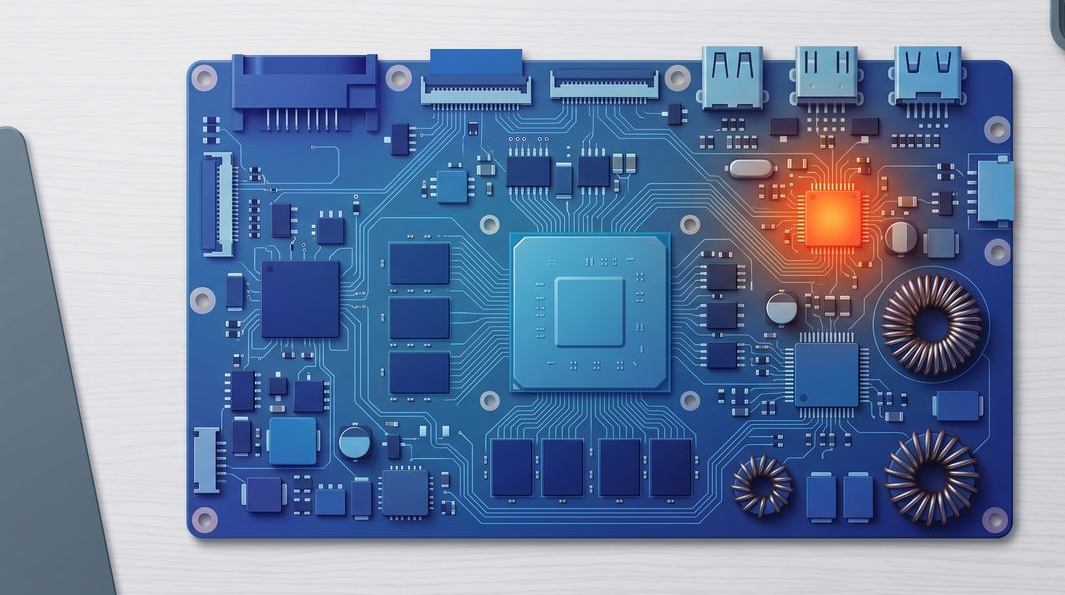
The motherboard — or logic board — is the large printed circuit board every other part plugs into. The processor, memory, storage controller, charging circuit, ports and keyboard connectors, and the power regulators that feed them all live on this one board. It is the most complex component in the machine, with hundreds of microscopic parts on a stack of copper layers.
That complexity is why a board fault feels catastrophic — and why it so often is not as bad as it sounds. A laptop that will not switch on has dozens of possible causes, only some of them the board. A good laptop repair starts by narrowing that list, not by condemning the most expensive part first.

Signs it is really the board — and not something cheaper
Board faults hide behind symptoms that overlap with far cheaper problems. Before you accept a scary quote, it helps to know what genuinely points at the board and what does not.
No power at all. You press the button with a charger you know works, and nothing happens — no lights, no fan, no logo. This is the most common board symptom, but it can equally be a dead charger, a flat battery, or a blown fuse, so it points firmly at the board only once the easy suspects are ruled out.
Powers on, but the screen stays black. Fans spin and lights come on, yet the display never wakes. Sometimes this is a failed screen or cable — see our guide to a laptop with no display — and sometimes it is the graphics circuit on the board itself.
Random shutdowns under load. The machine dies the moment you open something demanding — often overheating, a failing power rail, or a cracked solder joint that loses contact as the board warms and flexes.
A burning smell, or clusters of inputs failing. A faint acrid smell after a power event usually means a component has failed electrically. And if every USB port, the trackpad and the keyboard die together, that points at a shared controller, not one broken part.
Notice the pattern: none of these is proof on its own. That is why we never charge to look — a free walk-in diagnosis separates a genuine board fault from a S$0 reseat or a simple part swap.
What actually kills a laptop board
Boards rarely die of old age alone. Most that reach our bench fall into a handful of causes.
Liquid. A spilt drink is the number-one board killer. The damage is rarely the water itself but the corrosion that follows, quietly eating tracks under power. Speed matters enormously; a laptop brought in the same day recovers far more often than one left to dry in a drawer. Our laptop water damage guide covers the crucial first ten minutes.
Heat and dust. Years of dust choke the fans and heatsink, temperatures climb, and repeated heat cycling eventually cracks the fine solder joints under a chip.
Power events. A dodgy third-party charger, a surge, or the wrong adapter can push a voltage spike into the charging circuit and take out a power IC.
Physical stress. A drop, a knock, or leaning on a closed lid can flex the board enough to crack a joint or connector — often the reason a port works only when you wiggle the plug.
The one habit that saves boards: when a laptop gets wet or takes a knock and starts behaving oddly, stop using it and unplug it. Running a damaged board is what turns a cheap fix into an expensive one.
Component-level repair vs swapping the whole board
This is where you save — or waste — the most money. There are two completely different ways to "repair a motherboard," and they are not equal.
Board replacement is the parts-swap approach: throw away the faulty board and fit a whole new one. It is quick and needs little skill, which is why many shops default to it. The catch is cost — a full board is the most expensive part in the laptop, and for many models it is discontinued or only sold second-hand.
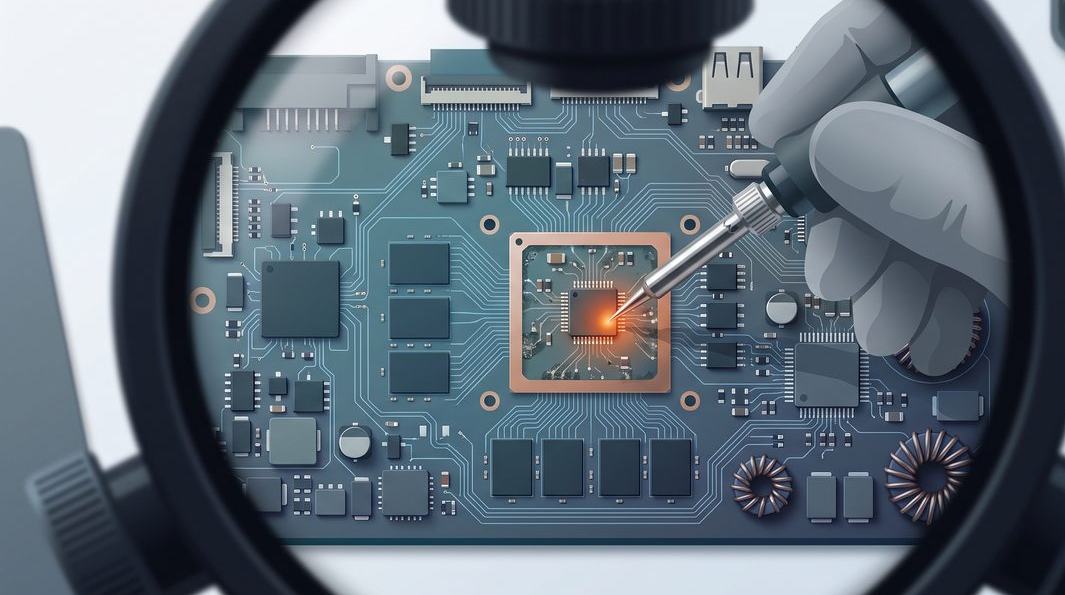
Component-level repair is the skilled approach: diagnose the one part that has actually failed — a power regulator, a charging IC, a blown capacitor, a cracked BGA joint — and replace or re-solder just that under a microscope. It costs a fraction of a whole board and keeps your original, known-good hardware in place.
At iDevice we lead with component-level work wherever it is sensible, which is most of the time. A component-level laptop motherboard repair typically fixes the fault for far less than a board swap, and does not gamble your data on a used part. A swap is still the right call for catastrophic burn damage or a board so corroded that fixing one section only exposes the next — and we will tell you plainly which camp yours is in.
Told your laptop board is "gone"? Get a free second opinion.
Bring it in and we will diagnose it at no charge — often the fault is one component, not the whole board. You will get an honest read and a written quote before anything is touched.
How an honest diagnosis works
A proper board diagnosis is detective work, not guesswork. We work from the outside in.
First, the cheap suspects: a known-good charger, a spare battery, a RAM reseat, an external screen to rule the panel in or out. A surprising share of "dead board" laptops walk out fixed at this stage. Only when those are cleared do we move to the board itself — checking power is arriving, following the voltage rails with a meter, and using a thermal camera to find a component running hot or a short pulling current where it should not.
The point is simple: you should never be quoted for a whole new board on a hunch. If a shop cannot tell you which part or circuit has failed, they have not really diagnosed it. Every job comes with a written quote before a soldering iron is switched on, and if we cannot fix the board, there is no repair fee.
Is your data safe during a motherboard repair?
This is the question we are asked most, and for good reason — the photos and documents matter more than the machine. The reassuring news, on most laptops, is that your data does not live on the motherboard at all; it lives on a separate SSD or hard drive that plugs into the board. That separation is your safety net: if the board is repaired your storage is never touched, and if the board is beyond saving the drive can simply be removed and read on another machine, so the files come back regardless.
There is one important exception: many slim modern ultrabooks now solder the storage directly onto the board, so a dead board puts the files at real risk. If your laptop is one of these — or the storage is encrypted with BitLocker — tell us the data is irreplaceable up front. Where a board is too far gone, we move to full data recovery, including chip-level work; our guide on recovering data from a device explains the principles that apply.
Repair or replace? Doing the sums honestly
Not every board is worth fixing, and a trustworthy shop will say so. The maths comes down to a few honest questions.
What share of a new laptop is the repair? A common rule of thumb: if a repair costs more than roughly half of a comparable new machine, replacement starts to make sense. Component-level work usually keeps you under that line; a board swap can push you over it.
How old and capable is the laptop? Fixing the board of a fast machine only two or three years old is almost always worth it. Pouring a big repair into a slow, ageing laptop is harder to justify — though a board fix plus an SSD or RAM upgrade can give an old favourite years more life for less than a new purchase.
How replaceable is what is on it? Sometimes the repair is really about the data, and any price is worth one clean backup. Because we quote a firm motherboard repair price in writing before starting, you can weigh it against a new laptop with clear eyes. Our laptop repair cost guide lays out the bands.
Indicative motherboard repair costs in Singapore
We will not quote a firm figure without seeing the board, because "motherboard repair" spans a S$0 reseat to a multi-day rebuild. As a rough guide once the fault is diagnosed:
- Single-component or connector repair — a charging IC, a power rail, a reflowed port — often the low hundreds.
- Liquid-damage clean and multi-component repair — from a few hundred dollars, quoted after diagnosis.
- BGA reballing or a chip-level rebuild — the most involved work, quoted case by case.
Two promises hold across every one of them: you get a written quote before any work, and if we cannot fix the board, there is no repair fee. Walk-in diagnosis is free, and if it turns out to be a straightforward laptop repair, we will tell you that too.
Questions we get every week
Frequently asked questions
How do I know if my laptop's motherboard has failed?
The classic sign is no power at all — no lights, no fan, nothing when you press the button with a known-good charger. Other tell-tales are a laptop that powers on but shows a black screen, random shutdowns under load, ports or the keyboard that stop working together, a burning smell, or lines and artefacts on the display. None of these confirms a board fault on their own, which is why we start with a free diagnosis to rule out the cheaper suspects – charger, battery, RAM and screen – before pointing at the board.
Is it worth repairing a laptop motherboard or should I replace the laptop?
Usually yes, if the machine is otherwise sound. A component-level repair fixes the one failed part — a power IC, a charging circuit or a cracked joint — for a fraction of a new laptop, and it keeps your storage and Windows install exactly as they were. It is less worth it when the board is badly burnt or liquid has spread across it, or when the laptop is old and slow anyway. We give you a written quote first, so you can weigh the repair against replacement before committing.
Will I lose my data during a motherboard repair?
In almost every case, no. On most laptops your files live on a separate SSD or hard drive, so board work does not touch them — and if the board cannot be revived, the drive can simply be read on another machine. The exception is a laptop with soldered storage, where the memory is part of the board itself. Tell us if your data is irreplaceable and we will treat the drive with extra care and, where needed, recover it before any repair.
How long does a laptop motherboard repair take?
Diagnosis is usually same-day. A straightforward component-level fix — a charging circuit, a power rail, a reflowed connector — is often ready within two to four working days. Liquid damage takes longer because the board must be cleaned, dried and tested in stages, and jobs that need a hard-to-source part can take a little more. We give you a realistic timeline with the quote, not an optimistic one.
How much does laptop motherboard repair cost in Singapore?
It depends on the fault. A single-component or connector repair often lands in the low hundreds, while a bigger job — multiple failed parts, liquid corrosion, or a BGA chip that needs reballing — costs more and is quoted after diagnosis. We never guess a figure over the phone. You get a written price band before any work begins, and if we cannot fix the board, you do not pay a repair fee.
Keep reading
Related guides
Laptop motherboard repair in Singapore
Component-level board repair for every brand — no power, no display, liquid and charging faults.
Laptop water damage: what to do first
The crucial first ten minutes after a spill, and why speed decides whether the board survives.
How much does laptop repair cost in Singapore?
Honest price bands for the common faults, and how to read a repair quote.
Get a written quote before a screw turns
Component-level diagnostics, a fixed price in writing, and no repair fee if we cannot fix the board. Walk in Mon–Fri, or WhatsApp the workshop.