
★★★★★
Great service! Changed my keys and battery at a fraction of the cost and of great quality
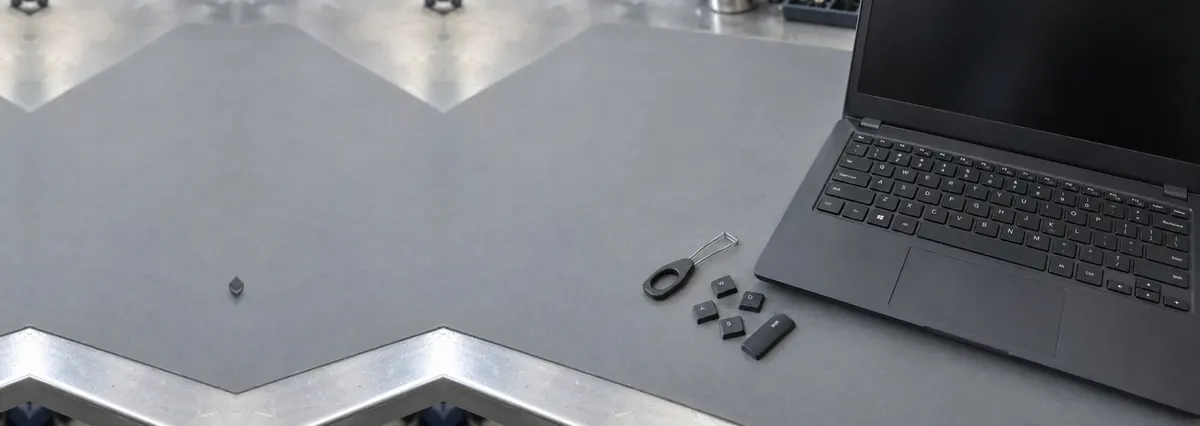
Service · Keyboards & top cases · Singapore
Dead keys, repeating keys, spills, and butterfly mechanisms. We test the matrix, lift the caps, and inspect the mainboard beneath — because a keyboard fitted over a corroded board is a repair with a three-week shelf life.
Keyboard faults from this week's bench log
On this page
Under every key there are three components and one sheet. The keycap clips to a scissor retainer (or, on 2016–2019 Apple machines, a butterfly hinge) which guides vertical travel. Under that sits a rubber dome that supplies the tactile resistance and, when compressed, pushes two contacts together. Those contacts live on a membrane: three laminated plastic layers, two carrying printed conductive traces in a row-and-column matrix, separated by a spacer layer with a hole under each key.
The keyboard controller does not have 80 wires. It scans the matrix, energising one row at a time and reading which columns respond. This is why single dead keys and dead lines of keys are entirely different faults: one is a local contact problem, the other is a broken row or column trace or a failed ribbon connection. A technician who understands the matrix can tell you which you have in about ninety seconds, by observing whether the dead keys form a geometric pattern on the board rather than a random scatter.
Open an on-screen keyboard tester and press every key. Photograph the dead ones. If they form a straight line, you have a matrix or ribbon fault and there is a real chance of a cheap fix. If they are scattered, you are looking at individual domes or contacts. Either way you now know more than the person quoting you.
A technician will tell you whether you are looking at a clip, a ribbon, a keyboard, or a mainboard — and what each one costs — before you bring the machine in.
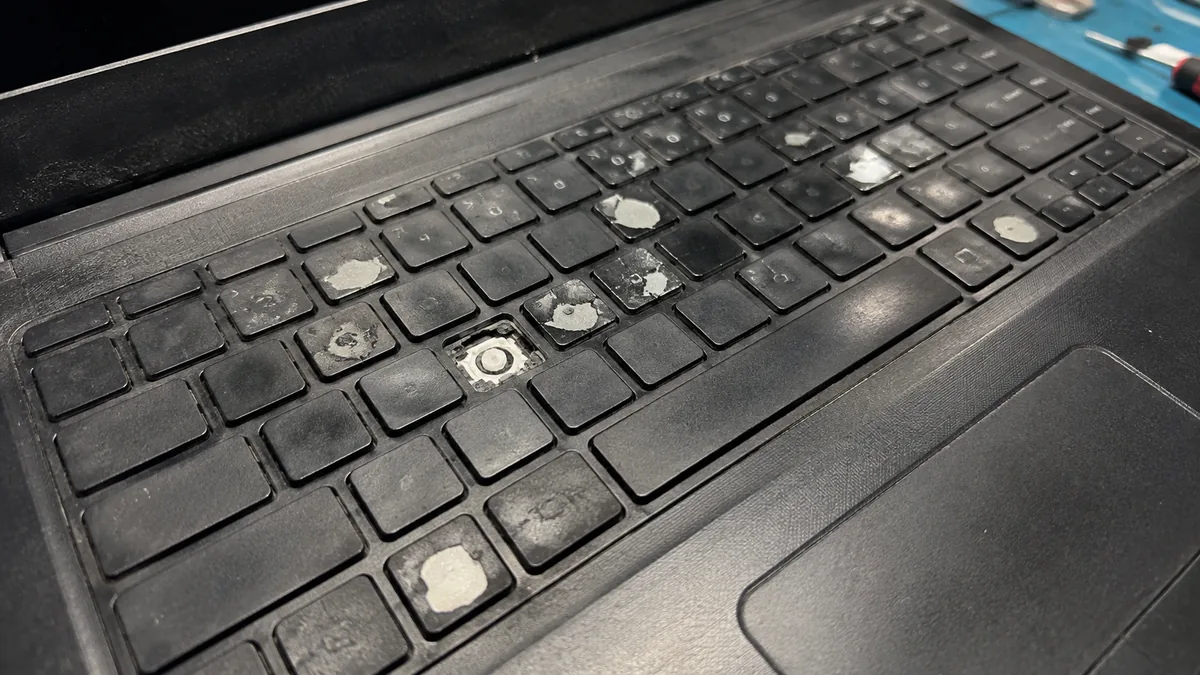
Liquid that lands on a keyboard does not stop at the keyboard. The membrane has holes under every key and cable slots at its edges. Within seconds, fluid is on the mainboard, in the battery connector, and inside the trackpad ribbon. The keyboard fails first because its contacts are the most exposed — which is precisely why replacing it alone feels like a solution and then, three weeks later, is not.
Sugar makes it dramatically worse. Water evaporates and leaves relatively little behind; coffee with milk, soft drinks, juice and beer leave a hygroscopic, mildly acidic residue that pulls moisture from Singapore's air indefinitely and keeps conducting. The corrosion is electrochemical and it accelerates whenever the board is powered. A machine that has "dried out and seems fine" is a machine with corrosion quietly eating its power rails.
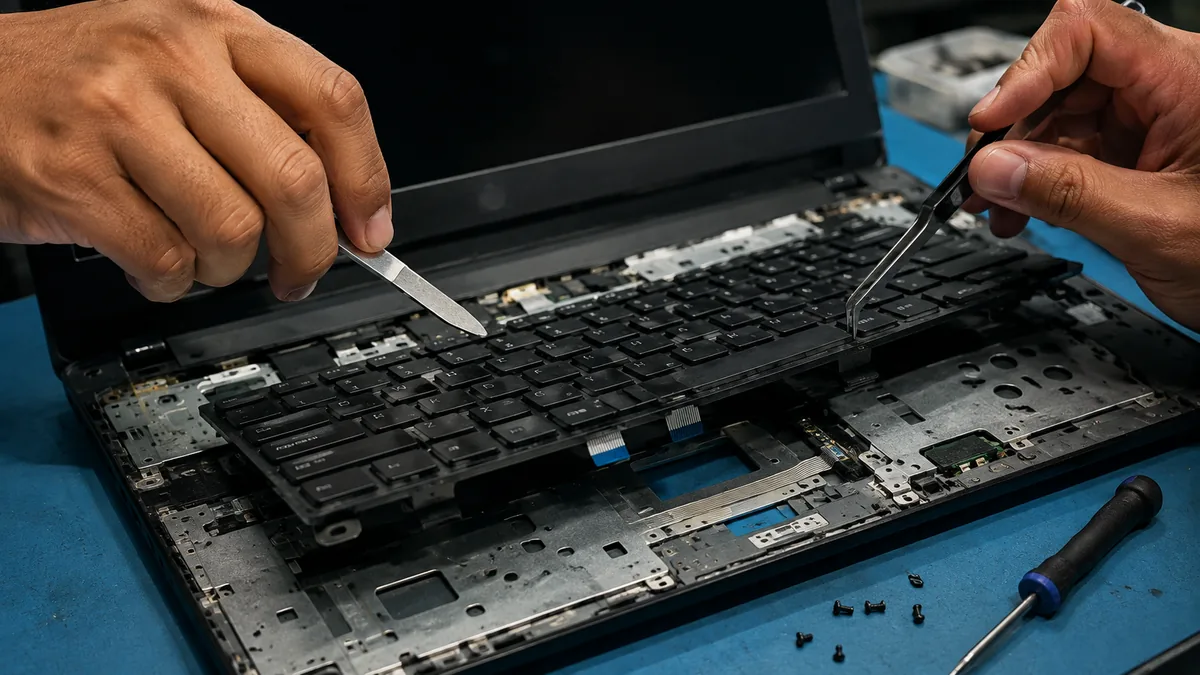
Our spill protocol is always the same, whatever the customer originally came in for: full disassembly, battery disconnected, microscope inspection of every board and flex, ultrasonic clean of affected boards, isopropanol rinse, controlled dry, trace repair where needed, bench power-up before reassembly, then a 24-hour soak test. The keyboard is replaced at the end of that process, not at the start of it. Read more on liquid damage repair.
This single question determines your price, and it has nothing to do with brand loyalty. Some manufacturers — Lenovo's ThinkPad line most consistently, along with many Dell Latitude and HP ProBook business machines — mount the keyboard as a discrete part held by screws or a handful of clips. Twenty minutes, one part, done.
Others rivet or bond the keyboard directly into the top case: the aluminium or magnesium plate that also carries the palm rest, the trackpad, the speakers, and on many designs the battery. HP Spectre and Envy, most ASUS and Acer ultrabooks, most convertibles, Microsoft Surface Laptop and every MacBook fall here. Replacing the keyboard means replacing the top case and migrating everything else across. It is a longer, more delicate job and the part costs several times more. Nobody is inflating the price; the machine was designed that way, usually for thinness.
Spilled latte, new keyboard fitted by a mall kiosk, board never opened. Worked for nineteen days. Arrived here dead: corroded 3V rail, two shorted capacitors, one lifted pad under the EC.
Full teardown, ultrasonic board clean, two capacitors replaced, one trace jumpered under the microscope, keyboard fitted last, 24-hour soak test. Total cost was less than the kiosk repair plus the board repair combined.
Apple's butterfly mechanism (MacBook 2015–2017, MacBook Pro 2016–2019, MacBook Air 2018–2019) traded travel for thinness and, in doing so, made a single grain of dust capable of jamming or double-triggering a key. Later revisions added a silicone membrane which helped and did not cure it. Apple's repair programme for affected models has now largely lapsed. Where one or two keys misbehave, we lift the cap, clean the mechanism and replace the butterfly clip — a repair worth trying first. Where the keyboard is failing broadly, the correct answer is a top-case assembly, which brings a new battery and trackpad with it.
The Magic Keyboard scissor mechanism that replaced it, from the 16" MacBook Pro of 2019 onward, is a return to a proven design and fails at ordinary rates. Scissor keyboards across the Windows world are similarly reliable; their common failures are broken clips from careless cap removal and membrane corrosion from spills, both covered above. More on our MacBook repair page.
| Repair | Typical machines | Indicative fitted price | Turnaround |
|---|---|---|---|
| Individual keycap, clip & dome | Any, where the membrane is intact | S$25 – 70 | Same day, while you wait |
| Serviceable keyboard, non-backlit | ThinkPad, Latitude, ProBook, budget consumer | S$130 – 190 | Same day |
| Serviceable keyboard, backlit | Gaming and business machines | S$170 – 250 | Same day – 2 days |
| Bonded top case (Windows) | Spectre, Envy, Zenbook, Swift, Surface Laptop | S$260 – 430 | 1 – 3 days |
| MacBook top case assembly | Air & Pro, butterfly and Magic | S$300 – 480 | 1 – 3 days |
| Keyboard ribbon / connector repair | Dead row or column, board-level | S$90 – 200 | 1 – 2 days |
| Spill: clean, board repair, keyboard | Any liquid ingress | From S$220, quoted after inspection | 2 – 5 days |
Indicative bands from recent jobs. Spill work is never quoted as a flat price before the board has been inspected, because nobody honest can.
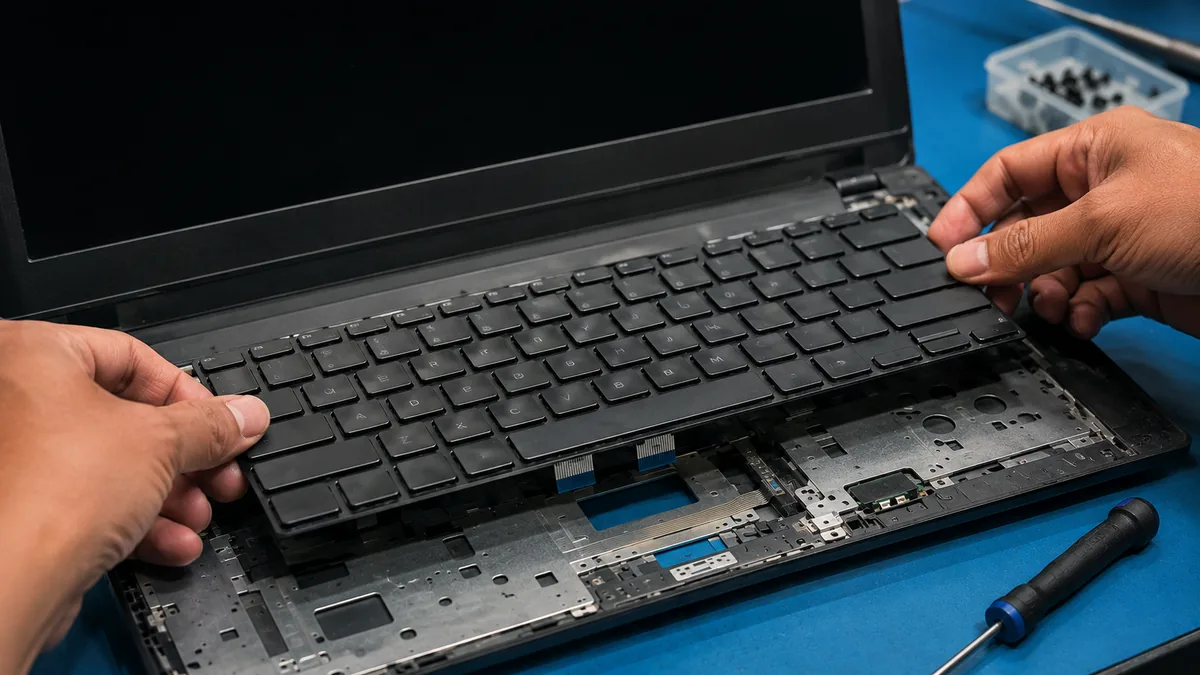
Every key logged, dead keys plotted against the matrix, caps lifted on the failures. We find out whether you need a keyboard at all.
Any hint of a spill and the machine is opened and examined under the microscope before a single part is ordered.
Layout, backlight variant and connector confirmed against your machine's part number, and against your preference.
Grounded bench, wrist strap, battery isolated first, ZIF connectors released with the correct tools rather than fingernails.
Every key, every modifier, the backlight ramp and the trackpad on top-case jobs, tested and logged before the machine is closed.
Part and workmanship covered, exclusions stated plainly, no small print you have to ask about.
Drinks go on the other side of the laptop from your dominant hand, in a bottle with a lid, or on a different table entirely. Crumbs come out with a soft brush and low-pressure air held at an angle — not compressed air blasted straight down, which drives debris further under the caps, and never a vacuum cleaner, whose suction pulls caps and clips off. Wipe the keys with a barely damp microfibre cloth, not a wet wipe.
Do not prise keycaps off out of curiosity; the retainer clips are the most fragile part of the assembly and they are what actually breaks. If a cap does come off, bring it in rather than forcing it back on at an angle. And if you spill something, power down immediately by holding the power button, unplug the charger, tent the machine keyboard-down, and bring it in the same day — the single decision that most reliably separates a S$150 keyboard from a S$600 board repair.
Because we check the matrix and the mainboard before we sell you a keyboard, and because we would rather fit a S$40 clip than a S$400 top case if a S$40 clip is the answer. Because layout and backlight are confirmed against your part number, not guessed. Because spill jobs are cleaned properly instead of covered up. Walk-ins from the CBD, Orchard, Novena, Toa Payoh, Bishan, Ang Mo Kio, Jurong East, Bukit Batok, Clementi, Queenstown, Tampines, Bedok, Woodlands, Yishun, Hougang and Punggol — 4.8 stars, 940+ reviews.
Verified Google reviews
Real reviews from our Google profile, shown with the customer’s name as they left it. The score and the count are Google’s own, updated every week.
Great service! Changed my keys and battery at a fraction of the cost and of great quality
Communication was fast, repair was excellently done. Staff at the shop was very friendly and professional, most importantly, my MacBook Air came back to life after replacing the keyboard. Repair cost was transparent and competitive. Thank you so much.
Awesome service staff! Very knowledgable and get my frozen touch pad and keyboard fixed in 20’ with a very affordable price.
I got the motherboard issue fixed on my 16” MacBook Pro. No data was lost, and everything is the same as before. As promised, I also received a 60-day service warranty. Thank you, iDevice! 😊
Excellent Lap top repair service! Fast turn around, professional support & my computer was fixed quickly.
They repair fast and good, my DELL laptop had damaged screen and battery and they fixed it in one day. Diagnosis is free and they quote after checking on the problem. Pre-test testing and post testing done well.. Highly recommend.
My surface laptop was replaced with an SSD card and the services was very good.
Managed to fixed my 16inch MacBook pro within 5 working days thank you!
Questions we get every week
Where the keyboard is a separate serviceable part — most ThinkPads, many Dell Latitude and HP ProBook models, and a fair number of consumer machines — expect S$130–220 fitted. Where the keyboard is riveted or bonded into the top case (most ultrabooks, HP Spectre and Envy, many ASUS and Acer thin models, all MacBooks), the top case is the part and the price runs S$260–480 because it carries the trackpad, the palm rest, and often the battery. The difference is engineering, not markup, and we will tell you which category your machine falls into before you commit.
Sometimes, and it is always worth asking. A laptop key is three parts: the cap, the scissor or butterfly retainer clip beneath it, and the rubber dome that provides resistance and closes the contact. If a cap has popped off or a clip has snapped — usually after a fingernail or a vacuum cleaner — we replace those parts individually for a fraction of a keyboard. What cannot be repaired key-by-key is a broken trace inside the membrane layers, because those layers are laminated. Testing which one you have takes a few minutes and costs nothing.
Replace the keyboard, yes — but not until someone has looked at what is under it. Liquid passes through the keyboard membrane and reaches the mainboard, and there it corrodes slowly. We have lost count of the machines that had a new keyboard fitted by someone else, worked for three weeks, and then died of a shorted power rail. Any spill is a full-disassembly, ultrasonic-clean, board-inspection job. See liquid damage repair. And sugary drinks — coffee with milk, soft drinks, beer — are far worse than plain water, because the residue stays conductive after the water evaporates.
Almost never. A repeating key is a contact that is closing intermittently, usually because a trace of dried liquid, a crumb, or a film of skin oil has bridged the membrane contact. Some models — notably Apple's 2016–2019 butterfly keyboards — do it from a single particle of dust under the key. Before you accept a keyboard quote, rule out a stuck modifier key and a corrupted keyboard driver, then let a technician lift the cap and inspect. Cleaning resolves a meaningful minority of cases.
Yes. On MacBook Pro and Air models from roughly 2016 to 2019, the butterfly mechanism sits under a one-millimetre travel cap and is notoriously intolerant of debris. Apple's own service programme for affected models has now largely expired, so most of these arrive here. Because the keyboard is riveted into the top case, the correct repair is a top-case replacement — which also renews the battery and the trackpad. Individual key and clip replacement is possible and is worth attempting first when only one or two keys misbehave. More detail on our MacBook keyboard page.
A separate serviceable keyboard is typically 45 to 90 minutes and same-day. A top-case replacement is a three to five hour job: the battery, trackpad, speakers, antennas and every flex cable migrate to the new part, and adhesive needs a controlled cure. If a spill is involved, add two to five days, because the board must be cleaned, dried and soak-tested before we hand the machine back.
It will if we order against your machine's part number. US ANSI, UK ISO, Nordic, Japanese and backlit versus non-backlit variants all share a chassis and none of them are interchangeable in practice — a backlit keyboard needs a backlight connector the mainboard may not have. We confirm layout and backlight before ordering, and we ask which layout you actually want, because plenty of people in Singapore prefer US ANSI regardless of what the machine shipped with.
Written warranty on the part and our workmanship, printed on your job sheet, covering key failure, backlight failure, ribbon seating and trackpad function on top-case jobs. Liquid damage that reappears from corrosion we did not cause, and new spills, are excluded — and we are explicit about the risk on any machine that arrives already corroded. Full terms on our warranty page.
Tell us the model and which keys have failed. We will tell you whether it is a clip, a ribbon, a keyboard or the board underneath — and we will say so before you pay for anything.