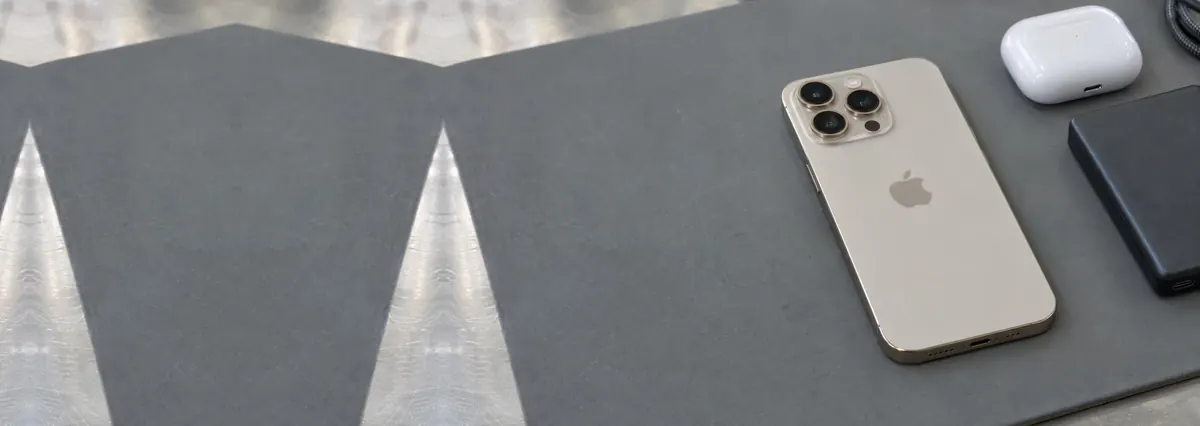
Telling an iPhone 16 from an iPhone 15
This matters more than it sounds, because the wrong part is the most expensive mistake in a phone repair and the two
generations look alike at arm’s length. Both are flat-sided. Both charge over USB-C — so the port, which used to be
the quickest way to date an iPhone, tells you nothing here.
Two things do. Look at the rear cameras. On the iPhone 16 and 16 Plus they sit in a vertical pill, one lens
directly above the other. On the iPhone 15 and 15 Plus the same two lenses sit diagonally inside a square housing. That change
was made so the phone could shoot spatial video, and it is the single clearest tell between the two generations at a glance.
Then look at the lower right edge. Every iPhone 16 has a Camera Control there — a flush, slightly
recessed strip that is not a clicking button. No iPhone 15 has one. If the edge is smooth below the power button, you are
holding a 15.
The Pro models are easier: three rear lenses in a triangle rather than two, and a brushed titanium frame rather than
aluminium. If you are still unsure, bring it in — we identify the model before we quote, every time, because quoting the
wrong one wastes your morning and ours.
What an iPhone 16 repair costs here
Our bands for the iPhone 16 family are the same ones we publish for every recent iPhone. A battery is the
cheapest common job and runs from around S$100 to S$180. A screen runs from around S$150 to S$500, and where a
phone lands inside that depends on the model and on whether you want an original panel or a quality aftermarket one. A 16 Pro
Max sits at the top of the band because its panel is the largest and dearest part in the phone.
We do not quote back glass, camera, Face ID or water damage from a price list. Those depend on what the
teardown finds, and a number given before the phone is open is a guess dressed up as a quote. They are quoted after a free
diagnosis, in writing, and nothing is started until you have approved it.
Two things we will not do. We will not quote a price over the phone for a fault nobody has looked at, and we will not start
work on a number you have not seen in writing. If we cannot fix it, you do not pay a repair fee. For a wider view across every
model we handle, the iPhone repair cost guide maps the whole range.
Screen: the one word that changes the price
The word is original. An iPhone 16 screen can be replaced with an original Apple panel or with a quality
aftermarket one, and the gap between those two is most of the gap between the bottom and the top of our band. Both will show a
picture. They differ in colour accuracy, in how the display behaves at very low brightness, and in whether iOS notices.
What we will tell you before you choose: on a current iPhone, fitting a non-original display can produce a service message
in Settings, and depending on the part, True Tone may not carry across. That is not a fault in the repair — it is iOS
reporting what it found. Some people would rather have the original and pay for it. Some would rather spend half and live with
a notification. Both are reasonable, and it is your call, not ours.
The distinction that decides whether you need a screen at all: cracked glass with a clean picture underneath is not
the same job as a damaged display. If the image is sharp everywhere and touch responds across the whole surface, the
damage is in the outer layer. If there are ink-like patches spreading from the crack, dead areas, or flickering, the panel
itself took the impact. Our page on iPhone screen replacement goes
through both in more detail.
Battery: two years in, and it shows
The iPhone 16 went on sale in September 2024. A phone bought at launch has had two years of daily charging, and that is
precisely where a lithium battery starts making itself obvious — not by dying suddenly, but by spending its last twenty
per cent much faster than it used to.
Check it before you assume anything: Settings, then Battery, then Battery Health and Charging. Apple treats a battery as
consumable once maximum capacity drops below 80 per cent, and a 2024 phone in heavy use is often near or under that now. If the
screen says Service, the phone has already decided for you.
Our band for the family is from around S$100 to S$180. It is the cheapest thing you can do to make a two-year-old phone feel
new again, and it is almost always a better spend than replacing the handset. More on what to look for in
iPhone battery replacement.
One symptom that should not wait. If the screen is lifting away from the frame, or the phone has started
to rock on a flat table, that is a swelling cell — not a cracked screen. Stop charging it, keep it somewhere cool and
open rather than shut in a bag, and bring it in. Left in a pocket under pressure, a swollen cell is a fire risk, and long
before that it will crack the screen from behind.
Camera Control, the new failure point
This is the part of the iPhone 16 with no equivalent on any earlier model, and it is worth understanding before you decide
whether yours is broken.
The Camera Control is not a switch. It is a flush, touch-sensitive control that responds to a light press, a full press and
a slide along its surface. That is what makes it useful, and it is also what makes it fail differently from a button. Two
things follow.
It sits on the edge, where drops land. A corner impact that a flat-back drop would have spread across the
rear glass goes straight into that strip. We see Camera Controls that have stopped responding on phones with barely a mark
anywhere else.
It senses touch, so moisture affects it. A plain clicking button shrugs off the condensation you get
carrying a phone from an air-conditioned office into Singapore afternoon heat. A capacitive control does not always. A Camera
Control that works intermittently, or that responds to a press but not a slide, is usually the flex beneath it rather than
anything wrong with the rest of the phone.
Before you bring it in, rule out the free explanation: open Settings and check that Camera Control is switched on and that
its sensitivity has not been turned down. We would rather you found that in two minutes at home than pay us to find it.
The Action Button, and the setting people miss
The iPhone 16 is the first standard iPhone to get the Action Button in place of the mute switch — the Pro models had
it a generation earlier. It is a real button with a real click, so it fails the way buttons have always failed: the switch
under it wears, or a drop knocks the flex loose.
But most of the Action Buttons we are asked about are not broken at all. Unlike the mute switch it replaced, the Action
Button does nothing until it is told what to do, and it is easy to assume a phone is faulty when it is simply unassigned.
Settings, then Action Button, and see what it is set to. If the setting is there and a firm press still does nothing, then it
is the switch, and that is a repair rather than a replacement phone.
The USB-C port, and why it usually is not broken
Nine times out of ten a phone that has to be held at an angle to charge does not have a broken port. It has a full one.
A charging port spends two years in pockets and bags, and lint compacts into the far end of it a layer at a time until the
connector can no longer seat all the way in. The angle you have learned to hold is you compensating for a couple of
millimetres. Shine a torch into it and you can often see a flat grey pad at the bottom.
What we would ask you not to do is dig at it with a pin or a paperclip. The contacts in there are thin, easy to bend, and a
scraped port is a genuinely harder repair than a dirty one. We clean them properly, and a clean is free when that is all it
turns out to need. If it has been cleaned and still charges intermittently, then the port assembly or the charging circuit is
worn — see iPhone charging port repair.
Back glass, and why the model matters
Back glass is the repair where the price depends most on which iPhone 16 you are holding, and it is worth asking about
specifically rather than assuming. Apple redesigned the rear panel on the standard models so it can be removed on its own,
which makes the job far less involved than it used to be. That redesign does not apply uniformly across every model and
generation, which is why we quote it by model after a look rather than from a list.
What we will say plainly: a cracked back on a phone that is otherwise sound is usually worth fixing, because it is the kind
of damage that spreads. Glass that is already broken keeps shedding, and an open crack lets humidity reach the layers
underneath.
Is it worth repairing a two-year-old phone?
Usually yes, and here is the arithmetic we would use on our own phone.
If one repair makes the phone properly usable again — a screen, or a battery, or a port — and it still gets
software updates and still runs what you rely on, repairing wins comfortably. The iPhone 16 is two years old. It has years of
supported life ahead of it.
If it needs the screen and the battery and the port, the total starts approaching money better put toward
a replacement, and we will say so. And there is a part people forget: a repaired phone still has trade-in value.
A cracked one with a dying battery has almost none. Fixing a phone you intend to replace anyway is often the difference between
a decent trade-in and none at all.
If you are weighing it up across models, repair or replace works through the same
question for laptops, and the reasoning transfers.
Before you bring it in
- Back it up. Most repairs never touch your data, and we work hard to protect it. But the only real
protection is a copy somewhere else, and the time to make one is before the phone gets any worse.
- Check Battery Health. Settings, Battery, Battery Health and Charging. If it reads Service, that is
half the diagnosis done before you arrive.
- Check the Action Button and Camera Control settings. Both are configurable, and both get reported as
faults when they are simply unassigned or turned down.
- Put a screen protector over a crack if you are not coming in immediately. It holds the fragments
together and slows the moisture considerably.
- Know your passcode. We cannot test a repair properly on a phone nobody can unlock, and we will never
ask you to write it down.
Apple, us, or the cheapest shop in the mall
Three honest positions, and one of them is not us.
Apple is the right answer while the phone is still in warranty or on AppleCare+, and for anything where an
original part and the manufacturer’s own process genuinely matter to you. We are an independent workshop and not
authorised by Apple — if your iPhone 16 is still covered, having it worked on elsewhere can affect that cover, and that is
a real thing to weigh rather than wave away.
We are the better call once warranty has passed, when you want a choice between an original and a quality
aftermarket part, and when you want the person who diagnosed the phone to be the person who repairs it. Nothing is sent
offshore and nothing is handed to a third party without telling you.
The cheapest shop is sometimes fine and sometimes exactly what it costs. What separates them is not price;
it is whether you get the quote in writing first, what happens if they cannot fix it, and whether the work is done on the
premises. How to choose a repair shop sets out the questions worth asking
anyone, including us.
Other model guides
If the phone in your hand turns out to be an earlier generation, see the
iPhone 15 repair guide,
iPhone 14 or
iPhone 13. For prices across every generation, see the
iPhone repair cost guide, or start at
iPhone repair Singapore for the full range of work we do. Water damage has its own page —
iPhone water damage repair — and it is the one fault where the
first hour matters more than anything done later.