
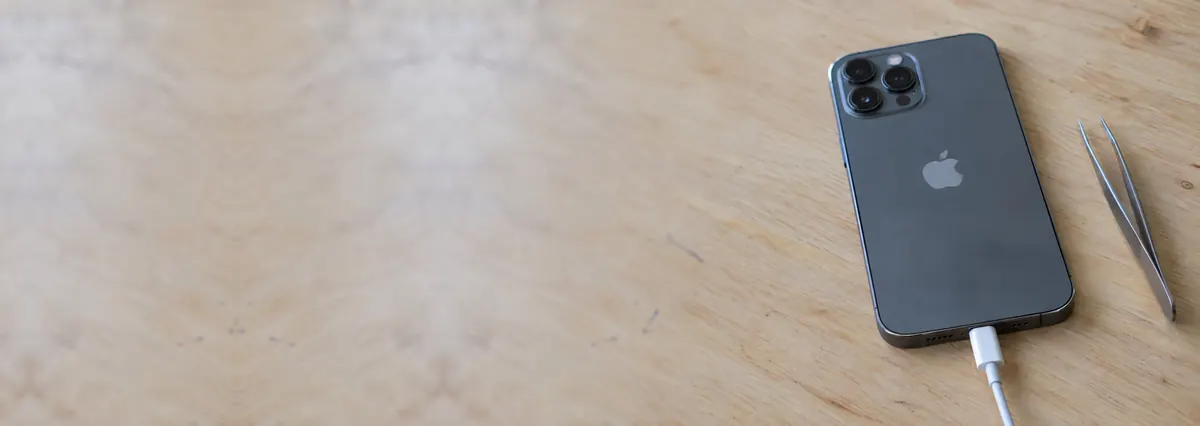
Service · every iPhone model · Singapore
iPhone charging port repair in Singapore, diagnosed properly
An iPhone that will not charge, charges on and off, only charges at a certain angle, or throws an "accessory may not be supported" message is usually a much simpler and cheaper fix than people fear. We work the charging fault from the cheapest cause to the deepest — a lint-clogged port, a worn cable, a damaged charging flex, or a board-level charging IC — quote in writing before any work, and repair at component level so your data stays on the phone.
A slice of this week's iPhone charging bench log
Looking for the price? The price guide for this page is further down — jump straight to it ↓. Diagnosis is free on a walk-in, you get the price in writing before any work starts, and if we cannot fix it you do not pay a repair fee.
A charging port that has stopped charging is usually dirt or a worn connector rather than a dead phone, and most fixes are done the same day. Diagnosis is free on walk-ins, you get a written quote before any work starts, and if we cannot fix it you do not pay a repair fee.
On this page
- What iPhone charging port repair costs in Singapore
- The charging fault ladder
- Lint — the number-one cause
- Worn cables and adapters
- Damaged charging port flex
- Board-level charging IC faults
- When it is the battery, not the port
- Lightning vs USB-C
- Water damage and corrosion
- Try this before you bring it in
- What it costs and how long
- Our diagnosis and repair process
- FAQs
The charging fault ladder — cheapest cause first
When an iPhone stops charging, most people assume the worst: a dead phone, an expensive board repair, or a reason to buy a new one. In reality, a charging fault is one of the most over-diagnosed problems there is. The great majority are caused by something at the very bottom of the ladder — dirt in the port or a tired cable — and are cheap or even free to put right. The trick is to work the causes in order, from the least expensive and most likely to the deepest, rather than jumping straight to a board repair or a new device. That is exactly how we approach every charging job on our iPhone repair bench, and it is why so many customers walk out having paid far less than they expected.
There are five rungs on the ladder, and we climb them in this order: (1) a lint-clogged charging port — the most common cause by a wide margin, and often a free clean; (2) a worn or dirty cable or adapter; (3) a damaged charging port flex, the connector assembly inside the phone; (4) a board-level fault on the charging circuit — the charging IC, power management, or the data-line chip; and (5) a worn-out battery, which is a different problem that people frequently mistake for a charging fault. We test our way down the ladder rather than guessing, so you never pay for a board repair when a two-minute clean would have fixed it.
Lint in the port — the number-one cause of "my iPhone won't charge"
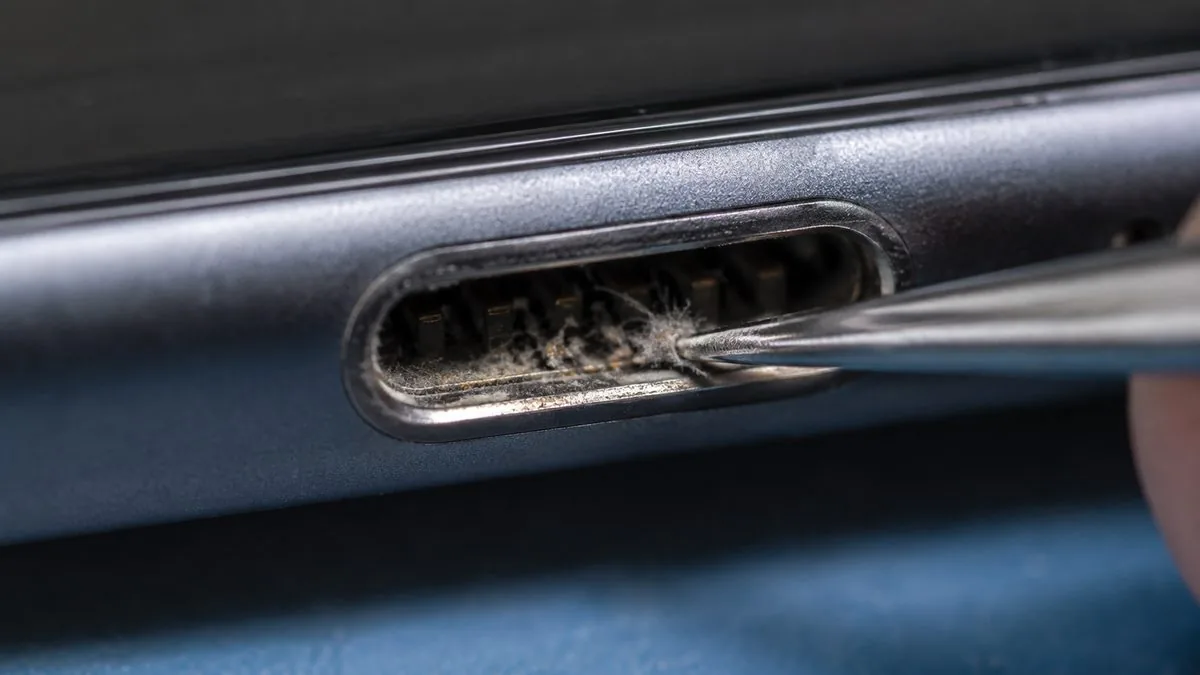
If your iPhone has suddenly stopped charging, start here, because this is the answer more often than any other. The charging port sits at the bottom edge of the phone, pointing straight up out of your pocket or bag, and it acts like a tiny scoop. Over months it collects pocket lint, fabric fibres and dust, all of which compress into a dense felt-like plug at the very bottom of the port. Once that plug builds up, the cable can no longer push all the way in to meet the contacts. You feel it as a cable that "does not click in" the way it used to, or that only charges if you press it hard — and eventually the phone stops charging altogether even though nothing is actually broken.
The fix is simply to remove the debris carefully. We do this under magnification with the right non-metal tools so the contacts are not scratched or bent, then test with a known-good cable to confirm charging is restored. On a walk-in this is frequently a free job — we are not going to invent a repair where a clean will do. A word of caution on doing it yourself: people ram in metal pins, SIM ejectors or safety pins and end up bending the delicate contacts or shorting them, which turns a free clean into a flex replacement. A wooden or plastic toothpick, used gently with the phone switched off and good light, is the only DIY tool we would suggest — and if it does not come clean easily, stop and let us do it properly.
Worn or dirty cables and adapters
The second rung is the accessory, not the phone. Cables live a hard life in Singapore — coiled in bags, yanked from the wall, run over by office chairs — and the thin wires inside fray near the connector long before the outside shows it. A frayed cable charges intermittently, works only at a certain angle, or stops under a slight bend. The adapter can fail too, and a cheap non-compliant charger may not negotiate power correctly, which is one trigger for the "this accessory may not be supported" warning. Grime or a bent pin on the cable's own connector causes the same symptoms.
Before we ever open a phone, we test it with a known-good Apple-grade cable and adapter. If a fresh cable charges the phone cleanly, the fault was never in the port — you needed a five-dollar cable, not a repair. It sounds obvious, but ruling the accessory out first saves customers from paying for port work they did not need. If the phone still refuses to charge on a good cable and a clean port, then and only then do we move up the ladder to the flex.
The same debris causes a second fault that looks nothing like a charging problem: a port packed with lint can read as a plugged-in accessory, so the phone routes every sound to headphones that are not there and the speaker falls silent. If yours has gone quiet as well as charging badly, iPhone sound not working explains how to tell that apart from a failed speaker.
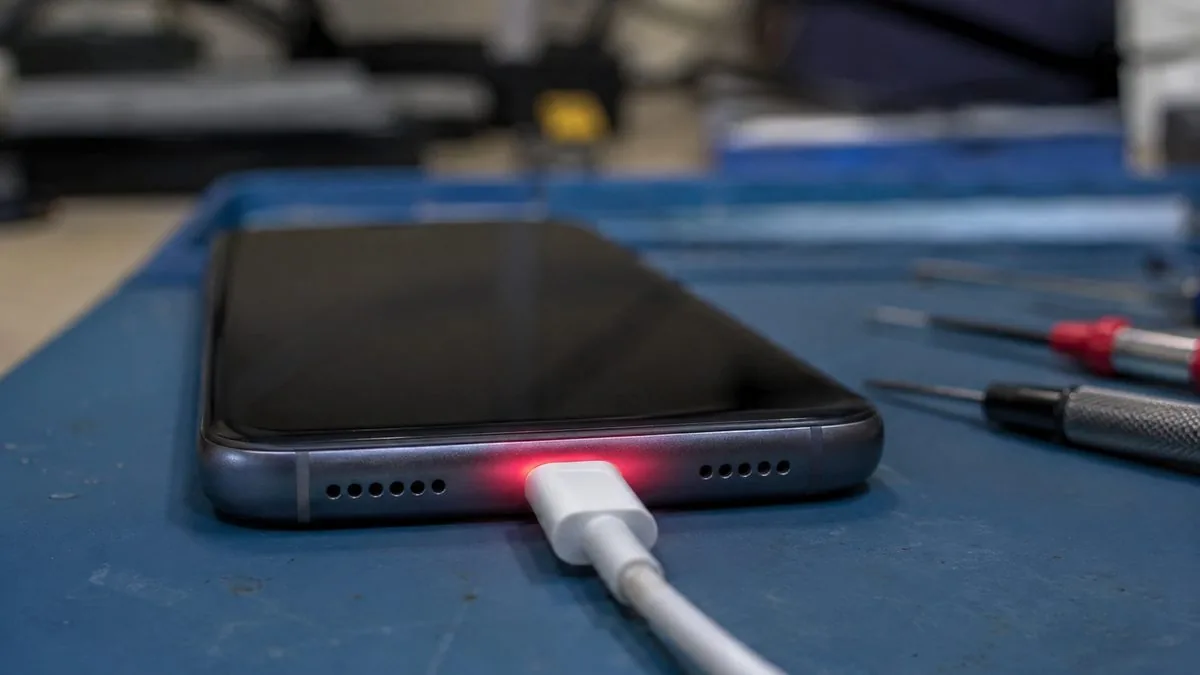
A damaged charging port flex
If the port is clean and a good cable still will not charge reliably, the fault is usually the charging port flex — the ribbon assembly that carries the physical connector inside the phone. This is the part that wears out or gets damaged: the connector pins lose their spring tension after thousands of insertions, a solder joint on the flex fatigues and cracks, moisture corrodes the contacts, or a bent pin from a forced cable shorts them. The tell-tale signs are charging that comes and goes when you wiggle the cable, charging that only holds at a particular angle, or an "accessory may not be supported" message that persists even after the port has been cleaned.
On the great majority of iPhones the charging port is built into a replaceable flex assembly rather than soldered directly to the logic board, so this is a flex replacement — a self-contained part-and-labour job, not a board repair. On some models the flex also carries the microphone or other functions, which is one reason a botched charging repair elsewhere sometimes kills the mic; we transfer and refit everything correctly and test it before the phone goes back to you. A charging flex replacement is a modest, same-day repair once the part is confirmed and you have approved the written quote.
Board-level charging IC faults — the deepest rung
The deepest cause is a fault on the charging circuit itself, on the logic board. This is less common than the rungs above, but it is real, and it is where cheap "we only swap parts" shops give up or misdiagnose. The charging system on an iPhone runs through a handful of tiny chips. The Tristar chip (Apple's U2 / Hydra, and its later relative Tigris on more recent models) manages the USB connection and negotiates charging; the PMIC (power-management IC) distributes power around the board. When one of these fails — often after liquid exposure, a bad third-party charger, or a physical knock — the phone may not charge at all on a clean port and a good cable, may charge only when powered off, may get warm without gaining charge, or may show the accessory warning no matter what you plug in.
Here is the important part: a board-level charging fault does not mean the whole logic board has to be replaced. We diagnose which specific chip or circuit has failed under a microscope and microsolder the individual component — a genuine component-level repair. That approach costs a fraction of a board swap and, critically, keeps your data on the original board rather than losing it to a replacement. This is the same skill set behind our iPhone motherboard repair and wider Apple repair work, and it is the reason we can save phones that other shops write off. If the diagnosis lands here, we quote it in writing after the diagnosis, never as a guess up front.
When it is the battery, not the port at all
Not every "charging problem" is a charging problem. A tired battery produces symptoms people routinely mistake for a port fault: the phone charges normally but drains within hours, shows a reduced maximum capacity in Battery Health, shuts down suddenly at 30 or 40 per cent, or dies quickly in cold aircon. The difference is direction — a port fault means power struggles to get in, while a battery fault means charge does not hold once it is in. During diagnosis we test both so you are never charged to replace a port when the cell is the real issue. If it turns out to be the battery, we point you to our iPhone battery replacement instead — a cheaper, faster fix than any port work.
Lightning vs USB-C — both repairable the same way
iPhones up to and including the iPhone 14 family use a Lightning port; the iPhone 15 and every newer model switched to USB-C to meet regulations. From a repair point of view the two are more alike than different. Both are built as a charging flex assembly seated inside the phone, and both suffer the same handful of faults — lint blockage, worn or bent pins, corroded contacts and flex damage — so both are repaired the same way, from a clean at the shallow end to a flex or board repair at the deep end. If anything, USB-C ports collect debris a little more readily because the opening is larger and flatter, which makes a lint clean an even more common first fix on the iPhone 15 and 16. Whichever connector your phone uses, the ladder is the same and we climb it the same way.
Water damage and corrosion
Singapore's humidity, a spilled drink, or a phone dropped in a sink or pool all attack the charging system first, because the port is the most exposed opening on the phone. Liquid leaves a film of corrosion on the port contacts and the charging circuit that blocks power from getting in, and — this is the part people underestimate — it keeps spreading and eating into components for days after the phone has "dried out". Plugging a wet phone in makes it worse, because you are pushing current through a corroded, bridged connection. The right move is to stop charging it and get it to the bench quickly.
We open a liquid-affected phone, clean and decontaminate the port and charging circuit under a microscope, and repair or replace whatever the corrosion has already damaged — commonly the charging flex, sometimes components on the board. The earlier it reaches us, the more we can save and the cheaper it stays. If a water-damaged phone will not power up at all and the priority is getting your photos and messages off it, that is where our data recovery services come in alongside the repair.
Try this before you bring it in
A few safe checks at home often solve the problem outright, and at worst they give us a head start:
- Try a different cable and adapter. Borrow a known-good Apple-grade cable and a wall charger. If the phone charges, you needed a cable, not a repair.
- Look into the port with a torch. Point a bright light straight in. If you can see grey or black fluff packed at the bottom, that is almost certainly your fault.
- Gently clear lint with a wooden toothpick. Power the phone off, and with the phone still, ease the debris out with a plastic or wooden pick. Never use metal, a SIM ejector or a pin.
- Test on a wall socket, not a laptop or car. A weak USB source can mimic a charging fault. Use a proper mains adapter to rule that out.
- Note the exact behaviour. Does it charge when wiggled? Only at an angle? Only when powered off? Warm but not charging? These details point us straight to the right rung of the ladder.
- If it got wet, stop charging it. Do not plug in a phone you suspect has taken liquid — bring it in for a free diagnosis instead.
If none of that restores charging, bring the phone to us. The diagnosis is free on a walk-in, and there is a good chance the fix is a clean you can watch us do at the counter.
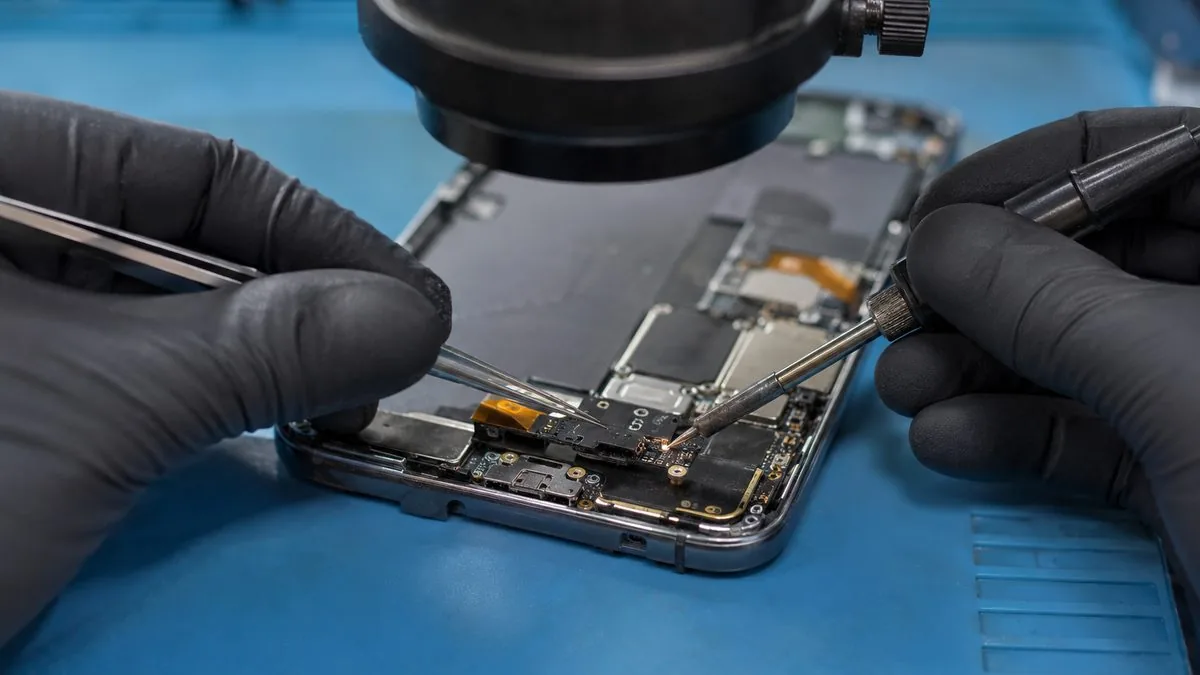
What iPhone charging port repair costs, and how long it takes
Because the fault can sit on any rung of the ladder, there is no single price — the diagnosis sets it. What we can promise is that we quote from the bench, in writing, before any work, and that a clean is never dressed up as a repair. As a rough guide across Singapore in 2026:
| Fault | Typical cause | Typical band (SGD) | Turnaround |
|---|---|---|---|
| Won't charge at all | Lint-clogged port | Often free on a walk-in | Minutes, while you wait |
| Charges on and off / only when wiggled | Worn cable or adapter | Cost of a good cable | Immediate |
| Intermittent on a clean port | Damaged charging port flex | From around the low hundreds | Same day, usually |
| "Accessory may not be supported" | Dirty port, bad cable, or flex | Free clean to flex band | Same day |
| No charge on a clean port & good cable | Charging IC / PMIC (board) | Quoted after diagnosis | 1–3 days |
| Won't charge after liquid | Corrosion on port / circuit | Quoted after diagnosis | Case by case |
The pattern is clear: the most likely fault is also the cheapest, and only the least common ones cost real money. For how this fits the wider picture of repair pricing here, see our device repair cost in Singapore report. And whatever the rung, if we cannot fix it, you do not pay a repair fee.
Our diagnosis and repair process
- Free diagnosis. We test with a known-good cable and adapter, inspect and clean the port, and work down the ladder until we find the actual cause. Free on walk-ins.
- Written quote. The fault, the fix, the price and the turnaround, in writing, before anything is opened. You approve it first, and the number you approve is the number you pay.
- The right fix for the rung. A clean where a clean will do; a charging flex replacement where the connector is damaged; component-level microsoldering where the fault is on the board.
- Full function test. We confirm charging holds on a good cable, check fast charge and, where the flex carries them, the microphone and other functions, before the phone goes back to you.
- Written warranty. Every completed charging repair carries a written warranty on the part and the workmanship, printed on your job sheet.
Component-level over parts-swapping, a written quote before any work, a written warranty after it, and no repair fee if we cannot fix it — that is how we have earned a 4.8-star average across more than 940+ Google reviews. If you are weighing up whether it is worth fixing at all, or curious where iPhone charging sits in the bigger repair landscape, our guide on the next iPhone and what it means for repair in Singapore and the wider phone repair service are a good read. To get started, contact the workshop or send us the model and symptoms for a fast, honest read.
Related iPhone & Apple services
Other iPhone work on the same bench
iPhone battery replacement
Fast drain, swelling and "Service" battery health, fixed.
See the service →iPhone motherboard repair
No power, boot loops, charging IC and Face ID faults.
See the service →iPhone screen replacement
Cracked, black or green screens fixed, Face ID kept.
See the service →iPhone won't charge? Get a free diagnosis.
Tell us the model and exactly what you are seeing, or bring it to our Tai Seng workshop. We start with the cheapest, most likely cause — a lint clean is often free — and quote in writing before any deeper work. Component-level repair, your data kept, most fixes same day.
What iPhone charging port repair costs in Singapore
This is the repair where we most often charge nothing at all. The most common cause of an iPhone that has stopped charging is compacted lint in the port, and cleaning it properly is frequently the entire fix — we do it as part of the free diagnosis.
| Repair | Our band (SGD) | What drives the price |
|---|---|---|
| iPhone screen replacement | From around $70 to $500 | LCD (11, SE) vs OLED (X and every Pro/newer); panel grade |
| iPhone battery replacement | From around $50 to $180 | Model; waterproof-seal renewal on newer units |
| Charging port | Often a free clean, or quoted | Lint clean vs charging flex vs board-level charging IC |
| Face ID | Quoted after diagnosis | Repairable flex fault vs a dot projector paired to the board |
| Water damage | Quoted after teardown | How far corrosion has travelled and what it has reached |
| Board-level repair | From around $120 to $800 | Which component failed; microsoldering bench hours |
Swap to a different known-good cable and charger first. Cables fail far more often than ports do, and it costs nothing to rule out. If cleaning and a new cable do not fix it, the order of suspicion runs to the charging port assembly and then to the charging circuitry on the logic board — and Apple prices a charging fault under “other damage”, its whole-unit figure, rather than as a port repair.
Our figures are bands, not quotes — the exact price depends on the model and what the diagnosis finds, and you get a written quote before any work starts. Apple prices where shown were read from Apple’s official Singapore service estimator on 16 August 2026 and are for comparison only; Apple states it will inspect the device to determine the final fee, that a delivery fee may apply, and that Apple Authorised Service Providers set their own fees.
See also iPhone repair cost and iPhone motherboard repair.
Questions we get every week
iPhone charging port repair questions, answered
Why won’t my iPhone charge at all?
The most common reason is a charging port packed with pocket lint, not a broken phone. Fluff compresses at the bottom of the port until the cable can no longer seat on the contacts, and the phone stops charging completely. Beyond that, the usual suspects are a worn cable or adapter, a damaged charging port flex, or — less often — a board-level fault on the charging circuit. We work through that ladder from cheapest to deepest, and a lint clean is frequently a free fix on a walk-in.
My iPhone charges on and off or only at a certain angle – what is that?
Intermittent charging — it charges when you press or wiggle the cable, then stops — almost always points to a poor connection at the port. Early on it is debris or a frayed cable; left longer it is a worn or damaged charging port flex where the connector pins have lost tension or a solder joint has fatigued. Propping the phone at an angle to keep it charging is the classic warning sign that the port itself needs attention rather than the cable.
How much does iPhone charging port repair cost in Singapore?
It depends on how deep the fault goes. A lint clean of the port is the cheapest outcome and is often done free on a walk-in; replacing a damaged Lightning or USB-C charging flex is a modest part-and-labour job from around the low hundreds; a board-level charging IC or power-management fault is microsoldering work quoted after diagnosis. We never guess a firm figure over the phone — we diagnose first and put the price in writing before any work, and if we cannot fix it you do not pay a repair fee.
What does "this accessory may not be supported" mean on my iPhone?
That message means the iPhone cannot make a clean data handshake with the cable through the port. It is usually a dirty or corroded port, a damaged or non-genuine cable, or moisture bridging the pins — and sometimes a damaged charging flex. We clean and inspect the port, test with a known-good cable and adapter, and only if the message persists on a clean port do we look at the flex or the board. It is a connection warning, not proof the whole phone has failed.
Is a charging problem the port or the battery?
They cause different symptoms. A port fault means power struggles to get in — no charging, intermittent charging, or an accessory warning. A worn battery charges normally but drains fast, shows reduced maximum capacity, or shuts down at cold or higher percentages. We test both during diagnosis so you are not paying to fix the wrong thing; if it turns out to be the cell rather than the port, we point you to our iPhone battery replacement instead.
Can you fix a charging port without replacing the whole logic board?
Yes, and that is the whole point of component-level repair. On most iPhones the charging port is part of a replaceable flex assembly, so a damaged port is a flex swap, not a board swap. When the fault is deeper — a failed charging IC such as Tristar or Tigris, the U2 chip or a power-management fault — we microsolder the individual component rather than replacing the entire board. That keeps the cost down and, crucially, keeps your data on the phone.
My iPhone got wet and now won’t charge – can you help?
Yes. Liquid leaves corrosion on the port contacts and the charging circuit that stops power getting in, and it keeps spreading while the phone sits. The sooner it reaches the bench the better the outcome. We open the phone, clean and decontaminate the affected areas under a microscope, and repair or replace what the corrosion has damaged — often the charging flex, sometimes components on the board. Do not keep plugging a wet phone in; bring it to us for a free diagnosis first.
Do you repair both Lightning and USB-C iPhone charging ports?
Yes. Older iPhones up to the 14 family use a Lightning port; the iPhone 15 and newer switched to USB-C. Both are built as a charging flex assembly inside the phone and both suffer the same faults — lint blockage, worn pins, bent or corroded connectors and flex damage — so both are repairable the same way. USB-C ports are a little more prone to debris because the opening is larger, which makes a lint clean an even more common first fix on the newer models.
Can I keep my iPhone working on wireless charging instead of fixing the port?
On models with Qi or MagSafe you can use wireless charging as a stopgap when the port has failed, and many people do for a few days. It is not a real fix, though: wireless charging is slower, it will not let you transfer data or update over a cable, and if the underlying fault is corrosion or a board issue it can worsen while you wait. Treat wireless as a bridge to getting the port properly diagnosed, not a permanent workaround.
How long does an iPhone charging port repair take?
A port clean is done in minutes while you wait. A charging flex replacement is typically a same-day job once we confirm the part and you approve the quote. Board-level charging repairs — a failed charging IC or power-management fault under the microscope — usually need one to a few days depending on what we find and part availability. Message us your model and symptoms and we will give you a realistic turnaround before you travel in.
Will repairing the charging port erase my data?
No. Your data lives on storage soldered to the logic board, which a port clean or charging flex replacement never touches, so photos, messages and apps are safe. Even board-level charging repair is component work that leaves the storage intact — in fact repairing rather than swapping the board is often what saves the data on a phone that will not power up. We still recommend a backup before any repair as good practice whenever the phone can still be charged enough to make one.
Start with the cheapest cause first.
Most iPhones that "won't charge" need a clean, not a repair. Send us the model and symptoms and we will tell you honestly which rung of the ladder you are on, quote in writing before any work, and keep your data on the phone. Islandwide courier collection available.