
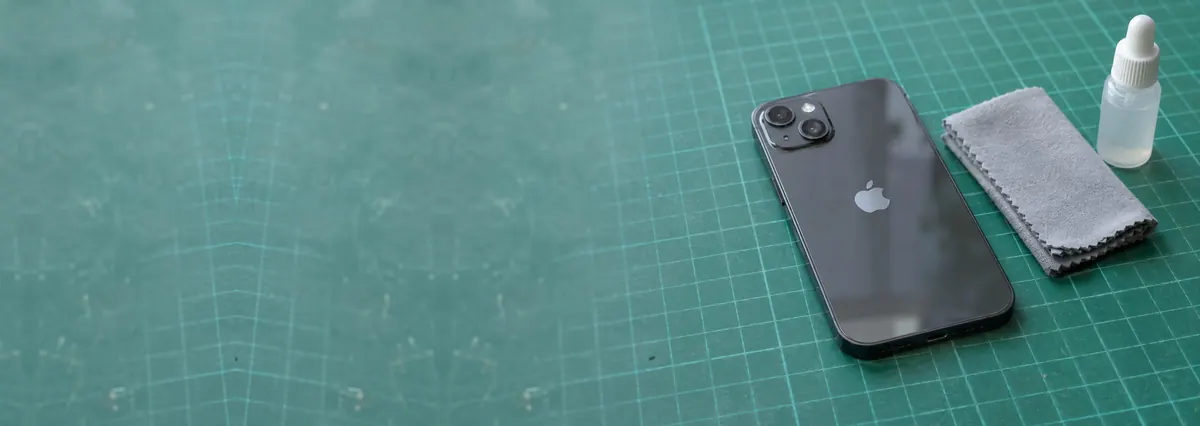
Service · liquid damage · Singapore
iPhone water damage repair in Singapore — act in the first ten minutes
Dropped it in the toilet, the pool, the sea, or spilled coffee across it? A wet iPhone rarely dies from an instant short — it dies slowly, from corrosion eating the logic board over days. Power it off now, do not charge it, skip the rice, and get it to us fast. We clean the board ultrasonically, treat the corrosion, repair at component level, and recover your photos. Free diagnosis, written quote after teardown.
A slice of this week's liquid-damage bench log
Looking for the price? The price guide for this page is further down — jump straight to it ↓. Diagnosis is free on a walk-in, you get the price in writing before any work starts, and if we cannot fix it you do not pay a repair fee.
Power the iPhone off straight away and leave it off — do not wait to test it. Do not plug it in to charge; charging a wet board is what kills recoverable phones. Do not press the buttons repeatedly or shake it. Wipe the outside dry and, if you can, stand it upright so water drains away from the ports. Skip the rice — it does nothing useful and wastes the hours that matter. Then bring it to us the same day, or arrange islandwide courier collection. The sooner a wet iPhone is opened and cleaned, the better the odds.
On this page
- What water damage repair costs in Singapore
- Why water kills an iPhone slowly, not instantly
- First ten minutes: what to do, safely
- The rice myth, busted
- Salt water, coffee and pool water
- Liquid type, delay and outlook
- The liquid contact indicators & your warranty
- Data first: your photos before the phone
- How we actually repair it
- What it costs
- FAQs
Why water kills an iPhone slowly, not instantly
The instinct after a splash is to check whether the iPhone still turns on, still charges, still shows a picture. That instinct is exactly what destroys phones — and to understand why, it helps to know how liquid really damages electronics, because it is almost never the dramatic short circuit people imagine.
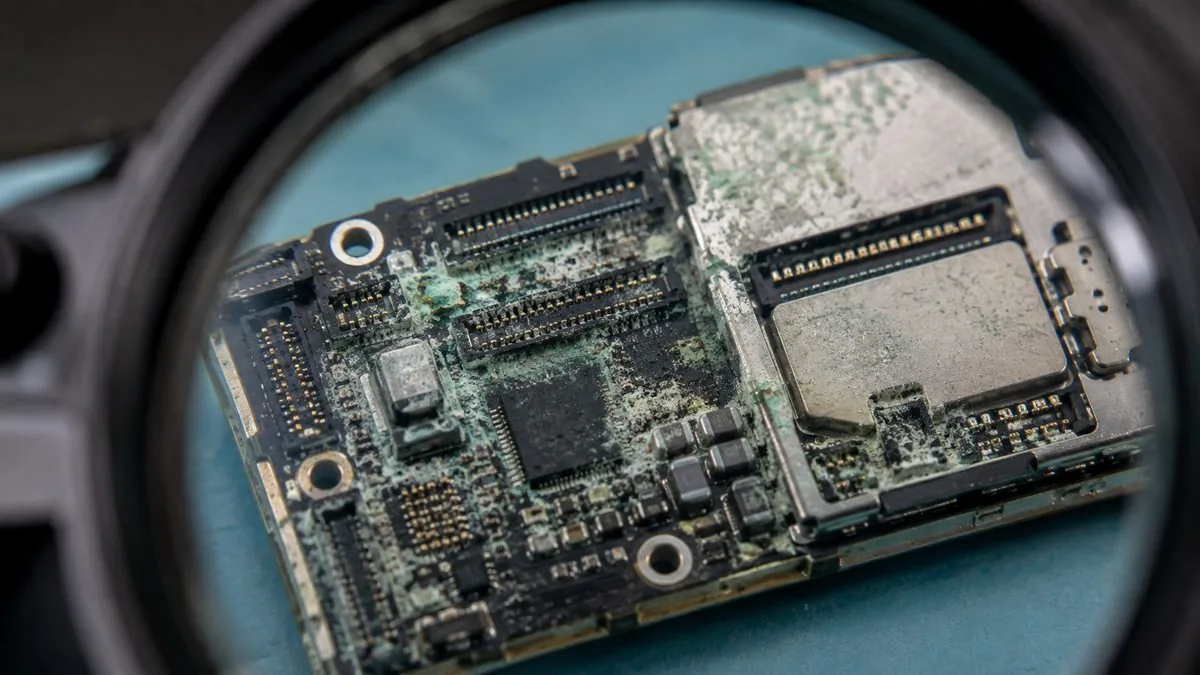
Pure water conducts electricity poorly. The problem is that almost nothing you drop an iPhone into is pure water. Tap water carries dissolved minerals and salts; toilet water, sea water, pool water and drinks carry far more. When that liquid finds its way past the gaskets and dries on the logic board, it does not simply evaporate and leave the phone as it was. It leaves those dissolved salts and residues sitting directly on the board, bridging microscopic contacts and coating the copper tracks. That residue is conductive, and worse, it is corrosive. It sits there and slowly eats the copper, the solder joints and the tiny legs of the integrated circuits, forming the green and white crust every technician recognises the moment a shield comes off.
This is why an iPhone can survive a dunk, work perfectly for a week, and then fail. The water did not kill it on day one; the corrosion killed it on day nine. People lose Face ID, then Wi-Fi, then charging, then the phone altogether, one function at a time, as corrosion reaches different circuits. It is also why "it still works, so it's fine" is the most expensive assumption in liquid damage. The clock started the moment the phone got wet, and every day that passes without a proper internal clean lets the damage spread deeper into places nothing external can reach. A board caught clean is easy to save; a board left to corrode is a much harder, costlier job — and sometimes a iPhone motherboard repair rather than a simple clean.
The first ten minutes: what to do, safely
What you do in the first few minutes matters more than almost anything we do afterwards, because it decides how much corrosion has a chance to start. Work through this quickly and calmly.
Power it off now
Hold the side button and a volume button and switch the iPhone off immediately. Do not wait to see if it still works — power flowing through a wet board is what spreads the damage. Off is safe; on is not.
Do not charge it
Keep it off the charger and away from any cable. Pushing power through a wet board shorts circuits and can kill the charging IC in seconds. This is the single biggest mistake people make.
Do not press or shake
Leave the buttons alone and do not shake the phone to "get the water out" — that only spreads liquid deeper inside. Set it down gently.
Dry the outside
Wipe the exterior, the ports and the speaker grilles with a dry, soft cloth. If you can, stand the phone upright so gravity drains water away from the charging port.
Skip the rice
Do not bury it in rice, and do not blast it with a hairdryer. Neither reaches the residue on the board; both simply waste the hours when the phone should be on its way to a bench.
Get it to us fast
Bring it in the same day, or arrange courier collection. Tell us if it went in sea water or if your photos are the priority — both change how urgently we treat it.
Of everything on this page, this is the one that saves phones. A wet iPhone that could have been cleaned and fully recovered is most often killed at the wall socket, by someone plugging it in "just to check if it still charges". Pushing power through a board that still has water and dissolved salts bridging its contacts drives current across circuits that were never meant to connect — and that can burn out the charging IC, the power management chip or the tristar controller instantly, turning an easy clean into a board-level repair or a loss. If your iPhone is wet, keep it off and keep it off the charger until it has been opened, cleaned and dried by someone who can see the board.
The rice myth, busted
Rice is the most stubborn myth in phone repair, and it is worth being blunt about why it fails. The idea is that uncooked rice is a desiccant that draws moisture out of the phone. It is a weak desiccant at best, and even a strong one would not help here, because the danger was never the surface moisture. The danger is the conductive, corrosive residue already sitting on the logic board, sealed behind gaskets, shields and adhesive that no grain of rice can ever reach.
So while an iPhone sits in a bowl of rice for a day or two, three things happen, none of them good. The residue on the board is not being removed. Corrosion is quietly advancing across the copper and the chip legs. And the one intervention that would actually help — opening the phone and cleaning the board — is being delayed by exactly the hours that decide the outcome. Rice does not just fail to help; it actively costs you the window in which the phone is easiest to save. We regularly see iPhones that "seemed fine" go into rice and come out dead, because the rice bought corrosion two days of quiet, unopposed progress. If you take one thing from this page: skip the rice, keep the phone off, and get it opened.
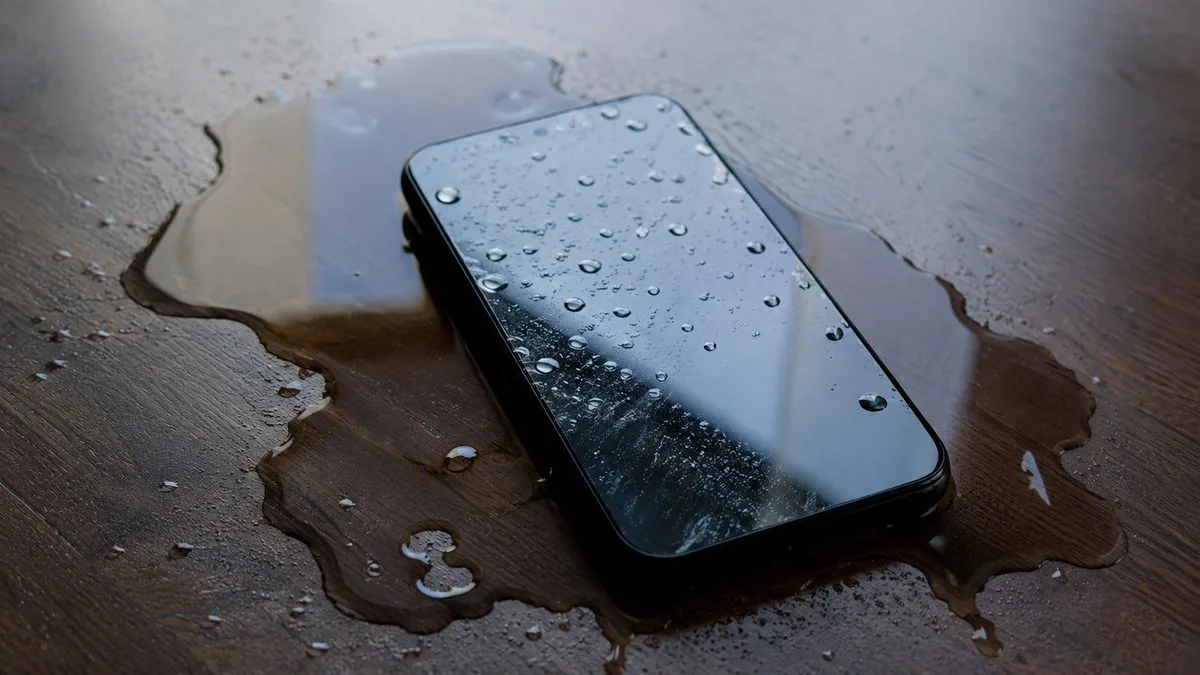
Salt water, coffee and pool water are worse than clean water
Not all spills are equal. What the iPhone went into changes how aggressive the damage is and how fast you need to move.
- Clean tap water is the mildest case — still not harmless, because it carries dissolved minerals, but the gentlest of the common liquids.
- Sea water is one of the worst. Salt is highly conductive and highly corrosive, so a phone dropped in the sea at East Coast or Sentosa starts corroding fast and should reach us within hours, not days.
- Pool water is chlorinated and harsh on the board, a step up in aggression from tap water.
- Coffee, tea, soft drinks and juice add sugars and acids on top of the water, leaving a sticky, conductive film that both bridges contacts and attracts more moisture over time.
- Toilet water and drain water carry whatever else was dissolved in them — treat these as urgent and get the phone cleaned quickly.
The rule is simple: the dirtier or saltier the liquid, the faster corrosion sets in, and the more urgent the clean. A sea-water iPhone that reaches us the same afternoon has a real chance; the same phone left overnight in rice often does not.
Liquid type, delay and likely outlook
Every case is different and only a teardown tells the truth, but this is the honest shape of how liquid type and delay affect the outcome and the likely path on the bench.
| Liquid & delay | Likely outlook | Typical path on the bench |
|---|---|---|
| Clean water, brought in same day, kept off | Good — often fully recoverable | Disassemble, ultrasonic clean, dry, retest |
| Clean water, "dried in rice" for 2+ days | Guarded — corrosion has had time to spread | Clean, treat corrosion, repair affected rails/ICs |
| Coffee, tea or soft drink, same day | Fair to good — sticky residue to remove | Ultrasonic clean of sugars/acids, retest functions |
| Pool water, within a day | Fair — chlorinated, more aggressive | Clean, corrosion treatment, component-level repair as needed |
| Sea water, within hours | Guarded — salt is fast and corrosive | Urgent clean, likely IC/connector rework |
| Sea water, after a day or more | Poor — salt corrosion advanced | Extensive board work; data recovery may lead |
| Any liquid, phone still charged/tested | Poor — power made it worse | Assess burnt ICs; board-level repair or data recovery |
Wherever your case sits on that table, the diagnosis is free and the honest quote comes after we have opened the phone. For a broader sense of repair bands across devices, see our device repair cost guide for Singapore.
Liquid contact indicators and why Apple may turn you away
Apple builds small liquid contact indicators (LCIs) into the iPhone — tiny stickers, usually in the SIM tray slot and inside the phone, that are white when dry and turn red the moment they touch water. They exist so a technician can tell at a glance whether a phone has been wet. When an LCI has tripped red, it is treated as proof of liquid exposure, and that normally voids Apple's warranty and AppleCare for the damage. It is why liquid incidents are so often quoted by Apple as a whole-device out-of-warranty replacement rather than a repair.
A red LCI does not mean your iPhone is beyond saving. It simply means the warranty route is closed and an independent, component-level clean is usually the sensible path — and that is exactly the work we do. We are not affiliated with or authorised by Apple; we are the independent alternative, and we will tell you honestly whether your phone is worth cleaning or whether the money is better spent recovering the data and moving on. That same honesty runs through all of our Apple repair in Singapore.
Data first: your photos matter more than the phone
For most people the hardest part of a drowned iPhone is not the phone — it is the years of photos, the messages, the notes that were never backed up. So the first question we ask at intake is whether data is your priority, because it changes how we approach the whole job.
The good news is that the storage chip in an iPhone is often one of the more resilient parts, and when the board can be cleaned back to working order the data usually comes back with it. Where the board is too far gone to run reliably, we move to board-level data recovery in Singapore to reach the storage directly. Either way, the same rule applies: the sooner the phone reaches us, the better the chance of saving both the phone and everything on it. If the photos are what you care about, tell us at intake and we will treat that as the goal from the first minute. Once your iPhone is back and healthy, the way to never be in this position again is a proper backup habit — and if you are already thinking about your next phone, our take on the iPhone 18 rumours for Singapore is worth a read.
How we actually repair a water-damaged iPhone
This is the part that separates a real liquid repair from a hopeful dry-out. We do not sit a wet phone in front of a fan and hope. Liquid damage is a cleaning job, and it is done under a microscope.
- Free diagnosis and intake. We note what liquid, how long ago, and what has been tried since — that last point matters most. If data is your priority, we flag it now.
- Full disassembly. The iPhone is opened, the battery disconnected for safety, and the logic board and its shields removed so we can see the actual state of things.
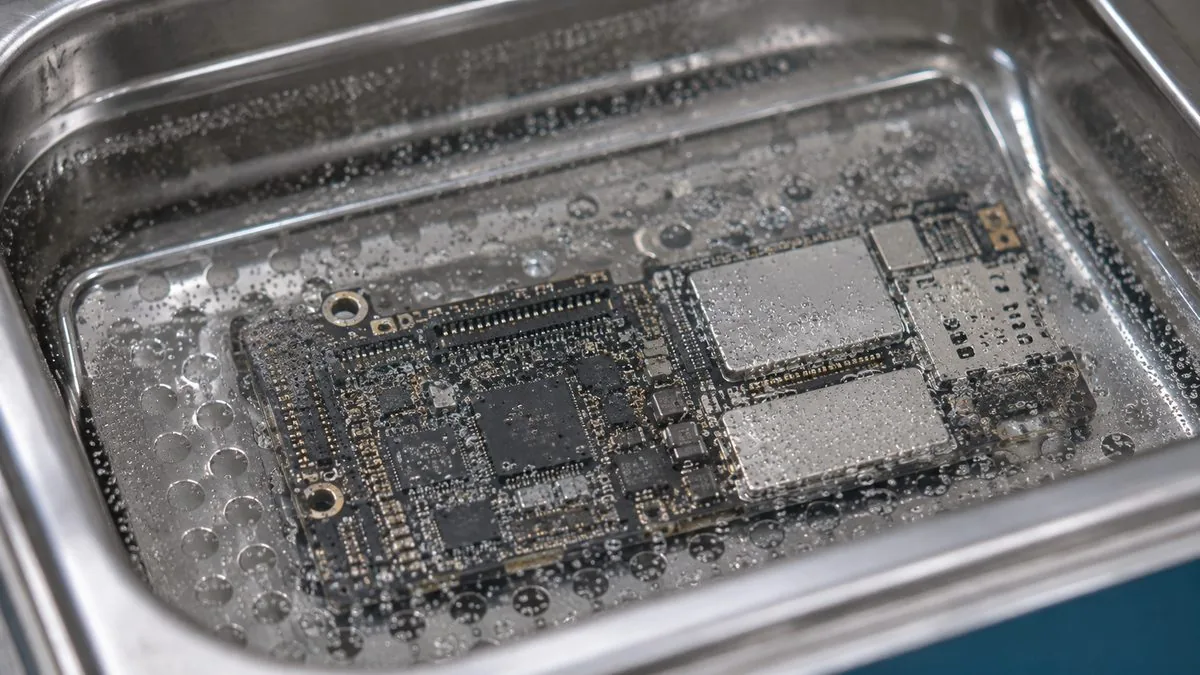
- Ultrasonic cleaning. The board is cleaned in an ultrasonic bath that lifts salt residue and corrosion out of the microscopic gaps under chips and connectors — places no cloth, rice or air can reach.
- Microscope inspection. Under magnification we find corroded pads, lifted components, damaged flex connectors and burnt ICs, and map exactly what the water touched.
- Component-level repair. We treat corrosion, and where a power rail, IC, charging circuit or connector is damaged we repair or replace it at component level rather than swapping the whole board — the same discipline behind our iPhone motherboard repair.
- Dry, reassemble and stage-test. The board is properly dried, reassembled, and retested in stages — power, charging, display, Face ID, cameras, Wi-Fi, audio — to be sure it is stable, not just briefly alive. Sound is often the first thing a spill takes and the first thing to come back deceptively, which is why iPhone sound that fails, returns and fails again is worth reading if that is what yours did.
- Written quote and warranty. The firm quote comes after the teardown, because only then do we know the true state of the board, and every completed repair carries a written warranty.
If, once it is running, the phone needs a fresh screen or a tired battery replaced, the same bench handles iPhone screen replacement and iPhone battery replacement, so you collect one phone that is properly sorted rather than half-fixed. It all sits alongside the rest of our iPhone repair work.
What iPhone water damage repair costs in Singapore
There is no honest fixed price for liquid damage, and anyone who quotes you a firm figure over the phone before opening it is guessing. The cost depends entirely on how far corrosion has spread and what it has damaged — and that is only visible on the bench. A clean caught early, before corrosion has done real harm, can be modest. A board with damaged ICs, a burnt charging circuit and corroded rails needing component-level rework costs more, because it is genuinely more work.
What we promise is straightforward: diagnosis is free, the written quote comes after the teardown assessment and not before, we quote in bands honestly and never invent an exact figure, and if we cannot fix it you do not pay a repair fee. You approve the quote before any chargeable work begins. For how repair bands look across devices and faults, our device repair cost guide gives the wider picture, and you can always contact the workshop with your model and what happened for a realistic sense before you travel in.
Why iDevice for a water-damaged iPhone
Because we treat liquid damage as what it is — a race against corrosion that is won with a proper clean, not a dry-out. Because we have the ultrasonic cleaning and microscope rework to reach the residue on the board that rice and fans never touch, and the component-level skill to repair a damaged rail or IC rather than write the phone off. Because your photos come first if you tell us they matter, the quote is written after we have seen the board, and every completed job carries a written warranty. And because if we cannot fix it you do not pay a repair fee. After fourteen years, more than nine hundred reviews averaging 4.8 stars, and a bench that sees drowned iPhones every week, we would rather tell you the honest truth about your phone than sell you false hope. We are not affiliated with or authorised by Apple — we are the independent alternative, three minutes from Tai Seng MRT, with islandwide courier collection when you cannot get across town fast enough.
iPhone wet right now? Keep it off — and get it to us today.
Power it off, keep it off the charger, skip the rice, and send us the model and what liquid it went into. We will clean the board, treat the corrosion, recover your photos where we can, and quote in writing after teardown. Free diagnosis. Islandwide courier collection available — and with liquid damage, speed decides the outcome.
Related iPhone & Apple services
Other iPhone work on the same bench
iPhone motherboard repair
No power, boot loops, charging and Face ID faults, board level.
See the service →Data recovery Singapore
Get the photos and messages off a drowned or dead iPhone.
See the service →iPhone screen replacement
Cracked, black or green screens fixed, Face ID kept.
See the service →What water damage repair costs in Singapore
Liquid damage is quoted after teardown rather than banded, and anyone who gives you a firm price over the phone for a wet phone is guessing. What we can tell you is the shape of it: the cost follows how far corrosion has travelled and what it has reached, which is why acting the same day changes both the price and the outcome.
| Repair | Our band (SGD) | What drives the price |
|---|---|---|
| iPhone screen replacement | From around $70 to $500 | LCD (11, SE) vs OLED (X and every Pro/newer); panel grade |
| iPhone battery replacement | From around $50 to $180 | Model; waterproof-seal renewal on newer units |
| Charging port | Often a free clean, or quoted | Lint clean vs charging flex vs board-level charging IC |
| Face ID | Quoted after diagnosis | Repairable flex fault vs a dot projector paired to the board |
| Water damage | Quoted after teardown | How far corrosion has travelled and what it has reached |
| Board-level repair | From around $120 to $800 | Which component failed; microsoldering bench hours |
Our figures are bands, not quotes — the exact price depends on the model and what the diagnosis finds, and you get a written quote before any work starts. Apple prices where shown were read from Apple’s official Singapore service estimator on 16 August 2026 and are for comparison only; Apple states it will inspect the device to determine the final fee, that a delivery fee may apply, and that Apple Authorised Service Providers set their own fees.
On Apple’s Singapore estimator, liquid damage falls under “other damage” — the whole-unit price, S$829 on an iPhone 15 and S$1,059 on a 15 Pro Max. Board-level cleaning and component repair is exactly the work an independent bench exists to do, and it is why a wet phone is worth a diagnosis before it is written off. If what you actually need is the data rather than the phone, say so at the counter — that changes the priority order of the whole job.
See also iPhone repair cost and iPhone motherboard repair.
Questions we get every week
iPhone water damage questions, answered
My iPhone fell in water and still works. Do I really need repair?
Yes, and this is the most misunderstood part of liquid damage. A phone that still switches on has not escaped — the water has left dissolved salts and minerals sitting on the logic board, and those start corroding the copper tracks and connectors over the following days and weeks. Many iPhones work fine for a week and then die, or lose Face ID, charging or Wi-Fi one function at a time. Bringing it in while it still works is the best-case scenario, because a clean board is far easier to save than a corroded one.
Does putting an iPhone in rice actually work?
No. Rice is the single most damaging myth in liquid repair, not because the rice harms the phone but because it wastes the hours that matter. Rice only draws a little surface moisture from the outside; it does nothing about the salts and residue already sitting on the board inside, sealed behind gaskets it can never reach. While the phone sits in a bowl for two days, corrosion is quietly spreading. Skip the rice, keep the phone off, and get it opened and cleaned properly instead.
What should I do in the first ten minutes after my iPhone gets wet?
Power it off immediately and leave it off — do not wait to see if it still works. Do not plug it in to charge, do not press the buttons repeatedly, and do not shake it. Wipe the outside dry with a cloth, and if you can, stand it upright so water drains away from the ports. Then bring it to us the same day. Every one of those steps is about buying time before corrosion sets in, and the fastest arrival wins the best odds.
Why should I not charge a wet iPhone?
Charging is the fastest way to turn a recoverable iPhone into a dead one. Pushing power through a board that still has water and dissolved salts bridging its contacts causes shorts across circuits that were never meant to connect, and that can burn out the charging IC, the power management chip or the tristar controller in seconds. A wet iPhone that might have been cleaned and saved is often killed at the wall socket by someone trying to check if it still charges. Keep it off the charger until it has been opened and dried.
Is salt water, coffee or pool water worse than clean water?
Yes, considerably. Clean tap water is the mildest case, though it still carries minerals. Sea water is far more aggressive because salt is highly conductive and corrosive, so a dip in the sea at East Coast does real damage fast. Coffee, tea, soft drinks and juice add sugars and acids that leave a sticky, conductive film, and chlorinated pool water is harsh too. The dirtier or saltier the liquid, the more urgent the cleaning — sea-water phones especially should reach us within hours, not days.
What does professional iPhone water damage repair actually involve?
It is not a dry-out, it is a clean. We fully disassemble the iPhone, remove the logic board and shields, and clean the board in an ultrasonic bath that lifts corrosion and salt residue out of places no cloth or rice can reach. We then inspect under a microscope, treat corroded pads and connectors, repair or replace any damaged power rails, ICs or flex cables at component level, and dry and reassemble. Only after that do we know what is truly needed, which is why the firm quote comes after the teardown.
Can you get my photos and data off a water-damaged iPhone?
Often yes, and for most people that is the real priority — the photos and messages matter more than the phone itself. If the storage chip survived the water, cleaning the board back to working order usually brings the data back with it, and where the board is too far gone we move to board-level data recovery to reach the storage directly. Tell us at intake if data is your first concern and we will treat it that way. The sooner the phone arrives, the better the chance of saving both the phone and what is on it.
The liquid contact indicator inside my iPhone is red. What does that mean?
Apple places small liquid contact indicators (LCIs) inside the iPhone that turn from white to red when they touch water. A tripped red LCI is proof of liquid exposure and normally voids Apple's warranty and AppleCare for that damage, which is why liquid incidents are often turned away or quoted as a whole-unit replacement. It does not mean your phone is beyond saving — it simply means an independent, component-level clean is usually the sensible route, and we will tell you honestly whether it is worth doing.
How much does iPhone water damage repair cost in Singapore?
There is no honest fixed price for liquid damage, because the cost depends entirely on how far corrosion has spread and what it has damaged — and that is only visible once the phone is opened. A clean-up caught early can be modest; a board with damaged ICs and rails needing component-level repair costs more. We give a written quote after the teardown assessment, never before, we never invent a figure over the phone, and if we cannot fix it you do not pay a repair fee. Diagnosis is free.
How long does iPhone water damage repair take?
A straightforward clean and dry can be same day to a day, while a board that needs corrosion treatment and component-level repair usually takes two to five days, partly because we dry and retest in stages to be sure it is stable. What matters far more than turnaround is how quickly the phone reaches us in the first place — the delay before cleaning is what decides the outcome, so bring it in fast and let the bench time take as long as it needs.
Do you offer islandwide collection for a water-damaged iPhone?
Yes. Most customers drop off in person at our Harper Road workshop, a three-minute walk from Tai Seng MRT, but if you cannot get across town quickly we offer islandwide courier collection. With liquid damage, speed is everything, so if courier pickup gets the phone to us sooner than you could travel yourself, take it — and keep the phone switched off and off the charger in the meantime.
Free diagnosis, quote after teardown, no fix no fee.
Bring your water-damaged iPhone to our Harper Road workshop or arrange islandwide courier collection. We will open it, clean the board, treat the corrosion, recover your data where we can, and put the price in writing before any chargeable work. Not affiliated with Apple — the honest independent alternative.