
Service · TrueDepth & sensor faults · Singapore
iPhone Face ID repair in Singapore, honestly diagnosed
"Face ID is not available", setup that will not finish, or the sensors dead after a screen or a drop — we diagnose why, and we tell you the truth about it. Since the iPhone X the Face ID module is serial-paired to your logic board, so no honest shop can "just swap the parts". We check whether it is a cheap flex fault or a board-level job, quote in writing, and if we cannot fix it you do not pay a repair fee.
A slice of this week's Face ID bench log
On this page
- What Face ID repair costs in Singapore
- How Face ID actually works
- The symptoms and what they mean
- Common causes of Face ID failure
- The hard truth: serial pairing
- When Face ID is repairable, and when it is not
- The "fix" that just disables Face ID
- Our diagnosis and repair process
- Warranty and no-fix-no-fee
- FAQs
How Face ID actually works — the TrueDepth array
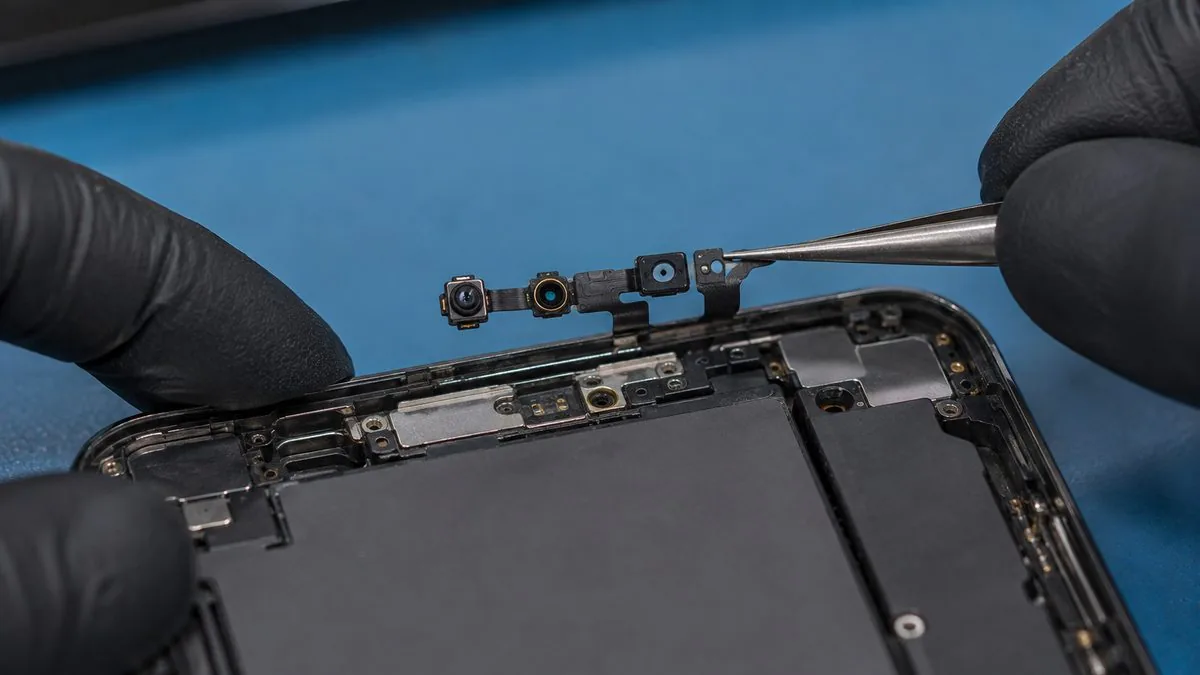
To understand why Face ID repair is different from any other iPhone repair, it helps to know what Face ID really is. It is not a camera taking a photo of your face. Tucked into the notch or the Dynamic Island at the top of your iPhone is a cluster of parts Apple calls the TrueDepth camera array, and three of those parts do the real work.
- The flood illuminator bathes your face in invisible infrared light, so the system can see you in the dark or in bright sun without you noticing anything at all.
- The dot projector throws more than thirty thousand tiny infrared dots onto your face in a precise pattern, building a three-dimensional depth map of your features.
- The infrared camera reads that pattern of dots back and, together with the flood image, turns it into the mathematical model your iPhone compares against the face it has stored.
Because the whole thing is built on depth and infrared rather than an ordinary picture, it cannot be fooled by a photo, and it works behind sunglasses or in a dark room. But it also means Face ID depends on several delicate, precisely aligned components all agreeing with one another — and on the flexible ribbon cables, the sensor flex and the earpiece flex, that connect them to the logic board. Disturb any of that and Face ID stops working. This is the root of almost every fault we see, and it is why a Face ID problem is never a simple "part in, part out" job like a battery.
The symptoms — and what each one is telling you
People arrive at our bench describing Face ID trouble in a handful of ways. Each phrasing points somewhere slightly different, though the honest answer to all of them is the same: it needs a proper diagnosis before anyone can tell you the price.
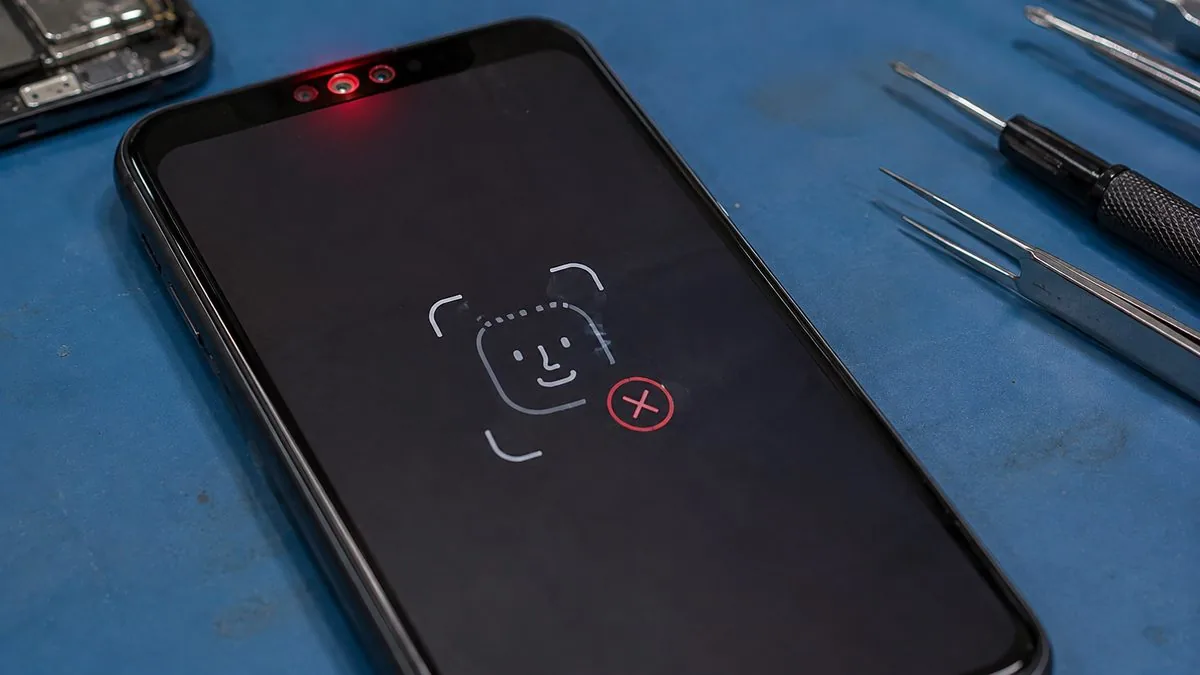
- "Face ID is not available. Try setting up Face ID later." This is the phone telling you it can no longer reliably talk to the TrueDepth array. It appears when a sensor flex has failed, when the array has been damaged, or when a paired module has stopped responding. It is the single most common message we see, and on its own it does not reveal whether the cause is cheap or serious.
- Setup that never finishes — "Move iPhone a little lower" or "Move iPhone higher". During Face ID setup the phone asks you to move it into frame. When the flood illuminator or dot projector is not returning a usable depth map, the phone keeps asking you to reposition even when you are perfectly framed, and the ring of dots never completes. This loop is a classic pointer to a projector or illuminator fault rather than anything you are doing wrong.
- Face ID worked, then failed straight after a screen replacement. If Face ID died the day a new screen went in, the culprit is almost always the earpiece and sensor flex that lives on the screen assembly — torn, pinched or simply not transferred across. This is the most avoidable Face ID failure of all.
- Face ID failed after a knock or a drop. A hard impact can crack a flex, unseat a connector, or damage the array itself. Sometimes it is repairable, sometimes the drop has killed a paired part.
- Face ID stopped working days after the phone got wet. Liquid corrosion creeps, so Face ID can fail a week or two after the spill. Where it is confined to a flex or connector we can often help; where it has reached the paired module the outlook is worse. Corrosion on the board is handled at our iPhone motherboard repair bench, and where the spill has put files at risk our water-damage data recovery team can help too.
Common causes of Face ID failure
Behind those symptoms sit a small number of real causes. Knowing which one you have is the whole job, because they lead to very different outcomes and very different prices.
- Sensor-flex or earpiece-flex damage after a screen job. The flex that Face ID relies on runs with the earpiece speaker on the screen assembly. A careless iPhone screen replacement that tears it, or fails to transfer your original flex to the new screen, breaks Face ID even though the sensors themselves are perfectly fine. This is often our most fixable case.
- Flood illuminator failure. The flood illuminator is a known weak point. When it dies, the array cannot see your face in the infrared, and you get "Face ID is not available" or the setup loop — frequently with no drop or spill to blame at all.
- Dot-projector or infrared-camera damage. A drop or liquid can damage the projector or IR camera. Because these are the serial-paired parts (see below), this is where repair becomes a specialist board-level job, and sometimes not viable.
- Liquid damage and corrosion. Moisture on the TrueDepth flex or its board connectors corrodes the contacts and breaks the signal path, sometimes long after the phone dried out.
- A board-side fault. Occasionally the failure is not in the array at all but in the circuitry on the logic board that drives it, which is a job for our iPhone motherboard repair bench.
One thing worth clearing up: a cracked screen alone usually does not kill Face ID. The TrueDepth sensors sit in the notch behind their own small cover, not under the main display glass, so spider-cracked glass over the screen rarely stops Face ID by itself. When Face ID fails after a drop, it is because the same impact also hurt the flex or the array — or because a subsequent screen swap disturbed the flex — not simply because the glass is broken.
| Symptom | Likely cause | Repairable? | Typical band (SGD) |
|---|---|---|---|
| Face ID dead right after a screen replacement | Earpiece / sensor flex torn or not transferred | Often yes | From around $80 to $220 |
| "Move iPhone lower / higher" setup loop | Flood illuminator or dot projector | Sometimes — diagnose first | From around $150, board-level |
| "Face ID is not available" out of the blue | Flood illuminator failure | Sometimes, model-dependent | From around $150, board-level |
| Face ID lost after a drop | Cracked flex or damaged array | Case by case | Quoted after diagnosis |
| Face ID failed after liquid ingress | Corrosion on flex or connectors | Sometimes, if caught early | Quoted after diagnosis |
| Paired dot-projector / Romeo module dead | Serial-paired module failure | Sometimes not economically viable | Honest assessment given |
Every band above is "usually in the region of", never a quote — the only honest number comes from a free diagnosis, in writing, before any work. For how our pricing works across devices, see our device repair cost report.
The hard truth: Face ID is serial-paired to your logic board
This is the part cheap shops will not tell you, and it is the most important thing on this page. Since the iPhone X, the dot-projector assembly — the part the repair trade nicknames the "Romeo" module — is serial-paired to your specific logic board at the factory. The two are cryptographically matched. That pairing is what stops a stolen iPhone's Face ID from being defeated by bolting in someone else's sensors, and it is good for security. But it has a blunt consequence for repair: you cannot restore Face ID by swapping in a Face ID module from another phone. Fit a donor array and the phone simply refuses it — Face ID stays dead.
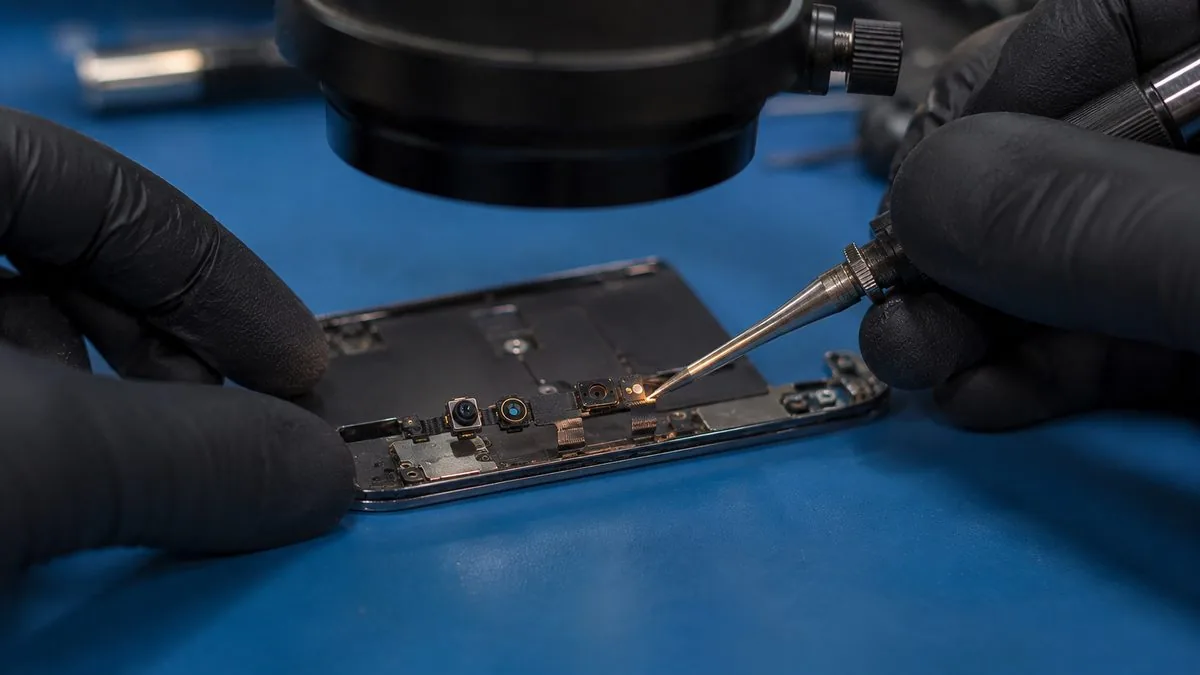
So when a shop advertises that it will "replace your Face ID" with a new part, be sceptical. On any iPhone X or later, a straight parts swap does not bring Face ID back. What genuinely can work is component-level microsoldering: carefully transferring your original paired components — for example moving the paired flood illuminator or projector off a damaged flex and onto a healthy one, or repairing the flex and connectors that carry their signals — so the phone still sees the parts it was matched with. This is skilled, slow, board-level work, and it is the same discipline as our iPhone motherboard repair. It is not always possible, and it is never a five-minute swap.
When Face ID is repairable — and when it honestly is not
We would rather set your expectations correctly than win the job and disappoint you, so here is the plain version.
Often repairable: Face ID that failed because of a damaged, pinched or un-transferred earpiece and sensor flex — the classic after-a-screen fault. Here the sensors themselves are fine and the fix is to recover and refit your original flex correctly. Many flood-illuminator faults can also be addressed at board level on the right models. Flex and connector corrosion caught early after a spill often responds too.
Sometimes repairable, sometimes not: damage to the dot projector or infrared camera after a heavy drop or deep liquid ingress. Because these are the serial-paired parts, restoration means microsoldering to transfer the original components, and whether that succeeds depends on how much of the array and its paired data survived. We can only tell after opening and testing.
Genuinely not economically repairable: some paired-module failures, and phones where corrosion or impact has destroyed the array beyond transfer. In those cases the truthful answer is that Face ID cannot be brought back for a sensible price, and we will say so rather than take your money on a long shot. When that happens we will lay out your real options: live with a passcode, or budget toward a replacement — and if the phone is otherwise sound, the money is often better kept. Where the device is under warranty or AppleCare+, we will point you to Apple, because Apple can resolve some Face ID faults through a whole-device service. We are not affiliated with or authorised by Apple; we are the independent, out-of-warranty alternative.
Beware the shop that "fixes" Face ID by disabling it
When a Face ID fault is genuinely not repairable, one dishonest shortcut is to hide the error rather than fix it — forcing the phone into passcode-only mode, suppressing the "Face ID is not available" warning, and handing it back as "done". Face ID never actually works again; the shop has simply masked the fault so it looks resolved until you try to use it. We do not do this. If Face ID cannot be restored we tell you plainly, and you will never pay us for a repair that quietly turned your Face ID off.
Why an honest diagnosis matters more here than anywhere else
Face ID is the one repair where the gap between an honest shop and a dishonest one is widest, because the failure modes are invisible to you. You cannot see whether your flex was transferred, whether a donor module was bolted in and rejected, or whether the warning was simply hidden. That is exactly why we lead with diagnosis. On a walk-in we open nothing and charge nothing to give you the read: whether it is a flex fault we can likely fix, a board-level job we can attempt, or a paired-module failure that is not worth chasing. You get that assessment, and a written quote, before anyone touches a screwdriver. The same honesty runs through the rest of our Apple repair work.
Our Face ID diagnosis and repair process
- Free diagnosis. We test the flood illuminator, dot projector and infrared camera, check the sensor and earpiece flex, and read what the phone reports, to place the fault before quoting. Free on walk-ins.
- Honest verdict. We tell you which of the three cases you are in — likely fixable, worth attempting, or not economically repairable — in plain language, not sales talk.
- Written quote. If a repair is viable, you get the price band and turnaround in writing before any work begins, and you approve it first. No firm price is invented sight-unseen.
- Component-level work. Where the job is a flex, we recover and refit your original. Where it is board-level, we microsolder to transfer your original serial-paired parts — never a rejected donor module.
- Test and confirm. Face ID is set up and verified end to end before the phone goes back to you, along with the earpiece, the front camera and the sensors.
- Written warranty. On the workmanship and any parts fitted, printed on your job sheet.
Our warranty, and no fix, no repair fee
Every Face ID repair we complete carries a written warranty on our workmanship and any parts we fit, printed on your job sheet and specific about what is covered and for how long. Just as importantly, if we cannot fix it, you do not pay a repair fee — so an honest "this Face ID is not economically repairable" costs you nothing but the truth. Fresh accidental damage after collection, a new drop or fresh liquid, sits outside a defect warranty, and we explain exactly where that line falls before you pay. This warranty is our own and is independent of any remaining Apple cover; we are not affiliated with or authorised by Apple.
Why customers trust us with Face ID
Because Face ID is the repair most open to being oversold, and we refuse to oversell it. We explain the serial pairing honestly instead of promising a magic parts swap, we repair at component level by transferring your original matched parts rather than bolting in a donor that the phone will reject, and we tell you plainly when a fault is not worth chasing rather than hiding it behind a passcode. You get a free diagnosis, a written quote before any work, a written warranty on what we do fix, and no repair fee if we cannot fix it. After fourteen years and more than nine hundred reviews averaging 4.8 stars at our workshop three minutes from Tai Seng MRT, the truth about your iPhone matters more to us than the margin on one repair. If your phone needs more than Face ID, the same bench covers iPhone battery replacement, iPhone back glass replacement, iPhone charging port repair and data recovery — and if you are weighing a new phone, our iPhone 18 rumours guide may help you decide.
Related iPhone & Apple services
Other iPhone work on the same bench
iPhone screen replacement
Cracked, black or green screens, original Face ID flex transferred.
See the service →iPhone motherboard repair
No power, boot loops, no display and board-level Face ID faults.
See the service →iPhone charging port repair
Loose, dead or corroded charging ports repaired at component level.
See the service →Face ID not working? Get an honest diagnosis first.
Send us your iPhone model and exactly what you are seeing — "Face ID is not available", a setup loop, or a fault after a screen or a spill — or bring it to our Tai Seng workshop. We will tell you truthfully whether it is repairable, and quote in writing before any work. If we cannot fix it, there is no repair fee.
What Face ID repair costs in Singapore
Face ID is the one iPhone repair we will not put a band on before seeing the phone, and we would rather explain why than invent a number. Some Face ID failures are a damaged flex cable or a connector unseated in a drop, and those are genuinely repairable. Others involve the dot projector, which is paired to your individual phone at the factory. Those are a different job entirely, and no amount of parts-swapping fixes them.
| Repair | Our band (SGD) | What drives the price |
|---|---|---|
| iPhone screen replacement | From around $70 to $500 | LCD (11, SE) vs OLED (X and every Pro/newer); panel grade |
| iPhone battery replacement | From around $50 to $180 | Model; waterproof-seal renewal on newer units |
| Charging port | Often a free clean, or quoted | Lint clean vs charging flex vs board-level charging IC |
| Face ID | Quoted after diagnosis | Repairable flex fault vs a dot projector paired to the board |
| Water damage | Quoted after teardown | How far corrosion has travelled and what it has reached |
| Board-level repair | From around $120 to $800 | Which component failed; microsoldering bench hours |
Apple does not price Face ID as a separate repair either. On Apple’s Singapore estimator a Face ID fault falls under “other damage”, the whole-unit price — S$829 on an iPhone 15 and S$1,059 on a 15 Pro Max. That is the number worth knowing before you assume a failed Face ID means a new phone.
Our figures are bands, not quotes — the exact price depends on the model and what the diagnosis finds, and you get a written quote before any work starts. Apple prices where shown were read from Apple’s official Singapore service estimator on 16 August 2026 and are for comparison only; Apple states it will inspect the device to determine the final fee, that a delivery fee may apply, and that Apple Authorised Service Providers set their own fees.
See also iPhone repair cost and iPhone motherboard repair.
Questions we get every week
iPhone Face ID repair questions, answered
Why is my Face ID not working after a screen replacement?
Almost always because the earpiece and front-sensor flex was not transferred, or was damaged, during the screen swap. Face ID depends on that flex, and on newer iPhones a rushed repair that tears or omits it is the most common cause of “Face ID is not available” right after a new screen. Bring it in and we will check whether the original flex can be recovered and refitted, or whether the sensors themselves were affected.
Can you fix Face ID by just swapping the parts?
No — and any shop that says otherwise is not being straight with you. Since the iPhone X, the dot projector (the “Romeo” module) is serial-paired to your specific logic board, so a straight parts swap does not restore Face ID. Real restoration means component-level microsoldering to transfer the original paired parts, and some faults are genuinely not economically repairable. We diagnose first and tell you honestly which case you are in.
My iPhone says “Face ID is not available” — what does that mean?
It means the phone can no longer talk to the TrueDepth camera array or one of its sensors. It can follow a drop, a screen replacement, liquid ingress, or a failed flood illuminator, and it can appear on its own with no obvious trigger. The message alone does not tell you whether it is a cheap flex fault or a paired-module failure — only a proper diagnosis does, which we do free before quoting.
Does a cracked screen stop Face ID from working?
Usually not on its own. A cracked front glass over the display rarely kills Face ID, because the TrueDepth sensors sit in the notch or Dynamic Island behind their own cover, not under the main glass. Face ID tends to fail when the impact also damaged the sensor flex or the array, or when a later screen replacement disturbed the flex — not simply because the glass is cracked.
What is the “Move iPhone lower” or “Move iPhone a little higher” error during setup?
That prompt during Face ID setup means the dot projector or infrared camera is not returning a usable depth map, so the phone keeps asking you to reposition even though the phone is already in frame. It commonly points to a flood illuminator or dot-projector fault rather than user error. If setup never completes no matter how you hold it, the array needs diagnosis rather than another attempt.
How much does iPhone Face ID repair cost in Singapore?
It depends entirely on the fault. A sensor-flex or earpiece-flex fault after a screen job is at the lower end; component-level microsoldering to restore a paired dot-projector or camera is a specialist board-level job and costs more; and some paired-module failures are not economically repairable at all. We never quote Face ID sight-unseen — we diagnose first, then give you a written price band before any work, and if we cannot fix it you do not pay a repair fee.
Is it true that some shops “fix” Face ID by disabling it?
Yes, and it is worth knowing about. A dishonest fix for a non-repairable Face ID fault is to hide the error — forcing the phone to use a passcode only and calling the job done, so the warning disappears but Face ID never actually works again. We do not do that. If Face ID genuinely cannot be restored, we tell you plainly rather than mask the fault and take your money.
Can liquid or water damage cause Face ID to fail?
Yes. Moisture that reaches the TrueDepth flex or the sensor connectors on the board causes corrosion that breaks Face ID, sometimes days or weeks after the phone got wet. Where the damage is limited to a flex or connector we can often clean and repair it; where corrosion has reached the paired module the outlook is poorer. This overlaps with our iPhone water damage repair work, and we assess it the same careful way.
Will repairing Face ID erase my data?
No. Face ID and board-level sensor work do not touch your storage, which is soldered separately to the logic board, so your photos, messages and apps are left alone. We still recommend an iCloud or computer backup before any repair as good practice. If a phone arrives with severe board or liquid damage and the data matters most, tell us and we will prioritise recovering it.
Do I need to fix Face ID, or can I just use a passcode?
You can keep using a passcode, and for some people that is the sensible choice when a repair is not economical. The trade-off is losing Apple Pay authentication by face, app logins and the general convenience Face ID gives. We lay out the honest options — repair, live with a passcode, or budget toward a replacement — so you decide with the full picture rather than being pushed into a costly board repair.
Are you affiliated with Apple for Face ID repair?
No. We are an independent repair centre and are not affiliated with or authorised by Apple. Where your iPhone is under warranty or AppleCare+, we will say so honestly and point you to Apple if that is the better route, since Apple can address some Face ID faults through a whole-device service. We are the independent alternative for out-of-warranty phones and honest diagnosis.
Get the truth about your Face ID — free.
Bring your iPhone to our Tai Seng workshop or message us the model and the fault. We will diagnose the TrueDepth array honestly, tell you whether it is repairable, and quote in writing before any work. Islandwide courier collection available. No fix, no repair fee.