
★★★★★
I got the motherboard issue fixed on my 16” MacBook Pro. No data was lost, and everything is the same as before. As promised, I also received a 60-day service warranty. Thank you, iDevice! 😊
MacBook troubleshooting guide · Singapore
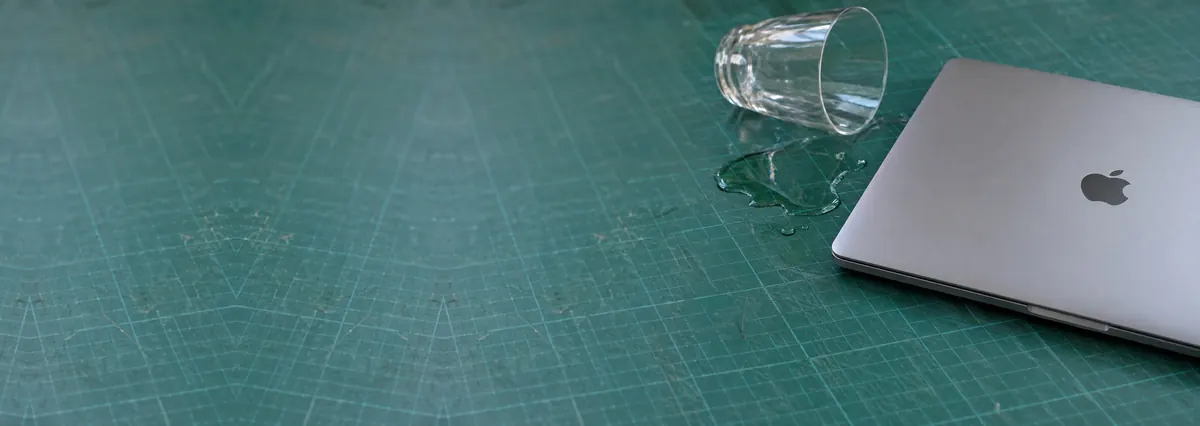
A spill on a MacBook is a race against time — but not for the reason most people think. Liquid rarely kills a Mac in the instant it lands. It kills it slowly, over days, through corrosion that keeps eating the logic board long after everything looks dry. This guide gives Singapore MacBook owners the safe emergency steps to take in the first minutes, and explains why getting it cleaned the same day is the single biggest thing that decides whether your Mac survives.
Shut the MacBook down immediately by holding the power button until it goes off — do not use the menu. Unplug the charger and leave it unplugged; do not plug it back in "to test". Do not switch the Mac on again to check if it still works — that is what spreads the damage. Stand it keyboard-down like a tent (lid open about 120°) on a towel so liquid drains away from the board. Do not use rice, a hairdryer, or press keys. Then bring it to a workshop the same day for internal cleaning, before corrosion sets in. The sooner it arrives, the better the odds.
On this page
The instinct after a spill is to check whether the Mac still turns on — and that instinct is exactly what destroys MacBooks. To understand why, it helps to know how liquid actually kills electronics, because it is almost never the dramatic "instant short" people imagine.
Pure water does not conduct electricity especially well. The trouble is that almost nothing you spill is pure water. Tap water carries dissolved minerals and salts; coffee, tea, juice, soft drinks and alcohol carry sugars and acids on top of that. When the liquid dries, it does not simply vanish — it leaves those dissolved salts and residues sitting directly on the logic board, bridging tiny contacts and coating the copper tracks. That residue is conductive, and here is the crucial part: the moment the board carries power again, it drives a process called electrochemical corrosion. Current flowing through the salty residue literally eats the metal — dissolving tracks, growing green or white crust on components, and creating new short circuits that were not there a moment after the spill.
This is why liquid damage is a slow death. A MacBook can survive a spill, dry out, switch on that same evening and behave perfectly — and then, over the following days and weeks, corrosion quietly eats through a critical track or bridges a power rail, and one morning it simply will not turn on. Owners often say "but it was working fine all week", and that is precisely the pattern liquid damage produces. Every hour the board carries power while contaminated pushes the corrosion further. That is the whole reason this guide is urgent: the damage is still happening inside a Mac that looks completely fine.
Sweet and acidic drinks make everything worse. Coffee, tea, juice and soft drinks are far more destructive than plain water because sugar leaves a sticky, conductive film that bridges contacts long after the liquid feels dry, and the acids attack metal faster. A cola or bubble-tea spill needs cleaning even more urgently than a glass of water. And on modern MacBooks the components are packed tightly with almost no gaps, so liquid wicks under chips and connectors where no amount of air-drying will ever reach it — only disassembly and a proper clean can.
Liquid damage rarely looks the same twice, which is part of what makes it deceptive. Use this quick reference to see how the symptoms map to what is happening on the board — but note that almost every liquid case belongs in a workshop quickly, because the real damage is internal and invisible.
Quick reference
A guide, not a diagnosis — corrosion is internal, so the only way to know the true state of the board is to open it and inspect it under a microscope, which is what our free diagnosis does.
Tell us the MacBook model, what was spilled and whether it is still on. A technician talks you through the safe first steps and gets you booked in the same day — liquid damage rewards speed, and diagnosis is free on walk-ins.
If the spill has just happened, follow these steps in order. They are all safe, none involves opening the MacBook, and together they give the board the best possible chance before it reaches a workshop. Speed matters more than anything else here — the first few minutes count.
Do not keep pressing the power button, and do not switch the Mac on again and again to see if it recovers — each power-up spreads the corrosion. Do not put it in rice or blast it with a hairdryer; both are myths that waste the hours that matter. Do not try to open the MacBook and disconnect the battery yourself unless you are trained — the batteries are glued in, easy to puncture, and a punctured cell is a fire risk. And do not leave a wet Mac sitting for "a few days to dry out" — drying the surface does nothing about the salt already on the board, and those days are exactly when the damage compounds.
Liquid damage is the one MacBook fault where there is no safe home fix and no benefit to waiting. Air-drying, rice and hairdryers all fail for the same reason: the danger is not surface wetness, it is the conductive residue sitting on the logic board and wicked in under the chips, where nothing external can reach it. Stopping the damage means physically cleaning that residue off the board, and that is a workshop job from start to finish.
Proper liquid-damage service is a full internal process, not a wipe-down. A technician completely disassembles the MacBook, disconnects the battery so the board is no longer live, and removes the logic board entirely. The board is then cleaned — including underneath the chips and connectors — in an ultrasonic bath with specialist agents that lift salt and corrosion that no cloth could reach. Every affected area is then inspected and treated under a microscope, and any tracks, pads or components the corrosion has already damaged are repaired at board level with microsoldering. Our MacBook motherboard repair bench handles exactly this — liquid cleaning, corrosion treatment and component-level board repair — and for the trickiest cases our MacBook logic board repair service traces and rebuilds the failed circuits rather than writing off the whole board.
Timing is everything, and we will always be honest about the odds. A MacBook brought in the same day, before it has been powered on repeatedly while wet, has strong recovery odds. A Mac that has been used intermittently for a week, or has visible green corrosion inside, is a much harder job and sometimes not recoverable — but even then it is worth a free diagnosis, because the alternative is guessing. We open it, tell you what we find, and quote before any work begins; if we cannot save it, you do not pay a repair fee.
One more thing that matters, especially on newer machines: your data. On Apple silicon and T2 MacBooks the SSD is soldered to the logic board and cryptographically paired to it, so if corrosion kills the board, recovering your files becomes a specialist task rather than a simple drive swap. This is why a Time Machine or cloud backup is so valuable on these Macs — and why bringing the machine in early, while the board is still alive, gives you the best chance of both a working Mac and your files intact. If the data matters, tell us when you drop it off and ask about data recovery. For any other Apple device that has taken a spill, our Apple repair service works on the same bench.
Related repair services
Liquid cleaning, corrosion treatment and component-level board repair.
See the service →Recovery from corroded boards, including Apple silicon storage.
See the service →Batteries, keyboards, ports and boards for every MacBook.
See the service →Verified Google reviews
Real reviews from our Google profile, shown with the customer’s name as they left it. The score and the count are Google’s own, updated every week.
I got the motherboard issue fixed on my 16” MacBook Pro. No data was lost, and everything is the same as before. As promised, I also received a 60-day service warranty. Thank you, iDevice! 😊
Managed to fixed my 16inch MacBook pro within 5 working days thank you!
Great service - MacBook froze on upgrade. Could not solve problem myself. iDevice expedited the repairs and my Mac is like new! Very reasonable rates for repair too. Highly recommend.
Fixed my MacBook Air A1932 with motherboard issues within a week. Helpful staff. Thanks 👍
They managed to fix my MacBook Pro 15-inch a1707 successfully with the flexgate damage with a quick turnaround time as I had to fly overseas the next couple days. Thanks for rushing out the work! 👍
Managed to recover data from MacBook Pro 16” successfully. Professionally done. Thanks.
Brought in my MacBook Pro 2016 and issues with battery. The team serviced it quickly in a day time! Good service! 😊
My macbook 16 inches battery was not charging and did a replacement and os reinstalled at affordable cost! Happy with their services!
Questions we get every week
Not necessarily, and this is the most dangerous assumption you can make. Liquid rarely kills a MacBook by shorting it out in one instant. What it leaves behind is moisture and dissolved salts on the logic board, and once the board carries power those residues drive electrochemical corrosion that keeps eating the tracks and components for days or weeks. That is why a Mac can seem perfectly normal the evening of a spill and then die a week later, often for good. A machine that still switches on has the best possible recovery odds, so it is exactly the one you should bring in for internal cleaning the same day, before corrosion sets in.
No to both. Rice does nothing useful — it cannot reach the sealed liquid trapped under the logic board and against the components, and rice dust and starch can make things worse. A hairdryer pushes liquid deeper into the machine and can drive warm, damp air across the board, spreading contamination rather than removing it. Neither method touches the real problem, which is the salt residue already sitting on the board. The only thing that reliably stops the damage is opening the MacBook, removing the board and cleaning it properly, so skip the home myths and get it to a workshop the same day.
Yes, considerably. Plain water is bad enough because tap water carries dissolved minerals, but sugary and acidic drinks are far more aggressive. Coffee, tea, juice, soft drinks and alcohol leave behind sticky sugar and acid residues that are highly conductive and corrode metal faster, and the sugar creates a film that bridges tiny contacts long after the liquid has dried. A sweet-drink spill needs cleaning even more urgently than a water spill. Whatever was spilled, the safe move is the same: shut the Mac down, keep it off, and bring it in quickly for a full internal clean.
Act fast but stay calm. First, shut it down immediately by holding the power button until it turns off — do not shut down through the menu, which is too slow. Unplug the charger and do not plug it back in to test it. Do not turn the Mac on again to check whether it still works, because every second it carries power while wet drives more corrosion. Open the lid to roughly 120 degrees and stand the MacBook keyboard-down, like a tent, on a towel so liquid drains away from the board. Then bring it to a workshop the same day. Do not use rice, do not use a hairdryer and do not keep pressing keys.
Often yes, especially when it comes in quickly. Professional liquid-damage service is not a wipe-down. A technician fully disassembles the MacBook, disconnects the battery, removes the logic board and cleans it — including under the chips — with an ultrasonic bath and specialist agents to lift salt and corrosion, then inspects and treats affected areas under a microscope and repairs any tracks or components the corrosion has already damaged. Recovery odds depend heavily on timing: a Mac brought in the same day, before it has been powered on repeatedly while wet, has strong odds, while a week of intermittent use is much worse. We diagnose first and tell you honestly what we find.
It depends on the model and how far the corrosion has gone. On Apple silicon and T2 MacBooks the SSD is soldered to the logic board and cryptographically paired to it, so if corrosion kills the board your files become a specialist recovery task rather than a simple drive swap — which is exactly why a Time Machine or cloud backup matters so much on these machines. The best protection is to stop powering the Mac on, keep it off, and bring it in early while the board is still recoverable. If the files are important, tell us when you drop it off and we can prioritise data recovery alongside the cleaning.
Walk-ins welcome from the CBD, Orchard, Novena, Toa Payoh, Bishan, Ang Mo Kio, Jurong East, Clementi, Tampines, Bedok, Woodlands, Yishun, Hougang and Punggol. With liquid damage the same day makes the difference — we open it, tell you what we find and what it costs, and no-fix means no repair fee.
More MacBook troubleshooting guides: MacBook won't turn on · MacBook black screen · MacBook keyboard not working.