

MacBook guides · Singapore
Why your MacBook overheats and how to fix it (2026): the real causes, in order
A hot lid, a burning underside and fans that howl the moment you open a few tabs — in Singapore's climate it feels almost normal. It should not be. Most MacBook overheating comes down to a handful of causes, and only some of them need a technician. Here is how to tell them apart, in the order worth trying.
On this page
- What is normal, and what is not
- The real causes of MacBook overheating
- Fix 1 — find what is cooking the CPU
- Fix 2 — airflow, dust and the Singapore factor
- Fix 3 — thermal paste and a proper internal clean
- Fix 4 — the fan itself
- When heat means a hardware or board fault
- Indicative cooling service costs in Singapore
What is normal, and what is not
A MacBook is designed to get warm. Editing 4K video, exporting a big Lightroom catalogue or running a long compile will spin the fans up and heat the aluminium — that is the cooling system doing its job, using the chassis itself as a heatsink. A warm keyboard deck under load is expected.
What is not normal is a MacBook that is hot and loud when you are only checking email or on a video call. If the fans ramp to full within minutes of a light task, or the machine visibly stutters and slows when it gets hot, something is wrong. That last symptom is thermal throttling: the Mac slowing its chip down to protect it, so you lose the performance you paid for.
Sustained heat is the enemy of a laptop — it ages the battery, softens adhesive, and over years stresses the solder joints on the board. Fixing it early is far cheaper than what chronic heat breaks; our MacBook repair bench will tell you whether it is a clean-up or something deeper.
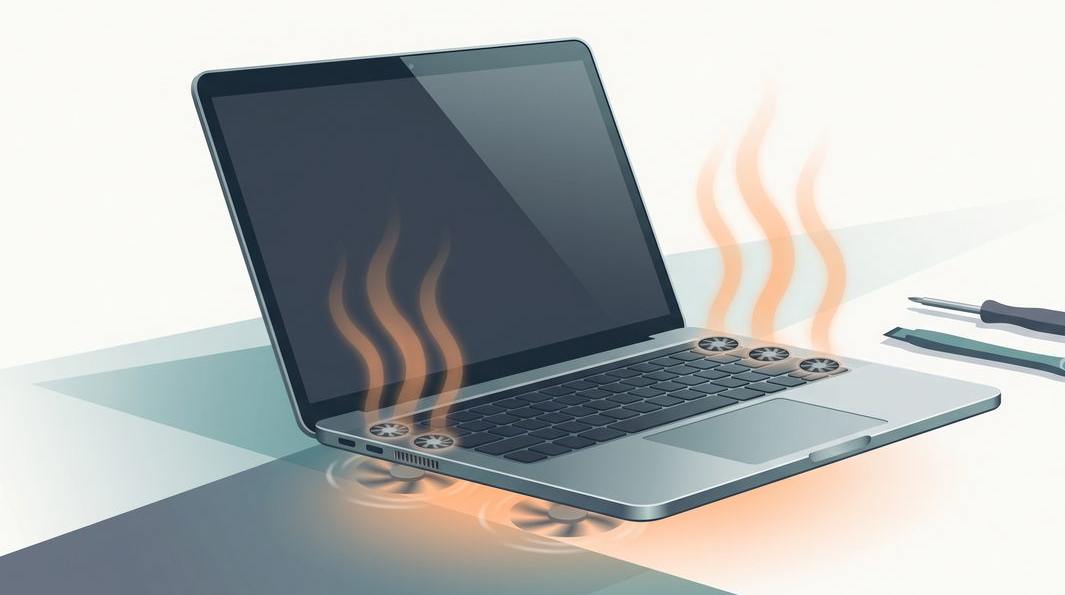
The real causes of MacBook overheating
In our workshop, an overheating MacBook almost always traces back to one of these:
- Runaway software. A stuck process, browser tab or background sync can peg the CPU at 100% and cook the machine for no visible reason.
- Blocked airflow. Using the Mac on a bed, sofa or cushion covers the vents; over time, dust and lint clog the fan and exhaust grille from the inside.
- Dried thermal paste. The paste that carries heat from the chip to the heatsink hardens with age, so heat has nowhere to go.
- A worn or failed fan. Bearings wear out, blades collect grime, or a fan simply dies — common on older Intel MacBook Pros.
- A hardware or board fault. A swelling battery, a failing power component or a shorted rail can generate heat that no cleaning will fix.
The fixes below run from the easiest and free to the ones that belong on a bench.
Fix 1 — find what is cooking the CPU
Nine times out of ten, a MacBook that suddenly runs hot has a software cause, and it costs nothing to check. Open Activity Monitor (Applications → Utilities), click the CPU tab, and sort by % CPU. Look for a process eating a huge share of the processor while you do very little. Common culprits:
- Browser tabs and extensions — a misbehaving tab, a video ad or an ad-blocker gone wrong can hold the CPU flat out. Quit the browser fully and reopen it.
- Spotlight and Photos indexing — after a big import or a macOS update,
mdworkeror Photos analysis can run hard for a while, then settles. - Cloud sync — Dropbox, Google Drive, OneDrive and iCloud can churn the CPU and disk after big changes.
- A stuck app — anything showing "(Not Responding)" in red. Select it and force quit with the × button.
Also restart the Mac and check Software Update. If the temperature drops when you kill a process, no repair is needed. If it runs hot at a genuinely idle desktop, the cause is physical — read on.
A quick reality check: a MacBook Air has no fan at all. Silent heat on an Air is usually normal; silent heat on a Pro that should be spinning its fans is not.

Fix 2 — airflow, dust and the Singapore factor
MacBooks breathe through slim intakes near the hinge and exhaust through a grille behind the screen. Block those and heat has nowhere to escape. The most common self-inflicted cause is using the machine on a soft surface — a bed, sofa, cushion or lap — which smothers the vents. A hard desk or a simple stand can drop temperatures by several degrees on its own.
Singapore adds its own twist. Our year-round heat and humidity keep ambient temperatures high, so a Mac has less headroom to shed heat, and humidity helps dust clump inside the fan and heatsink. Run the aircon and a MacBook cools better; work in a warm room and the fans work harder for the same task.
Over months and years, dust and lint build up on the fan blades and pack into the thin exhaust fins — the classic cause of a MacBook that used to be quiet and is now loud and hot doing the same work. Blasting compressed air into the outside vents rarely reaches the real blockage and can spin the fan past its rated speed, damaging the bearing. A proper clean means opening the machine — the single most effective cooling fix for an older Mac, and a routine job on our MacBook repair bench.
Fix 3 — thermal paste and a proper internal clean
Between the processor and the copper heatsink sits a thin layer of thermal paste, whose job is to fill the microscopic gaps so heat flows out of the chip. Over four or five years — faster in a hot, humid climate — that paste dries, cracks and stops conducting. The chip then runs hot even with the fan and vents perfectly clear, and the Mac throttles.
Renewing the paste is one of the most cost-effective repairs there is. We remove the hardened compound from the CPU and GPU, clean the surfaces and apply fresh high-quality paste, then clear the fan and heatsink while everything is apart. On an older Intel MacBook Pro the difference is often dramatic — lower idle temperatures, quieter fans and the performance that throttling had been stealing.
Apple silicon Macs (M1, M2, M3 and later) run far cooler and rarely need this, though they are not immune to a blocked fan. If you are unsure which model you own, our guides for the MacBook Air and the MacBook Pro cover the common issues for each. Either way, you get a written quote before any work.
Fans screaming and nothing works? Let us take a look — free.
Tell us the model and what happens: hot at idle, loud under load, or slowing to a crawl. You will get an honest read on whether it is a clean-up, a fan, or something on the board — before you spend a cent.

Fix 4 — the fan itself
Fans are mechanical parts, and they wear out. On MacBooks that have one — the Pro and older Intel line-up — bearings grow noisy, blades collect grime, and a fan can eventually seize or die. The tell-tale signs are a grinding or rattling noise, a fan stuck flat out, or a Pro that gets very hot while staying eerily silent.
A worn fan is cleaned or, if the bearing is gone, replaced — a straightforward part swap once the machine is open, and we clean the heatsink and refresh the paste in the same visit. If a Pro that should have working fans stays silent and gets hot, stop pushing it: running a chip hard with no cooling is what damages solder joints.
When heat means a hardware or board fault
Sometimes the heat is a symptom of something the cleaning cannot touch. These are the cases where a workshop, not a can of compressed air, is the answer:
- A swelling battery. An ageing battery can bloat, generate heat and push up on the trackpad and case. This is a safety issue — replace it promptly, and our MacBook battery replacement service handles the adhered packs safely.
- A board-level fault. A failing power component, a shorted rail or a faulty sensor can make a Mac run hot regardless of load, sometimes with the fan at full from boot — the work our MacBook logic board repair team does daily.
- Past liquid damage. Even a small spill from months ago can leave corrosion that shorts a component and produces heat. If the Mac has ever met a drink, mention it — our MacBook water damage process is built for this.
- It will not stay on. If overheating tips into sudden shutdowns or a Mac that refuses to boot, that is a separate diagnosis — our guide on a MacBook that will not turn on covers what we check.
Indicative cooling service costs in Singapore
We never quote a firm price without seeing the machine, because "my MacBook is hot" can mean a free software fix or a board repair. As a rough guide:
- Software cause — free to sort out yourself with Activity Monitor and a restart.
- Full internal clean with fresh thermal paste — the most common fix, from around the low hundreds.
- Fan clean or replacement — quoted after we open the machine and confirm the part, usually bundled with the clean and paste.
- Battery replacement for a swollen cell — priced as that repair; see our battery service.
- Board-level heat fault — diagnosed first, then quoted case by case.
For a fuller picture of what different jobs run to, our Singapore repair cost guide lays out the typical bands. Whatever the fix, walk-in diagnosis is free, you get a written quote before we start, and there is no repair fee if we cannot solve it. A quick message to our MacBook repair team gets you an honest read.
Questions we get every week
Frequently asked questions
Is it bad for a MacBook to run hot all the time?
Warm is normal under heavy load; constantly hot and loud at idle is not. Sustained high heat ages the battery faster, can warp adhesive and, over years, stresses solder joints on the board. It also means the Mac is throttling — deliberately slowing down to protect itself — so you lose performance too. If your MacBook is hot and the fans are screaming when you are only browsing, that is worth a look rather than a habit to live with.
Why is my MacBook hot but the fan is not spinning?
Either the Mac is fanless by design — the MacBook Air has no fan at all and simply throttles when it gets hot — or, on a Pro, the fan has failed or its cable has come loose. A seized or dead fan on a machine that should have one is a genuine problem, because the chip has no way to shed heat under load. If a Pro or 16-inch model stays silent while getting very hot, bring it in before you push it harder.
Does cleaning the dust out of a MacBook really help?
Yes, on older Intel MacBooks especially. Years of dust and lint clog the fan blades and block the thin exhaust grille behind the hinge, so the heat has nowhere to go. A proper internal clean — opening the machine, clearing the heatsink fins and fan, and usually renewing the thermal paste — often drops idle temperatures noticeably and quietens the fans. Blowing compressed air into the vents from outside rarely reaches the real blockage.
How often should thermal paste be replaced on a MacBook?
There is no fixed schedule, but the factory paste on a MacBook that is four or five years old has usually dried out and lost its grip. If an older machine runs hot and throttles despite a clean fan and clear vents, fresh paste on the CPU and GPU is one of the most cost-effective fixes there is. Apple silicon Macs run cooler and need it far less often, but Intel MacBook Pros benefit the most.
How much does it cost to fix an overheating MacBook in Singapore?
It depends on the cause. A full internal clean with fresh thermal paste is the most common fix and starts from around the low hundreds. A worn or seized fan replacement is quoted after we open the machine and confirm the part. A board-level fault causing heat — a shorted rail or failing power component — is diagnosed first and quoted before any work. Walk-in diagnosis is free, you get a written quote before we start, and if we cannot fix it you do not pay a repair fee.
Keep reading
Related guides
MacBook repair in Singapore: screens, batteries, boards and cooling
Component-level diagnostics and honest quotes for every MacBook fault, on one bench.
MacBook battery replacement
Swelling, heat and short runtime — how we replace the adhered packs safely.
How much does laptop repair cost in Singapore?
Realistic price bands for the most common Mac and laptop repairs.
Get a written quote before a screw turns
Component-level diagnostics, a fixed price in writing, and no repair fee if we cannot cool it down. Walk in Mon–Fri, or WhatsApp the workshop.