
★★★★★
I got the motherboard issue fixed on my 16” MacBook Pro. No data was lost, and everything is the same as before. As promised, I also received a 60-day service warranty. Thank you, iDevice! 😊
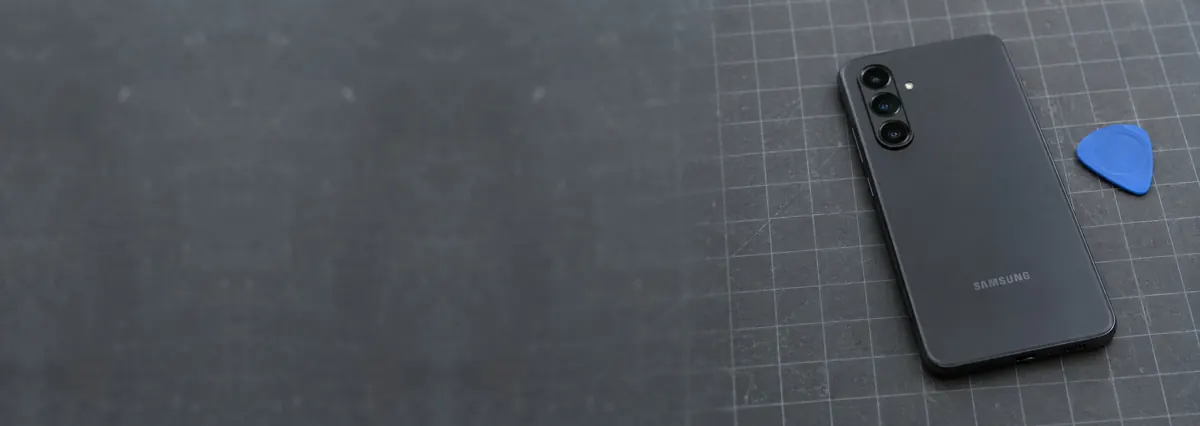
Service · Samsung Galaxy · Singapore
Galaxy S, Note, A, M, Z Fold and Z Flip. Curved edge OLED bonded into the frame, digitisers that die while the picture survives, green lines after a drop, swollen cells and worn USB-C ports. We diagnose it on the bench, quote in writing, and tell you when a Galaxy is not worth repairing.
Common Samsung symptoms and where they usually lead
Looking for the price? The price guide for this page is further down — jump straight to it ↓. Diagnosis is free on a walk-in, you get the price in writing before any work starts, and if we cannot fix it you do not pay a repair fee.
On this page
Samsung is the most common Android brand on our bench, and it is also the brand whose repairs are most often quoted badly. The reason is straightforward: "Samsung" is not one device. A Galaxy A mid-ranger and a Galaxy S Ultra share a logo and almost nothing else that matters on a workbench. One has a flat panel that lifts off in a familiar way; the other has a curved edge OLED laminated to a metal frame and supplied, when it is supplied at all, as a bonded assembly. Quote both as "a Samsung screen" and you are either overcharging the first owner or about to make a loss on the second. Neither is a good way to run a repair centre, and neither is what you get here.
This page is the Samsung-specific half of our phone repair service in Singapore. The parent page covers the general ground that applies to every handset — the three grades of replacement panel, what to do in the first hour after a spill, how to back up before you hand a device over. What follows here is the part that is genuinely different about a Galaxy: how the display is built and why that drives the price, why touch dies while the picture lives, what a green line actually is, how folding devices change the calculation, and where the line sits between a repair worth doing and a phone worth replacing.
One thing to state plainly before anything else. We are an independent repair workshop. We are not affiliated with, or authorised by, Samsung or any manufacturer. That independence is the point: we are not steering you toward a brand's own out-of-warranty pricing, and we have no incentive to fit a part you do not need. It also means being honest in the other direction — if your Galaxy is new and still inside its manufacturer warranty, the sensible route is Samsung's own service, and we will tell you so rather than take the job and cost you your cover.
Below is the intake reference our technicians work from when a Galaxy arrives. The codes are ours, not a Samsung standard — quoting one when you message us simply lets us check parts for your exact model variant and free the right bench before you travel. Turnarounds assume the part is in stock and the fault behaves as the symptom suggests. Board-level work and folding devices are the exceptions, because we do not quote a fixed schedule on damage we have not yet traced.
Diagnostic reference
The faults that account for most Samsung repairs on our bench, in roughly the order we see them.
The full model code from Settings — the SM- number, not just "S23" — plus a photo of the damage and two lines on what it does. A technician replies with a probable diagnosis and an honest price band before you travel.
Most of the damage that makes a Samsung repair more expensive happens between the moment something goes wrong and the moment the phone reaches a bench. A few minutes of the right behaviour genuinely changes the outcome and the price.
If the screen is cracked, stop using it and put a strip of clear tape over the crack. Not for looks — a cracked Galaxy front lets moisture and dust straight through to a panel that is otherwise still working, and shed glass will cut you. If the back or the screen is lifting, the battery is swelling: stop charging it, take it out of your pocket and bring it in, and never try to press it flat or puncture it. If it has met liquid, power it off and leave it off, do not plug it in, and get it to us the same day — corrosion runs whether the phone looks fine or not. Before any repair, back the phone up while it still works, and check whether you know your Samsung account and Google account passwords, because a device that has been factory reset or repaired can ask for them and only you can answer.
Two further points that are specific to Samsung. First, if your Galaxy is still readable, note the exact model code — it looks like SM-S918B or SM-A346E and lives under Settings, About phone. Regional variants of the same marketing name use different panels and different parts, and the code is what lets us check supply before you make the trip. Second, if the phone will not power on at all and the photos matter more than the handset, say so at intake. Recovery from a dead board is a different job from a repair, and our data recovery service works from the same bench.
Every Galaxy follows the same path, whether it is a same-day battery on an A-series or a board-level investigation on a flagship that met a swimming pool. A fixed process is what stops anything being skipped or guessed.
This is the single fact that explains most Samsung screen quotes. On a Galaxy S Ultra, on the Note line before it, and on the curved-edge generations in between, the display is not a panel that sits inside a frame. It is a flexible OLED laminated to a shaped glass front, curved down the long edges, and bonded with adhesive to the metal mid-frame that gives the phone its rigidity. The touch digitiser and, on models with an ultrasonic reader, the fingerprint sensor are part of that same stack. Take the assembly out and you are not lifting a part, you are separating a structural component.
The practical consequences run in three directions. The part itself is expensive, because a curved OLED is harder to manufacture and yields fewer good panels than a flat one. The service part is frequently sold as a complete assembly — screen bonded to a new frame, and on some models with the battery and side buttons already fitted — so you are buying more than glass whether you want to or not. And the labour is longer and riskier than a flat repair: controlled heat, patient separation, careful handling of ribbon cables that run under the board, and a full reseal afterwards. That is the honest reason a Galaxy flagship screen sits well above a mid-range one, and why anyone who quotes a Samsung screen without asking which Samsung has not looked at the job.
The flip side is genuinely good news for mid-range owners. Galaxy A and M panels are flat, the assemblies are conventional, parts supply in Singapore is deep, and the repair is one of the more straightforward screen jobs on the bench. The gap between a mid-range screen and a flagship curved assembly is far wider than the gap between the two phones' prices, which is a large part of why the repair-or-replace answer differs so much between them.
A Galaxy arrives with a spiderweb across the front, a flawless image underneath, and touch that works everywhere except one band down the left side. Owners find this baffling, and it is one of the most common ways a Samsung reaches us. The explanation is layers. A modern display assembly stacks the outer glass, the touch digitiser that senses your finger, and the OLED that makes the image. A drop can shatter the glass and break a fine conductive trace in the digitiser while leaving the emissive layer beneath it completely intact. The picture is fine because the display is fine. Touch has died in a band because one row or column of the touch grid has lost continuity.
The frustrating part is that this does not make the repair cheaper. The three layers are laminated together under optical adhesive, and separating them is a specialist lamination process, not something that can be done safely on a workbench without a high risk of killing a working panel. So the repair is a full assembly even though two-thirds of the assembly still works. Where a particular model genuinely does allow a glass-only repair we will tell you, because it saves you money — but on Samsung's bonded flagships it almost never does. If you can tell us where touch has failed, and whether it is a strip, a corner or the entire screen, that helps: a clean geometric pattern points at the digitiser, while touch that behaves erratically all over the screen sometimes points at the board instead.
A single bright vertical line — usually green, sometimes pink or white — appearing down a Galaxy display is one of the most-searched Samsung faults in Singapore, and it deserves a straight answer. An OLED panel is driven by row and column circuitry integrated into the panel itself and fed through a very fine ribbon bonded along one edge. When one of those column drivers fails, or the bonded connection to it loses continuity, that column is stuck at full output and you see a bright line.
We see it in three situations. After a drop that did not crack the glass, where the shock disturbed the bond. After a phone has spent months being flexed in a back pocket, where the stress is gradual. And, most confusingly for owners, in the days after a software update, with no impact at all. That last case makes it look as though the update broke the screen. It did not. A marginal bond that was already failing gets exposed when the display driver's timing or the panel's refresh behaviour changes, or simply when the phone is used harder immediately after an update. No update writes a green line into hardware.
There is no software fix and no partial repair. The driver circuitry is part of the panel, so a display assembly replacement is the only remedy. What you can control is timing: a line that starts one pixel wide frequently spreads to several, and on some panels it ends with a dead band. If it has just started, bring the phone in while it is still fully usable and you keep your options open.
For most Galaxy models there are two realistic sources of a replacement display, and the difference is worth understanding before you choose. A service-pack assembly is the part built to the manufacturer's own service specification: the panel already bonded to a new frame, with the adhesive, brackets and often the battery in place. Colour, brightness, touch response and the ultrasonic fingerprint reader behave exactly as they did when the phone was new, and because the frame is new, any bending or denting from the original drop is corrected at the same time. The cost is that you are buying a large sub-assembly rather than a screen.
An aftermarket panel is a third-party OLED, fitted into your existing frame. It costs meaningfully less and, on a flat mid-range Galaxy, a good one is a perfectly sensible choice. On a curved flagship the trade-offs get sharper: colour and peak brightness can differ, the curved edge tolerances are less forgiving, and on some models features that key off the original display, such as the in-display fingerprint sensor, can behave inconsistently. We will tell you which grades exist for your exact model, what each one costs as a band, and what you give up — then fit what you decide. What we will not do is fit the cheaper panel and charge for the better one. The general primer on panel grades sits on our phone repair page; this section is the Samsung-specific version of the same decision.
A Galaxy battery ages on two clocks: charge cycles and heat. Singapore supplies plenty of the second, and a phone that lives in a hot bag, on a dashboard or under a thick case while fast-charging ages faster than the cycle count alone suggests. The symptom owners notice is not a slow drain but a sudden one — the phone reports thirty per cent, you open the camera or start navigation, and it drops dead. That is voltage sag on a worn cell, and no update fixes it. Samsung's own battery reporting is less exposed than Apple's, so rather than trusting a menu we measure the cell directly on the bench under load.
The one that matters more is swelling. Lithium-polymer cells in older Galaxy S and Note handsets, particularly ones that have been left flat for long periods or charged in heat, can puff up as the electrolyte breaks down. The tell-tale is a back glass or a screen starting to lift away at one edge, or a phone that will no longer sit flat on a table. That is a safety issue and not a cosmetic one: stop charging it, stop carrying it in a pocket, and bring it in. Do not press it flat, do not puncture it, and do not let anyone lever the back off with a metal tool. On a Galaxy the cell is adhered into the chassis and often sits directly beneath the board, so removing it safely is about controlled heat and patience, not force. We fit cells that meet the correct capacity and protection specification for the model, and we reseal the rear glass with fresh adhesive afterwards. The same principles apply across brands — our iPhone battery replacement page covers the Apple side of the same job.
A Galaxy that charges only when the cable is held at an angle, or that has started refusing to fast charge, is very often suffering from something entirely mundane: a USB-C port packed solid with pocket lint. Owners push harder, the connector's contacts get worn or splayed, and a cleaning job becomes a port replacement. Before you assume the worst, look into the port with a torch — if it looks like felt, it is. Clean it gently with a wooden or plastic pick, never a metal one, and never with the phone plugged in.
Where genuine wear has set in, the port on most Galaxy models sits on a small daughterboard along with the microphone and sometimes the antenna contacts, which makes replacement a contained job rather than board-level surgery. The cases that do reach the board are the ones worth diagnosing properly: a phone that will not charge with a known-good cable and a clean port, or one that charges intermittently and gets hot around the charging circuit, may have a fault in the power-delivery path itself. That is component-level work under a microscope, and it is exactly the sort of repair most Singapore phone shops decline because it cannot be solved by swapping a part. The approach is the same one described on our phone motherboard repair page — read the current draw, trace the fault to the failed component, replace that component.
Every modern Galaxy flagship ships with an IP rating, and every owner assumes it is permanent. It is not. That rating is achieved on a production line with fresh adhesive gaskets, precisely controlled compression and a pressure test, on a phone that has never been opened. From the day you buy it, the seal begins to age: heat cycles, drops and simple time all degrade the adhesive. And the moment the phone is opened for any repair — by us, by Samsung, by anyone — the factory seal is gone.
We reseal every Galaxy we open with new adhesive gaskets cut for the model, which restores useful splash and rain resistance. What we will not do is tell you the original rating has been restored, because we have no way to verify it without the manufacturer's pressure-test equipment. Treat a repaired phone, or any phone more than a couple of years old, as splash-resistant rather than swim-proof: keep it out of pools and the sea, and never charge one that is still damp, because introducing power to a wet port is how a survivable incident becomes a dead board. If liquid has already got in, the clock matters more than anything else — the triage steps are set out in detail on our water damage repair page and apply equally to a Galaxy.
This subject attracts more misinformation than any other in Samsung repair, so here is the careful version. Knox is a hardware-backed security platform built into Galaxy devices. Part of it is a one-time fuse, commonly called the warranty bit, which is tripped when unauthorised firmware is flashed to the device. Once tripped it cannot be reset — not by us, not by a shop that claims otherwise, not by a factory reset — and the features that depend on that hardware root of trust, such as Samsung Pay and Secure Folder, stay unavailable on that device.
What that does not mean is that fitting a screen or a battery trips the Knox bit. It is a firmware mechanism, not a hardware-inspection one, and we do not modify firmware. Separately from Knox, there is the ordinary question of manufacturer warranty: a repair performed by an independent workshop can give a manufacturer grounds to decline cover on the device. Those two things get conflated constantly. Our position is simple and it is the same one we take on every brand. If your Galaxy is young and still under warranty, go to Samsung first — we will say so at the door. If it is out of warranty, or the manufacturer route has already quoted you a replacement device, an independent component-level repair is usually the better value, and you will get it in writing before we start.
Galaxy S (including Ultra) — the flagship line and our highest-value Samsung repairs. Curved or shaped edge OLED bonded to the mid-frame on most generations, ultrasonic fingerprint reader integrated into the display stack, and service parts that often arrive as a complete frame assembly. Screen damage dominates, followed by batteries on three-year-old handsets. Almost always worth repairing, because the phone retains enough value to justify the part.
Galaxy Note — no longer in production but very much still in daily use across Singapore, and a regular on our bench. The same curved bonded panel problem as the S line, plus two of its own: ageing cells that swell in handsets now well past five years, and S Pen digitiser layers that can be damaged separately from the touch layer. Parts supply is thinner than for current models, so send us the model code early.
Galaxy A — the volume mid-range, and the friendliest Samsung to repair. Flat panels, conventional assemblies, deep parts supply, and same-day screens and batteries on the common variants. This is the line where the repair-or-replace conversation is a genuine conversation rather than a formality, because a full screen assembly can be a real fraction of what the phone is worth.
Galaxy M and entry models — similar to the A line mechanically, with larger batteries and more plastic in the chassis, which actually helps: they survive drops that would shatter a glass-backed flagship. Charging ports and batteries make up most of what we see, and both are economical repairs.
Galaxy Z Flip — folding, and a different animal. The outer cover screen, the battery and the charging port are routine work. The inner flexible display is not: it carries a protective layer that is part of the panel rather than a film you can peel, it creases where it folds by design, and it is bonded into a chassis that carries the hinge. Inner-screen and hinge repairs are specialist, expensive and dependent on parts supply for your exact variant.
Galaxy Z Fold — everything true of the Flip, at a larger scale and a higher cost. Two displays, a complex hinge with brushes and gaskets, and an inner panel that is among the most expensive parts in the phone industry. We assess every Fold that comes in and give an honest answer, which sometimes is that the repair does not make sense against the phone's remaining value. Debris in the hinge and a dead band along the crease are the two faults we see most.
Nobody benefits from a repair that costs more than the phone is worth, and we would rather tell you that at the counter than after you have paid. The table below is how we think about it out loud. It is a guide to the reasoning, not a price list — we never publish figures for parts whose cost moves with supply, and we quote your exact model in writing after we have seen the device.
Decision guide
How we weigh a repair against replacement, by device tier and fault.
Most Samsung repairs never touch your storage. A screen, a battery, a charging port or a speaker is mechanical work, and your photos, chats and apps are exactly where you left them when you collect the phone. We still ask every customer to back up first, for a simple reason: a phone arriving for repair is already a phone that is not behaving normally, and any device with one fault may have a second you have not seen.
Three points that come up specifically with Samsung. Keep your Samsung account and Google account credentials to hand, because factory reset protection will ask for them and nobody else can answer. Note that content inside Secure Folder is encrypted to the device and is not covered by an ordinary cloud backup, so back that up separately if it matters to you. And if the screen is dead or the phone will not power on, a backup is obviously impossible — that is precisely where our data recovery service earns its keep, pulling photos and messages off a device that will not start before any repair is attempted. Where a repair carries a genuine risk to data, such as board-level work on a phone that has already been through liquid, we put that risk in the written quote before you approve it. We do not ask for your passcode unless the repair needs testing that requires it, and when we do, we tell you why at intake.
Every completed Samsung repair leaves the workshop with a written warranty on the job sheet, covering the part we fitted and the workmanship that fitted it. It is specific rather than vague: it names the repair, the part and the period, so there is nothing to argue about later. A replaced display assembly, battery, charging board or rear glass is warranted against defect and against the repair itself failing. A board-level repair is warranted on the component and the joint we worked on. Physical damage after collection, fresh liquid ingress and unrelated new faults sit outside any repair warranty, as they do everywhere. And if we cannot fix it, you do not pay a repair fee — free first-line diagnosis on walk-ins means exactly that.
Because we ask which Galaxy before we quote. Because the price band is written before the work starts and does not change afterwards. Because we will tell you when a repair is not worth doing, and when you should go to Samsung instead of to us. Because every completed repair carries a written warranty on parts and workmanship, printed on your job sheet. And because if we cannot fix it, you do not pay a repair fee.
Verified Google reviews
Real reviews from our Google profile, shown with the customer’s name as they left it. The score and the count are Google’s own, updated every week.
I got the motherboard issue fixed on my 16” MacBook Pro. No data was lost, and everything is the same as before. As promised, I also received a 60-day service warranty. Thank you, iDevice! 😊
Excellent Lap top repair service! Fast turn around, professional support & my computer was fixed quickly.
They repair fast and good, my DELL laptop had damaged screen and battery and they fixed it in one day. Diagnosis is free and they quote after checking on the problem. Pre-test testing and post testing done well.. Highly recommend.
My surface laptop was replaced with an SSD card and the services was very good.
Managed to fixed my 16inch MacBook pro within 5 working days thank you!
Great service - MacBook froze on upgrade. Could not solve problem myself. iDevice expedited the repairs and my Mac is like new! Very reasonable rates for repair too. Highly recommend.
Super fast and efficient. My motherboard spoiled, spent $350 to replace it, better than getting a new laptop at 2-3k. Hopefully can last for another year 😆
Managed to successfully fix my damaged iPhones and my data is also saved! Thank you for assisting
Related services
The cross-brand hub: screens, batteries, ports, liquid and board work.
See the service →The Apple side of the same bonded-panel problem, panel grades explained.
See the service →Photos and messages off a phone that will not power on.
See the service →We do not publish a Samsung price list, and we would rather explain why than post numbers we cannot stand behind. Samsung’s range is far wider than Apple’s — a budget A-series panel and a Galaxy S Ultra curved AMOLED are different parts at very different costs — and panel prices move. What we can tell you is how the job is priced and what drives it:
| Repair | How we price it | What drives the price |
|---|---|---|
| Screen replacement | Quoted by model | AMOLED vs LCD; flat vs curved edge panel; frame damage; S/Ultra models cost most |
| Battery replacement | Quoted by model | Adhered cell; back glass has to come off and be resealed |
| Charging port | Often a free clean, or quoted | Lint clean vs port flex vs board-level charging fault |
| Back glass | Quoted by model | Rear panel is bonded; larger and newer models cost more |
| Water damage | Quoted after teardown | How far corrosion has spread and what it has reached |
| Board-level repair | From around $120 to $800 | Which component failed; microsoldering bench hours |
Every quote follows a free diagnosis and is put in writing before any work starts, and we do not begin until you approve it. If we cannot fix it, you do not pay a repair fee. Bring the exact model — on Samsung more than any other brand, the model number is the price.
Our figures are bands, not quotes — the exact price depends on the model and what the diagnosis finds, and you get a written quote before any work starts. Apple prices where shown were read from Apple’s official Singapore service estimator on 16 August 2026 and are for comparison only; Apple states it will inspect the device to determine the final fee, that a delivery fee may apply, and that Apple Authorised Service Providers set their own fees.
Full ladders across every device: device repair cost guide, laptop repair cost, MacBook repair cost and iPhone repair cost.
Questions we get every week
It depends far more on the panel than on the word Samsung. A flat panel on a Galaxy A or M mid-ranger is one of the cheaper screen jobs we do and is usually finished the same day. A curved edge OLED on a Galaxy S Ultra or a Note sits at the other end of the scale, because the panel is bonded to the frame and the service assembly often arrives as screen, frame and sometimes battery in one unit. Folding inner screens on the Z Fold and Z Flip are higher again. We give you a written price band for your exact model number before anything is opened, and nothing is ordered until you approve it.
Because the picture and the touch come from two different layers laminated into the same assembly. The display layer underneath can survive a drop intact and keep showing a perfect image, while the digitiser that senses your finger has a broken trace running across the crack. That is why a Galaxy can look almost fine and still be unusable, and why the repair is a full assembly rather than a piece of glass — the layers are bonded together and cannot be safely separated outside a specialist lamination line. If touch has died in one band or one corner rather than everywhere, tell us where, because that pattern helps us confirm the digitiser rather than the board is at fault.
A vertical green or pink line is the panel's own row and column driver circuitry failing, or the fine ribbon bonded to the edge of the panel losing a connection. We see it after a drop that did not crack the glass, after a phone has been flexed in a back pocket, and sometimes with no impact at all shortly after a software update — the update does not cause the fault, it simply redraws the screen in a way that exposes a marginal connection that was already there. There is no software fix and no partial repair, because the driver circuitry is part of the panel itself, so the display assembly has to be replaced. Bring it in early, since a line that starts one pixel wide tends to spread.
No, and any shop that promises otherwise is guessing. An IP rating is set at the factory with fresh adhesive, precise compression and a pressure test on the production line. The moment a phone is opened, by us or by anyone else, that seal is broken. We fit new adhesive gaskets and reseal the phone properly, which gives back useful splash and rain resistance, but we will not tell you the original rating has been restored, because we cannot verify it. Treat any repaired Galaxy as splash-resistant rather than swim-proof, and never charge one that is still damp.
They are two separate things and it is worth keeping them apart. A repair carried out by an independent workshop can give any manufacturer grounds to decline warranty cover on the device, so if your Galaxy is young and still under warranty, take it to Samsung first — we will say so rather than take the job. Knox is different. It is a hardware-backed security feature, and its warranty bit is tripped by unauthorised firmware modification, not by a technician fitting a screen or a battery. Once that bit has been tripped it cannot be reset by anyone, and the features that depend on it, such as Samsung Pay and Secure Folder, stay disabled. We do not modify firmware, and we cannot reset a bit that has already been tripped.
We assess every folding Galaxy that comes in, and we are straight with owners about what these repairs involve. The inner display is a flexible panel with a protective layer that is part of the screen rather than a removable film, and it is bonded into a chassis that carries the hinge, so an inner-screen repair is closer to rebuilding half the phone than to swapping a panel. Parts are expensive and supply for a given variant is not guaranteed in Singapore. Outer cover screens, batteries and charging ports on a Fold or Flip are far more routine. Send us the exact model and a photo of the damage and we will tell you honestly whether the repair is worth doing before you travel.
Mid-range Galaxy phones change the arithmetic, and we say so openly. A battery or a charging port on a sound Galaxy A or M is nearly always worth doing, because the part is reasonable and the phone has years left in it. A full screen assembly on an older mid-ranger can approach a meaningful fraction of what the handset is worth today, and at that point replacing it may be the better decision. Flagships run the other way: a Galaxy S or Note holds enough value that even an expensive panel is usually worth fitting. We give you the repair figure and an honest read on the phone in front of us, and you decide with both numbers in view.
We are at 6 Harper Road, Leong Huat Building #05-02, Singapore 369674 — three minutes from Tai Seng MRT on the Circle Line, and an easy ride from Paya Lebar, Macpherson, Bartley, Serangoon, Bishan and the east. Walk-ins get a free first-line diagnosis; islandwide courier collection is available.
Carrying something else? The same bench handles iPhone screen replacement and every other Apple handheld, and our laptop repair service covers Windows machines and MacBooks at component level. More on how we work, who is on the bench and where to find us is on our about us page — or just contact us with the Galaxy model code and the fault, and we will tell you what it needs.