
★★★★★
Lenovo laptop motherboard repair. Send in on 19 Feb 2024 repair done by 26 Feb 2024.. repair within the promised time frame.. good service.. free diagnostic.. update promptly about the status.. good service...
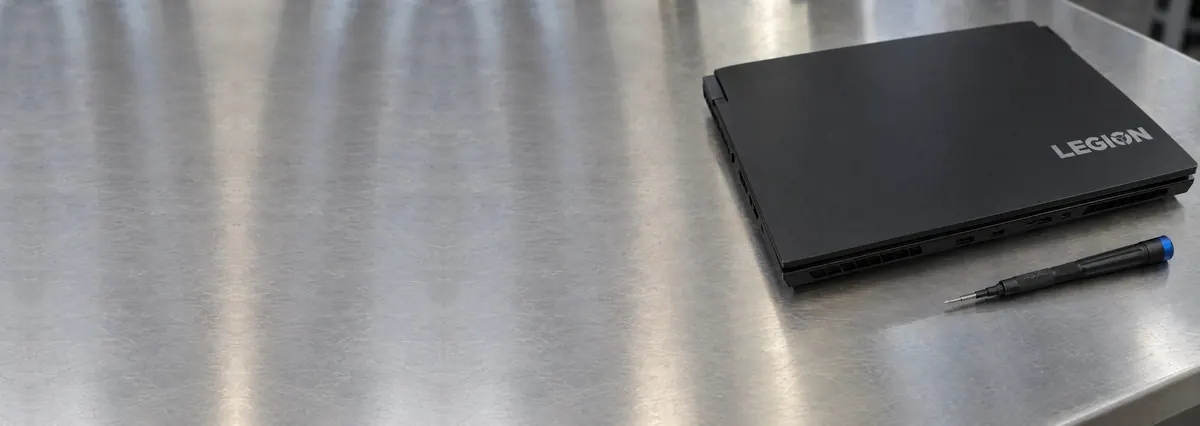
Service · Lenovo · Singapore
ThinkPad, IdeaPad, Yoga, Legion, ThinkBook, LOQ and ThinkStation — and the boards inside them. We trace Lenovo faults with a bench supply and a thermal camera, quote in writing, and repair the part that actually failed instead of replacing the whole assembly wrapped around it.
A slice of this week's Lenovo bench log
Most Lenovo repairs land from around S$90 to S$650, typically same day on common faults, 3–7 days for board-level work. Diagnosis is free on walk-ins, you get a written quote before any work starts, and if we cannot fix it you do not pay a repair fee. See how we arrive at that.
On this page
Lenovo sits at both ends of Singapore's laptop market at once. The ThinkPad fills government departments, law firms and finance floors; the IdeaPad and Yoga are what students and families carry home from the electronics chains; the Legion and LOQ are what gamers game on. The upside for you is that the fault patterns are consistent inside each family, so we can usually give you a probable diagnosis from a photo and two lines of description before you leave the house.
What makes Lenovo genuinely satisfying to repair — the ThinkPad line especially — is that Lenovo did not fight the technician. ThinkPads are among the best-documented laptops sold, and much of the machine is modular by design: the keyboard lifts out as one part, the battery is a defined pack, storage and often memory sit on real slots. That is the opposite of the industry's usual reflex, which is to declare a mainboard dead and bill you for the whole board when the true fault is a charging chip the size of a rice grain. We work from the board outward. A dead Lenovo goes on a bench power supply, we read what it draws in the first second, and that single number tells us whether we are chasing a dead short, an open circuit, or a board that is alive but not sequencing its power rails.
That discipline matters more on Lenovo than most brands precisely because the range is so wide. A cost-engineered IdeaPad and a business-grade ThinkPad can show the identical symptom for entirely different reasons, and the correct repair depends on reading the board rather than the badge. We service the full line: ThinkPad, IdeaPad, Yoga, ThinkBook, the Legion and LOQ gaming range, and ThinkStation-class mobile workstations. If you are not sure where your model sits, send us the machine type and we will place it for you.
Below is the intake reference our technicians use when a Lenovo arrives. The reference codes are ours, not a Lenovo standard — quoting one to us over WhatsApp simply lets us free the right bench and pull the right parts before you arrive. The turnaround assumes the part is in stock and the fault behaves as the symptom suggests; board faults are always the exception.
Diagnostic reference
The faults that account for most Lenovo repairs on our bench, in roughly the order we see them.
Send a photo of the machine, the machine type or serial if you have it, and a two-line description of what it does. A technician replies with a probable diagnosis and an honest price band before you travel.
Every Lenovo that comes through the door follows the same path, whether it is a same-day keyboard module or a three-day board trace. The point of a fixed process is that nothing gets skipped and nothing gets guessed.
A modern Lenovo mainboard is an eight-to-twelve-layer board carrying dozens of switching regulators, a charging IC, an embedded controller, the CPU package, memory and — on Legion, LOQ and ThinkStation-class machines — a discrete GPU with its own power delivery. Almost every "dead Lenovo motherboard" is one of those subsystems misbehaving, and most are repairable by someone with the schematic and the equipment to replace components without cooking the board. The repairs we do most often are shorted decoupling capacitors on a power rail, a failed charging IC that leaves the board drawing nothing from a USB-C or slim-tip charger, a worn power jack or charging daughterboard, corroded traces after a minor spill, and GPU solder fatigue on the Legion and workstation lines. We tell you the honest limit up front: a board with catastrophic physical damage — a snapped PCB, a delaminated CPU package — is often beyond economical repair, and we say so on day one rather than after you have paid.
Screen and touch faults are a high-volume Lenovo repair, and the Yoga convertibles account for a large share of them because of how the display and digitiser cables route through a hinge that folds a full 360 degrees. We stock and fit LCD, IPS and OLED panels to the correct resolution, refresh rate and colour gamut, and on touch and pen machines we match the digitiser layer so the pen tracks properly rather than lagging. Hinge repair is its own category on Lenovo: a Yoga hinge and the flex cables threaded through it take far more stress than a normal clamshell, and IdeaPad hinge mounts can pull out of the plastic over years of use, cracking the palm rest and lifting the bezel. We rebuild and re-anchor the mounting points and replace worn hinges rather than selling you a whole chassis. Swollen batteries we treat as the safety issue they are: a puffed cell lifting your trackpad is replaced the same day with a correct-capacity pack. Detail on both lives on our screen replacement and battery replacement pages.
This is where Lenovo's engineering rewards you. On most ThinkPad models the keyboard is a single serviceable module that lifts out from the top of the chassis, so a spill, dead keys, a worn keycap set or a failed backlight is a clean part swap rather than a full teardown. The red TrackPoint and its three physical buttons ride on the same assembly, so pointer drift, a dead middle-click and a failed keyboard are usually fixed together in one job. We fit keyboards that match your exact layout, language and backlight variant. IdeaPad and Yoga keyboards are often integrated into the top cover and take longer, and we tell you which category your model falls into before you commit. More detail lives on our keyboard replacement page.
If your Lenovo feels slower than it did a year ago, the most likely cause is heat, not Windows and not the SSD. The factory thermal compound between the CPU die and the heatsink dries and cracks; Singapore's dust builds a felt mat across the radiator fins; fan bearings wear and spin slower than the sensor believes. The chip protects itself by dropping clock speed, and the machine gets slow without ever reporting a fault. A full thermal service means a strip-down, fin-stack cleaning, fan replacement or bearing service, a fresh high-grade repaste, and new thermal pads on the VRM and VRAM. On Legion, LOQ and higher-end ThinkPad machines we routinely record fifteen-to-twenty-degree drops in sustained-load temperature. It is, dollar for dollar, the best-value repair on this list.
Two upgrades still transform a Lenovo's character. Moving from a SATA drive — or an old spinning hard disk in an older IdeaPad — to an NVMe SSD collapses boot and load times, and going from 8GB to 16GB or 32GB of RAM ends the swapping that makes a browser with thirty tabs feel broken. Both are usually same-day, and we clone your existing installation across so nothing is reinstalled. Worth checking first, and we check it from the machine type: many ThinkPads still use real SODIMM slots, but some thin Yoga and ultraportable models solder the memory and it cannot be upgraded at any price.
ThinkPad (T / X / L / E / P) — the most serviceable laptops sold and a genuine pleasure to repair; keyboards lift out as modules, boards are well documented, and no-power faults are usually the charging circuit rather than a dead board. TrackPoint drift and worn keyboards are the everyday jobs.
Yoga — the 2-in-1 convertibles; the 360-degree hinge and the flex cables running through it are the weak point, so digitiser dropout, touch failure and flicker at certain lid angles dominate, alongside hinge wear that cracks the bezel if left.
IdeaPad / ThinkBook — the consumer and SMB lines; hinge mounts and palm-rest cracking arrive early on IdeaPad, while charging boards, batteries and integrated keyboards are the common consumables on both.
Legion / LOQ — powerful, thirsty and dust-hungry; thermal shutdowns, fan wear and GPU solder fatigue dominate, and all three are repairable rather than terminal. A repaste rewards these machines heavily. See our laptop motherboard repair page for the board-level detail.
Every completed Lenovo repair leaves our workshop with a written warranty on the job sheet, covering both the part we fitted and the workmanship that fitted it. The warranty is specific rather than vague: it names the repair, the part, and the period, so there is never an argument later about what was and was not covered. A replaced battery, screen, keyboard module or charging board is warranted against defect and against the repair itself failing; a board-level repair is warranted on the joint and the component we worked on. Physical damage, liquid ingress and unrelated new faults after collection sit outside any repair warranty — as they do everywhere — and we explain where that line falls before you pay.
Because we show you the fault. Because the quote is written before the work starts and does not change after. Because every completed Lenovo repair carries a written warranty, and if we cannot fix it you do not pay a repair fee. If you own another brand, we service those on the same bench: Dell laptop repair, HP laptop repair and ASUS laptop repair.
Published hardware maintenance manuals. Screwed keyboards that lift out in minutes. Socketed RAM on most models. Batteries on connectors. Fans that come out with three screws. If every manufacturer built like this, half of Singapore's repair market would not exist and the other half would be better at its job.
What actually fails: charging circuits and USB-C PD controllers after a few years of dock use; the occasional shorted capacitor on a rail; keyboards after spills; and batteries at the ordinary rate, extended considerably if you use Lenovo Vantage Conservation Mode to cap the charge. ThinkPad boards are well documented, which means component-level repair is fast and the mainboard almost never needs replacing.
Legion cooling is genuinely good when it is clean. The problem is that it is a gaming laptop in Singapore's humidity, and by year two the fin stacks are felted with dust, the compound has cracked, and the VRAM pads have hardened. Sustained temperatures climb, clocks drop, and the owner concludes the machine has aged. A full thermal service — fin cleaning, fan service, every VRM and VRAM pad replaced to the correct thickness, fresh compound, liquid metal on CPUs designed for it — routinely returns 15–20°C and the clock speed that went with it.
Left long enough, heat does structural damage: GPU solder-ball fatigue producing artifacts, crashes under load, or no display at all. A reflow — heating the board until the solder softens — buys weeks and we will not sell it as a repair. A proper reball with fresh balls and new underfill is the actual fix. See motherboard repair.
Yoga convertibles use bonded touch display assemblies: a cracked screen is an assembly, not a panel, and the price reflects that. Slim and IdeaPad models bond or rivet the keyboard into the top case on many generations. IdeaPad hinges crack their plastic mounts in the familiar way, and IdeaPad batteries swell against the trackpad in the familiar way.
One Lenovo-specific note worth knowing: several Slim and Yoga generations solder the RAM. Before you buy a machine expecting to upgrade it later, or pay anyone who promises to, send us the model and we will check in thirty seconds.
Install Lenovo Vantage and turn on Conservation Mode if the machine is usually plugged in. On a Legion, book a thermal service every two years and treat it as maintenance rather than repair — it is cheaper than a reball by an order of magnitude. Use the machine on a hard surface. And if a Legion starts artifacting under load, stop gaming on it that day; every further hour of hot cycling makes the solder worse.
Verified Google reviews
Real reviews from our Google profile, shown with the customer’s name as they left it. The score and the count are Google’s own, updated every week.
Lenovo laptop motherboard repair. Send in on 19 Feb 2024 repair done by 26 Feb 2024.. repair within the promised time frame.. good service.. free diagnostic.. update promptly about the status.. good service...
Replaced my lenovo laptop battery in 4 hrs - thanks Ramdhan and Dean for the great service!
Impressive service. Send my laptop to lenovo service centre and they did nothing for 4 weeks. Took them 1 day to get it done. Cheaper too. Highly recommended
I got the motherboard issue fixed on my 16” MacBook Pro. No data was lost, and everything is the same as before. As promised, I also received a 60-day service warranty. Thank you, iDevice! 😊
Excellent Lap top repair service! Fast turn around, professional support & my computer was fixed quickly.
They repair fast and good, my DELL laptop had damaged screen and battery and they fixed it in one day. Diagnosis is free and they quote after checking on the problem. Pre-test testing and post testing done well.. Highly recommend.
My surface laptop was replaced with an SSD card and the services was very good.
Managed to fixed my 16inch MacBook pro within 5 working days thank you!
Related services
Shorted rails, charging ICs, no-POST Lenovo boards and Legion GPU reball.
See the service →ThinkPad keyboard modules, dead keys, spills and pointing-stick drift.
See the service →Imaged first on write-blocked hardware, even from a dead board.
See the service →Questions we get every week
The fault sets the price, not the model name. A Lenovo battery, an SSD or a ThinkPad keyboard module usually lands in the low hundreds and is often done the same day, because Lenovo designs many keyboards as a single replaceable part. A charging-board or USB-C port repair on an IdeaPad or Yoga sits a step higher. Board-level work — a shorted rail, a dead charging IC, a Legion GPU that has lost solder contact — runs into the mid hundreds because it is priced in bench hours rather than parts. You get the figure in writing after diagnostics and approve it before we start, so nothing changes at collection.
Yes, and this is one of the tidiest repairs we do because Lenovo built ThinkPads to be serviced. On most ThinkPad models the keyboard is a self-contained module that lifts out from the top, so a spill, a set of dead keys or a worn keycap set is a clean part swap rather than a full teardown. The red TrackPoint and its three physical buttons ride on the same assembly, so we can restore pointing-stick behaviour, cursor drift and a dead middle-click button in the same job. We fit genuine-layout keyboards to match your language and backlight, not a mismatched panel that fights the palm rest.
Yes, and both are classic Yoga faults. The 360-degree convertible design routes the display and digitiser flex cables through a hinge that flexes far more than a normal clamshell, so over time the touch layer drops out, the pen stops registering, or the panel flickers at certain angles as the cable wears. A loose or grinding hinge is the mechanical version of the same stress, and left alone it eventually cracks the bezel or lifts the glass. We replace the worn flex cable or the bonded touch panel, re-anchor or replace the hinge, and check the digitiser calibration before it leaves the bench so the pen tracks properly again.
Yes, and a Legion thermal service is one of the highest-value repairs on this page. Legion machines pack a lot of power into a slim chassis and they slowly choke on Singapore's dust and humidity — the fin stacks clog, the factory paste dries and cracks, and the fans lose airflow. A full service means a strip-down, fin cleaning, fan replacement or bearing service, a fresh high-grade repaste, and new thermal pads sized correctly for the VRM and VRAM. On Legion and higher-end ThinkPad chassis this routinely drops sustained temperatures by fifteen to twenty degrees and gives back the clock speed the machine was throttling away. Where a GPU has genuinely lost solder-ball contact we reball it properly rather than reflowing it as a short-lived trick.
For the great majority of repairs, no. Battery, screen, keyboard, hinge, charging and thermal work never touch your storage. For an SSD upgrade we clone your existing Windows installation across, so your apps, licences and settings arrive exactly as they were. If the drive itself is failing we image it first on write-blocked hardware and recover from that image rather than the dying disk. Your data is discussed before any work begins, never discovered as a problem afterwards.
For batteries, RAM, SSDs, fans, thermal service, most ThinkPad and IdeaPad keyboard modules and stocked Lenovo screen panels we usually finish the same day — message us the model and the fault before you travel and we will confirm stock. We are at 6 Harper Road, Leong Huat Building #05-02, three minutes on foot from Tai Seng MRT on the Circle Line, with a change at Paya Lebar from the CBD or the east and a change at Bishan from Novena or Toa Payoh. Board-level Lenovo repairs take a few working days, because rushing a board is how boards die.
Often it is worth repairing, and the deciding factor is which part failed on which machine. A battery, SSD, keyboard, thermal service or screen on a sound ThinkPad, Yoga or Legion is nearly always worth doing, because ThinkPads in particular are built to run for many years and are wonderfully documented at board level. A new mainboard on a budget IdeaPad or LOQ whose replacement cost is only a few hundred dollars usually is not. We give you the repair figure and an honest read on the machine's remaining life, and you decide with both numbers in front of you.
More often than any other brand, yes. Parts availability is excellent, the boards are documented, and the chassis are built to survive. A five-year-old T-series with a new battery, an NVMe SSD and a thermal service is a genuinely good machine for under S$400, which is not a sentence we would write about most five-year-old ultrabooks.
Possibly, but do not assume it. Artifacting appears with dried compound and hardened pads long before the solder fails, because the GPU and VRAM are simply too hot. We diagnose thermally first, and only quote a reball once we can show you that the joints, not the cooling, are the problem.
On many models, no — the memory is soldered to the board. On ThinkPads it usually is upgradeable. Send us the exact model number before buying anything; the check is free and takes us thirty seconds. See our RAM upgrade guide.
Rarely, and reluctantly. Most Lenovo no-power faults are a charging IC, a PD controller, a DC-in circuit, or a single shorted capacitor. We trace the fault on a bench supply, show it to you under the microscope, and repair the component. Board replacement is for boards that are physically destroyed.
Walk-ins welcome from the CBD, Orchard, Novena, Toa Payoh, Bishan, Ang Mo Kio, Jurong East, Clementi, Tampines and Bedok. Courier collection islandwide for machines that should not be moved.