
★★★★★
My daughter's ASUS laptop battery was deteriorating and also overheating. They repaired the set within the same day and also provided interior cleaning for General maintenance. Responsive and affordable! Highly recommend!
Service · ASUS · Singapore
Zenbook, VivoBook, ROG, TUF Gaming, ProArt, ExpertBook and the ASUS Chromebook line — and the boards inside them. We diagnose ASUS faults with a bench supply and a thermal camera, quote in writing, and repair the fault itself instead of replacing the whole assembly wrapped around it.
A slice of this week's ASUS bench log
Most ASUS repairs land from around S$90 to S$650, typically same day on common faults, 3–7 days for board-level work. Diagnosis is free on walk-ins, you get a written quote before any work starts, and if we cannot fix it you do not pay a repair fee. See how we arrive at that.
On this page
ASUS covers more ground than almost any other laptop maker, and that breadth is why so many reach our bench. In a single week we might see a featherweight Zenbook a consultant carries between client offices, a VivoBook a student has run into the ground, and a ROG Strix a gamer treats as a desktop and runs at full tilt every night. The faults arrive in patterns familiar enough that we can usually hand you a probable diagnosis from a couple of photos before you leave home.
The trouble with Singapore's wider repair market is that it does not really repair ASUS laptops so much as swap parts of them out. The default reflex is board replacement: glance at a mainboard, decide it looks dead, order a new one and bill you. It is quick and lucrative, and it is precisely why owners are quoted four figures for a "dead motherboard" when the real fault is a shorted capacitor or a charging chip smaller than a grain of rice. We work the other way. The ASUS goes onto a bench power supply, we read what it draws in the first second, and that single current figure tells us whether we are chasing a dead short, an open circuit, or a board that powers up but never sequences its rails.
That method matters more on ASUS than on most brands, because the range spans such different engineering. An entry VivoBook built to a sharp price and a ROG Zephyrus built around a liquid-metal cooling system can land on the bench with the same headline symptom for completely different reasons, and the correct repair depends on reading the board rather than the sticker. We service the whole line — Zenbook, VivoBook, the ROG Republic of Gamers range (Strix, Zephyrus, Flow), TUF Gaming, ProArt, ExpertBook and ASUS Chromebook. Unsure where your model sits? Send us the exact name from the base plate and we will place it for you.
Below is the intake reference our technicians reach for when an ASUS arrives. The reference codes are our own shorthand, not an ASUS standard — quoting one to us over WhatsApp simply lets us free the right bench and pull the right parts before you get here. The turnaround assumes the part is in stock and the fault behaves the way the symptom suggests; board faults are the exception, because we never quote a fixed schedule on a fault we have not yet traced.
Diagnostic reference
The faults that account for most ASUS repairs on our bench, in roughly the order we see them.
Send a photo of the machine, the exact model name from the base plate, and a two-line description of what it does. A technician replies with a probable diagnosis and an honest price band before you travel.
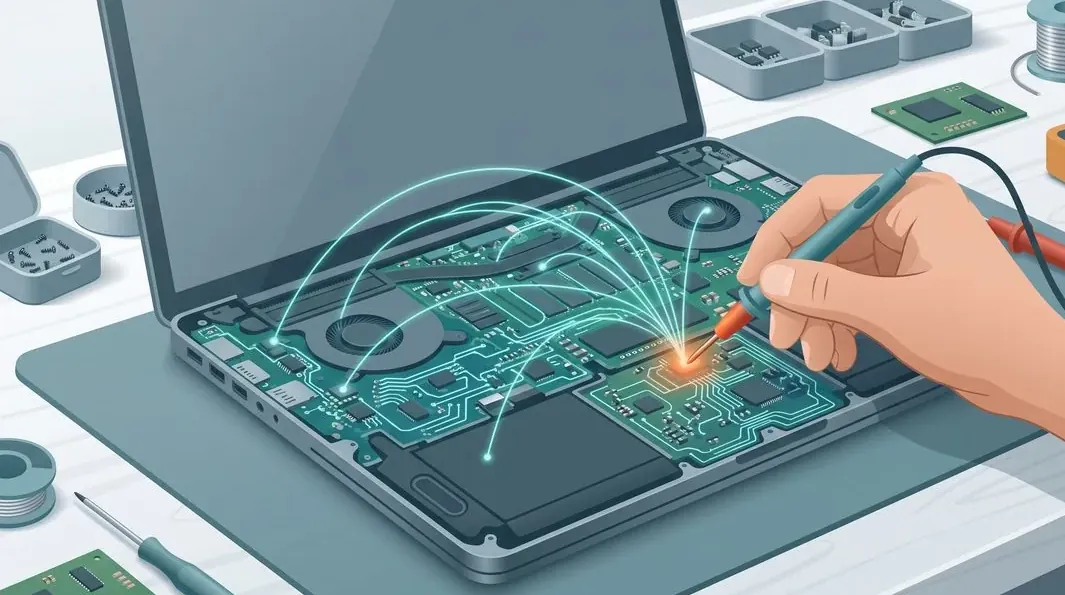
Every ASUS follows the same path, whether it is a same-day battery swap or a three-day board trace. The point of a fixed process is that nothing gets skipped and nothing gets guessed at.
A modern ASUS mainboard carries dozens of switching regulators, a charging IC, an embedded controller, the CPU package, memory and — on ROG, TUF and ProArt machines — a discrete GPU with its own power delivery. Almost every "dead ASUS motherboard" is really one of those subsystems misbehaving, and most are repairable by someone with the boardview, the right rework equipment and the patience to refit components without cooking the laminate. Our board bench runs a preheater, a hot-air station, a stereo microscope and low-temperature solder. The repairs we do most often on ASUS boards are shorted decoupling capacitors on a power rail, a failed charging IC that leaves the board drawing nothing from the adapter, a worn DC-in or USB-C charging port, corroded traces after a minor spill, and GPU solder fatigue on the gaming lines where the chip runs hot for hours at a stretch. We are honest about the hard limit up front: a board with catastrophic physical damage — a cracked PCB or a delaminated package — is often beyond economical repair, and we say so on day one rather than after you have paid.
Screen faults are among the highest-volume ASUS repairs we do: a cracked panel on a VivoBook that went into a bag the wrong way, backlight lines on an older Zenbook, and flicker on a gaming machine whose display cable has chafed past the hinge. We stock and fit LCD, IPS and OLED panels to the correct resolution, refresh rate and colour gamut — a cheaper panel of the wrong specification is a false economy that shows the instant you open a colour-critical project on a ProArt. Hinge repair is its own category: hinges wear and grow stiff over years, and on some chassis the mounts pull out of the shell, cracking the bezel and lifting the base. We rebuild and re-anchor those mounting points rather than selling you a whole chassis. Swollen batteries we treat as the safety matter they are, especially on the thin Zenbook packs that swell a little more readily than average: a puffed cell lifting your trackpad is replaced the same day with a correct-capacity pack. There is more on both jobs on our screen replacement and battery replacement pages.
If your ASUS feels slower than it did a year ago, heat is the most likely reason — not Windows and not the SSD. ROG cooling is superb when it is clean and awful once it is clogged: the compound between the CPU die and the heatsink dries and cracks, Singapore's dust builds a felt mat across the radiator fins, and the fan bearings wear. A full thermal service means a strip-down, fin-stack cleaning, fan replacement or bearing service, fresh compound, and new thermal pads on the VRM and VRAM to the correct thickness. On ROG Strix, Zephyrus and TUF machines we routinely record fifteen-to-twenty-degree drops in sustained-load temperature and the return of lost clock speed. Some Zephyrus units ship with factory liquid metal on the CPU, which we reapply correctly only where the CPU is designed for it. Dollar for dollar, a repaste and pad replacement is the best-value repair on this list.
Two upgrades still transform how an ASUS feels. Moving to a fast NVMe SSD collapses boot and load times, and going from 8GB to 16GB or 32GB of RAM ends the constant swapping that makes a browser with thirty tabs feel broken. Both are usually same-day, and we clone your existing installation across so nothing is reinstalled and nothing is lost. Two things to check first, and we will check them for you from the model name: whether your machine has a spare M.2 slot or the existing drive must be replaced, and whether the RAM is socketed at all — on many slim Zenbook and some ExpertBook models it is soldered and cannot be upgraded at any price.
Zenbook — premium ultrabooks, thin and light; the recurring jobs are swollen batteries, ScreenPad faults on the dual-display variants, and soldered RAM that must be specified correctly at purchase because it cannot be changed later.
VivoBook — the consumer workhorse, sold in huge numbers; cracked screens, tired batteries and worn charging jacks are the everyday consumables, and most are same-day fixes.
ROG — Republic of Gamers (Strix, Zephyrus, Flow) — powerful, thirsty, and utterly dependent on clean cooling; thermal shutdowns, fan wear and GPU solder fatigue dominate, and all three are repairable rather than terminal. Some Zephyrus units use factory liquid metal we reapply correctly.
TUF Gaming — the durable mid-range gaming line, built tougher than its price suggests; it benefits hugely from a repaste and pad replacement once the factory compound is spent.
ProArt / ExpertBook / Chromebook — ProArt creator machines run hot under sustained rendering and reward a thermal service; ExpertBook business laptops are serviceable, and no-power faults are usually the charging circuit; Chromebooks are mostly screen, hinge and battery work. See our laptop motherboard repair page for the board-level detail.
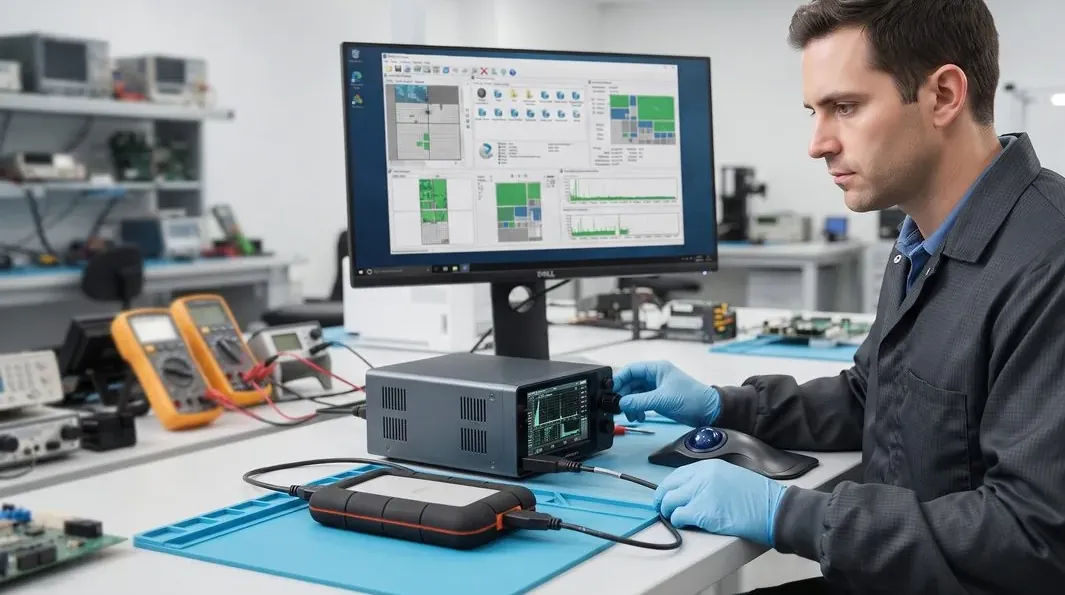
Every completed ASUS repair leaves our workshop with a written warranty on the job sheet, covering both the part we fitted and the workmanship that fitted it. The warranty is specific rather than vague: it names the repair, the part and the period, so there is never an argument later about what was and was not covered. A replaced battery, screen, keyboard, ScreenPad or charging board is warranted against defect and against the repair itself failing; a board-level repair is warranted on the joint and the component we worked on. Physical damage, liquid ingress and unrelated new faults after collection sit outside any repair warranty — as they do everywhere — and we explain exactly where that line falls before you pay.

Because we show you the fault. Because the quote is written before the work starts and does not change after. Because every completed ASUS repair carries a written warranty on parts and workmanship. Because if we cannot fix it, you do not pay a repair fee.
ASUS's gaming thermal design is among the best sold: vapour chambers, generous fin stacks, sensible fan curves, and on several generations a liquid-metal CPU interface from the factory. All of it depends on airflow, and airflow in Singapore lasts about eighteen months.
The failure sequence is always the same. Fins clog. Compound dries or, on liquid-metal machines, pumps out. Sustained temperatures rise. The CPU and GPU throttle, the owner notices the frame rate but not the cause, and after another year the GPU's solder joints begin to fatigue. At that point you are choosing between a S$140 thermal service you should have booked and a S$450+ reball you now need.
One ASUS-specific caution: several ROG models ship with liquid metal on the CPU. It must be reapplied with the correct barrier and the correct technique, because liquid metal attacks bare aluminium. A shop that repastes an ROG with ordinary compound has downgraded your cooling; a shop that puts liquid metal on an aluminium cold plate has destroyed it. Ask which they intend to do.
ASUS gaming and creator machines ship high-refresh and wide-gamut panels: 144Hz, 165Hz, 240Hz, 100% sRGB, sometimes 100% DCI-P3. A replacement panel is chosen by part number, not by the words "15.6 inch 1080p". Fit a 60Hz 45%-NTSC panel into a 165Hz ROG and everything will work; it will simply never run above 60Hz again and the colours will be wrong.
This is the most common way ASUS owners in Singapore get quietly downgraded during a screen repair. Ask for the panel part number in writing before you agree to anything. Our panel matching guide explains what the code encodes.
Zenbook packs swell more than the class average in our intake, and in a chassis that thin a swollen cell bows the base and stops the trackpad clicking. If your Zenbook rocks on a flat table, stop using it today — here is why.
Zenbook OLED displays are beautiful, expensive and have no third-party equivalent worth fitting. They are also susceptible to burn-in from static taskbars over years. Vivobooks are cost-engineered plastic and crack at the hinge mount like every other cost-engineered plastic laptop. And ScreenPad secondary displays add a second panel, a second cable, and a second thing to quote for.
Use MyASUS Battery Health Charging and cap at 80% for desk use. Book a thermal service every eighteen months on any ROG or TUF machine and treat it as a consumable cost, like tyres. Never run a gaming laptop on a bed. And when you replace a screen, insist on the part number.
Verified Google reviews
Real reviews from our Google profile, shown with the customer’s name as they left it. The score and the count are Google’s own, updated every week.
My daughter's ASUS laptop battery was deteriorating and also overheating. They repaired the set within the same day and also provided interior cleaning for General maintenance. Responsive and affordable! Highly recommend!
got to the shop after 5pm to replace my macbook pro battery, friendly stuff who did the job before shop closes 6pm. great service
Brought my Asus Windows laptop on 27 Oct, screen repaired on 28, 5 star service!
Amazing staff and very accommodating. Had issues with my macbook and it required repair of at least 5-7 days, as I was leaving the country in 2 days, they managed to expedite my repair with responsive updates on the progress. overall great service.
I got the motherboard issue fixed on my 16” MacBook Pro. No data was lost, and everything is the same as before. As promised, I also received a 60-day service warranty. Thank you, iDevice! 😊
Excellent Lap top repair service! Fast turn around, professional support & my computer was fixed quickly.
They repair fast and good, my DELL laptop had damaged screen and battery and they fixed it in one day. Diagnosis is free and they quote after checking on the problem. Pre-test testing and post testing done well.. Highly recommend.
My surface laptop was replaced with an SSD card and the services was very good.
Related services
Shorted rails, charging ICs, no-POST ASUS boards and ROG GPU reball.
See the service →Zenbook and VivoBook panels, cracked glass, display cables and flicker.
See the service →Imaged first on write-blocked hardware, even from a dead board.
See the service →Questions we get every week
The fault sets the price, not the model name on the lid. A VivoBook or Zenbook battery or SSD is usually in the low hundreds and finished the same day. A charging-jack or DC-in repair sits a step above that. Board-level work — a shorted rail, a failed charging IC, a ROG GPU reball — starts in the mid hundreds because it is billed in bench hours rather than in parts. A ROG or TUF thermal service with repaste and new pads is one of the better-value jobs on the list. We put the figure in writing after diagnostics and you approve it before we start, so there is nothing unexpected at collection.
Yes, and it is one of the repairs we see most on the ROG Strix, Zephyrus and Flow lines. ROG cooling is genuinely excellent when the fin stacks are clean and genuinely poor once Singapore's dust packs them into a felt mat, at which point the machine hits its thermal limit and cuts power to protect the silicon. A full service — fin cleaning, fan replacement, fresh compound, and new thermal pads to the correct thickness on the VRM and VRAM — routinely drops sustained temperatures by fifteen to twenty degrees and returns the clock speed the machine was throttling away. Some Zephyrus units ship with factory liquid metal on the CPU; where that is the case we reapply liquid metal correctly rather than substituting ordinary paste.
Treat it as a safety issue, not a cosmetic one. Zenbook packs are thin and dense to keep the chassis slim, and in our experience they swell a little more readily than average as they age, lifting the trackpad or bowing the base. A swollen lithium-polymer cell is a fire risk that gets worse with heat and pressure, so stop using the machine, do not press it flat, and do not charge it. We replace it the same day with a correct-capacity pack, recalibrate the gauge, and check whether the swelling stressed anything around it.
Usually, yes. The ScreenPad — the secondary touch display in the palm rest on many Zenbook Duo and ScreenPad Plus models — can go dark, lose touch response, or flicker, and the cause is often a flex cable, a loose connector, or a driver and firmware state rather than a dead panel. We test the panel, its cable and the controller before we recommend anything, rather than replacing a whole ScreenPad assembly when the fault is a seated cable. Where the panel itself has failed we fit the correct part to the right resolution and touch layer.
For most repairs, no. Battery, screen, keyboard, hinge, charging and thermal work never touch your storage at all. For an SSD upgrade we clone your existing Windows installation across, so your apps, licences and settings arrive exactly as they were. If the drive itself is failing we image it first on write-blocked hardware and recover from the image rather than the dying disk. Your data is always discussed before any work begins, never afterwards.
For batteries, RAM, SSDs, fans, thermal service, most keyboards and stocked ASUS screen panels we usually finish the same day — send us the model and the fault before you travel and we will confirm stock. We are at 6 Harper Road, Leong Huat Building #05-02, a few minutes' walk from Tai Seng MRT on the Circle Line and easy to reach from the CBD, Serangoon, Toa Payoh and the east. Board-level ASUS repairs and ROG or TUF GPU reballs take a few working days, because rushing board work is how boards get damaged.
Often it is worth repairing, and the honest answer turns on which part failed on which machine. A battery, SSD, thermal service or screen on a sound ROG, Zenbook or ExpertBook is nearly always worth doing, because the rest of the machine has years left and these are expensive to replace. A new mainboard on an entry VivoBook whose replacement cost is a few hundred dollars usually is not. We give you the repair figure and a straight read on the machine's remaining life, and you decide with both numbers in front of you.
In Singapore's humidity and dust, every 18 to 24 months. That is more often than the manufacturer implies and it is the cheapest performance you will ever buy: 15–20°C lower sustained temperatures and the clock speed that comes back with it.
Because you were fitted with a 60Hz panel. The connector and the mounting are identical; the panel is not. Take the machine back and ask for the part number of the panel that was installed. If it does not match your original SKU's refresh rate, you have grounds to insist on a correct one.
Yes. A swollen lithium-polymer pouch is pressurised and its separator may be compromised. Do not press it, do not put the laptop in a bag, do not keep charging it. Power it down, leave it on a hard non-flammable surface, and bring it in the same day.
Yes, on CPUs designed for it, with the correct barrier applied around the die and no contact with bare aluminium. On machines not designed for liquid metal we use high-grade paste, because using it there would corrode the cold plate. We tell you which we have applied on the job sheet.
Walk-ins welcome from the CBD, Orchard, Novena, Toa Payoh, Bishan, Ang Mo Kio, Jurong East, Clementi, Tampines, Bedok, Woodlands, Yishun, Hougang and Punggol. Courier collection islandwide for machines that should not be moved.
Other brands, same bench — Dell laptop repair, Lenovo laptop repair and Acer laptop repair, or the wider computer repair and laptop repair services. Questions first? Just contact us.