
Upgrades & how-to · Singapore
Laptop RAM upgrade guide: when it helps, and when it is soldered shut
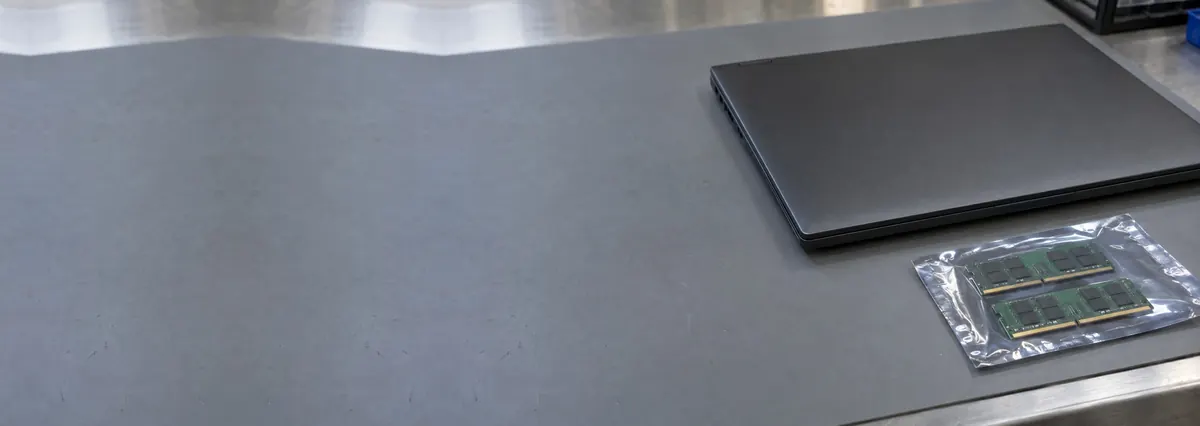
RAM is the second upgrade worth doing and the one most often sold to people who cannot use it. Check whether yours is socketed before you buy anything at all.
On this page
First question: can you upgrade it at all?
On most ultrabooks, on every Apple silicon Mac, on many Lenovo Slim and Yoga generations, several ASUS Zenbooks, several Acer Swifts and most Microsoft Surface devices, the memory is soldered directly to the mainboard. There is no slot, no module, and no upgrade at any price. LPDDR memory — the low-power type these machines use — is generally not available in a socketed form at all.
Newer machines using CAMM2 modules are an interesting exception and will make more laptops upgradeable over time, but they remain rare. Business machines — ThinkPad, Latitude, ProBook — and most gaming laptops usually keep at least one SO-DIMM slot.
Send us your exact model number. We will tell you in thirty seconds whether the machine has slots, how many, what is currently in them, and the maximum the chipset supports. It is free and it prevents an expensive mistake.
How much do you actually need?
8GB is now the point at which a browser with thirty tabs, a video call and an office suite start swapping to disk. Swapping is why a machine feels broken rather than slow.
16GB is the sensible target for almost everyone, and the upgrade that customers actually notice. 32GB matters for virtual machines, large datasets, video editing and heavy Lightroom or Photoshop work. Beyond that you are buying for a specific workload you can name.
The honest test: open Task Manager, work normally for an hour, and look at memory pressure and the amount of paging. If you are not swapping, more RAM will change nothing at all, and your money belongs in an SSD instead.
Matching modules properly
Generation. DDR4 and DDR5 SO-DIMMs are keyed differently and are not interchangeable. The machine takes one.
Speed. Mixed-speed modules run at the slower one. Mixed capacities work but may drop you out of optimal dual-channel behaviour.
Channels. Two matched 8GB modules are meaningfully faster than one 16GB module on integrated graphics, because the memory controller can use both channels. If your laptop has one occupied slot and one free, adding a matching module is usually the right move.
Chipset limit. Some machines cap total memory below what the slots physically allow. We check before we order.
Not sure what you are looking at? Ask a technician.
Send us the model and a two-line description of the symptom. You will get a probable diagnosis and an honest price band before you leave the house.
What the job involves
On a serviceable laptop: bottom cover off, battery isolated, grounded bench and wrist strap, modules seated at 30° and pressed down until the retention clips engage, cover on, memory test run before handover. Thirty minutes, same day.
Two things people get wrong at home. First, static: a wrist strap costs a few dollars and prevents damage that will not appear until months later. Second, seating — a module that looks fitted but is not fully clipped produces intermittent blue screens that get blamed on Windows. If you have just upgraded and started seeing memory-management stop codes, reseat before you replace. See blue screen diagnosis.
What it costs in Singapore
- 8GB DDR4 SO-DIMM, fitted — S$70 – 120, same day.
- 16GB DDR4, fitted — S$110 – 190.
- 16GB DDR5, fitted — S$150 – 250.
- 32GB kit, fitted — S$220 – 400.
- Compatibility check — free, before you buy.
If the machine also has a mechanical hard disk, spend on the SSD first. The RAM will still be there next month.
Apple silicon: unified memory, and no second chance
M-series Macs use unified memory built into the SoC package. It cannot be upgraded, replaced or expanded, and the machine you buy is the machine you keep. Because macOS compresses memory aggressively, 16GB on an M-series Mac goes further than 16GB on a Windows laptop — but 8GB is still 8GB, and it will limit you in three years. Buy up front. See our Apple silicon notes.
Questions we get every week
Frequently asked questions
How do I know if my laptop RAM is upgradeable?
Send us the exact model number — we check the service manual and tell you how many slots exist, what is in them, and the chipset maximum. It takes thirty seconds and it is free. Most ultrabooks and every Apple silicon Mac have soldered memory and cannot be upgraded.
Is 8GB of RAM still enough in 2026?
For browsing, email and office work, mostly. For a browser with many tabs plus a video call plus an office suite, no — the machine swaps to disk and feels broken. 16GB is the target that people actually notice.
Will more RAM make my laptop faster?
Only if you are running out of it. If Task Manager shows memory pressure and heavy paging, yes, dramatically. If it does not, a faster SSD will do far more for the same money.
Can I mix different RAM sizes and brands?
It usually works. Mixed speeds run at the slower module; mixed capacities may reduce dual-channel benefits. Where a slot is free next to an existing module, matching the existing module's generation and speed is the safe move.
Keep reading
Related guides
Laptop SSD upgrade guide: the cheapest way to make an old laptop feel new
NVMe vs SATA, the M.2 slot trap, and cloning without losing anything.
Lenovo laptop repair in Singapore
ThinkPads are the most serviceable laptops sold. Legion and Yoga are not.
Laptop blue screen: reading the stop code before you reinstall anything
BSODs are diagnostic output, not a verdict. Most name the culprit.
Get a written quote before a screw turns
Component-level diagnostics, a fixed price in writing, and no repair fee if we cannot fix it. Walk in Mon–Fri, or WhatsApp the workshop.