
★★★★★
I got the motherboard issue fixed on my 16” MacBook Pro. No data was lost, and everything is the same as before. As promised, I also received a 60-day service warranty. Thank you, iDevice! 😊
Service · Data recovery · Singapore
A clicking or grinding hard disk is a countdown, not a coin flip. We power a failing drive as little as possible, image it in a controlled, dust-managed environment, and recover your files around the damage — instead of scraping the platters with one more hopeful reboot. For drives too physically damaged for our bench, we also work with CBL's specialist hard-drive recovery lab.
A slice of this week's recovery intake log
On this page
This is the most important sentence on the page, so it goes first: a clicking or grinding hard disk must be switched off immediately and left off. That repetitive click-click-click, or a low grinding or buzzing, is the sound of the read-write heads failing to do their job — either they are damaged and dragging across the platter surface, or they cannot find their reference track and keep resetting. Inside the drive, those heads float roughly three nanometres above a magnetic disk spinning at thousands of revolutions per minute. When a head touches down where it should be floating, it scrapes away the magnetic coating that is your data. Every extra spin takes another shaving off the surface.
The instinct almost everyone has is exactly the wrong one. People replug the drive, reboot again and again, run recovery software overnight, tap the casing, or drop it in the freezer because a forum said so. On a clicking drive each of those turns hours of a recoverable job into a permanently destroyed platter. Recovery software in particular hammers a dying head with thousands of read attempts, and the freezer trick adds condensation to a sealed precision mechanism. If the drive holds anything you cannot bear to lose, the correct first move is to remove power and bring it to us so it can be opened and imaged in a controlled environment rather than read to death on your desk.
A clicking drive is an emergency. Do not keep powering it. Each time a clicking or grinding hard disk spins up, its damaged heads can scrape more of the platter and destroy data permanently. Power it off now, do not run recovery software, do not freeze it, and do not keep replugging it. Bring it in as it is — the less it has been spun, the more we can usually save. If the drive is healthy and you simply deleted files, read our guide to recovering deleted files from a computer before you try anything else.
A hard disk drive (HDD) is a mechanical device. Data lives as magnetic patterns on one or more rigid platters, which spin under an arm carrying tiny read-write heads; a small circuit board (the PCB) supplies power and translates between the computer and the drive, and firmware stored in a hidden service area on the platters tells the drive how to operate. Because it is mechanical, an HDD fails in ways a solid-state drive never does — heads crash, motors seize, bearings wear — and recovering it is a hardware discipline, not a matter of running a magic app. The goal of recovery is never to "fix" the drive so you can keep using it. The goal is to get a clean copy of your data off a failing device, once, with the least possible stress on the mechanism, and then extract your files from that copy.
That is why the professional method is the opposite of the do-it-yourself method. Instead of reading the drive over and over hoping it holds together, we make a single, carefully managed image — a sector-by-sector copy onto healthy hardware — using equipment that can slow down, skip damaged areas, and come back to them rather than getting stuck and stressing a weak head. All the file recovery, partition rebuilding and verification then happens on that image, where nothing more can go wrong with the original. If your drive is physically damaged, that image may be gathered in short controlled sessions with donor parts fitted first. If the failure is logical rather than mechanical, imaging is gentle and the real work is reconstructing the file system. Either way, your original drive is powered as little as possible — which is the whole point.

Hard disks rarely die without warning, and the warnings are physical and audible in a way that solid-state failures are not. Any one of these means you should stop using the drive and back up or recover immediately:
If your drive matches one of these, send us a short description and, if you can, a short clip of the sound before you travel. We can usually tell a logical problem from a mechanical one from the symptoms alone, and give you an honest sense of what the recovery is likely to involve.
Below is the intake reference our technicians use when a drive arrives. The reference codes are ours, not an industry standard — quoting one over WhatsApp simply lets us prepare the right tools and, where a physical fault is likely, start sourcing a matching donor before you arrive. Turnaround assumes the drive behaves the way the symptom suggests; a mechanical recovery that needs donor parts is never a fixed-duration job.
Diagnostic reference
The failures that account for most hard disk recoveries on our bench, in roughly the order we see them.
Send a short description or a clip of the sound. A technician tells you whether it sounds logical or mechanical, and what the recovery is likely to involve, before you power the drive again.
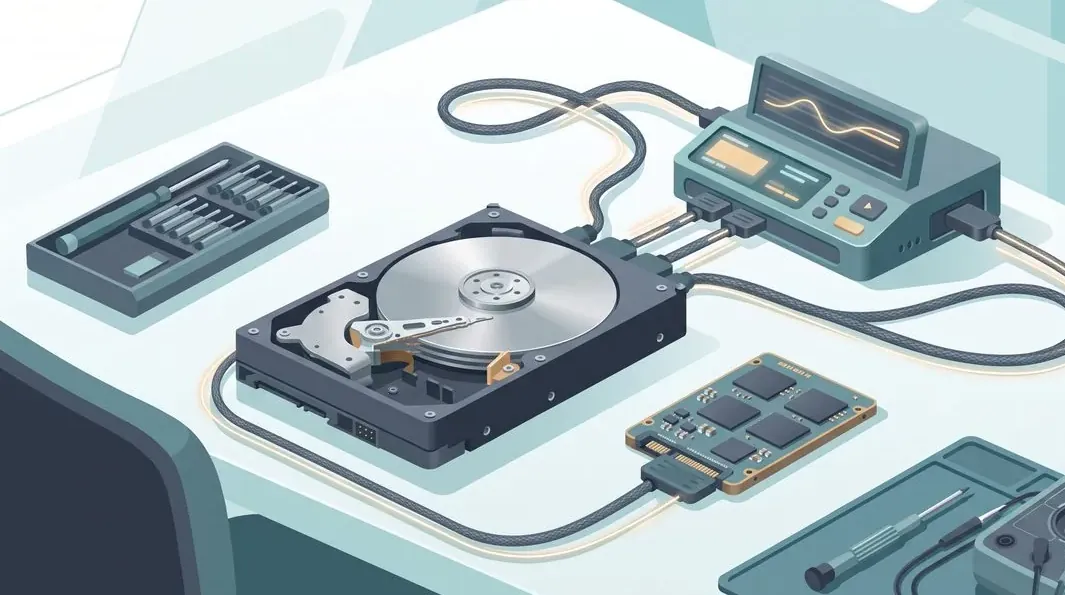
Every drive that reaches our bench follows the same disciplined path, and the discipline exists to protect your data from the drive itself. The guiding rule is simple: never repeatedly power a failing hard disk. A weak drive gets one carefully planned attempt, not a dozen hopeful ones.
Two honest limits sit at the front of every assessment. First, a platter that has already been scored by a head crash — often because a clicking drive was powered repeatedly before it reached us — can have areas that are physically gone and unrecoverable by anyone; this is exactly why the urgency at the top of this page matters. Second, some recoveries need a donor drive that has to be sourced, and that can add time and cost. We tell you both realities during the assessment rather than after you have paid, and if we cannot recover meaningful data you do not pay a recovery fee.
Understanding why drives die explains why the recovery is handled the way it is — and why some habits protect your data far better than any single tool:
The single best protection against all of these is a backup you actually keep — ideally more than one copy, with one of them off the machine. A backup turns a dead hard disk from a disaster into an inconvenience. When it is too late for that, recovery is the safety net, and getting the drive to us early is what keeps that net strong.
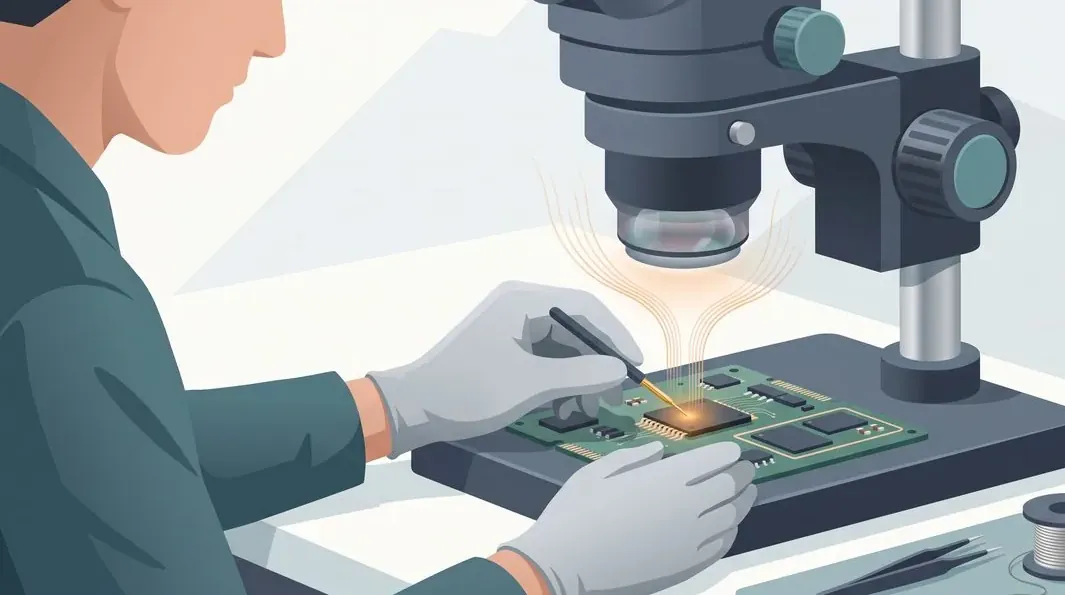
Your files are private, and we treat every recovery that way. We image and access only what is needed to complete the job, we do not browse or copy your personal data beyond the recovery itself, and once you have confirmed you have your files back we remove them from our systems. If the drive holds confidential business or personal records, tell us and we will handle it accordingly — discretion is part of the service, not an add-on.
On price, we assess first and quote before any work. A logical recovery on a drive that still spins and is detected sits at the lower end; a physical recovery that needs the drive opened, donor heads or a donor board, or imaging around heavy bad sectors costs more because it takes far longer and needs specialist hardware and parts. You get a written quote after the assessment and approve it before we begin, and if we cannot recover meaningful data you do not pay a recovery fee. We never quote a firm price sight-unseen, because two clicking drives can need completely different amounts of work — and we would rather tell you the truth than a number we cannot stand behind. If your drive turns out to be a solid-state device rather than a spinning disk, our SSD data recovery service handles those, and liquid-affected drives are covered by water damage data recovery.
Because we tell you to stop powering a clicking drive even before you have paid us anything — the honest advice costs us nothing and saves your data. Because we image the drive rather than reading it to death, and do the risky work on the copy. Because the quote is written after a real assessment and does not change afterwards, and if we cannot recover your files you do not pay a recovery fee. And because a data recovery is the one job where trust matters most: you are handing over your photos, your records, your work. We have earned that trust across fourteen years and 900-plus reviews by being straight about what can and cannot be saved. If the fault is not a drive at all but the machine around it, our computer repair and laptop clicking-noise diagnosis guides may help you tell the difference, and a free assessment settles it for certain.
Verified Google reviews
Real reviews from our Google profile, shown with the customer’s name as they left it. The score and the count are Google’s own, updated every week.
I got the motherboard issue fixed on my 16” MacBook Pro. No data was lost, and everything is the same as before. As promised, I also received a 60-day service warranty. Thank you, iDevice! 😊
Thank you iDevice for helping me recover the data from my bootloop iPhone. I had asked many other places for help, but none of them could do it without restoring the phonne only you guys managed to recover it successfully. I really appreciate it! 🙏
My surface laptop was replaced with an SSD card and the services was very good.
Managed to successfully fix my damaged iPhones and my data is also saved! Thank you for assisting
Managed to recover data from MacBook Pro 16” successfully. Professionally done. Thanks.
Replaced my laptop HDD here, service was fast and collected within 2h, would come back here again if any other issues arise
I sent in 2 Dell laptops for repairs due to SSD replacement and battery and fan replacement. The technicians service were fast and prompt with ready parts. They are conveniently located and service is overall recommended! Thank you!
They are very professional and good. They fixed my laptop quickly, fixed the mother board and they managed to keep all of my data. Well done!
Related services
Solid-state drives fail differently — dead controllers, worn NAND and locked chips.
See the service →The full recovery hub — every drive type imaged first on controlled hardware.
See the service →Is it the drive, the fan, or something else? How to tell before it costs you data.
Read the guide →Questions we get every week
Power it off and leave it off. A clicking or grinding hard disk almost always means the read-write heads are damaged or hitting the platters, and every second it stays powered the heads can scrape more of the magnetic surface away — turning recoverable data into permanent loss. Do not run recovery software, do not put it in the freezer, and do not keep replugging it to see if it comes back. The single best thing you can do for a clicking drive is stop feeding it power and bring it to us so it can be opened and imaged in a controlled way.
Logical failure means the mechanics are healthy but the data is not readable — deleted or formatted files, a corrupt partition table, a damaged file system, or a failed operating-system update. These are often recoverable by imaging the drive and rebuilding the file structure. Physical failure means the drive itself is mechanically or electronically broken — crashed heads, a seized motor, a dead circuit board, or spreading bad sectors. Physical cases need hardware work and, sometimes, donor parts before any data can be read. We tell you which category your drive falls into after the assessment, because the two are priced and handled very differently.
Because a hard disk stores data on spinning platters read by heads that float microns above the surface, and a failing drive is failing for a physical reason. Every power cycle spins the platters and drags damaged or unstable heads across them again. On a drive with crashed heads this scrapes the magnetic coating; on a drive with bad sectors it forces repeated re-reads that stress a dying head further. Recovery software running for hours makes it worse, not better. The professional approach is the opposite of what most people try: power the drive as little as possible, then image it in one controlled pass on hardware built to read around the damage.
Often, yes. A drive that does not appear at all usually has one of three problems: a failed circuit board (the electronics), a seized or stuck spindle motor, or firmware corruption in the drive's own service area. A failed board can frequently be repaired or matched to a compatible donor board with the original ROM transferred across. A stuck motor or stuck heads may be freed on the bench. Firmware faults are addressed with specialist tools that talk to the drive's service area directly. None of these can be diagnosed by plugging the drive in repeatedly at home — they need the drive opened and read on proper equipment.
We open drives only when the fault requires physical access — a head-stack replacement, freeing stuck heads, or reaching the platters — and we do it on a dust-controlled bench rather than an open desk. The platters inside a hard disk are extremely sensitive to dust and fingerprints, so an environment that keeps particles off the surface matters. Logical and electronic faults do not need the drive opened at all. When physical entry is genuinely required we explain why first, and we are honest that opening a drive is a specialist step reserved for cases that cannot be imaged any other way.
It depends entirely on why the drive failed, so we assess first and quote before any work. A logical recovery — deleted files, a formatted or corrupt drive that still spins and is detected — sits at the lower end. A physical recovery that needs the drive opened, donor heads or a donor board, or imaging around heavy bad sectors costs more because it takes far longer and needs specialist hardware and parts. We give you a written quote after the assessment, and you approve it before we begin. We never quote a firm price sight-unseen, because two clicking drives can need completely different amounts of work.
Yes. Your files are yours, and we treat every recovery as private. We only ever image and access what is needed to complete the recovery, we do not browse or copy your personal data beyond the job, and recovered files are returned to you and then removed from our systems once you confirm you have them. If your work involves confidential business or personal records, tell us and we will handle the job accordingly — discretion is part of what you are paying for, not an extra.
Walk-ins welcome from the CBD, Orchard, Novena, Toa Payoh, Bishan, Ang Mo Kio, Jurong East, Clementi, Tampines, Bedok, Woodlands, Yishun, Hougang and Punggol. Courier collection islandwide for drives that should not be moved or powered again.