
iPhone guides · Singapore
iPhone stuck on the Apple logo (2026): the causes, the fixes, and when it is a board fault
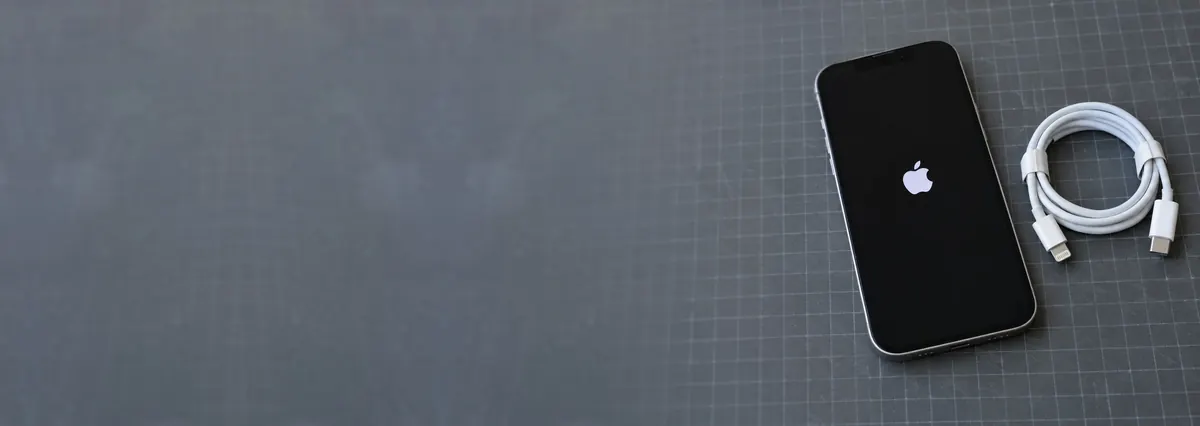
You pick up the phone and it is frozen on the white Apple logo — no slider, no Home screen, sometimes a progress bar that never fills. It is one of the most common iPhone faults we see, and most cases clear in a couple of minutes. The trick is knowing which fix to reach for, and when the frozen logo is telling you the problem is hardware, not software.
On this page
- What a frozen Apple logo actually means
- Why an iPhone gets stuck on the logo
- Fix 1 — the force restart (do this first)
- Fix 2 — recovery mode, without erasing
- Fix 3 — DFU restore, the last software resort
- When it is a board fault, not software
- Protecting your data through all of this
- What a fix costs in Singapore
What a frozen Apple logo actually means
The Apple logo appears at a specific moment: the phone has powered on, passed its lowest-level checks, and handed control to iOS to finish loading. Being stuck there means it got that far and then could not complete the boot — something failed to load, and the phone sat down rather than boot into a broken state.
That single fact makes the fault so fixable. The hardware powered up, the screen lit, the logo drew — so in most cases you are looking at a software hiccup that a reboot or a clean reinstall of iOS clears, without touching a single photo. The minority, where the logo keeps returning, point at something physical: a collapsing battery, corrosion after a splash, or a failing storage chip. The steps below work through both families in the safest order.

Why an iPhone gets stuck on the logo
The causes cluster into a handful of patterns:
- An interrupted iOS update. The phone lost power or dropped Wi-Fi partway through an update, leaving the system half-written — the most common trigger.
- A corrupted system file or bad app. A crash mid-write, a dodgy app, or a failed restore can leave iOS unable to load a file it needs at boot.
- A jailbreak or botched tweak. Modified system files frequently break at the next reboot and leave the phone looping.
- A weak or worn battery. A tired cell can sag below the voltage the phone needs mid-boot, so it resets and tries again — an endless loop, very common on older iPhones.
- Liquid or corrosion damage. Moisture on the board can bridge or eat away power lines that only matter under load, so the phone boots partway then dies.
- Storage (NAND) failure. A memory chip with bad blocks cannot serve the files iOS needs, and the phone stalls. This one is hardware and needs the workshop.
The first three are software and often fixable at home. The last three are hardware, and where an independent iPhone repair workshop earns its keep. You do not need to guess which — work through the software fixes first, and if the logo survives them, you have your answer.
Fix 1 — the force restart (do this first)
Before anything else, force restart the phone — a hard power cycle that deletes nothing and clears a surprising share of stuck logos. The button sequence depends on the model:
- iPhone 8 and later (including SE 2nd/3rd gen and every Face ID model): press and release Volume Up, press and release Volume Down, then hold the Side button around 10 to 20 seconds, past the logo, until it restarts.
- iPhone 7 and 7 Plus: hold Volume Down and the Side button until it restarts.
- iPhone 6s and earlier: hold Home and the Side (or Top) button until it restarts.
If the phone boots to the Home screen, you are done — but charge it fully and, if an update was mid-flight, let it finish on stable Wi-Fi. If the force restart just returns the same frozen logo, do not keep hammering it: repeated forced reboots on a phone with a hardware fault only stress the board. Move on to recovery mode.
Phone got wet recently? Do not force-restart it on repeat and do not plug it in to charge — powering a wet board spreads corrosion. Skip to when it is a board fault and get it seen quickly.

Fix 2 — recovery mode, without erasing
Recovery mode lets a computer reinstall iOS over the stuck system while keeping your data. Most people skip it, assuming a computer means wiping the phone — it does not, as long as you choose Update, not Restore. You will need a cable and a computer: on a Mac with macOS Catalina or later use Finder; on Windows or older Macs use the Apple Devices app or iTunes. Then:
- Connect the iPhone to the computer with a cable.
- Put the phone into recovery mode using the same button sequence as the force restart, but keep holding the final button past the logo until the recovery-mode screen appears (a cable pointing at a laptop).
- On the computer, a prompt offers Update or Restore. Choose Update — it downloads and reinstalls iOS without erasing your photos, messages or apps.
Let it run — if the download passes 15 minutes the phone may drop out of recovery mode, in which case just repeat the sequence and try again. When it finishes, the phone should boot normally. A recovery-mode Update fixes the large majority of software-caused logo loops, which is why it is worth doing before anything that erases data.
Fix 3 — DFU restore, the last software resort
If a recovery-mode Update does not shift the logo, the deepest software option is a DFU (Device Firmware Update) restore. DFU rewrites the firmware from the ground up, clearing problems an ordinary update cannot — but the restore it performs erases everything. That makes it a genuine last resort, and one you should not run unless the data is already backed up.
This is the fork where people cause themselves real harm: faced with a stuck logo and no backup, they DFU-restore in hope, the erase completes, and the photos are gone — even though the phone was suffering a hardware fault the restore was never going to fix. Our guide on how to recover data from an iPhone explains what is possible first. The honest tell: if the force restart and a recovery-mode Update both failed, a DFU restore alone rarely fixes the phone — the cause is probably hardware, your cue for the next section.
Not sure what you are looking at? Ask a technician.
Send us the model and a two-line description of the symptom. You will get a probable diagnosis and an honest price band before you leave the house.

When it is a board fault, not software
When a phone survives every software fix and still loops on the logo, the cause is almost always physical. On the bench, the hardware cases split into three patterns:
- A collapsing battery. Booting is the heaviest current spike an iPhone draws. A worn cell holds a steady idle charge yet sags under that load, so the phone browns out at the logo and restarts endlessly. The fix is often the simplest: a genuine-capacity iPhone battery replacement that carries the spike.
- Liquid corrosion. Moisture on the board — even a small splash weeks ago — can corrode power lines that only matter under load, so the phone boots partway and dies. Corrosion spreads under power, so an iPhone water damage repair done same-day recovers far more phones than one left in a drawer.
- Power or storage faults on the board. A failed power-management IC, a cracked solder joint, or a NAND chip with bad blocks will all stall a boot. These are repaired at component level under a microscope — the domain of iPhone motherboard repair, precisely the work an authorised counter will not attempt.
A rarer cousin: a failing charge circuit can leave the battery too low to finish a boot, producing the same loop — in which case an iPhone charging port repair is part of the answer. The point is not to self-diagnose, but that a logo which survives every software fix has a physical cause a workshop can usually fix rather than write off.
Protecting your data through all of this
The biggest mistake we see with a stuck logo is trading a recoverable phone for a wiped one. Work through the fixes in order and your data stays safe: a force restart and a recovery-mode Update erase nothing, and only a DFU restore or a factory reset wipes the phone. So the moment you feel tempted to "just reset it and start fresh," stop — especially with no backup.
Two habits make the ordeal painless. Keep iCloud Backup switched on or plug into a computer once a month; with a backup in hand, even a DFU restore becomes a five-minute inconvenience. And if the phone holds your only copy of something irreplaceable and will not boot, bring it in before you experiment — a board-level repair often gets a dead phone up just long enough for one final backup, and professional data recovery can work at chip level when the fault runs deeper.
What a fix costs in Singapore
We never quote a firm figure without seeing the phone, because a stuck logo can mean a free five-minute Update or a multi-day board rebuild. A rough guide to the bands:
- Software fix (force restart or recovery-mode Update) — free.
- Battery replacement to stop a boot-loop from a worn cell — often the low hundreds, from around S$120 on many models.
- Liquid-corrosion clean and board repair — from a few hundred dollars, quoted after diagnosis.
- Board-level power or storage repair / micro-soldering — the most involved, quoted case by case once we have opened it up.
Three promises hold across all of them: walk-in diagnosis is free, you get a written quote before any work, and if we cannot fix it you do not pay a repair fee. For the fuller picture, our iPhone repair cost guide lays out the bands by fault, and the main iPhone repair page covers every common issue.
Questions we get every week
Frequently asked questions
Why is my iPhone stuck on the Apple logo?
Most often the phone is caught mid-boot — a failed iOS update, a corrupted system file, or an app or jailbreak conflict stops it loading past the logo. A force restart clears the majority of these. If it comes straight back to the logo after a restart, the cause is more likely hardware: a worn battery that cannot hold the boot load, liquid corrosion on the board, or a failing storage chip. Those need a workshop, not another restart.
Will a force restart delete my data?
No. A force restart is just a hard power cycle — it presses and releases the volume and side buttons in sequence and forces the phone to reboot. It does not touch your photos, messages or settings. It is always the first thing to try, because it fixes a stuck logo far more often than people expect and it risks nothing at all.
What is the difference between recovery mode and DFU mode?
Recovery mode reloads iOS while keeping your data, using the Update option in Finder or the Apple Devices app — it is the safe first step. DFU (Device Firmware Update) mode goes deeper, rewriting the firmware from scratch, but the restore it performs erases everything on the phone. Always try a recovery-mode Update before DFU, and never DFU-restore a phone whose data you have not backed up.
Can you fix an iPhone stuck on the Apple logo without losing my photos?
Usually, yes. A recovery-mode Update reinstalls iOS without wiping data, and if the fault is hardware — a tired battery or corrosion — a board-level repair aims to get the phone booting so a normal backup can be made. The only time data is at genuine risk is a DFU restore or a physically damaged storage chip. We always tell you which situation you are in before touching anything.
How much does it cost to fix an iPhone stuck on the Apple logo in Singapore?
It depends on the cause. If a battery swap gets it booting again, that is often the low hundreds — from around S$120 on many models. Liquid-corrosion cleaning or board-level micro-soldering is more involved and quoted only after a free diagnosis. Walk-in diagnosis is free, you get a written quote before any work, and if we cannot fix it you do not pay a repair fee.
Keep reading
Related guides
iPhone repair in Singapore: screens, batteries, ports and boards
Every common iPhone fault we handle, and the one question to ask before any quote.
How to recover data from an iPhone
Every recovery method in the order that actually works — before you erase anything.
iPhone motherboard repair
Component-level fixes for boot loops, no power and backlight faults an authorised counter will not touch.
Get a written quote before a screw turns
Component-level diagnostics, a fixed price in writing, and no repair fee if we cannot fix it. Walk in Mon–Fri, or WhatsApp the workshop.