
★★★★★
It was a pleasant and swift process. Managed to get the battery replaced and collected my laptop on the same day! Awesome!
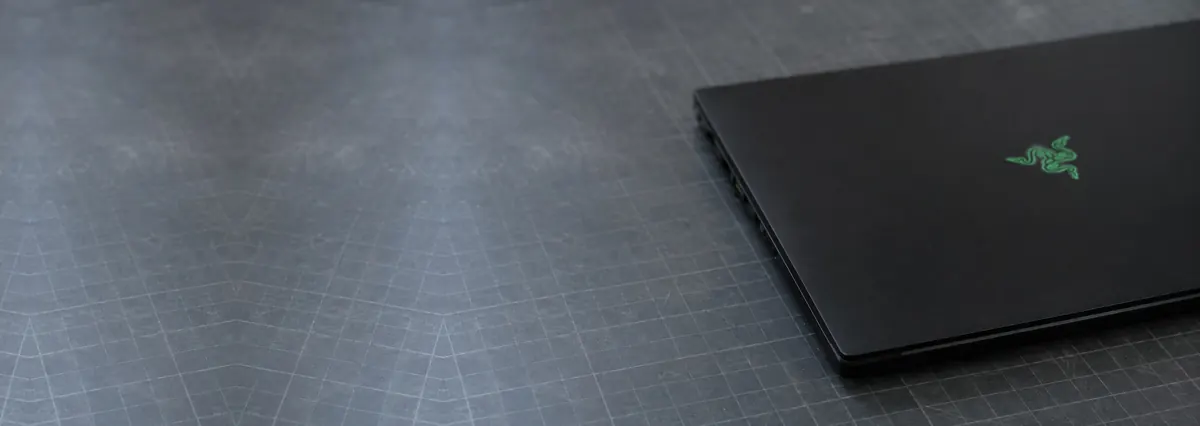
Service · Razer · Singapore
Blade 14, 15, 16, 17 and 18, Blade Stealth and the Razer Book — and the boards, batteries and vapour chambers inside them. We open the CNC unibody carefully, diagnose the fault with a bench supply and a thermal camera, quote in writing, and repair the part that failed instead of replacing the assembly around it.
A slice of this week's Razer bench log
Most Razer repairs land from around S$90 to S$650, typically same day on common faults, up to 5 days for board work. Diagnosis is free on walk-ins, you get a written quote before any work starts, and if we cannot fix it you do not pay a repair fee. See how we arrive at that.
On this page
A Razer Blade is a strange machine to own in Singapore: it is one of the most desirable thin-and-light gaming laptops in the world, and also one of the hardest to service well once something goes wrong. The CNC-machined aluminium unibody that makes the Blade feel like a solid billet in the hand is the same thing that makes it unforgiving on a repair bench — tight tolerances, tiny screws, hidden adhesive, and ribbon cables routed through spaces that assume nobody will ever go back in. Most Blades and Books that reach us have already been quoted a full board swap or turned away by a shop unwilling to open the chassis. That is exactly the work we take.
The volume tells its own story. Razer sells fewer units in Singapore than the mass-market brands, so a Blade owner who needs a repair often struggles to find anyone willing to touch it, and when they do the default answer is replacement rather than repair. We work the other way around. A Blade goes on a bench power supply, we read what it draws in the first second of power-on, and that single number tells us whether we are chasing a short, an open rail, or a board that is alive but not sequencing.
That matters more on Razer than on almost any other brand, because the cost of getting it wrong is so high. A Blade is an expensive machine, its unibody punishes clumsy disassembly, and a screen or battery fitted with the wrong specification undoes everything the machine was bought for. We service the full line: the Blade 14, 15, 16, 17 and 18 gaming range, the slimmer Blade Stealth ultrabook, and the Razer Book productivity laptop. If you are unsure which variant you own — the same Blade 15 shipped with several different panels and GPUs — send us the serial and a photo and we will identify it for you.
Below is the intake reference our technicians use when a Razer arrives. The reference codes are ours, not a Razer standard — quoting one to us over WhatsApp simply lets us free the right bench and pull the right parts before you arrive. The turnaround assumes the part is in stock and the fault behaves the way the symptom suggests; board faults and deep unibody teardowns are always the exception.
Diagnostic reference
The faults that account for most Razer repairs on our bench, in roughly the order we see them.
Send a photo of the machine, the serial number if you can find it, and a two-line description of what it does. A technician replies with a probable diagnosis and an honest price band before you travel.
Every Razer that comes through the door follows the same path, whether it is a same-day battery swap or a five-day board trace. The point of a fixed process is that nothing gets skipped and nothing gets guessed — and on a machine whose unibody punishes shortcuts, that discipline matters twice over.
A modern Blade mainboard is a dense, multi-layer board carrying dozens of switching regulators, a charging IC, an embedded controller, the CPU package, soldered memory and a discrete GPU with its own power delivery. Almost every "dead Blade motherboard" is one of those subsystems misbehaving, and most are repairable by someone with the boardview and the equipment to remove and replace components without cooking the board. The repairs we do most often on Razer boards are shorted decoupling capacitors on a power rail, a failed charging IC that leaves the board drawing nothing from the USB-C adapter, a cracked or lifted USB-C connector, corroded traces after a spill, and GPU solder fatigue on the higher-TDP Blades. A board with catastrophic physical damage — a snapped PCB, a delaminated CPU or GPU package — is often beyond economical repair, and we will say so on day one rather than after you have paid. For the deeper detail, see our laptop motherboard repair page.
Swollen batteries are Razer's signature fault, and we treat them as the safety issue they are. The lithium-polymer pack sits directly beneath the trackpad, so a puffed cell lifts and cracks the trackpad glass first and, left long enough, bows the aluminium base and lifts the whole bottom panel. A swollen Blade battery is replaced the same day with a correct-capacity pack, removed and handled safely, and we never ask you to keep using a machine with a swollen cell in it — do not press it flat. Screens are the other high-volume Razer repair: many Blades ship with high-refresh or OLED panels, and we match the panel spec exactly to resolution, refresh rate and gamut, because a cheaper screen with the wrong specification shows the moment you open a game or a photo. The per-key Chroma keyboard is usually part of the top case, so we diagnose whether a dead key is a ribbon, a membrane, a controller or the whole assembly before quoting. Detail on both lives on our screen replacement and battery replacement pages, and Chroma work on our keyboard replacement page.
If your Blade feels slower than it did a year ago, the most likely cause is heat, not Windows and not the SSD. The vapour chamber and fin stack that let Razer fit desktop-class parts into a thin chassis are exactly what Singapore's dust and humidity clog fastest; the thermal compound dries and cracks; fan bearings wear. The chips protect themselves by dropping clock speed, and the machine gets slow without ever reporting a fault. A full thermal service means a careful strip-down, fin-stack cleaning, fan service, fresh high-grade compound, and new thermal pads on the VRM and VRAM to the correct thickness. On a vapour-chamber Blade we routinely record large, sustained-load temperature drops and the return of lost clock speed. It is, dollar for dollar, the best-value repair on this entire list.
An NVMe SSD upgrade still transforms a Blade whose original drive is full or slowing, and it is usually a same-day job: we clone your existing Windows installation across so your apps, licences and settings survive untouched, then verify the new drive under load. RAM is the honest caveat on Razer. Most Blades ship with memory soldered directly to the board and cannot be upgraded at any price, so the amount you bought is the amount you keep. We confirm from your serial whether your model has a spare M.2 slot and whether its RAM is socketed or soldered, so you never pay for a diagnosis to learn the machine cannot take the part.
Blade 14 — the compact AMD-powered Blade; superb performance for the size, which means it runs hot and needs thermal service on schedule. Swollen batteries and soldered RAM are regulars.
Blade 15 / 16 — the volume Blades and the ones we see most; swollen batteries lifting the trackpad, clogged vapour chambers and USB-C charging faults dominate. Match the panel spec exactly.
Blade 17 / 18 — the large, highest-TDP Blades; thermal load and GPU solder fatigue define them, and both are repairable with proper reball work.
Blade Stealth — the ultrabook of the range; thinner still, so battery swelling and USB-C port wear arrive early, and the unibody is even less forgiving to open.
Razer Book — the productivity laptop; less thermal drama, but the same CNC chassis, swollen-battery risk and USB-C charging faults as its gaming siblings.
Every completed Razer repair leaves our workshop with a written warranty on the job sheet, covering both the part we fitted and the workmanship that fitted it. The warranty is specific rather than vague: it names the repair, the part, and the period, so there is never an argument later about what was and was not covered. A replaced battery, screen, keyboard assembly or charging port is warranted against defect and against the repair itself failing; a board-level repair is warranted on the joint and the component we worked on. Physical damage, liquid ingress and unrelated new faults after collection sit outside any repair warranty — as they do everywhere — and we explain exactly where that line falls before you pay, not after.
Because we will open the machine other shops turn away. Because the quote is written before the work starts and does not change after. Because every completed Razer repair carries a written warranty on parts and workmanship. Because if we cannot fix it, you do not pay a repair fee. And because after fourteen years and more than nine hundred reviews averaging 4.8 stars, our incentive to tell you the truth about your Blade is worth more to us than the margin on one unnecessary board.
Verified Google reviews
Every review below is a real, unedited review from our Google profile, shown with the customer’s name as they left it. Read all 940+ on Google.
It was a pleasant and swift process. Managed to get the battery replaced and collected my laptop on the same day! Awesome!
Good service, fast response to my laptop battery defective in 40mins time. Definitely will come back again.
Recommended…Fast response in replying with my enquiries on battery replacement. Completed the replacement fast and able to use my laptop back as usual. Great Service.
I'm glad and lucky to find this shop and I can't stress enough how responsive and fast they resolved my laptop battery problem. I really recommend you visit iDevice Repair Centre for your device repair needs and not to mention how reasonable their service fees are.
Related services
Shorted rails, charging ICs, no-POST Blade boards and GPU reball.
See the service →High-refresh and OLED Blade panels matched exactly to spec.
See the service →Imaged first on write-blocked hardware, even from a dead board.
See the service →Other brands on the same bench: ASUS laptop repair, MSI laptop repair and Gigabyte laptop repair.
Why Blades swell, the warning signs, and why heat and battery ageing are one problem.
See the service →Questions we get every week
Almost certainly. A trackpad that clicks unevenly, sits proud on one side, or has hairline cracks is the classic sign of a swollen battery on a Razer Blade — the lithium-polymer pack sits directly under the trackpad and touchpad glass, so when a cell puffs it pushes the panel up first. This is a safety matter, not a cosmetic one. Stop charging the machine, do not try to press the trackpad flat, and bring it in. We remove the swollen pack safely, fit a correct-capacity replacement, and check that the aluminium base has not been bowed by the pressure. Most are done the same day.
It tracks the fault, not the logo, but Razer does carry one honest premium: the CNC aluminium unibody is unusually hostile to disassembly, so jobs that involve opening the machine deeply carry a little more labour than the same fault on an ordinary plastic laptop. A battery, SSD or thermal service is usually in the low-to-mid hundreds and often same day. USB-C charging and Chroma keyboard work sits higher because of teardown time. Board-level repairs — a shorted rail, a charging IC, a GPU reball on a high-TDP Blade — are measured in bench hours. We quote in writing after diagnostics and you approve before we start.
Yes, and it is one of the most rewarding Razer repairs we do. The thin Blade chassis packs a high-wattage CPU and GPU against a vapour chamber, and Singapore's dust and humidity choke the fin stack faster than most owners expect. When airflow drops, the chips protect themselves by cutting clock speed, and the machine feels slow without ever reporting a fault. A full thermal service — fin-stack cleaning, fan service, fresh high-grade compound, and new thermal pads at the correct thickness on the VRM and VRAM — routinely returns a large, sustained temperature drop and the clock speed the Blade was throttling away. On a vapour-chamber Blade this is dollar for dollar the best-value repair we offer.
Rarely on the first look. Newer Blades charge over USB-C Power Delivery, and a won't-charge fault is usually a damaged USB-C port, a worn cable or brick, or a charging IC on the mainboard — in that order of likelihood. We test with a known-good Razer adapter first, then read the current draw on a bench supply to see whether the board is negotiating power at all. A cracked or lifted USB-C connector is a common, repairable fault on a machine that gets plugged and unplugged daily. Most of these are a port or a charging chip, not a whole board.
Yes. The per-key Chroma keyboard is integrated into the top case on most Blades, so a few dead keys, a stuck key or a dead RGB zone can be a failed membrane, a damaged ribbon, or a controller fault rather than the whole board. We diagnose which layer has failed before quoting, because the fix and the cost differ enormously between a reseated ribbon and a full top-case keyboard assembly. Where the keyboard is genuinely part of the unibody top case we source the correct assembly and fit it; where it is a connection or a spill we clean and repair rather than replace. We will always tell you which it is.
For batteries, SSDs, thermal service, fan work and stocked Blade screen panels we usually finish the same day — message us the exact model and the fault before you travel so we can confirm the part and, on a screen, match the panel spec. We are at 6 Harper Road, Leong Huat Building #05-02, a short walk from Tai Seng MRT on the Circle Line, reachable from the CBD and the east by changing at Paya Lebar, and from Novena or Toa Payoh by changing at Bishan. Board-level Razer repairs and deep unibody teardowns take a few working days, because rushing a delicate CNC chassis or a board is how damage happens.
Usually it is worth repairing, because a Blade is an expensive machine and the parts that fail are rarely the parts that determine its life. A battery, thermal service, screen or SSD on a structurally sound Blade is nearly always worth doing — the CNC chassis and the GPU have years left. The exception is a Blade with a genuinely cracked or delaminated board, or one where the repair approaches the cost of a used replacement. We give you the repair figure and an honest read on the machine's remaining life, and because a Razer replacement is not cheap, the maths usually favours the repair.
Walk-ins welcome from the CBD, Orchard, Novena, Toa Payoh, Bishan, Ang Mo Kio, Jurong East, Clementi, Tampines, Bedok, Woodlands, Yishun, Hougang and Punggol. Courier collection islandwide for machines that should not be moved.