
MacBook guides · Singapore
Why your MacBook runs slow and how to fix it (2026): the real causes, in order
A Mac that spins the beach ball, takes an age to wake, or heats up doing nothing is not necessarily old or broken. Most slowdowns come from a handful of everyday causes — and you can fix the majority yourself in an evening, for free, once you know which one you are dealing with.
On this page
First, find out what is actually slowing it down
Before you delete a single file or reset anything, spend two minutes finding the cause. Every Mac ships with the tool you need: Activity Monitor, in Applications → Utilities.
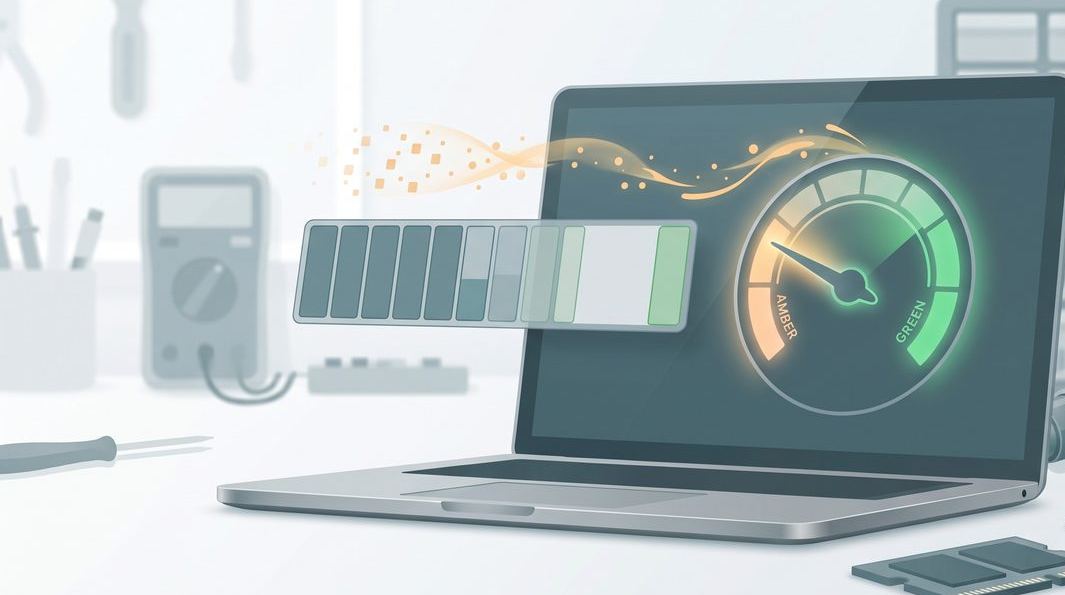
Open it and watch two tabs for a minute. Under CPU, sort by "% CPU" and see whether a single process is stuck near the top — a stalled browser tab, a sync agent, or Spotlight rebuilding its index are the usual suspects. Under Memory, watch the Memory Pressure graph: green is healthy, amber means you are short, and red means the Mac is constantly shuffling data between memory and disk — exactly what a slowdown feels like.
That sorts the problem into a bucket: a single greedy process is a software fix; constant red memory pressure means too much open, or too little RAM; and if nothing stands out but the Mac is warm and the fans are roaring, you are looking at heat.

Free up the startup disk
The most common cause of a slow Mac we see at the bench is embarrassingly simple: the startup disk is nearly full. macOS constantly writes caches and virtual memory to the drive, and when there is no room, everything stutters — apps hang, typing lags, the beach ball appears. As a rule of thumb, keep at least fifteen to twenty percent of the disk free.
Check yours under System Settings → General → Storage. The bar shows what is eating the space. Practical wins, in order of impact:
- Empty the Trash, and check the Bin inside Photos and Mail too — deleted items linger there.
- Move large video files and old photo libraries to an external SSD or iCloud.
- Clear the Downloads folder, which becomes a graveyard of installers and PDFs.
- Turn on Optimise Mac Storage if you use iCloud, and uninstall apps you no longer use.
Do not pay for a "cleaner" app — macOS surfaces almost all of this for free, and aggressive cleaners sometimes delete caches that then have to be rebuilt, briefly making the Mac slower.
Trim login items and background agents
Every app that launches when you log in steals a slice of the first few minutes — and often keeps running forever. Over a couple of years, a Mac accumulates a startup queue nobody chose on purpose: cloud drives, updater helpers, printer utilities and chat apps.
Prune the list under System Settings → General → Login Items & Extensions. The top section, Open at Login, is safe to trim to the essentials. The lower section, Allow in the Background, lists the helper agents apps install — switch off anything belonging to software you have removed. Then restart, because these agents only fully clear on a proper reboot.
While you are at it, look in the menu bar at the top-right. Every icon there is a running app; quit any utility you never open.
Restart properly, not just the lid. Many people go weeks only closing the lid to sleep. macOS runs housekeeping during a genuine restart that a sleep never triggers — a full Apple menu → Restart once a week clears memory leaks and stuck processes, and fixes a surprising number of "it just got slow" complaints on its own.
Memory pressure, swap and the browser
If Activity Monitor showed amber or red memory pressure, this is your issue. When the Mac runs out of physical memory it starts swapping to the SSD, which is far slower than real RAM and wears the drive. The fix is to reduce what is open at once.
The single biggest offender in 2026 is the web browser. Thirty or forty open tabs, each a live web app, can consume more memory than every other program combined. Close the tabs you are hoarding, and cut down on extensions, which each run in the background.
On Apple silicon MacBooks — the M-series Air and Pro — memory is part of the chip and cannot be added later, so managing what is open is the only lever you have. On older Intel MacBooks, many models take a memory upgrade, and going from 8GB to 16GB transforms a machine stuck in red memory pressure. Our MacBook repair bench knows which models accept more RAM.
macOS housekeeping that actually helps
A few genuine maintenance steps are worth doing; a lot of internet folklore is not. The ones that help:
- Install pending updates. Under System Settings → General → Software Update, apply macOS and app updates — they routinely fix performance regressions and memory leaks, and an old release is a common quiet cause of sluggishness.
- Reduce visual effects. On older Macs, System Settings → Accessibility → Display → Reduce Motion and Reduce Transparency lighten the graphics load. And after a big update, give Spotlight a night plugged in to finish re-indexing before assuming something is wrong.
What does not help: obsessively "cleaning RAM" with utilities, or resetting the SMC or NVRAM for a general slowdown (those target specific faults, not speed). If you have done the housekeeping and the Mac is still slow, the cause is more likely physical.
Done the housekeeping and it is still crawling?
Send us the model and one line on what it does — slow to wake, hot and loud, or beach-balling on everything. You will get an honest read on whether it is a quick service or a worn part, before you spend a cent.
Heat and thermal throttling
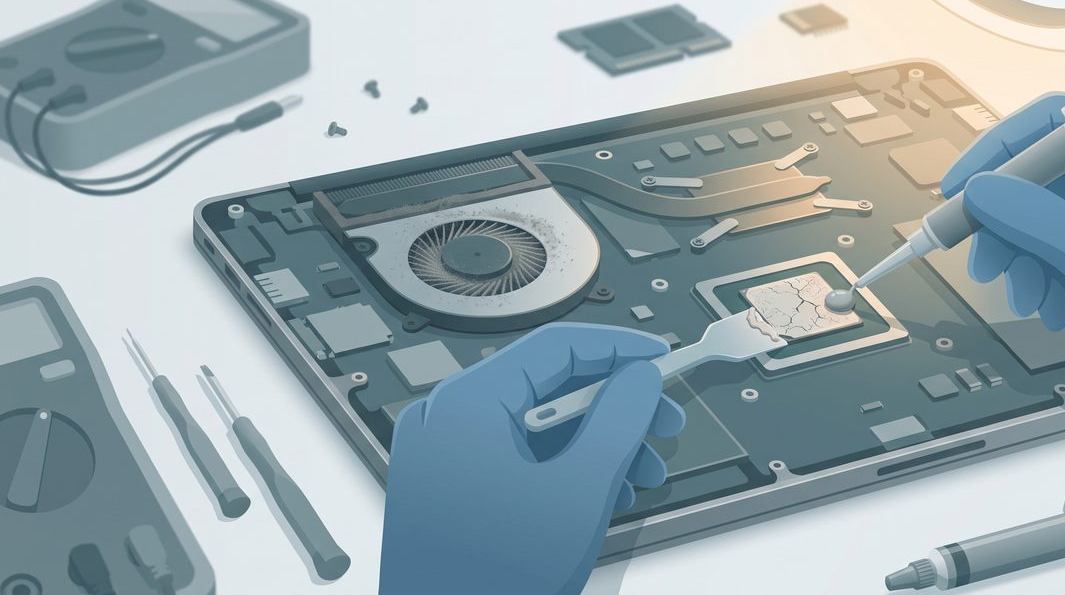
Here is the cause most people miss, and the one Singapore's climate worsens. When a Mac gets too hot, it deliberately slows its processor down to protect itself — this is thermal throttling. The machine is not broken; it is choosing to be slow rather than cook. The signs: a Mac fine for ten minutes then grinding to a crawl, hot near the hinge, fans loud under light tasks.
The usual reason is a heatsink and fans choked with dust. Over two or three years, fine dust packs into the cooling fins, and the thermal paste between the processor and heatsink dries out and stops transferring heat. Humidity and dust here are relentless — we see clogged MacBooks only a couple of years old.
You can help by keeping the vents clear — never use a MacBook flat on a bed, sofa or lap where it blocks its airflow. But a full clean means opening the machine — a bench job. Our MacBook repair service includes a thermal clean-and-repaste that regularly turns a hot, throttling Mac back into a quiet, fast one; a rattling or whining fan is worn and gets replaced at the same time.
When it is hardware, not habits
If you have freed space, trimmed startup items, tamed the browser and updated macOS but the Mac is still slow — or it never gets warm yet simply crawls — the cause is a part. The common culprits:
- A dying SSD or, on old Macs, a mechanical hard drive. If a pre-2013 MacBook still has a spinning hard drive, swapping it for an SSD is the most transformative upgrade there is. A failing SSD shows as long freezes and hanging apps — and it is a data-loss risk, so see our data recovery service if files have gone missing.
- A worn or swollen battery. A degraded battery can force the Mac to throttle, and a swollen one presses on the trackpad and case — a safety issue, not just a speed one. A MacBook battery replacement restores performance and removes the risk.
- Logic-board faults. A failing power-management chip or heat-damaged components cause slowdowns, freezes and shutdowns. Our MacBook logic board repair bench diagnoses these rather than swapping the board blind; if a Mac has stopped responding, our guide on a MacBook that will not turn on is the place to start.
The honest part: not every slow Mac is worth repairing, and we will say so. Free walk-in diagnosis means you find out which before committing, and everything we do carries a written warranty. We work across our Apple repair bench, from old Intel Airs to the newest Apple silicon Pros.
What a MacBook speed-up costs in Singapore
"My Mac is slow" spans everything from a free tidy-up to a board repair, so we never quote blind. As a guide to the bands you might see:
- Software housekeeping and advice — free; most of this guide you can do yourself.
- Thermal clean and repaste to stop throttling — typically from around S$120, quoted after we see the machine.
- SSD or memory upgrade on an eligible older Mac — the low hundreds, depending on capacity and model.
- Battery replacement or logic-board repair for a worn cell or deeper fault — priced by model, quoted case by case after diagnosis.
Two promises hold across all of them: you get a written quote before any work, and if we cannot fix it you do not pay a repair fee. We repair at component level rather than swapping expensive assemblies, which usually keeps the bill lower than the brand route. Our MacBook repair page and the wider device repair cost guide lay out the typical ranges.
Questions we get every week
Frequently asked questions
Why has my MacBook suddenly become so slow?
A sudden slowdown usually has a single trigger rather than old age. The common ones are a nearly full startup disk, a background process pinning the CPU, a memory-hungry browser with dozens of tabs, or thermal throttling because the fans and heatsink are clogged with dust. Open Activity Monitor and watch the CPU and Memory tabs for a minute — if one app or process is stuck at the top, you have found your culprit. If nothing obvious shows and the Mac is also warm or the fans are loud, the cause is more likely heat or a failing part.
Does a full startup disk really slow a Mac down?
Yes, and it is one of the most common causes we see. macOS needs free space to write temporary files, cache and virtual memory. When the disk drops below roughly ten percent free, the system starts struggling to swap memory to storage, and everything from opening apps to typing can stutter. Clearing space so the drive has a comfortable buffer — ideally fifteen to twenty percent free — often restores most of the lost speed on its own.
Will more RAM or an SSD fix a slow MacBook?
On older Intel MacBooks, often dramatically — swapping a slow hard drive for an SSD, or adding memory, can make a machine feel new. On modern Apple silicon MacBooks the memory and storage are soldered to the board and cannot be upgraded after purchase, so the fix is software housekeeping, thermal service, or replacing a worn part rather than an upgrade. Bring the Mac in and we will tell you honestly which camp yours falls into before you spend anything.
Can I speed up an old MacBook without spending money?
Very often, yes. Free up disk space, trim your login items, quit the browser tabs and menu-bar apps you do not need, install pending macOS updates, and restart the Mac properly rather than just closing the lid. Those five steps cost nothing and fix the majority of everyday slowdowns. If the Mac is still sluggish afterwards, or it runs hot and loud, that points to a hardware cause that a clean-up cannot solve.
How much does it cost to speed up a slow MacBook in Singapore?
It depends on the cause. Software housekeeping and advice you can do yourself for free. A thermal service — opening the Mac, clearing dust and renewing the thermal paste — typically starts from around S$120, quoted after we see the machine. An SSD or memory upgrade on an eligible older Mac, or a battery or board repair, is priced case by case. Walk-in diagnosis is free, you get a written quote before any work, and if we cannot fix it you do not pay a repair fee.
Keep reading
Related guides
MacBook Air repair guide: the common faults and fixes
What goes wrong on the Air, from throttling to batteries, and what each fix involves.
MacBook Pro repair guide: screens, boards and cooling
The Pro's typical failure points and how a component-level workshop tackles them.
MacBook battery replacement
End throttling and swelling with a fresh cell — restore full performance and runtime.
Get a written quote before a screw turns
Component-level diagnostics, a fixed price in writing, and no repair fee if we cannot fix it. Walk in Mon–Fri, or WhatsApp the workshop.