
iPad guides · Singapore
iPad cracked screen repair (2026): why DIY kits fail, and what the real fix involves
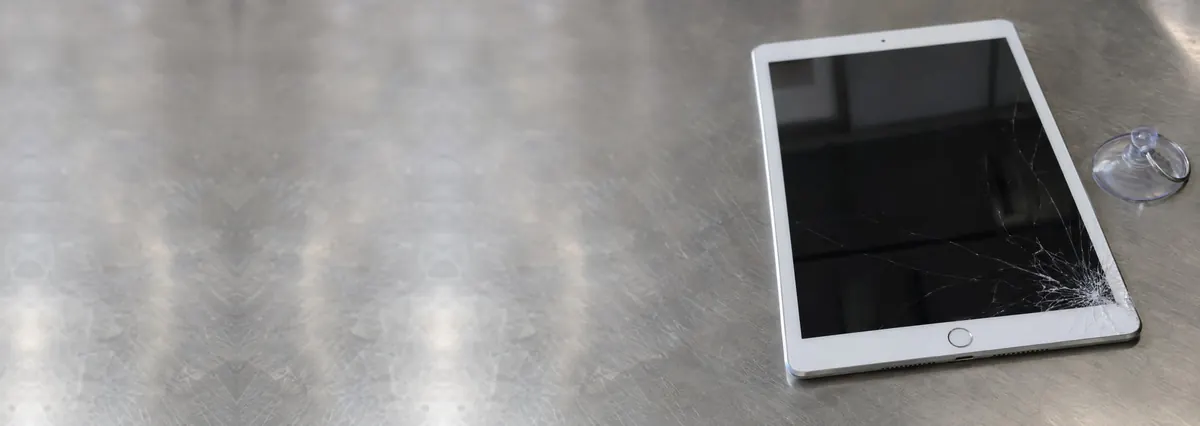
A cracked iPad screen looks worse than it usually is. The glass takes the hit, but the tablet underneath is nearly always fine — and repairable. The trap is the cheap DIY kit, because an iPad is not a phone: its screen is a bonded, glued assembly that punishes the impatient. Here is what actually breaks, why the kits fail, and what a proper repair looks like.
On this page
What actually breaks: glass, digitiser and LCD
To understand why an iPad screen repair is trickier than a phone's, it helps to know the "screen" is really three layers stacked together. On top is the cover glass — the part that shatters into a spider-web when the tablet meets a tiled floor. Fused to it is the digitiser, the transparent touch layer that reads your taps and Apple Pencil strokes. Underneath sits the LCD (or, on newer Pro models, the mini-LED or OLED display) that produces the picture.
On older iPads these layers were separate, so a cracked front sometimes meant swapping only the glass and digitiser. On nearly every iPad sold in the last several years, the three are laminated into a single bonded assembly, glued edge-to-edge into the aluminium frame. That one choice is behind almost everything that follows: the higher part cost, the longer bench time, and the reason a careless lift ruins a working display. Our iPad repair in Singapore page covers the common jobs and how we price them.

Reading the damage: cracked, black or ghost-touching
Not every "broken screen" is the same repair, and telling them apart early saves money:
- Cracked glass, everything still works. The display is clear and touch responds normally — the best case, a straightforward glass or assembly swap. Do not keep using it, though: the crack spreads.
- Cracked with dead spots or ghost touches. If parts of the screen stop responding, the tablet taps by itself, or lines run across the picture, the digitiser or LCD is damaged too. That points to a full display assembly.
- Black screen but the iPad is alive. You hear notifications or feel it vibrate, but the picture is gone. The display or its cable took the hit; the data and logic board are untouched.
- Dead after a heavy fall. The impact may have reached the board or battery rather than just the glass — a diagnostic case, and occasionally a job for iPad motherboard repair rather than a screen alone.
On a free walk-in diagnosis this is the first thing we check, because it decides whether you need a glass swap, a full assembly, or something deeper — and you get a written quote before any work begins.
Why iPad DIY screen kits fail
Search "iPad screen repair" and you will find kits with a panel, a suction cup, a couple of picks and a hopeful five-minute video. They sell well, and they fail often. Here is the engineering reason why.
The glass is glued, not clipped. An iPad front is held down with a continuous bead of strong adhesive around the whole frame. To free it you warm the edges evenly, then slide a thin blade around without going deep. Too little heat and the glass will not budge; too much, or a blade pushed a millimetre too far, and you slice the digitiser cable, crack the LCD, or — worst of all — nick the battery that sits directly beneath the glass. A punctured lithium cell is a fire risk, not just a repair cost.
The cheap panels rarely match. iPad models look alike but differ in thickness, cable routing and connector type. A panel that is "for iPad" but not for your exact model fits poorly, leaving a raised, clicky edge that cracks again on the first knock.
Re-sealing is a skill of its own. Even a perfect swap has to be re-glued and clamped so the tablet is sealed against dust and stays rigid. DIY jobs are often taped shut, which lets the new glass lift and feel loose. We see plenty of "I tried it myself first" tablets, and by then a simple glass job has become a full assembly plus a battery. Our take: learn on a dead iPad, and let a bench handle the one you rely on.
Cracked iPad? Get an honest read before you risk a DIY kit.
Tell us the model and what happened, and you will get a straight answer on whether it is a glass swap, a full assembly, or something deeper — with a written price before anything is touched.

The real repair process on a bonded iPad
Knowing what a proper repair involves explains the time and price. A careful job runs like this:
- Diagnosis and backup reminder. We confirm what is damaged — glass only, or the display too — and remind you to back the tablet up, though the data is not at risk during the work.
- Controlled heating. The whole perimeter is warmed evenly to soften the adhesive, without cooking the battery or the flex cables.
- The slow lift. Thin picks are worked around the frame patiently, clear of the corners where the digitiser cable and battery sit — the step DIY kits rush and regret.
- Transfer and fit. The correct panel for your model goes in, cables are seated cleanly, and touch, display and Apple Pencil are tested before it is closed.
- Re-seal and clamp. Fresh adhesive is laid and left to cure properly so the tablet is sealed and rigid again — which is why a good repair is usually same-day or next-day, not five minutes.
Because we work component-level, a screen job fixes the screen and we do not upsell a device you do not need. When the panel is bonded, the assembly is the honest fix, and our iPad screen replacement page covers what that includes.
Why your model changes everything
"How much to fix an iPad screen?" has no single answer. A few things move the price and method:
Standard iPad vs iPad Air vs iPad Pro. The base iPad uses a more affordable LCD, so its screen repair sits at the lower end. The Air and especially the Pro use laminated, higher-resolution displays, and the newer Pro's mini-LED and OLED panels are genuinely expensive parts. The larger the tablet and the fancier the display, the higher the panel cost.
Age and separability. Some older iPads let the glass-and-digitiser layer be replaced separately from the LCD, keeping the cost down. Newer bonded assemblies offer no such shortcut — if the glass is gone, the whole assembly goes.
Apple Pencil and Face ID. Higher-end iPads route touch and, on some, Face ID hardware through the screen area, which needs careful handling so features keep working after the swap. If you own several Apple devices, our Apple repair bench covers them together.
The takeaway: a cracked screen on a mid-range iPad is a worthwhile repair. On a very old, low-value tablet where the panel cost approaches its resale price, we will say so honestly rather than take the job.

iPad screen repair cost realities in Singapore
We never quote a firm figure sight-unseen, because "cracked iPad screen" can mean a modest glass swap or an expensive Pro assembly. As a guide to the bands:
- Older standard iPad, glass-only where separable — the lower end, from the low hundreds.
- Bonded assembly on a standard iPad or mini — mid-range, quoted after we confirm the model.
- iPad Air and iPad Pro laminated displays — higher, driven by the panel cost; the newest Pro screens are the priciest parts we handle.
- Screen plus a knock-on repair — if a delayed crack has reached the battery, the job may combine the screen with an iPad battery replacement.
Whatever the band, two promises hold: a written quote before any work, and a written warranty on every completed repair. If we open the tablet and find it cannot be fixed sensibly, you do not pay a repair fee. For a wider view, our device repair cost guide sets out the ranges across phones, tablets and laptops, and you can book the job through our iPad repair service.
Before you bring it in: a short checklist
A few minutes of prep makes the repair smoother and safer:
- Back up first. Your data is not touched during a screen repair, but a backup is good habit. If the tablet is too damaged to back up, our data recovery service is a separate conversation.
- Stop using the cracked screen. Every tap presses shards deeper and spreads the crack toward the display and battery. A small job stays small if you set it aside early.
- Bring the whole tablet. We identify the exact model on the bench and match the correct panel — no need to figure out part numbers.
- Know your Apple ID. Screen repairs don't need it, but having it handy avoids lock-screen surprises when we test the tablet.
That's the honest version of iPad cracked screen repair: the tablet is usually saveable, the DIY kit is usually a false economy, and a bonded-assembly job done properly is worth the short wait. Walk in Mon–Fri for a free diagnosis and leave knowing what it costs before a single screw is turned.
Questions we get every week
Frequently asked questions
Can a cracked iPad screen be repaired, or do I need a new iPad?
Almost always repaired — a cracked screen is one of the most common iPad faults we fix, and it very rarely means the tablet is finished. The glass, digitiser and display are separate from the logic board and battery, so replacing them restores the iPad to full working order at a fraction of a new one’s price. The only time replacement starts to make sense is a very old model where the screen cost approaches the tablet’s resale value, and even then we will give you an honest written quote first so you can decide.
Why is iPad screen repair more expensive than a phone?
Two reasons: size and bonding. An iPad panel is far larger and more fragile than a phone screen, so the part itself costs more and is easier to crack during handling. On most models the glass, digitiser and LCD are laminated into one bonded assembly and sealed with strong adhesive, which means careful heating, a slow lift and a full re-seal — more time on the bench than a simple phone swap. The good news is it is still a fraction of a new iPad, and you get a written quote before any work.
Is it worth fixing a cracked iPad screen myself with a DIY kit?
We rarely recommend it. The cheap kits sold online almost never match your exact model, the digitiser cable tears easily, and the heat needed to free the glass can crack the LCD or nick the battery underneath. Many DIY attempts end up costing more than the original repair once a second part is ruined. If you enjoy tinkering on an old, out-of-use iPad, by all means learn on that — but for a tablet you rely on, a proper repair with a warranty is safer and usually cheaper in the end.
Will a cracked screen damage the rest of my iPad?
It can, if it is left too long. A cracked front is an open door for dust and moisture, and sharp glass shards sit directly above the battery and digitiser cables. Flexing the tablet or pressing the bulging glass can spread the crack into the display or short a cable. Your data is safe on the logic board and is not affected by the crack, but the longer a broken screen is used the more likely a cheap glass-only fix turns into a full assembly or battery job. Getting it looked at early keeps the repair small.
How long does an iPad screen repair take, and is my data safe?
Most iPad screen repairs are a same-day or next-day job once we have the right part, because the bonded assembly and adhesive re-seal need time to set properly rather than being rushed. Your data is never touched during a screen repair — it lives on the storage on the logic board, which we do not open. We still suggest a quick backup before any repair as good practice, and if a tablet arrives dead from a bad fall we can advise on data recovery separately.
Keep reading
Related guides
iPad repair in Singapore: bonded assemblies and adhered cells
Every common iPad fault we fix, how we diagnose it, and how the pricing works.
iPad screen replacement
What a proper bonded-display swap includes, from the lift to the re-seal.
iPad battery replacement
When a delayed crack or a tired cell means the battery goes in with the screen.
Get a written quote before a screw turns
Component-level diagnostics, a fixed price in writing, and a written warranty on every completed repair. Walk in Mon–Fri, or WhatsApp the workshop.