
MacBook guides · Singapore
MacBook water damage: what to do in the first ten minutes (and what never to do)
A knocked-over glass, a leaking bottle in a bag, a splash from the rain — it takes seconds to soak a MacBook and about ten minutes of good decisions to save it. What you do right now matters far more than the spill itself. Here is the honest playbook, including the popular advice that quietly ruins machines.
On this page
- The first ten minutes: exactly what to do
- Three things that ruin a wet MacBook
- Why rice is a myth, not a fix
- The real enemy is corrosion, not water
- Not all spills are equal: water, coffee, seawater
- What a professional board clean actually involves
- Getting your files off a dead MacBook
- What water damage repair costs in Singapore
The first ten minutes: exactly what to do
Speed and calm win here. The liquid is not what kills a MacBook — electricity flowing through it is. So your whole goal in the first few minutes is to cut power and stop the spread:
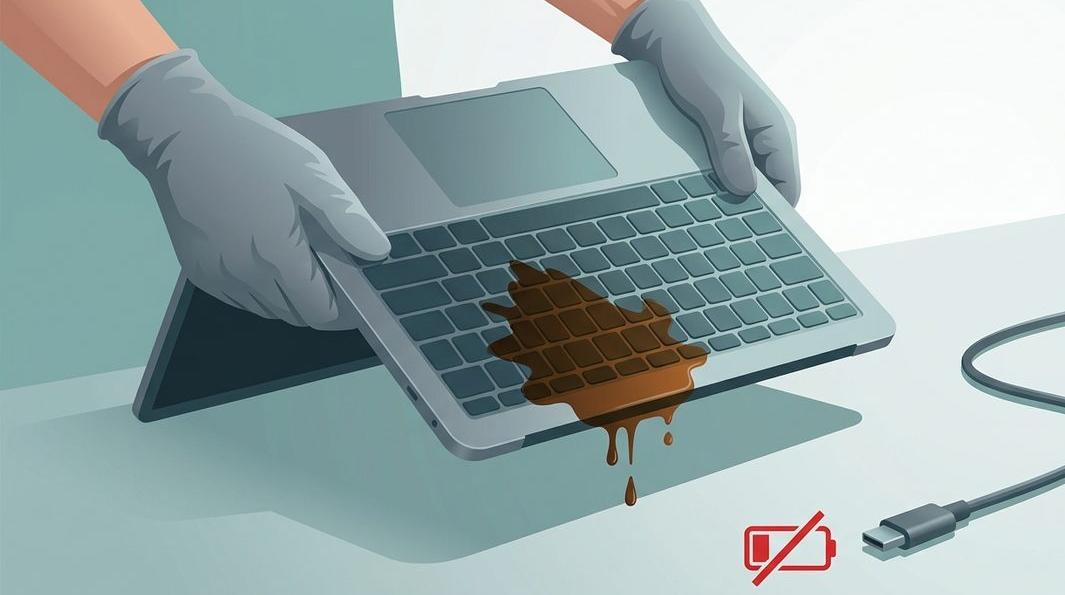
- Cut the power immediately. Hold the power (or Touch ID) button for about ten seconds to force a hard shutdown. Do not wait for macOS to close nicely — every second it stays on, current bridges across wet circuits.
- Unplug the charger and everything else. Pull the MagSafe or USB-C charger and remove any dongles or drives. If it is charging, you are feeding the problem you want to stop.
- Blot what you can see with a clean, dry cloth. Do not scrub liquid into the keys.
- Tent it upside-down. Stand the MacBook in an upside-down “A” on a towel, keyboard facing down, so gravity pulls liquid out rather than deeper in.
- Leave it off. Do not test it. The urge to press power “just to check” is the most expensive mistake people make.
- Get it to a workshop the same day. A MacBook cleaned within hours recovers far more often than one left overnight.
That is the whole emergency drill. Everything after this is about getting the inside opened and cleaned before corrosion sets in — a job for a bench, not a kitchen. If in doubt, our MacBook water damage repair team will talk you through the next step.
Three things that ruin a wet MacBook
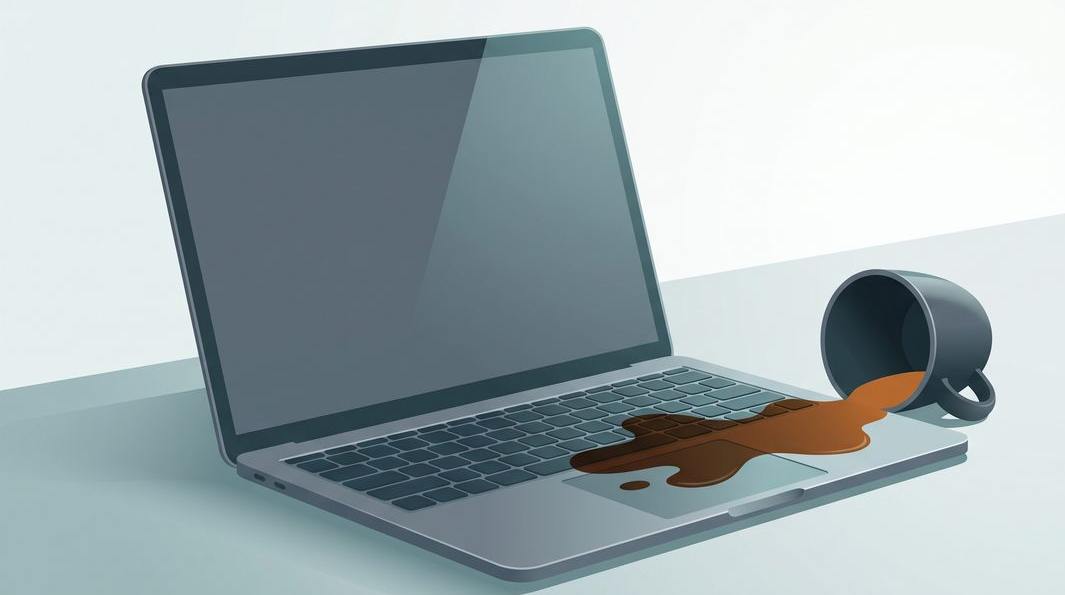
Most write-offs we see were caused not by the spill but by what the owner did afterwards. Three habits do the real damage:
1. Charging it or turning it on to “check.” A wet board with power running through it short-circuits in ways a dry one never would. One boot attempt can send a rail voltage across a bridge of liquid and kill a chip a simple clean would have saved. If it is off, leave it off until a technician has looked inside.
2. Blasting it with a hairdryer. Heat drives moisture deeper under chips and connectors, and MacBook keycaps and internal plastics can warp or melt. It also does nothing about the mineral residue the liquid leaves behind.
3. Prying the board apart yourself. Modern MacBooks are tightly packed, the battery is glued in, and the board carries components smaller than a grain of rice. A home teardown usually adds bent connectors and torn cables to the original spill. Opening it is a job for someone with the right tools.
The one-line version: off, unplugged, tented, and to a bench fast. Do not charge it, heat it, or power it on to test.
Why rice is a myth, not a fix
The rice trick has been repeated so many times it feels like fact — our own older guides once suggested it. In 2026 we can be blunt: rice does not repair water damage.
Rice is a mild desiccant that pulls a little humidity from the surrounding air. It cannot reach liquid trapped under soldered chips, inside connectors, or between the layers of a logic board — exactly where the damaging liquid sits. Worse, it fixes the wrong problem: by the time you bury a MacBook in rice, the water has usually already started a chemical reaction on the metal contacts, and the days spent waiting are days corrosion keeps spreading. We have opened plenty of rice-dried MacBooks to find corrosion blooming across a board that looked bone dry. The only step that changes the outcome: power down, keep it off, and get the board cleaned before corrosion takes hold.
The real enemy is corrosion, not water
It helps to know what is happening inside. Pure water is a poor conductor and, on its own, does little harm. The damage comes from two things working together: power and corrosion.
While the MacBook is on or charging, dissolved minerals in the liquid conduct electricity across paths the board was never meant to carry it, creating short circuits that can instantly kill a chip. That is the fast damage — and why cutting power in the first minute matters so much.
Then comes the slow damage. Even after the liquid dries, it leaves salts and minerals on the metal pads, pins and traces. In Singapore’s humidity those residues keep pulling moisture from the air and quietly corrode the copper and solder underneath — which is why a MacBook can seem fine for a week or two, then start glitching, refusing to charge, or dying altogether. The spill did not “heal.” This is why we push same-day service: the earlier the board is cleaned, the more likely the damage is surface residue rather than eaten-through traces that need component-level logic board repair.
Spilled something on your MacBook? Do not wait for it to “dry out.”
Tell us the model and what happened — water, coffee, or a mystery splash — and we will tell you the exact next step. The faster a liquid-damaged board is cleaned, the more we can save, and diagnosis is always free.
Not all spills are equal: water, coffee, seawater
What you spilled changes the urgency and the cost. From least to most aggressive:
- Plain or distilled water is the kindest — it conducts less and leaves little residue. Caught early and powered off, these often clean up well.
- Tap water carries minerals that leave a conductive film — more corrosive than distilled, but manageable if cleaned promptly.
- Coffee, tea, soft drinks and juice are far worse: sugar and acids leave a sticky, conductive residue that keeps causing shorts and corrosion long after it dries.
- Seawater, pool water and soup are the most punishing. High salt content makes them extremely conductive and corrosive — genuine emergencies where hours count.
Whatever the liquid, the response is the same — off, unplugged, tented, in fast — but a sugary or salty spill left for a week is far more likely to need parts replaced than just a clean. A keyboard left sticky or dead after a drink spill is often a separate keyboard replacement on top of the board clean.
What a professional board clean actually involves
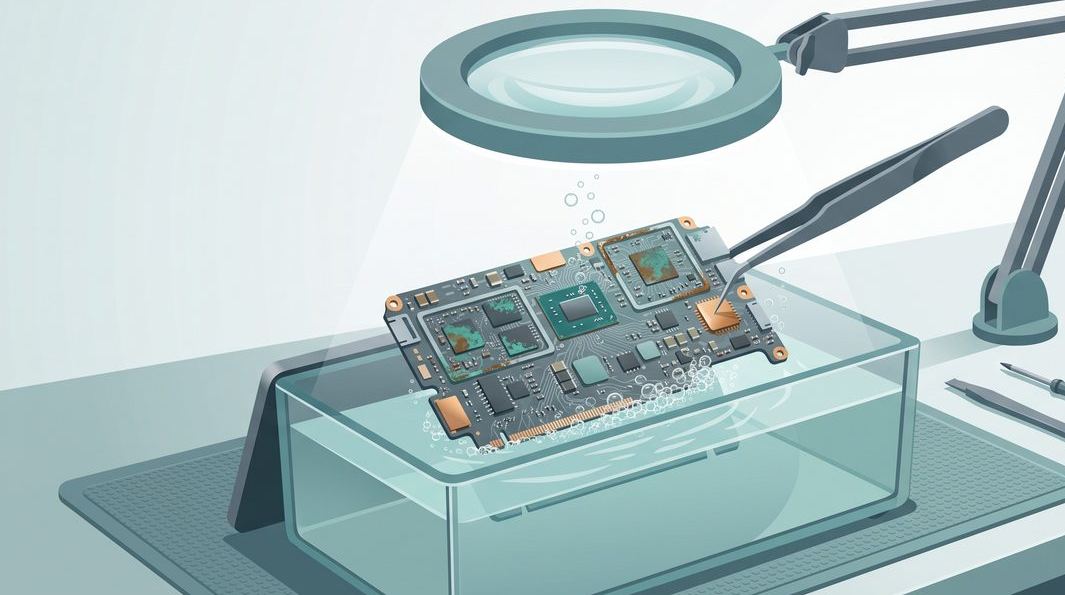
“Liquid damage repair” sounds vague, so here is what actually happens on the bench:
- Full teardown. The MacBook is opened, the battery disconnected first, and the board removed so both sides can be reached. Nothing is powered until it is clean.
- Inspection under a microscope. We map where the liquid travelled and grade the corrosion — a spill in one corner is a different job from one that soaked the whole board.
- Ultrasonic and hand cleaning. The board is cleaned, often in an ultrasonic bath with isopropyl and specialist agents, to lift residue and neutralise corrosion from under chips and connectors.
- Component check and repair. If a spill has killed a specific chip or circuit, we repair that at board level rather than condemning the whole board — the difference between a modest bill and a new machine.
- Test, reassemble, back up. Only once it is clean and stable do we power it, run it under load, and help you make the backup you may not have had.
This is the same component-level approach we take to every MacBook repair: fix what failed, not swap the whole board by default. It is why we often save a machine another shop would write off. If a Mac has already failed to power on after a spill, our MacBook won’t turn on diagnostics start in the same place — checking the board for liquid damage first.
Getting your files off a dead MacBook
For most people the real fear is the photos, the work, the years of files. On modern MacBooks (Apple silicon and recent Intel models with the T2 chip), the storage is soldered to the board and encrypted. You cannot pull a drive out and read it elsewhere the way you could with an old laptop. So recovering your data usually means reviving the board enough to read it — which is why the water-damage clean and the data recovery are so often the same job.
When a board genuinely cannot be revived, board-level and chip-level techniques can often still reach the storage — but it is delicate work, and encryption means it is never guaranteed. This is the strongest argument for keeping a Time Machine backup or iCloud sync running: with a backup, a water-damaged MacBook is a hardware problem with a clear price; without one, it can become a real recovery mission. Either way, our data recovery service assesses the board first and tells you honestly what is retrievable before any work.
What water damage repair costs in Singapore
We never put a firm figure on a liquid job before seeing it, because “water damage” ranges from a quick rinse to a multi-day board rebuild. What decides the price is how far corrosion spread before cleaning — another way of saying how fast you acted:
- Early clean, no failed parts — a straightforward teardown, ultrasonic clean and reassembly, the least costly outcome and the reward for coming in same-day.
- Clean plus a failed component or two — a keyboard, trackpad or battery killed by the spill, quoted on top after diagnosis.
- Board-level repair — corrosion has eaten circuits and chips need microsoldering; quoted case by case.
Across all of them, two promises hold: you get a written quote before any work, and if we cannot bring the MacBook back, you do not pay a repair fee. Walk-in diagnosis is free, we work component-level rather than swapping whole boards, and every repair carries a written warranty. Our guide to MacBook liquid damage repair explains how we grade each case — and the ones that come in fast are almost always the ones we save.
Questions we get every week
Frequently asked questions
My MacBook still works after a spill — is it fine?
Not necessarily. A MacBook that survives the first day can still fail weeks later, because corrosion keeps eating the board long after the liquid looks dry. Power it down, keep it off, and have the board cleaned while the damage is still surface-level. Waiting to ‘see if it is okay’ is how a simple clean turns into a board repair.
Does putting a MacBook in rice work?
No. Rice cannot reach the liquid trapped under the board’s chips, and it does nothing to stop corrosion that has already started. It only wastes the time when the board could have been cleaned, and it tempts people to leave the machine sitting for days — exactly when the damage spreads. Skip the rice and get it to a workshop.
Can you recover my files from a water-damaged MacBook?
Usually, yes. On most modern MacBooks the storage is soldered to the board and encrypted, so recovery means reviving the board enough to read it, not simply pulling out a drive. If a clean brings the Mac back, you back up as normal; if the board is beyond saving, board-level and chip-level work can often still reach the data. We assess it first and tell you honestly what is possible.
Is a coffee or juice spill worse than water?
Yes, considerably. Sugar, salt and acids in coffee, soft drinks, juice and seawater leave conductive, sticky residue that keeps causing short circuits and corrosion after the liquid dries. These spills need a full board clean far more urgently than plain water. Same-day is ideal; a sugary spill left for a week often needs component-level repair.
How much does MacBook water damage repair cost in Singapore?
It depends on how far the corrosion spread before the board was cleaned. An early clean with no failed components is the least expensive; if a spill has killed the keyboard, battery or specific chips, those are quoted on top after diagnosis. We never quote blind — you get a written price band before any work, and if we cannot fix it you do not pay a repair fee.
Keep reading
Related guides
MacBook won’t turn on: how to diagnose it
Power checks, SMC, and the board-level faults that need a technician.
Data recovery in Singapore: drives, phones and soldered storage
How professional recovery works when a device is dead and encrypted.
MacBook repair in Singapore: every model, one bench
Component-level diagnostics for Air, Pro, Retina and Apple silicon.
Get a written quote before a screw turns
Component-level diagnostics, a fixed price in writing, and no repair fee if we cannot bring your MacBook back. Walk in Mon–Fri, or WhatsApp the workshop.