
★★★★★
My surface laptop was replaced with an SSD card and the services was very good.
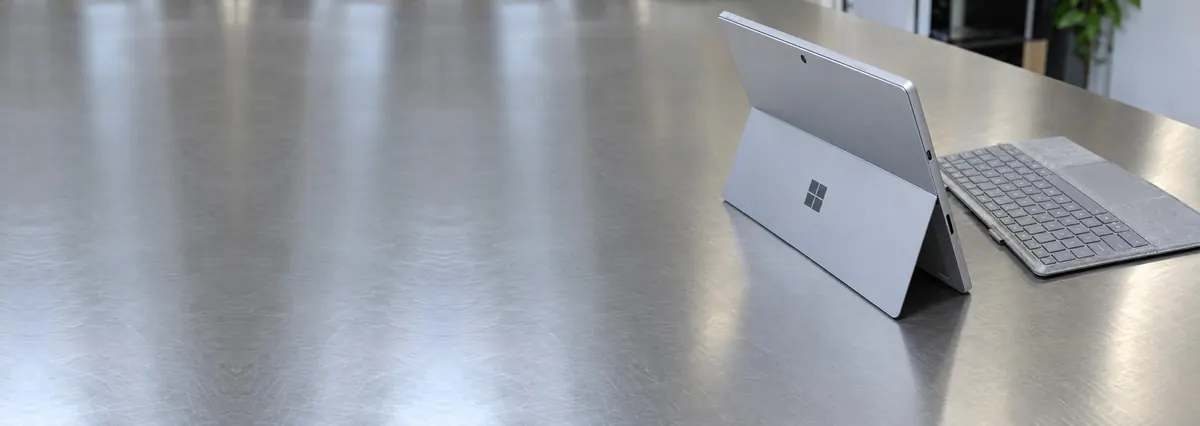
Service · Microsoft Surface · Singapore
Surface Pro, Surface Laptop, Laptop Studio, Surface Book, Surface Go and Laptop Go — and the bonded displays and soldered boards inside them. Surface devices are glued, not simple, so we open them with controlled heat and steel picks, diagnose the real fault, and quote it honestly before any adhesive is touched.
A slice of this week's Surface bench log
Most Surface repairs land from around S$90 to S$650, typically 1–3 days on most jobs, longer on bonded displays. Diagnosis is free on walk-ins, you get a written quote before any work starts, and if we cannot fix it you do not pay a repair fee. See how we arrive at that.
On this page
The Surface line occupies an unusual place in Singapore. It is bought by people who wanted a Windows device with the polish of a tablet — designers, consultants, students who take handwritten notes with the pen — and that audience keeps the device for years rather than cycling through cheap laptops. So the Surfaces that reach our bench are rarely broken by neglect; they are worn out honestly: a battery swelled after four years of daily charging, a digitiser that stopped reading the pen, a Surface Connect port that no longer holds a charge. Good machines that deserve a real repair — and precisely where most of the market lets Surface owners down.
The reason is straightforward: a Surface is one of the hardest mainstream devices to open. There are no screws under rubber feet and no service panel. The display is glued down, and the battery underneath it is glued too. Opening a Surface means softening that adhesive with controlled, even heat and working thin steel picks slowly around the perimeter without cracking glass that is bonded to the digitiser beneath it. That difficulty is why so many owners are told a Surface is "not repairable" — which is untrue. It is repairable; it is simply not quick.
We take Surface work seriously because we have the equipment and the patience for it. The device is opened the right way, the fault is traced on a bench supply rather than guessed, and every quote is honest about the labour a glued device demands. We service the full line: Surface Pro and its Type Cover, Surface Laptop, Laptop Studio, the detachable Surface Book, and the smaller Surface Go and Laptop Go. Unsure which generation you own? Send a photo and the serial and we will identify it.
Below is the intake reference our technicians use when a Surface arrives. The reference codes are ours, not a Microsoft standard — quoting one over WhatsApp simply lets us set aside the right heat station and parts before you travel. The turnaround assumes the part is in stock and the display frees cleanly; bonded-display and board work are the exception, because fresh adhesive needs time to cure and a board is never rushed.
Diagnostic reference
The faults that account for most Surface repairs on our bench, in roughly the order we see them.
Send a photo of the device, the serial or model if you have it, and a two-line description of what it does. A technician replies with a probable diagnosis and an honest price band — including the real labour a bonded Surface needs — before you travel.
Every Surface that comes through the door follows the same path, whether it is a Type Cover check or a two-day bonded-display job. The point of a fixed process is that nothing gets skipped, nothing gets guessed, and the adhesive is never rushed.
On almost every Surface, the glass, the touch digitiser and the LCD or OLED panel are laminated into a single assembly, and that assembly is glued to the chassis. A Surface screen repair is nothing like popping a panel out of an old laptop lid: to reach anything inside, even the battery, the display must come off first, softened with controlled heat and eased apart with thin steel picks. When the screen itself is the fault, we fit a correct bonded assembly to the right resolution and touch specification, then re-bond it with fresh adhesive so it sits flush and stays sealed against dust. The same bonded-glass technique appears in our iPad repair and screen replacement work.
The single most common Surface repair we do is a swollen battery. The lithium-polymer cell in a Surface Pro or Surface Laptop is glued directly to the chassis, right beneath the bonded display. As it ages it puffs and, with nowhere to expand, pushes the display upward until the screen lifts, the glass bows, or the panel separates from the frame. A swollen cell is a genuine safety issue, not a cosmetic one, so the moment you notice it, stop charging and stop using the device. Replacing it is real work with no ten-minute version: the display is heated off, the cell released, a new pack fitted, the screen re-bonded. Full detail lives on our battery replacement page.
A Surface that will not charge is one of the more hopeful repairs, because it is usually not the whole board. The Surface Connect port takes daily strain and its contacts wear, corrode or lose alignment; the charging IC can also fail and leave the device drawing nothing. We test with a known-good charger, then read the current on a bench supply to separate a worn port from a charging-circuit fault from a deeper power problem, so we quote the actual repair rather than defaulting to a mainboard swap. Board-level faults go to our microsoldering bench, as on the laptop motherboard repair page.
This is the caveat every Surface owner should hear before, not after, a problem. On many Surface models the SSD is soldered onto the mainboard. That has two consequences: you cannot upgrade the storage, and if the board fails your data does not move to another machine, so recovering it becomes a board-level exercise with no guarantee. Keep a backup and never treat soldered storage as your only copy. Where recovery is needed, our data recovery service takes it on with realistic expectations. Newer Surface Pro and Surface Laptop generations do use a removable SSD, and we will tell you which type yours has.
Surface devices are thin, and several — the Surface Pro and the smaller Go models in particular — are fanless, cooling the chip through the chassis. That works well when new and less so after a few years in Singapore's climate, when the thermal compound dries out and the device throttles to protect itself: it feels sluggish, warm and slower than it was, without ever reporting a fault. On the fan-equipped Surface Laptop and Laptop Studio, dust in the airway compounds the effect. A thermal service means opening the device, cleaning the airway and renewing the compound so the chip can hold its clock speed again — more involved on a thin, glued device than on an ordinary laptop, and we quote it accordingly.
Surface Pro — the tablet-plus-Type-Cover flagship, and our highest-volume Surface. Swollen batteries lifting the bonded glass and Surface Connect wear are the regulars; the Type Cover is a separate, easily tested part.
Surface Laptop — the clamshell with the fabric deck. Swollen batteries and worn charging ports dominate; the display is bonded here too, so screen and battery work both start by lifting the glass.
Surface Laptop Studio — the pull-forward hinged screen is clever but adds stress points; display, hinge behaviour and thermal throttling under creative loads are what we see.
Surface Book — the detachable where the screen is the computer and the base holds the keyboard and, on some units, a second battery and GPU. The detach mechanism and dual-battery charging are the model quirks.
Surface Go / Surface Laptop Go — the compact, affordable models. Fanless in the Go's case, so heat throttling and swollen batteries are common, and soldered storage makes a backup habit essential.
Every completed Surface repair leaves our workshop with a written warranty on the job sheet, covering both the part we fitted and the workmanship that fitted it. It names the repair, the part and the period, so there is never an argument later about what was covered. A replaced battery, bonded display, charging port or reworked board is warranted against defect and against the repair itself failing — and on a Surface, that explicitly includes the adhesive seal, so if a re-bonded screen lifts within the period we put it right. Physical damage, liquid ingress and unrelated new faults sit outside any repair warranty, as everywhere, and we explain where that line falls before you pay.
Because we open a Surface the right way and tell you the truth about it. Because we do not pretend a glued, bonded device is a quick job, and the written quote reflects the real labour before the work starts. Because every completed repair carries a written warranty on parts, workmanship and the adhesive seal — and if we cannot fix it, you do not pay a repair fee.
On most Surface models the storage is soldered to the mainboard, and on many it is encrypted with BitLocker by default, with the key held in the device's TPM. Two consequences follow, and they are the most important sentences on this page.
First: if the board is replaced, your data goes with it. A shop that quotes you a board swap on a Surface with irreplaceable files on it is quoting you a data loss. We repair Surface boards rather than replacing them, precisely for this reason. Second: find your BitLocker recovery key now, before anything goes wrong. It lives in your Microsoft account. Without it, a wiped TPM makes your data unreachable to us, to Microsoft, and to anyone else — by design.
This is why our standing rule on Surface work is data first, repair second. See encrypted and soldered storage.
Surface displays are adhered, not welded. They are removed with controlled heat and thin steel picks, and re-bonded with fresh adhesive on reassembly. It is a genuinely delicate job on a genuinely thin panel, and the failure mode of rushing it is a cracked digitiser.
The realistic caveats, stated plainly rather than hidden in a quote: the screen and digitiser are one assembly, so a cracked Surface screen means a display assembly and not a panel; on Surface Pro the display is the access route to everything else, so almost any internal repair carries display-removal labour; and the adhesive needs a controlled cure, so "while you wait" is not on offer. Surface work takes two to four days and costs what the labour costs.
A swelling pack in a Surface Pro pushes directly against the display assembly. The tell is a screen lifting away from the frame at one edge, or a Surface Laptop whose base has bowed. This is urgent: the cell is pressurised, and prising a bonded display off a swollen pouch with a metal tool is how people start fires.
Power it down, stop charging it, keep it on a hard non-flammable surface, and bring it in. Do not attempt the display removal yourself, whatever the video promises. Read the swollen-battery guidance.
Charging circuits, Surface Connect ports and USB-C PD controllers, all repairable at component level. Type Cover connectors that stop enumerating. Keyboards on Surface Laptop, which are integrated into an Alcantara-covered top case and priced accordingly. And the familiar thermal story on Surface Book and Laptop Studio: dried compound, throttled clocks, a machine that feels tired.
What we will not do is pretend a Surface is a ten-minute job. We quote them honestly, and sometimes we advise a customer that a five-year-old Surface Go is not worth the labour. That is a conversation worth having before you pay for diagnostics.
Higher than a comparable laptop. The device was designed for thinness, not for us.
Save your BitLocker recovery key to your Microsoft account and check that you can actually see it. Back up to the cloud — on soldered, encrypted storage, a backup is not optional, it is the only recovery plan that always works. Cap the charge if your model supports it. And if the screen starts lifting at an edge, that is a battery, and it is today's problem.
Verified Google reviews
Real reviews from our Google profile, shown with the customer’s name as they left it. The score and the count are Google’s own, updated every week.
My surface laptop was replaced with an SSD card and the services was very good.
I got the motherboard issue fixed on my 16” MacBook Pro. No data was lost, and everything is the same as before. As promised, I also received a 60-day service warranty. Thank you, iDevice! 😊
Excellent Lap top repair service! Fast turn around, professional support & my computer was fixed quickly.
They repair fast and good, my DELL laptop had damaged screen and battery and they fixed it in one day. Diagnosis is free and they quote after checking on the problem. Pre-test testing and post testing done well.. Highly recommend.
Managed to fixed my 16inch MacBook pro within 5 working days thank you!
Great service - MacBook froze on upgrade. Could not solve problem myself. iDevice expedited the repairs and my Mac is like new! Very reasonable rates for repair too. Highly recommend.
Super fast and efficient. My motherboard spoiled, spent $350 to replace it, better than getting a new laptop at 2-3k. Hopefully can last for another year 😆
Managed to successfully fix my damaged iPhones and my data is also saved! Thank you for assisting
Related services
Surface Connect charging ICs, no-POST boards and power-rail faults under the microscope.
See the service →Bonded Surface displays lifted with controlled heat and re-bonded with fresh adhesive.
See the service →Recovery from soldered Surface storage, even when the board itself has failed.
See the service →Swollen packs lifting the display, and why the bonded screen makes this a specialist job.
See the service →Questions we get every week
It depends on the fault and, honestly, on how the device is built. A Surface battery or a Type Cover fault is usually in the low-to-mid hundreds, because the battery is glued to the chassis and the display has to be lifted with heat before the cell can be reached — the labour is real, not a ten-minute swap. A bonded display assembly on a Surface Pro or Laptop sits higher again, since the screen and digitiser are a single unit re-bonded with fresh adhesive. Board-level work — a dead Surface Connect charging circuit, a no-POST board — is measured in bench hours. We quote in writing after diagnostics and you approve the figure before we start.
It can be replaced — Surface devices are glued, not permanently sealed. The screen and digitiser are bonded together as one assembly and stuck to the chassis with adhesive, so we free the glass with controlled, even heat and thin steel picks worked slowly around the edge, lift the display, do the work, then re-bond it with fresh adhesive. It is a patient job rather than a quick one, and rushing the heat is exactly how a Surface glass cracks on the bench. That is why we quote screen work honestly and never pretend it is a simple panel pop-out like an older laptop.
That is almost always a swollen battery, and it is very common on Surface Pro and Surface Laptop. The lithium-polymer cell puffs as it ages, and because it sits directly under the bonded display it pushes the glass up — you see the screen lift at an edge or the whole panel bow. Stop using and stop charging the device: a swollen cell is a safety issue, not a cosmetic one. We remove the display with heat, replace the cell with a correct-capacity pack, and re-bond the screen. Do not press the glass back down or keep charging it in the hope it settles.
Rarely dead on the first look. A Surface that won't charge is usually the Surface Connect port, the magnetic charger contacts, or the charging IC on the board — in that order — rather than a whole new mainboard. A Surface that shows nothing at all can be a flat or failed battery, a power-sequencing fault, or a board that is alive but not booting. We test with a known-good Surface charger, then read the current draw on a bench supply. That single reading tells us whether we are chasing a port, a charging chip or a deeper board fault before anyone quotes you a price.
This is the most important honesty point on any Surface. On many Surface models the SSD is soldered directly to the mainboard, so it cannot simply be pulled out and read in another machine — and it cannot be swapped for a bigger drive either. If the board itself fails, recovering your data becomes a board-repair decision: we work to bring the board back to a state where the soldered storage can be read, or read the memory at chip level. This is skilled, time-consuming work with no guarantee, which is exactly why we back up any Surface before other repairs and urge owners not to rely on soldered storage as their only copy. Newer Surface Pro and Laptop models do use a removable SSD; we tell you which yours is.
Not usually. A Type Cover that is no longer detected is most often the magnetic pogo-pin connector — dirt, wear or a bent pin on the cover or the device — or the cover itself, and we test with a known-good cover to prove which side is at fault. Pen or touch that stops registering, or registers in the wrong place, is a digitiser problem. Because the digitiser is bonded to the display glass as one assembly, replacing it means the same heat-and-re-bond process as a screen repair, so we always confirm it is genuinely the digitiser and not a loose display cable or a software glitch before quoting.
Some Surface jobs finish the same day — Type Cover diagnosis, charger and port checks, and some battery and screen work where the display frees cleanly and the part is in stock. But bonded-display and board-level Surface repairs genuinely take longer, because the adhesive needs time to cure properly and a board should never be rushed. Message us the model and the fault before you travel and we will give you an honest turnaround. We are an independent repair centre and we are not affiliated with, or authorised by, Microsoft — where your Surface is still under Microsoft's own cover, we will tell you if that channel is the better route.
Replaced, yes; repaired, no. The glass, digitiser and panel are one bonded assembly, so the assembly is the service part. Expect S$420–780 and two to four days for the adhesive to cure properly. Anyone quoting a same-day Surface screen is cutting the cure.
Not necessarily — but only if the board is repaired rather than replaced. The storage is soldered to it. That is why we always secure data before any irreversible work, and why we treat Surface faults as a data question before they are a repair question.
On a Pro or Laptop that is under four years old and does what you need, usually. On an older Surface Go or an entry Pro, the labour often exceeds the machine's value, and we will say so rather than take the job. Data recovery is a separate decision and often the only one that matters.
Yes. It requires removing and re-bonding the display, so allow two to four days and expect S$280–450. If yours is swollen, stop using the device today and bring it in — a pressurised cell under a bonded display is not something to carry around.
Walk-ins welcome from the CBD, Orchard, Novena, Toa Payoh, Bishan, Ang Mo Kio, Jurong East, Clementi, Tampines, Bedok, Woodlands, Yishun, Hougang and Punggol. Courier collection islandwide for devices that should not be moved with a swollen battery inside.